MakeUseOf’s Yadullah Abidi published a detailed hands-on piece on Bambuddy in July 2026 — This free browser tool beats Bambu Lab at its own game — and it goes considerably further into the tool’s actual feature set than the brief mention Bambuddy got in the self-hosted tools post earlier this year. Reading it properly changed my sense of what Bambuddy actually is. I had filed it mentally as “a local alternative to Bambu Handy” — a nice-to-have for reducing cloud dependency. It is considerably more than that, and this post is my own pass through what it actually does, with full credit to the original piece and its author, plus the connections back to the wider ecosystem story this site has been tracking.
The starting premise: you already own everything
The argument for Bambuddy begins with a fairly obvious point that is easy to lose sight of once a cloud service becomes part of the daily routine. You bought the printer. You bought the AMS. You bought the camera hardware built into the toolhead. You bought the filament. None of that ownership requires a subscription-style cloud account sitting in the middle of your relationship with your own machine just to check on a print or see a history of what you have made. The cloud dependency question has been a live one on this site since the AGPLv3 investigation post and the broader ecosystem post — Bambuddy is one concrete answer to that question rather than an abstract philosophical position.
It is a farm manager, not just a monitoring app
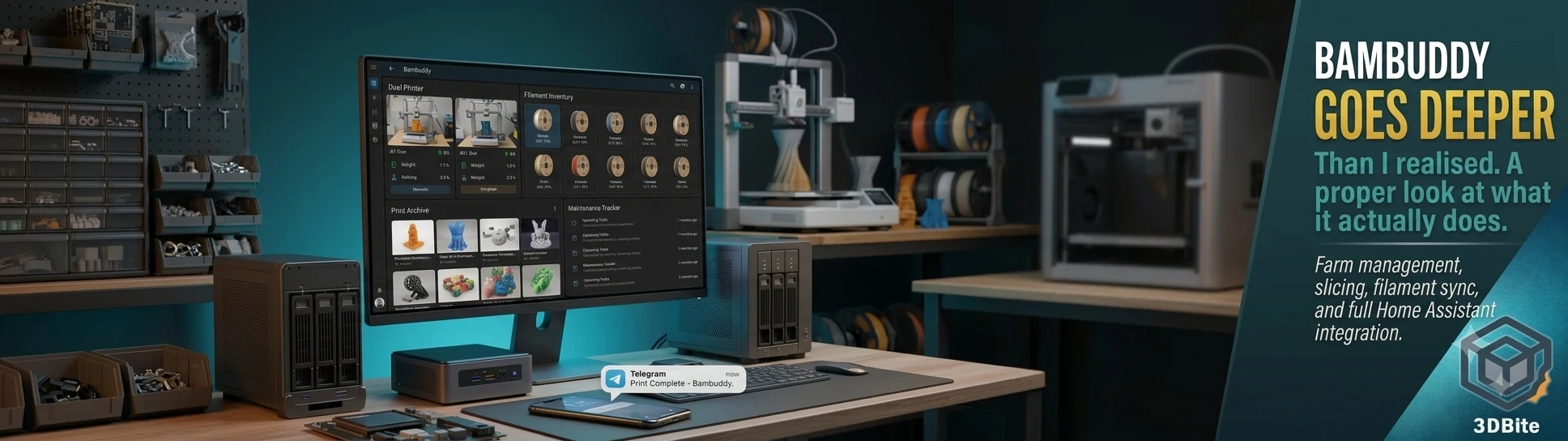
This is the part I had genuinely underestimated. Bambuddy is not a simple substitute interface that shows you the same information Bambu Handy shows. It functions as a command centre for however many Bambu printers you have running, with real-time monitoring, full print history, and multi-machine management built into the same dashboard. For anyone running the A1 and A2L simultaneously, as covered throughout this site’s project posts, that single-pane view across both machines is a genuinely different experience from switching between two printer entries inside the Bambu Handy app.
The HMS error handling deserves particular mention. Bambu’s own touchscreen shows an HMS error as a code and a QR link that takes you to documentation, which is workable but not immediate. Bambuddy translates all 853 known HMS error codes into plain, readable explanations directly in the dashboard, without needing a phone, a QR scan, or a separate browser tab to work out what a specific error actually means. For anyone who has stood in front of a printer squinting at an error code trying to remember what it meant last time, this alone is a meaningful quality-of-life improvement.
The slicing workflow that removes the desktop app entirely
This is the feature that genuinely surprised me. Bambuddy’s queue system supports drag-and-drop job ordering, batch printing, scheduled start times, and routing specific jobs to specific printers across a multi-machine setup. That alone is more sophisticated queue management than Bambu Studio or Bambu Handy offer natively. But it goes further: Bambuddy can slice STL and 3MF files directly, running OrcaSlicer or Bambu Studio headlessly inside its own Docker container, entirely in the background. Upload a model, get sliced output ready to send to a printer, without ever opening a desktop slicer application. For a quick job where you just need something printed and do not want to open a full slicer session on a laptop, that browser-only path from upload to print-ready output is a genuine workflow improvement rather than a novelty.
The print archive: turning history into something searchable
Every print gets archived with its original 3MF file, full metadata, photos, and a 3D preview, and the archive supports duplicate detection, full-text search, tagging, notes, and side-by-side comparison of two to five past jobs. This directly answers the file organisation chaos described in the self-hosted tools post — the admission there was that the model library is, in practice, a single unsorted Downloads folder. Bambuddy’s archive is not quite the same job as Manyfold’s dedicated model library indexing, but it solves a closely related problem from the print-history angle: rather than a flat folder of files with forgettable names, every completed job becomes a searchable, comparable record with its own photo and settings attached. Being able to pull up two previous attempts at a similar print side by side and compare exactly what changed between them is the kind of feature that only becomes obviously valuable once you have actually needed it and not had it.
Remote printing without the usual networking headache
Bambuddy’s Virtual Printer feature emulates a Bambu printer on the local network, so a slicer can send jobs to it directly as though it were talking to the real machine. Proxy Mode extends the same idea to genuinely remote printing over the internet using a TLS-secured relay, without needing port forwarding configured on a home router or a full VPN tunnel set up just to reach a printer from outside the house. For anyone who has tried to configure port forwarding for a home network device and found it more fiddly than it should be, this is a meaningful convenience — remote access to a printer without the usual network administration overhead that remote access to home devices typically demands.
The automation and Home Assistant tie-in
This is where Bambuddy connects most directly to the household setup already running here, covered in the CYD desk buddy post. Bambuddy integrates with Home Assistant, Tasmota smart plugs, MQTT, and generic REST webhooks, which means printer power control, automatic cooldown shutdowns after a job finishes, and genuine energy monitoring can all sit inside the same home automation setup that already controls the lighting and heating in this house. It also publishes metrics in a format Prometheus can consume, which is a detail aimed squarely at people already running a proper home monitoring stack rather than a casual convenience feature.
Notifications extend across WhatsApp, Telegram, Discord, email, Pushover, and ntfy, with template customisation and quiet hours support, so a print completion alert can land wherever is actually convenient rather than being locked to whatever channel Bambu Handy happens to support.
Filament tracking that syncs with Spoolman
Bambuddy has its own built-in spool inventory — tracking remaining weight, mapping which spool sits in which AMS slot, and recording physical storage location (which shelf, which drybox) — and it syncs with Spoolman for more detailed inventory management. This is directly relevant to the filament tracking problem described in the self-hosted tools post, where the honest admission was a 40-plus spool collection tracked mostly by memory and occasional guesswork. Bambuddy also monitors AMS humidity and supports material-specific drying thresholds, which connects to the ongoing filament storage discipline covered in the long-term ownership post and the dedicated drybox build in the BMCU drybox post. Having humidity monitoring and drying-threshold tracking sit inside the same dashboard as the printer itself, rather than as a separate manual check, is a genuine improvement over the current setup here.
Maintenance tracking baked into the workflow
Bambuddy offers interval-based maintenance reminders, per-printer tracking, custom maintenance types, and overdue alerts. This is the software-side equivalent of the maintenance discipline covered in the maintenance guide — the difference being that Bambuddy tracks it explicitly per machine rather than relying on memory and the HMS system’s own built-in prompts. For anyone running more than one printer, having maintenance intervals tracked centrally rather than mentally per-machine removes one more thing to keep in your head.
Getting it running
The entire application runs as a self-hosted Docker container via a single install script, with native installers also available for Windows, Linux, and macOS — the Windows version ships as a self-contained executable that needs no Docker or separate runtime installed. There is also a live demo dashboard at the Bambuddy website that runs for thirty minutes without any installation at all, which is a genuinely useful way to get a feel for the interface before committing to setting it up properly. Given that Home Assistant is already running in this house specifically for the reasons covered in the CYD post, the Docker route alongside the existing home server setup is the obvious path here rather than a separate native install.
Who this is actually for
The original piece makes a fair and honest point that is worth repeating rather than glossing over: Bambuddy is not trying to convince every Bambu owner to abandon the official ecosystem. For a casual user with one printer who is happy with Bambu Handy and does not want to deal with LAN mode configuration or Docker, the official stack remains the simpler and entirely reasonable choice. Bambuddy is specifically for the user who already likes the hardware but wants a freer, more capable way to run it — comfortable with Docker or local networking, running more than one printer, or already invested in a home automation and self-hosting setup where Bambuddy slots in as one more integrated piece rather than a bolt-on extra.
Where this leaves me
Having read the full feature set properly rather than the brief mention it got before, Bambuddy has moved from “worth installing eventually” to genuinely near the top of the list. The Home Assistant integration alone justifies it given the household setup already in place, and the filament and maintenance tracking directly solve two problems named explicitly and honestly in earlier posts on this site rather than being generic feature-list bullet points. The Docker install is the obvious route here, run alongside the existing home server, and it is going up this week rather than staying on the perpetual to-do list it has occupied for a while now.
Full credit again to Yadullah Abidi and MakeUseOf for the original piece, which is worth reading in full at the link above — the screenshots in particular give a much clearer sense of the actual interface than any description here can convey. Bambuddy itself is at bambuddy.cool, with the source on GitHub at github.com/maziggy/bambuddy.