This post is directly inspired by a piece published on the Adafruit blog on July 9th 2026, which featured the CYD Desk Buddy project by MakerWorld designer annaglyph. Full credit to Adafruit and annaglyph for the original — the links to both are at the bottom and I encourage anyone interested to visit both. What made it stop-me-in-my-tracks is that it sits at the intersection of two hobbies I run simultaneously and had not thought to connect: 3D printing and Home Assistant. This is the post where those two things properly meet on 3DBite.
What the project actually is
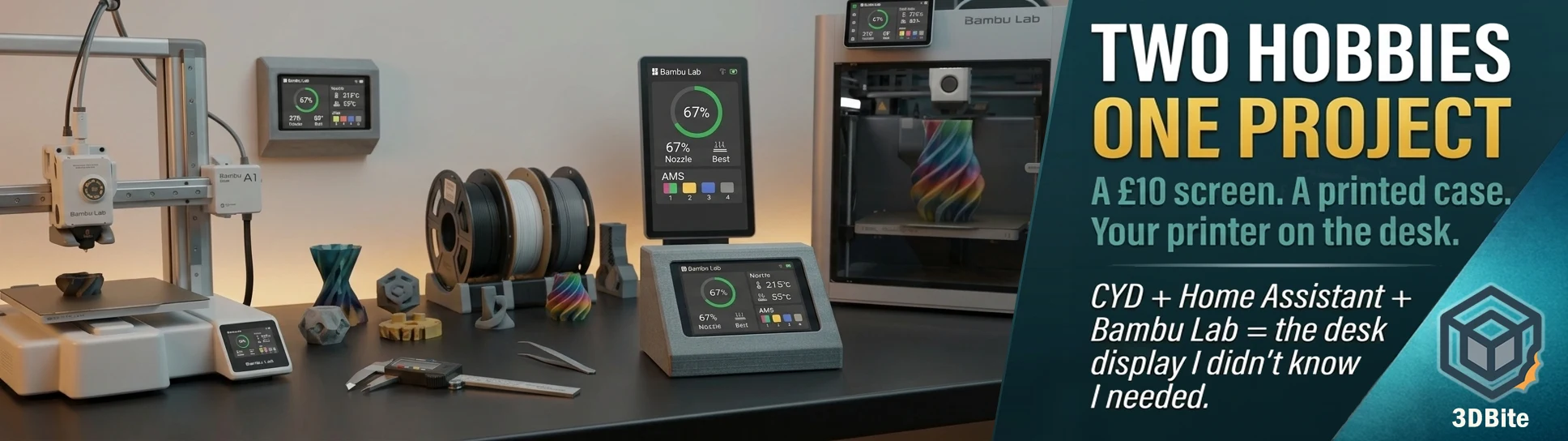
The CYD Desk Buddy is a 3D-printed enclosure for a small ESP32 touchscreen board — the ESP32-2432S028R, almost universally known in the maker community as the “Cheap Yellow Display” or CYD. The enclosure turns that bare circuit board into a clean, desk-appropriate display unit that shows your Bambu Lab printer’s status at a glance: print progress, temperatures, ETA, and AMS slot status. All of it visible from across the room without unlocking your phone, opening Bambu Handy, or switching to a browser tab.
The data path runs through Home Assistant. The Bambu Lab integration for Home Assistant — available through HACS, the Home Assistant Community Store — pulls the printer’s status into HA as sensors. ESPHome running on the CYD board subscribes to those sensors over Wi-Fi and renders them on the screen using LVGL, which is the open-source graphics library that most ESP32 display projects use for layouts and widgets. The result is a permanently-on printer status display that costs roughly £10–15 in electronics and however much filament the printed enclosure takes.
What the CYD actually is
For anyone not already in the ESP32 maker world: the ESP32-2432S028R is a development board built around the ESP32 microcontroller with a 2.8-inch 320×240 ILI9341 TFT display and an XPT2046 resistive touchscreen already soldered on. It is available from AliExpress, Amazon, and most electronics suppliers for somewhere between £8 and £18 depending on the supplier and shipping speed. “Cheap Yellow Display” is not a formal product name — it is the nickname that stuck in the community because the board is cheap, and the PCB is yellow.
The ESP32 chip gives it Wi-Fi connectivity, enough processing power to run LVGL graphics at a reasonable frame rate, and the ability to run ESPHome firmware which is the standard way Home Assistant users talk to ESP32 boards. The 2.8-inch screen is small but entirely adequate for the text, icons, and status information this kind of display needs to show. It is not running a browser — it is a purpose-built status display, and for that job the resolution is fine.
The 3D-printed enclosure
The MakerWorld model by annaglyph — CYD Desk Buddy for Bambu Lab / Home Assistant — is a clean, low-profile wedge shape that turns the raw board into something that looks like it was designed to be on a desk rather than breadboarded for a project. Three viewing angle variants are available: 32°, 45°, and 60°, so you can choose the tilt that suits your desk height and typical viewing position. The rear is fully enclosed, the bezel is symmetrical, and the colour is customisable — body and bezel can be printed in contrasting filaments if you want it to stand out, or matched if you want something minimal.
The model was originally designed for a Home Assistant dashboard — the designer built it to control lights, scenes, and automations from their desk. The Bambu printer monitoring side came later, once it became apparent that the Bambu Helper project through Home Assistant worked well enough to make it genuinely useful as a print status display. That dual-purpose origin is relevant because it means the enclosure is not exclusively a printer monitor — it is a desk display that can show printer status, or HA controls, or both depending on how you configure the ESPHome firmware.
No supports are required for the main body, which on the A1 and A2L running a well-tuned PLA+ profile means this is a straightforward single-sitting print with nothing to clean up afterward. The USB-C panel mount slot may benefit from minimal support depending on your bridging performance — worth checking the layer preview before sending it.
Why this stopped me specifically
I have been running Home Assistant for longer than I have been running the Bambu A1. The living room has a CYD — the same ESP32-2432S028R board, same 2.8-inch touch display — mounted on the wall in a printed enclosure, running ESPHome and LVGL. It controls lighting scenes and heating schedules. I printed the enclosure myself on the A1 before I even had a proper wall mount sorted out for the display. The Home Assistant side of this project is not something I need to learn from scratch, and the printed enclosure work is just a variation on what I have already done.
What I had not done is point a CYD at the Bambu printers specifically. The idea that the same hardware sitting on the desk — or a second identical board costing £10 — could show me print progress, bed temperature, nozzle temperature, AMS slot status, and time remaining without opening any app is genuinely appealing. I check Bambu Handy constantly during long prints. An always-on desk display that removes the “unlock phone, open app, check status, put phone down” sequence for each of those checks is the kind of small friction reduction that adds up across a day of running both printers simultaneously.
Two ways to approach this
The Adafruit post features the Home Assistant pathway, which is the approach I would take given that HA is already running in the house and the Bambu integration is installed. But there is a second, simpler route that is worth knowing about if you run 3D printing without Home Assistant: CYD-Klipper.
CYD-Klipper, maintained by suchmememanyskill on GitHub, runs firmware directly on the CYD that talks to Bambu Lab printers through the printer’s own API without needing Home Assistant in the middle. You flash the CYD, point it at your printer’s IP address and access code, and it displays status directly. The trade-off is that if you want the printer data to flow into automations, notifications, or other HA dashboards, you do not get that with the standalone approach — the display sees the printer and the printer only. For anyone who just wants a dedicated Bambu status screen without the HA infrastructure, CYD-Klipper is the simpler starting point.
The XDA Developers coverage of a similar build makes the Home Assistant case well: having the printer data flow through HA means you can use it in automations and notifications, and other dashboards. The ESP32 display is just one more way to view data that already exists in my smart home setup. That is exactly the reasoning that makes the HA route right for anyone already invested in the platform. The printer’s state becomes a native HA sensor, which means you can build automations around it — a notification when a print completes, a different lighting scene when the printer is idle versus running, or an alert if the print fails. The CYD desk display is the visible part of that, but the data pipeline is available for everything else HA can do.
What you need to build this
The hardware list is short and cheap. One ESP32-2432S028R CYD board from AliExpress or Amazon — budget £10–18. The printed enclosure files from annaglyph’s MakerWorld page, which are free to download. A small amount of PLA or PETG for the enclosure print — this is a compact single-colour piece, so it uses a fairly small amount of filament. A USB-C cable to power the CYD from a desk USB port or charger. That is everything on the physical side.
The software side assumes Home Assistant is running and the Bambu Lab integration is installed via HACS, and that you have ESPHome set up within HA for flashing the CYD. If those are in place, the annaglyph project notes that full YAML configuration is available — you do not need to build the LVGL layout, sensor mappings, or touch calibration from scratch. For the CYD-Klipper route, the GitHub repository includes a web-based installer that works in Chrome or Edge on desktop, making the initial flash straightforward without needing to set up a Python environment.
This is on the build list
I have the hardware already, effectively — another CYD board takes minutes to order and arrives within a week on standard Amazon delivery. The enclosure prints on the A1 without any settings changes from a standard PLA profile. The HA integration side is already done. This project is genuinely close to a weekend afternoon of work rather than a multi-week project, which is part of what makes it appealing. A dedicated print status display on the desk between the A1 and the A2L — showing both printers’ status through HA, in a printed case that matches the desk setup — is the kind of project that makes two hobbies more useful to each other rather than competing for the same time.
More to follow when it is built.
Sources and links:
- Adafruit Blog — CYD Desk Buddy feature post — the original that inspired this piece
- CYD Desk Buddy — MakerWorld model by annaglyph — the enclosure files
- CYD-Klipper on GitHub — standalone Bambu / Klipper / Octoprint display firmware, no Home Assistant required
- PrintSphere — round ESP32-S3 Bambu status display on MakerWorld — a round display alternative for the same HA integration