I have not used the H3C or this filament, and I own an A1 and an A2L, neither of which can run it. This post is built from Bambu’s own pages, its FAQ, its store listings and the independent H3C reviews published since launch, and I mark which is which.
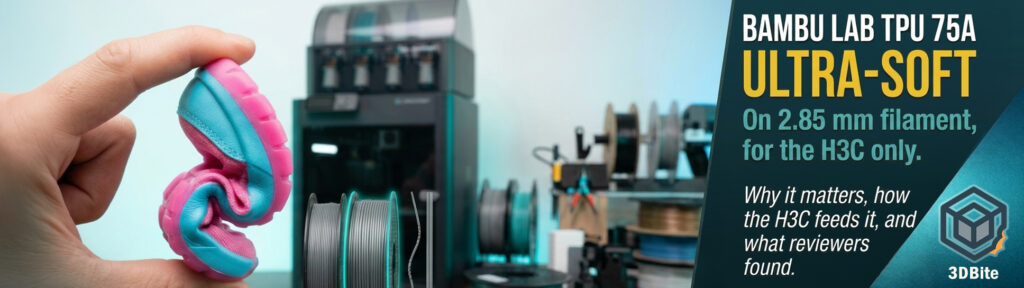
Among the H3C’s many launch headlines, the one I keep coming back to is a filament. On 3 November, alongside its nine-tool changer, Bambu Lab put on sale a TPU 75A that is much softer than anything it sold before and comes on 2.85 mm filament, a diameter most of the hobby abandoned years ago. The store marks it “Compatible only with H3C”. That small label raises three questions: what is it, why did Bambu go back to a thicker filament, and how does the H3C actually handle it? I looked into all three.
The short version
| Item | Detail |
|---|---|
| Material | Bambu Lab TPU 75A, Shore 75A, 1 kg spool with spool, 2.85 mm diameter with a tolerance of ±0.05 mm |
| Works on | The H3C only. Bambu’s store explicitly says it is not compatible with other printers |
| Why 2.85 mm | Bambu says the thicker filament resists buckling and carries more material, allowing higher flow |
| Flow claim | Up to 10 mm³/s, which Bambu says is roughly three times a conventional 1.75 mm setup (Bambu’s test conditions) |
| Feeding | Through the AMS 3H’s bypass port straight into a dedicated 2.85 mm PrintTool. Not through the AMS feed |
| Included with H3C | One 2.85 mm PrintTool, pre-installed in slot 8, in the standard Combo |
| Drying | Must be dried before use. Bambu recommends a large dry box because the spool can deform |
| Claims by Bambu | Tested and certified for skin contact, per Bambu’s description. It is not food safe |
| Price | £26.99 UK, $28.79 US, €31.19 EU at current sale prices. Bambu’s “typical” prices are £44.99 and $47.99 |
What “75A” means, and why Bambu’s position has changed
Shore A is the usual hardness scale for flexible plastics and rubbers, and a lower number means softer. If you want more background on TPU and its relatives, I covered the differences in TPE versus TPU. The practical point is that most hobby TPU sits around 95A, which is flexible but firm, and the softest common grades are 85A and 90A. At 75A you are in properly squishy territory. CNC Kitchen’s Stefan Hermann says the usual 90A shoe models are okay for a demo but too hard for a really comfortable shoe. Hackster’s reviewer describes 75A as “so flexible and so squishy” compared with Bambu’s earlier TPU.
This matters because Bambu’s own wiki used to steer people away. Its general TPU guide says TPU at 75A, 70A or lower should not be printed on Bambu printers, and its H2D guide covers only 85A and 90A, loaded manually on the right hotend. Makers101 noticed the same shift when the listing first appeared. In other words, this is not just a new SKU. It is Bambu reversing a position it published, enabled by new hardware.
| Bambu TPU (UK store) | Diameter | Hardness | Sale price | “Was” price | Works on |
|---|---|---|---|---|---|
| TPU for AMS | 1.75 mm | Not stated here | From £18.59 | £30.99 | Printers with AMS compatibility |
| TPU 95A HF | 1.75 mm | 95A | £23.39 | £38.99 | High-flow TPU line |
| TPU 85A / 90A | 1.75 mm | 85A, 90A | From £22.19 | £36.99 | H2D, X-series and AMS HT, with manual loading rules |
| TPU 75A | 2.85 mm | 75A | £26.99 | £44.99 | H3C only |
At the sale price the 75A is a few pounds dearer than Bambu’s other TPU, and the gap is wider at “typical” prices. A UK reseller I found lists it at £37.49 against £44.99. The store lists ten colours: Black, Cyan, Dark Green, Dark Ivory, Grass Green, Lemon Yellow, Mandarin Orange, Pink, Purple and Red. Some are shown as out of stock or back-ordered at some regional stores, so check yours.
Why go back to 2.85 mm?
The hobby used to have two standards, 2.85 mm (often called 3 mm) and 1.75 mm. CNC Kitchen points out that even his first printer used 2.85 mm, and that 1.75 mm won because it is more flexible and far easier to push through PTFE tubes, especially for PLA. For one material it is a real disadvantage. Soft TPU in a thin strand buckles between the extruder gears and the nozzle, so it goes everywhere except through the nozzle. Hackster’s reviewer puts it simply: the extra diameter makes the filament a lot stiffer.
Here is my own back-of-envelope maths for why that works. It is a textbook calculation, not a measurement.
| Quantity | 1.75 mm | 2.85 mm | Ratio |
|---|---|---|---|
| Cross-section area | 2.41 mm² | 6.38 mm² | About 2.65 times |
| Feed speed needed for 10 mm³/s | About 4.2 mm/s | About 1.6 mm/s | 2.65 times slower feed |
| Bending stiffness (scales with diameter to the fourth power) | 1 times | About 7 times | About 7 times stiffer for the same unsupported length |
So at the same flow, the thicker strand needs to move less than half as fast, and it resists buckling far more. That squares with Bambu’s explanation. There is a cost, which 3D Printing Journal’s report of the launch mentions: thicker filament melts a larger volume, so the hotend has to be built for it. That is why the H3C needs a dedicated 2.85 mm PrintTool instead of just accepting a fatter strand.
It is also worth noting Bambu’s three times claim lines up with the old defaults. Bambu’s wiki says the default maximum flow for Generic TPU in Bambu Studio was 3.2 mm³/s, and 6.4 mm³/s for Bambu TPU 95A. Ten is about three times the first of those, which is my observation, not Bambu’s statement.
Why it matters
- It opens a material class to a mainstream brand. Soft footwear, watch straps, cushioning, bags and flexible hinges were possible before, but fiddly. Bambu aims at those uses directly, and CNC Kitchen calls the H3C probably the best machine you can get if you print a lot of soft TPU.
- It enables mixed hardness in one print. Bambu’s sample projects combine 75A, 90A and PLA, and reviewers printed a shoe, a dragon bust, a watch and a vacuum cleaner wheel that way.
- Nine tools means several colours of 75A at once. Hackster notes you can fit a 2.85 mm tool in any position, so you can print multiple colours of 75A in one job.
- It signals more to come. Bambu’s FAQ says more 2.85 mm flexible materials are on the way, and All3DP says it would not be shocked if other tool changers follow Bambu’s lead.
- It is also a lock-in. Nothing outside the H3C can use it, and that is a real limit for the hobbyist who already owns a Bambu printer.
A caveat on the skin-contact claim. Bambu says the filament was tested and certified for skin contact, and All3DP rightly notes that this does not establish suitability for every wearable. I have not found the standard or test report Bambu relied on, so treat it as a claim until published. 3Druck reports it is not food-safe.
How the H3C supports it
The 2.85 mm PrintTool
The H3C Combo ships with nine 0.4 mm hardened-steel PrintTools: eight for 1.75 mm filament and one for 2.85 mm. Bambu’s FAQ says the 2.85 mm tool is pre-installed in slot 8, and gives the reason: TPU absorbs moisture and often needs drying during printing, slot 8 is a dryer slot, and it is the less convenient slot to reach. The two tool types are not interchangeable in several ways, and Bambu spells it out.
| Part | 1.75 mm PrintTool | 2.85 mm PrintTool |
|---|---|---|
| Base | Filament tube plugs into the top inlet, with a PTFE release button | Tube is stowed in a side channel, with no release button. Filament goes straight into the top inlet |
| Hotend | Matches 1.75 mm | Different top inlet. The two hotends are not interchangeable |
| Cutter | Blade and holder angles for 1.75 mm | Different angles for 2.85 mm |
Bambu adds one warning: the stowed tube still supports the toolhead cabling and must not be removed. CNC Kitchen adds that if you want more 2.85 mm tools you must replace the whole tool, not just the hotend. Tom’s Hardware says a spare 1.75 mm tool costs $59. I could not find a price for a 2.85 mm tool, which I flagged as a gap in my launch post and still cannot fill. Bambu’s FAQ also says the 2.85 mm tool is for flexible filaments only, and Bambu Studio currently has two presets for it: Bambu TPU 75A (2.85 mm) and Generic TPU (2.85 mm).
FlexFeed: one extruder, two diameters
The H3C’s extruder stays on the carriage and drives whichever tool it picks up, as Hackster explains, and Bambu calls it FlexFeed. It handles both diameters and, in Tom’s Hardware’s words, adjusts to push 1.75 mm or 2.85 mm. Bambu’s overview page describes a cam-driven mechanism, powered by a PMSM motor, keeping tension precise. The extruder gears are hardened steel.
Feeding: bypass only
This is the practical part, and the part most likely to catch people out. Bambu’s specification lists 2.85 mm as “bypass feed only”, and the store listing is blunt about the dangers.
| Question | Answer | Source |
|---|---|---|
| Can 75A go through the AMS 3H funnel? | No. Bambu warns that inserting it directly into the AMS feed inlet may damage the machine | Bambu store listing |
| How does it load? | The spool sits in its AMS slot, and you feed the filament through the bypass port at the bottom of the slot, along the route beside the tool cable, and manually into the tool | Hackster, Tom’s Hardware, Fauxhammer |
| Which slots have a bypass? | All except slots 2 and 4, so seven of the nine | Tom’s Hardware |
| Which slots dry? | Slots 6 and 8 are the two dryer positions | Hackster, Tom’s Hardware |
| Do older AMS units work? | No. The AMS, AMS Lite, AMS 2 Pro, AMS HT and the TPU Feeding Assist Module are all listed as not compatible. Only the AMS 3H works | Bambu store listing |
| Is loading difficult? | VoxelMatters says pushing it into the tool is child’s play after reading the instructions. Hackster says it adds a little time, but not much | Reviewers |
One more detail from CNC Kitchen: when using bypass for flexible filament, you remove the Bowden tube from the toolhead and mount it beside the toolhead as support, thread the filament through a guide on the umbilical and push it into the tool. You need to be careful to route it around the wires and tubes. Bambu’s own H3C TPU Printing Guide on its wiki is the authority here, and the store listing tells you to read it before buying.
Drying and storage
Bambu says the filament is highly moisture-absorbent, must be dried before use, and any unused filament should go straight into a sealed container with desiccant. It recommends a large dry box because the spool can deform in drying and then fail to fit. The AMS 3H’s dryer reaches 85 °C, but that is the dryer’s ceiling and not a TPU recipe, and drying during a print is only supported for filaments that stay dimensionally stable at the dryer’s temperatures, per Bambu’s footnote. I could not find a 75A-specific time and temperature in what I read, so follow the drying section of Bambu’s wiki.
One question I would want answered before relying on the dryer: Fauxhammer reports the AMS 3H takes spools up to about 202 mm in diameter and 68 mm wide. If a 75A spool swells in drying, as Bambu warns, will it still fit the dryer slot afterwards? Nobody I read has said. That is my inference from two facts, not a reported problem.
Slicer, plates and nozzles
- Flow Dynamics Calibration: Bambu says to set it to Auto for 75A. Its 85A and 90A listing says the opposite, to turn it off.
- Build plates: all except the Cool Plate SuperTack.
- Nozzles: 3Druck’s reading of the listing says 0.4, 0.6 and 0.8 mm are recommended. I could not confirm whether 0.2 mm is endorsed for 75A. CNC Kitchen used 0.2 mm nozzles on a watch job, but did not say they ran TPU.
- Bed temperature: CNC Kitchen printed TPU with the bed at 35 °C.
- Multi-material: reviewers combined it with PLA and PETG without trouble. Bambu’s listing includes a tip on multi-material printing whose wording reads oddly, so check the wiki.
Third-party 2.85 mm TPU
Bambu Studio’s Generic TPU (2.85 mm) preset suggests other brands are allowed, and CNC Kitchen printed Recreus 60A, which he describes as the softest filament you can buy off the shelf, at 10 mm³/s with beautiful results. That is one reviewer’s report, but it is encouraging for anyone who wants to go softer than 75A.
What reviewers found
| Reviewer | On the 75A and 2.85 mm system |
|---|---|
| CNC Kitchen (almost 400 hours) | Calls 2.85 mm the killer feature. Had no problem with the 2.85 mm TPU. Printed a BounceBerry trainer with 75A and 90A plus PLA supports, which still took two days. A PETG hub with 75A tyre worked, but an ASA hub with TPU jammed in the heated chamber, and he suspects it would work with the chamber cold |
| Tom’s Hardware | “The softest TPU I’ve ever run” and says the extruder handled it perfectly. Calls the H3C one of the best printers it has tested for TPU |
| VoxelMatters | Printed Bambu’s multi-flex shoe, TPU with PLA, for almost 80 hours with no interruption, noting this was with a verified Bambu model |
| Hackster (Maker’s Toolbox) | Loves the material but saw occasional TPU issues: under-extrusion on a Benchy and poor overhangs on a dumpling. Thinks it wants to print more slowly than Bambu Studio’s defaults, and wonders whether the hardened nozzle and hotend design affect heat transfer |
| Fauxhammer | Printed shoes and cosplay armour in 75A, and says the supplied 2.85 mm tool is what makes very soft TPU practical |
One more reported problem is worth knowing, though it is not about the 2.85 mm filament. CNC Kitchen hit repeated pauses with thinner 1.75 mm 90A on a full spool. The sticky filament builds tension, and when the tool parks, that tension can pull the filament out of the melt zone. The printer detected it each time and paused. It stopped as the spool emptied. He did not see this with 2.85 mm TPU, and the thicker strand may be part of why.
Where the sources disagree
| Question | What the sources say |
|---|---|
| Flow improvement | Bambu’s store and All3DP say about three times a conventional setup. VoxelMatters says up to five times the previous flow. Bambu’s H3C page uses three times, so I trust that as the official claim |
| Is there a 2.85 mm 90A? | One fan site says 75A and 90A are available on 2.85 mm. Bambu’s FAQ says 75A is the only 2.85 mm filament so far, and the reviewers’ 90A prints used 1.75 mm 90A |
| Shoe print time | Bambu’s material cites about 70 hours. VoxelMatters reports almost 80 hours, and CNC Kitchen says two days. Different models and settings |
| Softer than 75A | Bambu sells 75A only. CNC Kitchen says it works with a 60A from another brand |
What I would want answered
- The official 75A drying temperature and time in an AMS 3H dryer slot, and whether a dried spool still fits.
- The price of a spare 2.85 mm PrintTool, since you need a whole tool for each additional 2.85 mm colour.
- Whether slower speeds fix the overhang and under-extrusion Hackster saw, and what the best profile is.
- Which standard backs the skin-contact certification, and what it covers.
- How the cutter wears on TPU over time, since Bambu warns about this on other TPU lines.
- Which other 2.85 mm materials arrive, and when, as Bambu says they will.
- Whether the P3C, which was absent from the H3C launch, will ever take 2.85 mm. Nothing official says either way.
Who this is for
| You are… | My read |
|---|---|
| An H3C buyer | The 2.85 mm tool is already in the box. Budget for a spare 2.85 mm tool if you want several soft colours, and a large dry box for the spools |
| Printing shoes, straps, cushioning or flexible hinges | This is the use the system was built for, and the reviews are the most positive on this |
| An A1, A2L, P-series or X-series owner | You cannot use it. Bambu says it is H3C only. The 85A and 90A grades remain your softest official option |
| Buying an H3C only for TPU | It is a $2,499 machine, so weigh it carefully. CNC Kitchen says the H2D costs almost $1,000 less if two materials at a time are enough, though it lacks this soft-TPU path |
| Wanting softer than 75A | One reviewer reports third-party 60A working at full flow. That is encouraging, but a single report |
Prices change often, and Bambu’s Black Friday sale prices apply to this filament, as you can see in the deals roundup. For the full printer picture, see my H3C launch post.
My take
I think the interesting thing here is not the softness, it is the engineering decision. Bambu could have tried to make 1.75 mm 75A work with another buffer or feeder, as many have tried over the years. Instead it changed the filament, built a different hotend, a different cutter and a different feed path around it, and kept it inside one tool slot of a nine-tool machine. That is a heavy commitment for one material, and it only makes sense if Bambu expects more 2.85 mm filament to follow, which it says it does. For an A1 owner like me, none of this is usable, and I have no strong view on whether it justifies $2,499. But as a piece of design it is the clearest sign yet that the H3C is aimed at people who make things out of soft plastics, not just more colours. The reviews so far are strongly positive, with the caveat that the most detailed, from CNC Kitchen, is also the only one that ran for hundreds of hours, and Hackster saw quality problems at default speeds. I will update this post when Bambu publishes the drying figures or more 2.85 mm materials.
Sources and further reading
- Bambu Lab US store: TPU 75A (2.85mm)
- Bambu Lab UK store: TPU 75A (2.85mm)
- Bambu Lab: H3C FAQ (PrintTools, slot 8, presets)
- Bambu Lab: H3C technical specifications
- Bambu Lab: H3C overview, FlexFeed
- Bambu Lab community forum: H3C full reveal
- Bambu Lab wiki: TPU printing guide
- Bambu Lab wiki: H2D TPU printing guide
- CNC Kitchen: Bambu Lab H3C review
- Tom’s Hardware: Bambu Lab H3C review
- Hackster: The Maker’s Toolbox, Bambu Lab H3C review
- VoxelMatters: Bambu Lab H3C review
- Fauxhammer: Bambu H3C review
- 3Druck: Bambu Lab TPU 75A, soft 2.85 mm filament
- All3DP: Bambu Lab’s new TPU 75A
- Makers101: Bambu Lab TPU 75A, a 2.85 mm shoe filament
- 3D Printing Journal: Bambu Lab introduces H3C