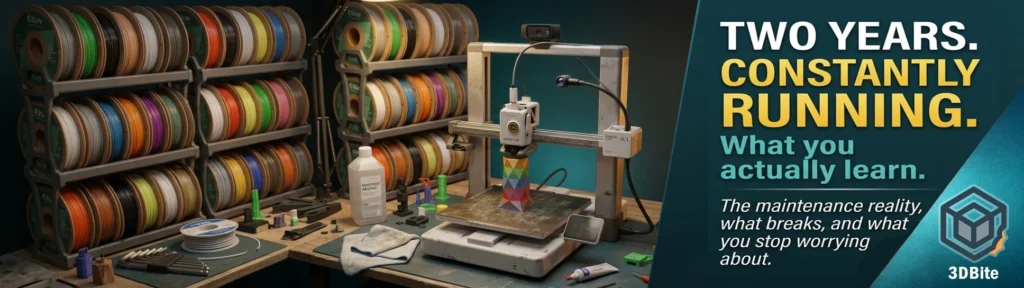
The A1 has been on my desk for two years. It has never been boxed up, never been put in a cupboard between projects, and it rarely sits completely idle for more than a day or two. Seasonal pieces, functional parts, multi-colour figurines, benchmark tests for comparison posts, calibration runs, filament tests — the print queue has never really been empty. That volume of use teaches you things that no review, including the ones on this site, can fully capture, because they are the things that only become visible over time. The slow degradation that is not a failure. The habits that form without you noticing they have formed. The concerns that turned out to be nothing and the small things that turned out to matter more than expected.
This is that post. No benchmark, no spec comparison, no speculation about what comes next. Just what I have actually learned from running the A1 constantly for two years.
Maintenance reality: simpler than it sounds
Before buying the A1 I had a vague anxiety about maintenance. The RepRap needed constant attention — tweaking, adjusting, cleaning, replacing. I expected modern machines to be better but still demanding. The reality has been much more straightforward than I anticipated.
The maintenance model I have settled into is almost entirely reactive: I follow the prompts. When the printer asks me to lubricate the axes, I lubricate them. Bambu’s HMS health monitoring system tracks print hours and surfaces a notification when the X-axis rails or the Y-axis need attention. The wiki provides a QR code that leads directly to a video showing the exact procedure. The whole job takes ten to fifteen minutes, involves applying a small amount of grease to the linear rails, and makes the machine slightly quieter for the next hundred hours. I do not track hours myself or set calendar reminders. The printer tells me when it needs it and I do it when it tells me.
Bambu’s documentation on the A1 maintenance schedule is clear: the linear rails need regular lubrication and cleaning to reduce wear and noise, ensure accuracy and lifespan, and prevent rust. The idler pulleys on X and Y need periodic checking. The PTFE tubes will wear over time and need replacing when resistance increases noticeably. None of this is technically difficult and none of it has surprised me. The machine communicates what it needs and the documentation tells you how to do it. It works more like an appliance than the previous generation of printers ever managed.
The one maintenance item that trips people up — and tripped me up once — is the extruder. Filament debris and dust accumulate inside the extruder over time. When the extrusion gear gets contaminated, you start seeing inconsistent extrusion that looks like a settings problem or a filament problem. If you have chased a print quality issue through temperature, flow rate, and pressure advance and still cannot resolve it, clean the extruder. It is a ten-minute job and it has resolved mystery quality problems for a number of forum users who had been blaming their slicers.
Nozzle wear: genuinely not a problem for PLA-only printing
I have replaced the 0.4mm nozzle once in two years of constant printing. Once. The A1 ships with a stainless steel nozzle and for a machine that primarily prints PLA and PETG, that nozzle lasts an extraordinary length of time. The community bears this out. An X1 Carbon user on the Bambu forum reported over 2,000 hours on a single nozzle with no print quality degradation — printing only PLA. The consensus from experienced users is consistent: if you use the hard steel nozzle and don’t print abrasive filaments, it may survive the printer itself.
The replacement I did was precautionary rather than remedial. I noticed some very slight inconsistency in extrusion on a demanding detail print and swapped the nozzle as part of eliminating variables. The improvement was marginal enough that I am not certain the old nozzle was actually the cause. In retrospect it probably did not need changing.
The nozzle wear equation changes completely if you print abrasive materials. PLA-CF, PETG-CF, glow-in-the-dark, metal-fill — all of these will wear a stainless steel nozzle meaningfully faster than standard PLA. If you print these regularly, a hardened steel nozzle is the correct choice from day one, as covered in the nozzle guide. But for a machine that runs primarily PLA+ — which is the majority of my print volume — the nozzle is not a consumable that demands regular attention. It is a component that lasts.
What actually breaks and wears out
Build plates. This is the answer to the “what actually consumes your consumable budget” question after two years of constant printing. Not nozzles, not belts, not hotend components. Build plates.
The textured PEI plate that ships with the A1 is excellent when new. The PEI coating grips PLA firmly, releases cleanly when cool, and requires nothing more than an IPA wipe between sessions. After several hundred print cycles, the picture changes. The coating develops glazed areas where repeated thermal cycles have smoothed the surface. The mechanical grip that made it excellent becomes uneven — parts of the plate grip well, parts do not. You start compensating with glue stick. You clean more aggressively. Eventually the compensation stops working and you need a new plate.
I have been through several plates. I have also scratched plates from clumsy scraper work when a particularly stubborn print required more force than it should have. Scratches do not kill adhesion immediately but they accelerate the degradation of the affected area. The practical lesson is to keep a spare plate, expect to replace them periodically, and regard them as consumables in the same category as filament — a cost of operation rather than a failure.
The AMS Lite purge wiper accumulates waste material and needs periodic clearing. This is a thirty-second job that quickly becomes habitual. The silicone wiper that cleans the nozzle before each print wears with use and should be inspected occasionally — a damaged wiper can cause incomplete nozzle cleaning and colour bleed on multi-colour prints. Both the wiper and the metal plate beneath it are inexpensive and worth keeping spares of before you need them.
Belts are the component many new users worry about most and that — in practice — seem to last significantly longer than the anxiety suggests. An A1 owner on the Bambu forum is approaching 5,000 hours on original belts without meaningful degradation. Another user notes their previous non-Bambu printer ran twelve years without a belt change. The A1’s HMS system monitors belt tension automatically and will notify you if tension drops below a useful level. At normal hobbyist print volumes — even heavy hobbyist volumes — belt replacement is not likely to be something you encounter in the first few years.
Filament handling: mostly fine, occasionally frustrating
Over two years of printing a wide range of filaments, the AMS Lite has been reliable for the majority of them. eSun PLA+ across the colour range feeds consistently and without drama. Standard PETG is fine with a glue stick. TPU requires a dryer and direct feed rather than AMS, as covered in the filament dryers post.
The fussy filaments are a real category and they appear without obvious pattern. Occasionally a specific spool — sometimes the same brand and colour that has behaved perfectly for months — just refuses to cooperate. It tangles in the AMS, or the cut does not register cleanly, or the loading sequence retries more than usual. Usually the cause is the spool’s winding — a tightly wound spool with overlapping turns creates resistance as filament unspools that the AMS struggles with. Sometimes it is moisture in the filament itself. Sometimes it is genuinely unexplained. The rule I have settled on: if a spool gives two loading errors in a row, I take it off the AMS, remove twenty to thirty centimetres of filament from the leading end, and re-load. Nine times out of ten this resolves whatever was causing the problem.
Filament dryness has been more consistently important than I expected it to be when I started. I store everything in airtight containers with silica gel, and I still have occasional prints that show moisture symptoms — slight popping from the hotend, surface inconsistency — when a spool has spent several days in the AMS rather than back in storage between sessions. The AMS Lite is not a drying system. Filament left loaded for extended periods gradually absorbs ambient humidity. For most PLA this is a slow process and manageable with good storage habits. For PETG, and especially TPU, it is meaningfully faster.
Things I stopped caring about
The first-layer visualisation. Early on I watched the first layer of every print with the intensity of a surgeon. Every slight variation in adhesion, every corner that looked marginally thicker or thinner than the rest — all of it registered as a potential failure requiring intervention. After two years I barely glance at the first layer on standard PLA jobs on a clean plate. The A1’s auto-levelling and first-layer calibration is reliable enough that the first layer is almost always fine. I check it on the first job after a plate change and on the first job after a nozzle change. Otherwise I set the print going and walk away.
Speed settings. There was a period of active tinkering with print speeds — testing whether the standard Bambu profiles were optimal, trying slightly faster or slightly slower outer wall speeds, comparing results. The conclusion: the default Bambu profiles for standard PLA on the A1 are very well calibrated and the gains from tinkering with speed are marginal for the print types I do most often. I use the standard profiles for everyday PLA work and reserve speed experimentation for specific cases where I have a reason to believe a change would improve a specific outcome. The urge to constantly optimise settled into a realistic assessment of diminishing returns.
Temperature towers for every new filament. The first year involved printing a temperature tower for almost every new spool. Useful exercise, good calibration discipline, and it taught me a lot about how different colours and brands behave differently at the same nominal temperature. After enough of these, the knowledge is internalised and the tests are reserved for new materials, unusual colours, or filaments showing unexpected behaviour. Standard eSun PLA+ in a new colour does not need a temperature tower from me any more. I know approximately where it wants to be.
The print completion notification. I still get the notification. I no longer drop everything to run to the printer when it arrives. The print is done, it will still be done in twenty minutes, and the urgency I initially felt about retrieving finished prints has been replaced with the understanding that a finished PLA print will wait patiently until a convenient moment to remove.
Things I became obsessive about
Filament storage. The combination of experience with wet filament failures and the growing size of the collection has made filament storage one of my more considered operational habits. Every spool goes back in an airtight container with fresh silica gel after use. I 3D-printed a spool rack that holds sixteen spools vertically in labelled positions — colour-coded by material type so I can see at a glance what I have and where it is. The rack lives in a stable temperature environment away from direct sunlight. The silica gel packs are checked and regenerated regularly. This is probably more discipline than the average hobbyist needs, but after enough prints where moisture was a contributing factor to a quality problem, the storage infrastructure feels like a worthwhile investment.
Remote monitoring — but not the A1’s camera. The built-in 720p camera on the A1 is functional and the AI spaghetti detection is useful as a failure notification system. But the image quality is not good enough for me to actually assess a print’s progress from Bambu Handy with any confidence. After a few months of squinting at grainy stills and trying to determine whether a colour transition looked correct, I added a dedicated webcam positioned to give a clear view of the full build plate. The webcam feeds into Home Assistant alongside the smart plug energy monitoring, giving me a reliable picture of what the print is doing at any moment. The A1’s camera still handles the spaghetti detection and failure alerting — that part is valuable and I leave it active. The dedicated webcam is for actually watching the print.
Pre-job plate inspection. Every print session now starts with a physical inspection of the build plate — looking for residue from the previous print, checking that the surface in the first-layer zone is clean, and giving it an IPA wipe if anything looks doubtful. This takes thirty seconds and has prevented more adhesion failures than any settings change. A dirty plate is a primary cause of first-layer adhesion failure and the fix is trivial. I became obsessive about it after a run of adhesion failures that all traced back to residue I had not noticed.
Purge wiper checks. The AMS Lite’s purge wiper sees heavy use on any multi-colour job. A worn or fouled wiper produces incomplete nozzle cleaning before each filament change, which means the colour transition carries more of the previous colour than it should. Checking the wiper at the start of any complex multi-colour job and clearing accumulated material from the waste chute has become a standard pre-print step. It takes a minute and prevents the kind of colour bleed that is frustrating to diagnose after a four-hour print.
The real lesson: the machine recedes
The most significant thing that two years of constant printing has produced is this: I do not think about the printer very much any more. Not because it is unimportant, but because it has become reliable enough that it does not demand my attention. It is present in the background of every project — I know where it is, I know roughly what it can do, I know what to check when something looks wrong — but it is not a project itself. It is a tool.
This was not the case with the RepRap that started this journey. That machine was always the project, demanding constant attention and offering success as a reward for patience rather than as a reliable expectation. The transition from “the printer as the thing to be managed” to “the printer as the thing that enables other things” is what modern machines like the A1 have achieved. The maintenance is real, the consumables accumulate, the plates wear out, and the occasional mystery error still appears. But the baseline expectation is now reliable output from a reliable machine, and that baseline expectation being met is what two years of constant use has taught me to take quietly for granted.
That is not ingratitude. It is the best possible outcome for a piece of equipment. It has done its job so consistently that it has made its own existence unremarkable. That is exactly what a tool should do.