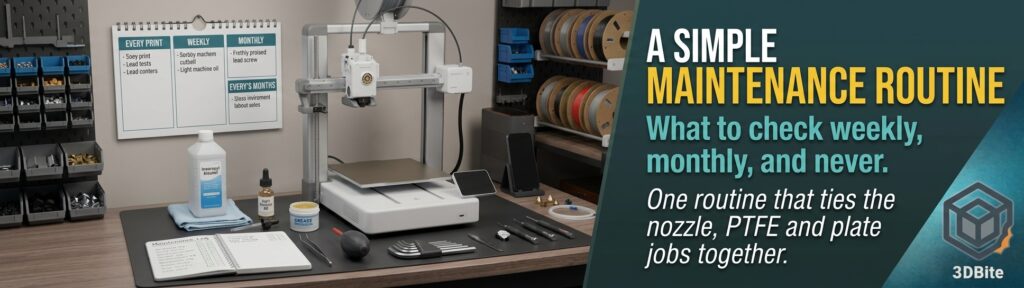
This site already has detailed posts on the individual maintenance jobs: when to replace a nozzle, when to replace PTFE tube, and how to keep a build plate working. What it has lacked is the thing that sits above them, a short routine that tells you which job belongs at which interval so you are not either ignoring the printer for a year or fussing over it every day. This is that routine. It deliberately does not re-explain the nozzle, PTFE or plate jobs, and links to those posts instead. The detailed mechanics sit in the maintenance guide, and this post is the schedule laid over the top.
One honest caveat about the intervals
Published schedules do not agree with each other. One source has a full soap-and-water plate wash weekly, another monthly, and Bambu’s own X2D manual puts it at monthly. Lubrication ranges from monthly to every three months depending on the model and who you ask. Most of the detailed schedules cover the A1, A1 mini and the X1 and P1 series, so I could not verify an A2L-specific schedule. Treat every interval below as a sensible range rather than a rule, count in print hours rather than calendar days if you can, and let your printer’s own maintenance prompts and Bambu’s wiki pages for your exact model override anything written here, including this post.
The routine at a glance
| When | Task | Time |
|---|---|---|
| Before each print | Wipe the plate with isopropyl alcohol, glance at the nozzle and purge wiper | About 30 seconds |
| Weekly | Quick look and listen: fans, camera, filament path, purge waste, spool tangles | Around 5 to 10 minutes |
| Monthly | Plate wash, rail cleaning and oiling, extruder gear check, belts and wiper check | Around 30 to 45 minutes |
| Every 3 months | Grease the Z lead screws, deep clean, full inspection, AMS Lite clean | Around 1 to 2 hours |
| When a sign appears, not on a calendar | Nozzle, PTFE tube, belts, purge wiper | As needed |
Before every print: 30 seconds
This is the one habit worth making automatic, and it is the same advice every source agrees on. Wipe the build plate with 90% or stronger isopropyl alcohol and a lint-free cloth before each job, because skin oils are the quiet killer of first-layer adhesion. Hold the plate by its edges rather than the centre, so you are not putting oil back on as you wipe. Then take a second to look at the nozzle and the purge wiper area for stray plastic. That is all. If adhesion still misbehaves despite a clean plate, the bed adhesion post and first layer troubleshooting post take over from here.
Weekly: look and listen
The weekly pass is a short inspection rather than a job, and the point is to catch problems while they are still small. Wipe dust from the fans and the camera lens, since a dusty cooling fan is a real contributor to the heat problems covered in the heat creep post. Clear any purge waste around the machine before it builds up and interferes with the print area. Check that spools unwind freely and nothing is tangled, particularly on an AMS Lite. And listen: a new squeal, hum or grinding sound on a moving axis is the most reliable early warning that something is dry or worn. If you run several printers, one source suggests rotating them across the week so each gets its weekly pass on a fixed day.
Monthly: the mechanical pass
Once a month, or roughly every 100 to 200 print hours, move on to the parts that actually move.
- Wash the plate. A proper wash with warm water and dish detergent, then dry thoroughly, removes the film that alcohol alone leaves behind. Bambu’s X2D manual lists this monthly, and one A1 guide agrees, though heavy users sometimes do it weekly.
- Clean and oil the rails. Wipe the old oil and dust off the linear rails with alcohol, then apply a few drops of light machine oil and move the axis back and forth by hand to spread it. The principle repeated in the A1 guidance is clean first, lubricate later, and oil for rails but grease for screws. Wipe off any excess, since a rail swimming in oil attracts dust.
- Check the extruder gear. Look for filament dust packed into the teeth of the drive gear and clear it, which is a quiet cause of inconsistent extrusion.
- Check the belts. On the A1 this is mostly automatic, as explained below.
- Check the purge wiper. On the A1 the wiper is what clears waste plastic from the nozzle, and Bambu’s wiki says a blocked or deformed wiper can cause abnormal discharge or even lost steps. Remove debris with tweezers and a blower, and replace the wiper if it is deformed.
Every three months: the deep pass
Every three months, or after roughly 500 print hours, do the job that is easy to forget. Bambu’s wiki describes the A1 as using a dual lead screw structure, and recommends greasing the lead screws every three months: move the toolhead to the purge wiper position, apply lubricant grease to the working area of both screws, then raise and lower the X axis by hand so the grease spreads along the whole screw. Wipe the screws clean first. This matters because a dry or dirty lead screw is a documented cause of Z banding, the faint horizontal lines on a print. While the covers are off, clean the idler pulley, wipe down the heated bed underneath the plate, and give the whole machine a proper look for loose screws, frayed wiring and worn parts. Give the AMS Lite a clean at the same time, clearing dust and filament fragments from its feed path.
One useful reminder: some users report going thousands of hours between greasing without trouble, and others do it more often. Bambu officially recommends the three-month refresh, so that is the safe default, but a squealing or humming axis is a better trigger than the calendar if you are tempted to stretch it.
The condition-based jobs: no calendar, only signs
This is the part of the routine that ties the existing posts together, and the key idea is that these jobs are triggered by symptoms rather than by dates. Replacing them early wastes money, and ignoring the signs wastes prints.
| Part | Trigger | Where the detail lives |
|---|---|---|
| Nozzle | Worsening extrusion, rough surfaces, or heavy abrasive use, not a fixed date | Nozzle replacement post |
| PTFE tube | Feed problems, visible wear or kinking, with the official interval a conservative baseline | PTFE tube guide |
| Belts | A printer prompt, or vibration calibration reporting trouble | This post, below |
| Purge wiper | Visible build-up or deformation | This post, above |
| Build plate | Adhesion that no longer recovers after a wash | Bed adhesion post |
For the routine, the only thing to add is a habit: at the monthly pass, ask yourself whether anything has changed. Prints a little rougher, a new noise, a slightly worse first layer. That single question is what tells you which of the linked posts to open.
Never: the things you can safely stop doing
Half the value of a routine is knowing what to leave alone. The A1 and A2L automate several jobs that older printers made you do by hand, so these are safe to drop from your list.
- Manual bed levelling and Z offset. Both run automatically before every print, as covered in the calibration routine post.
- Scheduled belt tensioning. Bambu’s wiki says the A1 can check belt tension automatically through its vibration frequency calibration, and that if a belt is loose the HMS system will prompt you to use the auto belt tensioner. Wait for the prompt rather than tightening belts on a whim.
- Replacing the nozzle or PTFE tube on a calendar. Both are condition-based, as the table above shows.
- Daily deep cleaning. The quick alcohol wipe is enough between the monthly and quarterly jobs.
Never: the things to actively avoid
- Never use the wrong lubricant in the wrong place. Oil goes on rails and grease goes on lead screws. On the X1 and P1 series the carbon rods are dry bearings and should not be oiled at all, and silicone grease should never go on them. That does not apply to the A1’s stainless rails, but the lesson of matching lubricant to part does.
- Never over-lubricate. A few drops of oil or a pea-sized amount of grease is the guidance, and excess just collects dust.
- Never over-tighten a belt. Too much tension wears bearings and can cause the very skipped steps you are trying to avoid, as the layer shift post explains.
- Never touch the middle of the plate. Skin oil is what you are washing off, so do not put it back.
- Never do maintenance on a hot or powered machine. Let the hotend cool and power the printer down before reaching into the toolhead or wiper area.
- Never ignore a maintenance prompt because the prints still look fine. These prompts exist to catch wear before it shows up in a print.
Keep a simple log
A log sounds fussy, but it is what turns a vague intention into a routine. One line per task is enough: the date, the printer, what you did, and anything you noticed. A note such as “wiped rails, slight squeal on Y, oiled” gives you something to compare against next time, and a run of similar notes is exactly how you spot a part wearing out before it fails. It is also the easiest way to keep two printers on a consistent schedule.
The summary
Wipe the plate before every print, spend a few minutes looking and listening each week, do a mechanical pass monthly with rails, extruder gear, belts and wiper, and grease the Z lead screws every three months. Treat the nozzle, PTFE tube and plate as symptom-driven jobs and use the linked posts when something changes. Let the printer handle levelling, Z offset and belt checks, and avoid the classic mistakes of the wrong lubricant, too much lubricant and over-tight belts. Intervals differ between sources and models, so use these as sensible defaults and defer to your printer’s own prompts and Bambu’s pages for your exact machine, A2L included.