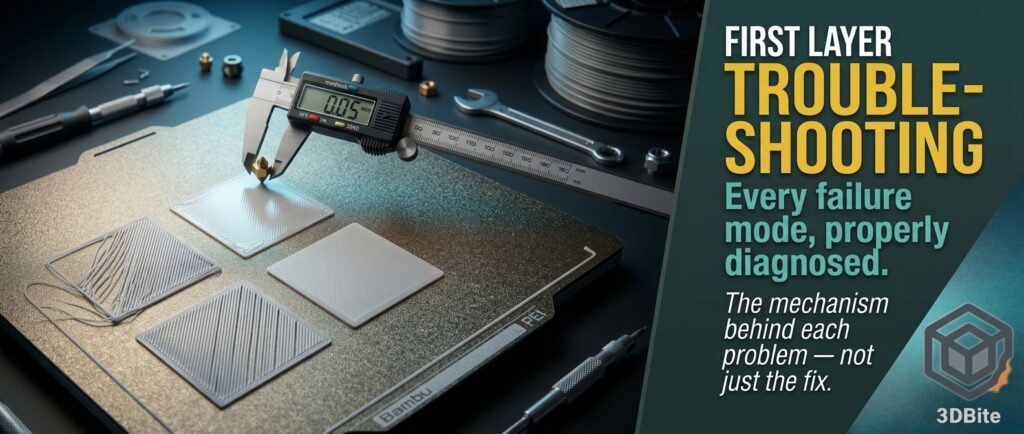
The first layer is the single highest-leverage moment in the entire print. Everything above it depends on it holding, staying flat, and bonding correctly — a bad first layer does not just look wrong, it compromises adhesion, dimensional accuracy, and structural integrity for every layer printed afterward. This is the properly detailed version of first layer troubleshooting on Bambu hardware, going past “clean the plate and try again” into the actual mechanism behind each failure mode, because understanding why a specific symptom happens is what turns troubleshooting from trial and error into a genuine diagnostic process.
Why the first layer is disproportionately important
Every layer above the first relies on adhesion to the layer below it, but the first layer alone relies on adhesion to a completely different material — the build plate itself, which has entirely different thermal and surface properties from a plastic layer. That mismatch is why the first layer needs its own dedicated temperature, speed, and Z-offset handling separate from the rest of the print, and why Bambu’s automatic first-layer calibration exists as a distinct step rather than simply being folded into general print settings. Get the first layer wrong and the printer is fighting a losing battle from the very start — a part that separates from the plate mid-print, an uneven foundation that telegraphs upward through every subsequent layer, or weak bottom-layer adhesion that fails under load long after the print looks finished.
Problem 1: first layer not sticking to the bed
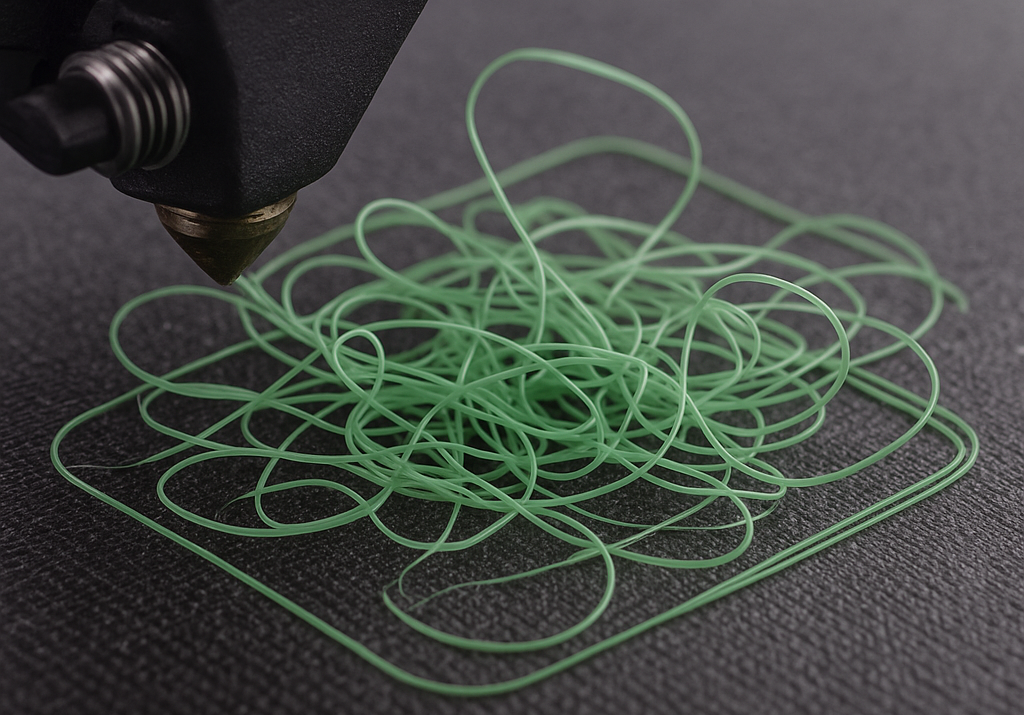
This is the single most common first layer failure, and it produces the most visually obvious symptom: filament that never properly bonds to the plate drags, forms blobs, or detaches entirely within the first few layers rather than failing gracefully later in the print. The underlying mechanism is a surface energy and contact area problem — the plate needs to be clean enough, hot enough, and close enough to the nozzle for the molten filament to properly wet and bond to the surface rather than simply sitting on top of it, ready to be dragged by the next pass of the nozzle.
Causes and fixes
A dirty build plate is the most common single cause, and it is worth being specific about the right cleaning method rather than reaching for whatever is nearest. Warm water and unscented dish soap removes skin oils effectively without attacking the plate’s PEI coating. IPA is genuinely the wrong choice on a textured plate specifically — it can strip some of the surface treatment over repeated use, and warm soapy water does the actual job of removing oils just as effectively without that risk. Skin oils transfer to the plate every time it is handled, and a print started on a plate with oil contamination in the first-layer zone is meaningfully more likely to fail than one started clean — this is covered at length in the maintenance guide, where the IPA wipe is specifically recommended for smooth plates rather than textured ones.
The wrong plate selected in Bambu Studio is an easy mistake with a disproportionate effect. The slicer applies different temperature and Z-offset behaviour depending on which plate type is selected, and printing with a textured-plate profile on an actual smooth plate, or vice versa, means the printer is calibrating against a surface it is not actually touching. Confirm the plate selection in the slicer genuinely matches what is physically on the printer before troubleshooting anything else.
A plate not fully seated — dust, a stray filament fragment, or debris trapped under the magnetic plate — creates a tiny but genuine air gap that throws off the printer’s own bed mesh calibration in that specific area. Lift the plate, check underneath, and reseat it fully before assuming a settings problem.
Nozzle too high is a Z-offset problem rather than a plate problem, and it produces adhesion failure for a simple physical reason: if the nozzle is not close enough to genuinely press the first layer’s filament into the plate surface, there is no meaningful contact area for adhesion to occur, regardless of how clean or hot the plate is. Rerun the printer’s automatic first-layer calibration, or nudge the Z offset down in small increments and retest.
Excess cooling on the first layer works against adhesion directly — a first layer that cools and contracts too quickly before it has properly bonded to the plate is more prone to lifting at the edges before the rest of the print has even built up enough mass to hold it down. Confirm the first-layer fan speed specifically, since it is set independently from the general part-cooling fan speed in both Bambu Studio and OrcaSlicer.
PLA generally prints best on a freshly washed smooth PEI plate for adhesion consistency, while PETG’s much stronger natural bond, covered in detail in the PETG materials post, tends to suit a textured plate better — provided a thin glue stick layer is used to prevent the aggressive adhesion this guide covers becoming a removal problem later.
Problem 2: first layer squished or uneven
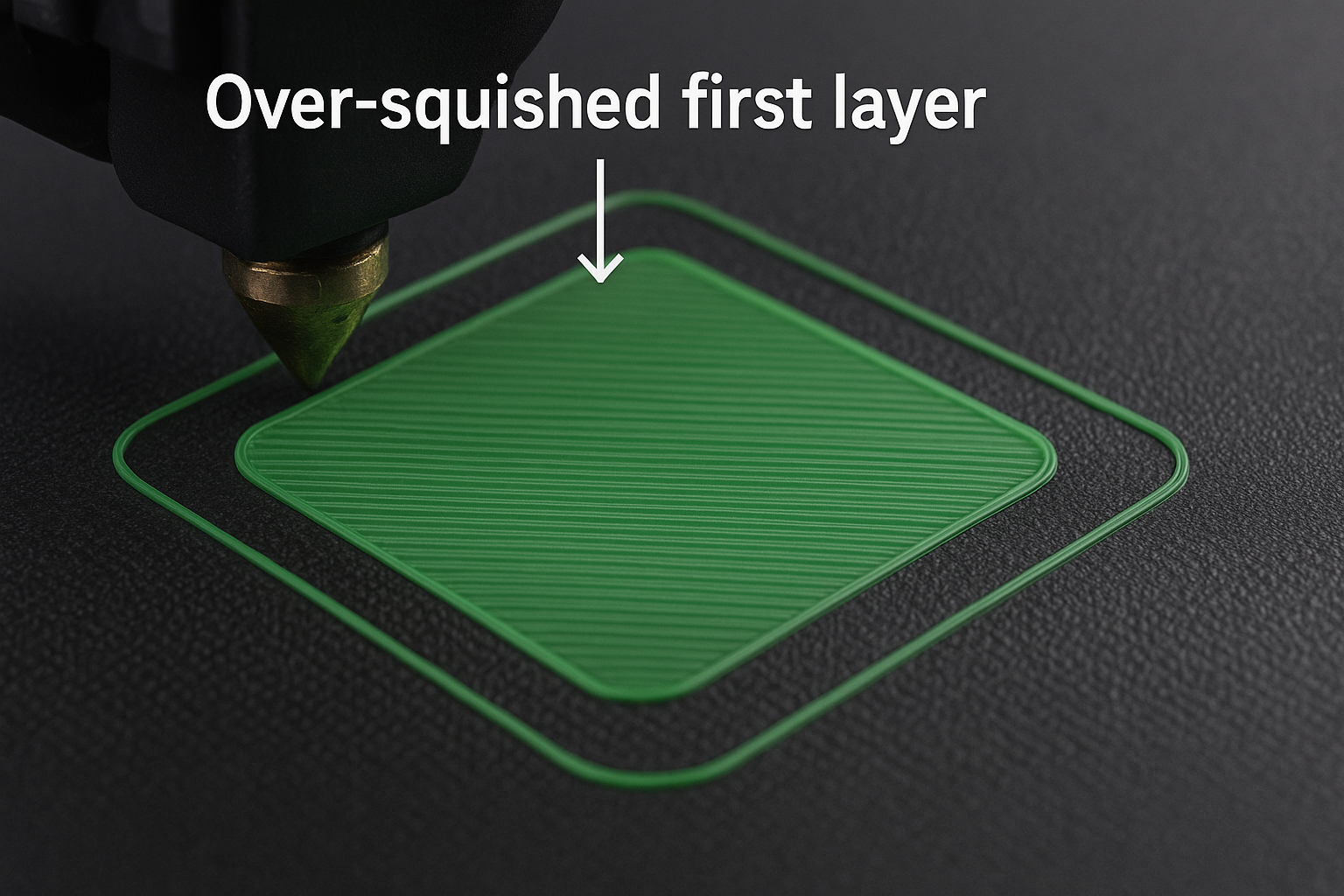
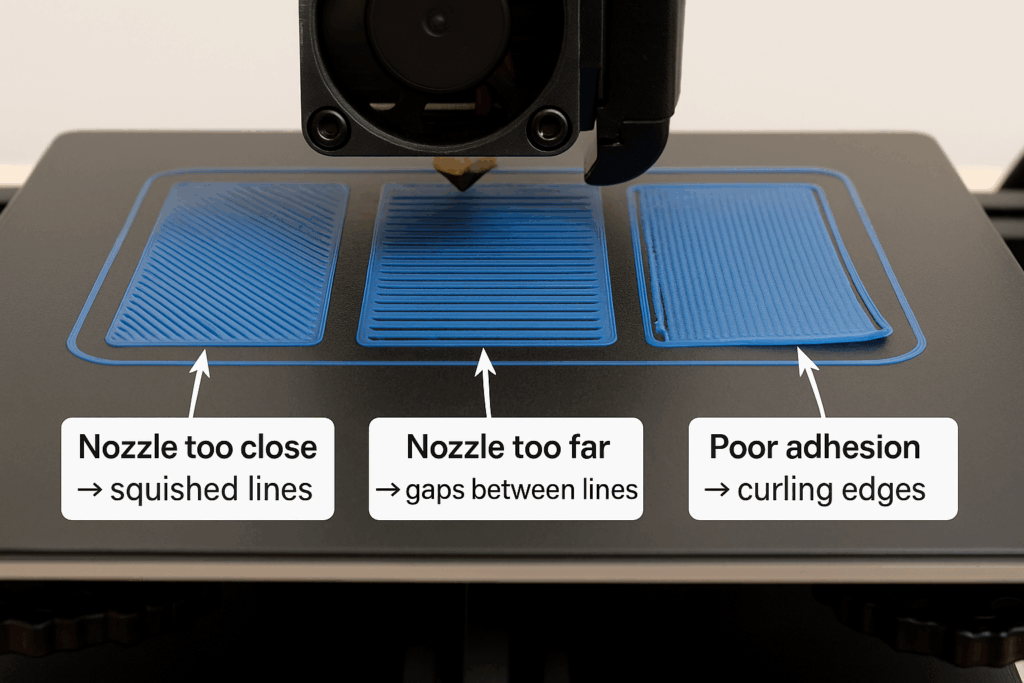
This is the opposite failure mode from problem one, and it comes from the nozzle being too close to the plate rather than too far. A properly extruded first layer has a specific, gently rounded cross-sectional shape — squish it further than that and the filament is forced sideways rather than laying down in its intended profile, producing a shiny, over-compressed, inconsistent surface rather than the clean matte finish a correctly calibrated first layer produces.
Causes and fixes
Nozzle too low is the direct cause, and the fix is the mirror image of problem one — rerun the first-layer calibration or raise the Z offset in small steps, testing between each adjustment rather than making one large correction and hoping it lands right.
A warped or slightly bowed plate produces inconsistent squishing across the bed area rather than a uniform problem everywhere — one area of the plate sits closer to the nozzle than another because the plate itself is not perfectly flat. Spring steel plates do develop a very slight bow over time and heavy use, and rotating the plate 180 degrees on the magnetic base can sometimes find a flatter orientation if one side has developed more curvature than the other. If the unevenness persists regardless of orientation, the plate has reached the end of its useful flatness and is worth replacing, exactly as covered in the maintenance guide‘s discussion of build plates as the genuine consumable in this hobby.
An incorrect plate profile in the slicer produces the same mismatch covered in problem one — confirm the exact plate type selected matches what is physically installed before assuming the hardware itself is at fault.
A properly calibrated first layer should show smooth, continuous lines that have merged into each other without deep grooves, without heavy ridges, and without the shiny, glass-like appearance that signals excessive squish.
Problem 3: gaps between first layer lines
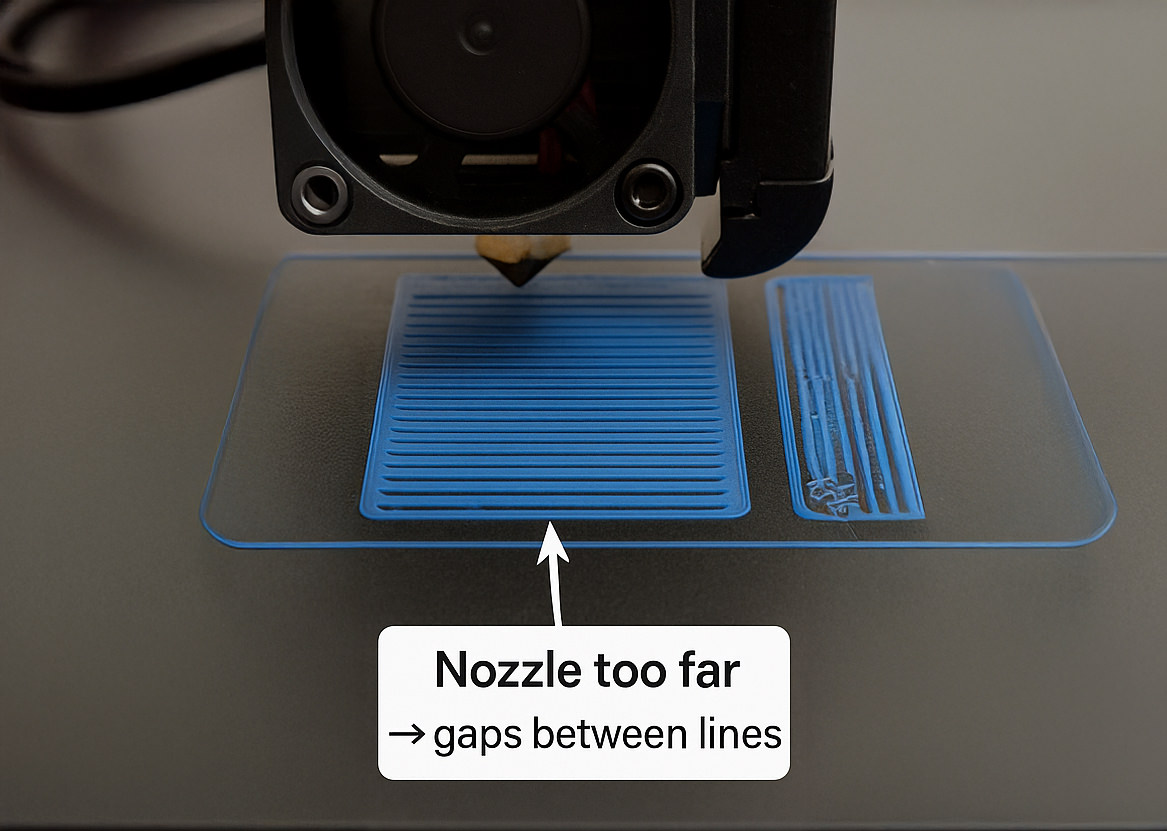
This sits between the two extremes above — the nozzle is neither dragging across the plate nor over-squishing, but the individual extruded lines are not making full contact with each other, leaving visible channels rather than a fused, solid surface. This weakens bottom-layer adhesion considerably even where the plate contact itself looks fine, because the first layer’s structural integrity depends on the lines bonding to each other as much as to the plate underneath.
Causes and fixes
Nozzle slightly too high, but less severely than in problem one — enough that the plate bond is adequate but the lines are not being pressed together with quite enough force to fully merge. Lower the Z offset by a small increment, 0.02-0.05mm, and retest rather than jumping to a larger correction.
Under-extrusion specifically on the first layer produces this same gapping symptom independently of Z offset, and it is worth ruling out separately. Confirm the filament is genuinely dry — the filament drying post covers the diagnostic properly — and that the spool is feeding smoothly without resistance or intermittent binding, which would starve the first layer of material even with a correctly set Z offset.
Printing too fast on the first layer specifically does not give the extruded lines enough time or pressure to merge properly before the nozzle has already moved on. The default 20-30mm/s first-layer speed exists specifically because this stage benefits from being slower and more deliberate than the rest of the print — pushing first-layer speed up in the name of saving a minute or two is a common and easily avoidable cause of this exact problem.
A correctly printed first layer should show the individual lines merging into one continuous, solid surface with no visible channels between them — if you can trace individual lines with a fingernail, something in this section needs adjusting.
Problem 4: first layer curling or lifting at corners
Corner lifting is a thermal contraction problem rather than an adhesion problem in the strict sense — the plastic at the corner cools and shrinks slightly, and if the adhesion force at that specific point is not strong enough to resist the shrinkage, the corner peels upward rather than staying flat. This is the same fundamental mechanism covered in the A1 enclosure post for ABS and ASA at a larger scale — an uneven cooling gradient between the corner and its surroundings pulling the material out of shape.
Causes and fixes
Bed not hot enough for the specific material and plate type in use is the most direct cause — check the bed temperature genuinely matches the material profile rather than a generic default, since the correct temperature varies meaningfully between PLA, PETG, and anything more demanding.
Fan too strong accelerates the exact cooling-and-contraction cycle that causes lifting in the first place — reduce the first-layer fan to 0-20% depending on material, since aggressive cooling that is entirely appropriate for layer ten of a print is actively counterproductive on layer one.
A small contact area at the corner itself means there is less total adhesion force resisting the shrinkage pulling it upward. Adding a brim in Bambu Studio increases the effective contact area right at the corners specifically, giving the adhesion force something larger to work against without requiring any change to the model itself.
Draughts or cold airflow across the printer introduce exactly the uneven, localised cooling that drives this problem — an open window or a fan blowing directly across the bed creates one cooler zone and one warmer zone on the same first layer, and the plastic contracts unevenly as a direct result. This connects to the broader ambient temperature discussion in the hot weather post, which covers the same underlying principle — uneven thermal environments cause uneven printing outcomes — from the opposite, too-hot direction.
PETG and ABS both warp considerably more than PLA, for the reasons covered in their respective materials posts. For PLA specifically, corner lifting is almost always traceable to cooling or genuinely insufficient corner adhesion rather than the more severe warping chemistry that governs ABS and ASA.
Problem 5: first layer looks rough or inconsistent
A blotchy, uneven first layer — rather than the clean adhesion or squish failures covered above — usually points to a contamination or temperature problem rather than a mechanical one. Unlike the previous problems, which have a fairly direct physical cause and effect, this one benefits from ruling out the simplest explanation first before assuming a settings issue.
Causes and fixes
Oils from fingerprints are the most common and most overlooked cause, precisely because a plate can look visually clean while still carrying enough skin oil to interfere with even, consistent adhesion across the whole surface rather than causing an outright failure. Wash with hot soapy water and dry with a genuinely lint-free cloth — a standard tea towel or paper kitchen roll can leave fine fibres behind that themselves interfere with a clean first layer.
An incorrect process preset — a modified profile carried over from a different filament or project — can introduce first-layer settings that were never actually intended for the material currently loaded. Reset to the default 0.20mm Standard profile as a clean baseline and retest before assuming a hardware fault.
Extruder temperature too low for the specific filament produces a dragging, patchy first layer because the material is not fully melted and flowing consistently — raise nozzle temperature by 5°C if the filament appears to drag or shows visible under-extrusion, and check the result against a proper temperature tower as covered in the stringing post if the problem persists after a small manual adjustment.
A correctly printed first layer should appear matte and genuinely even across its full area, with no rough patches, no bare spots where filament failed to lay down properly, and no heavy blobs concentrated in one area.
First layer settings by material
| Material | Nozzle temperature | Bed temperature | Cooling | Best plate |
|---|---|---|---|---|
| PLA | 205-210°C | 55-60°C | 0% first layer, ramping to 100% from layer 2 | Smooth PEI, cleaned regularly — see the full PLA materials post |
| PETG | 235-245°C | 75-85°C | 40-60% | Textured PEI, often with a light glue layer for easier release — see the PETG materials post |
| TPU | 220-230°C | 35-45°C | 30-40% | Textured PEI — see the TPU materials post |
The diagnostic order worth following
Rather than jumping between fixes at random, work through this in order: confirm the correct plate type is selected in the slicer and physically installed. Clean the plate properly for the material in use — soapy water for textured plates, IPA acceptable on smooth ones. Confirm bed and nozzle temperature match the material’s actual requirements rather than a leftover profile from something else. Run or rerun the automatic first-layer calibration. Only then start adjusting Z offset manually in small increments, testing between each change. And if a problem persists after all of the above, check whether it might not be a first-layer problem at all — a worn nozzle, covered in the nozzle wear post, or a genuinely wet spool of filament, covered in the drying post, can both masquerade as first-layer symptoms while actually being a different problem entirely.
Summary
The first layer is the single most important part of any FDM print, and every failure mode above traces back to one of a small number of underlying mechanisms — surface contamination, incorrect Z offset, wrong temperature for the material, or an uneven thermal environment. Focus on a clean plate, the correct plate profile, an accurate Z offset, and temperatures that genuinely match the material loaded. Make small changes, test one variable at a time, and keep a record of what worked for each material and plate combination rather than re-solving the same problem from scratch every time it recurs. Once the first layer becomes predictable, the overwhelming majority of everything else that can go wrong in a print becomes considerably easier to diagnose.