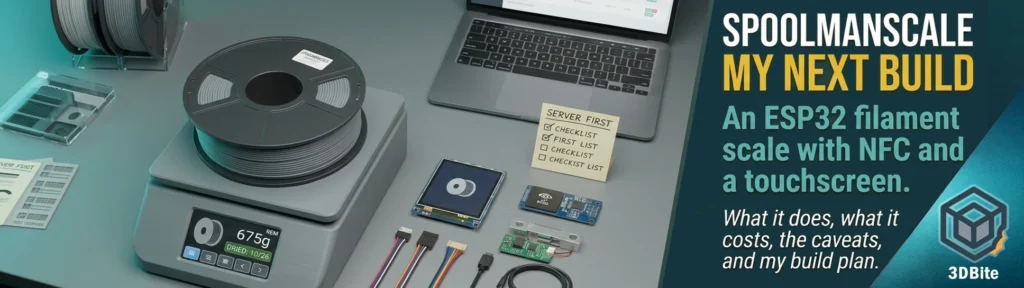
I have a growing pile of spools, a Spoolman server that knows roughly how much is left on each one, and no good way of keeping the two honest. The numbers in the inventory drift the moment I stop updating them by hand, which is the moment I stop trusting them. SpoolmanScale is the project that finally looks like it fixes that, and I have decided it is my next build. This post is the plan: what the project is, what it does, what it costs, where it is still rough, and how I intend to approach it. I have not built one yet, so this is a pre-build briefing rather than a review, and I will write the build log once the parts have arrived and the thing is on my bench.
What SpoolmanScale is, in one breath
SpoolmanScale is an open-source filament scale built around an ESP32 microcontroller, an NFC reader and a 3.5 inch touchscreen. You put a spool on the pad, the scale reads the spool’s NFC tag, fetches the matching spool from your filament manager, shows you what it thinks is left, and lets you tap to update the remaining weight, log a drying date, set a storage location or archive an empty spool, with no phone in your hand. It also writes NFC tags, so you can link a plain sticker to a spool and have the spool’s data readable by other tools. The maintainer’s tagline, taken from the project page, is “One Scale to rule them all.”
The single most important sentence in the README is the one that heads it, and it is worth repeating before anyone orders a single part: SpoolmanScale is a front end, not a database. It needs one of three filament managers already running on your network, Spoolman, FilaMan or BamBuddy, and that is where your spools actually live. The scale reads from it, weighs the spool and writes the result back. The MakerWorld listing goes further and warns that it has happened more than once that someone ordered everything, assembled it, and only then discovered the server piece was missing. The advice is to set up the backend first, and I am going to follow it.
Why it suits my setup
Three things make this a natural fit for how I work.
- I am already building towards this stack. Spoolman is the inventory, and I have been planning to run Bambuddy alongside it, as covered in the decision post. SpoolmanScale supports Bambuddy as a backend, with Bambuddy either keeping its own inventory or running against a Spoolman server behind it, and the scale works out which and writes to the right one.
- My AMS Lite does not read tags. As I understand it, the AMS Lite has no RFID reader, and most of my spools are third-party anyway. A scale that reads Bambu tags, links any NTAG sticker to a spool and writes its own tags gives me tracking that the AMS Lite never could. I have not confirmed how the scale’s AMS view treats an AMS Lite, so I am treating that as a question to test.
- The weight is the truth. Estimates from slicers drift, failed prints waste filament nobody logged, and spools get swapped. A scale on the desk measures what is actually left, which is the one number I can trust.
What it does
The feature list is long, and the project moves quickly, so here is the shape of it as of the latest release notes I could find, v0.8.3, rather than a copy of the README.
| Area | What it does |
|---|---|
| Weighing | NAU7802 load cell amplifier, moving average filter, tare, and a live difference against the remaining weight in your database |
| Bambu tags | Reads Bambu Lab NFC tags straight away, showing material, colour, vendor and remaining weight, and can create a new filament and spool from what the tag says |
| Any other spool | Link any NTAG sticker or MIFARE card, choose vendor and material, pick from a filtered list, done |
| Writing tags | Writes OpenSpool, FilaMan or Anycubic ACE formats, or erases, without help from the server, so the tag is readable by printers and other OpenSpool tools |
| Spool admin | Update remaining weight, set initial and spool weight, log a drying date, assign locations, archive and restore, and copy a spool when a new one arrives |
| Drying reminder | Colour-coded last-dried date, with thresholds by material or set manually |
| Backends | Spoolman, FilaMan or BamBuddy, switchable at any time in the settings |
| AMS view | With FilaMan and BamBuddy, every AMS unit with bays, material, colour, remaining filament, humidity and temperature |
| Labels (beta) | Prints spool labels with a QR code on a Bluetooth label printer such as the Phomemo M220 |
| Setup and updates | On-device setup, a web interface, a browser-based web flasher for the first flash, and over-the-air updates afterwards |
| Self-diagnosis | Plain-language messages for a dead chip, a silent NFC reader, a missing calibration, a reversed load cell or unsteady readings |
| Languages | German, English and French |
Two details stand out for me. The first is the self-diagnosis. Most DIY electronics projects fail silently or throw a four-character code, so a scale that says in plain words that the load cell is wired the wrong way round is exactly the sort of kindness that saves a Saturday. The second is that the scale works without a load cell at all: switch off the “scale fitted” option and it becomes a pure tag terminal for reading, linking and writing tags and setting locations. That makes it possible to build it in stages and prove the NFC half before committing to the weighing half.
What it costs and what you need
The MakerWorld listing puts the electronics at around 60 to 70 euros, plus filament for the printed enclosure, with the main board at about 35 euros. I have not priced it in pounds with shipping and import, so treat that as a ballpark.
| Component | Model | Notes |
|---|---|---|
| Microcontroller and display | WT32-SC01 Plus (ESP32-S3, 480 by 320 touchscreen) | Buy the variant called WT32-SC01 PLUS. The listing warns that the plain WT32-SC01 is the wrong board |
| NFC reader | PN532 | Must be set to I2C mode with its jumpers before wiring |
| Scale ADC | NAU7802, Adafruit recommended | A community fork also lists an HX711 option, and the main roadmap mentions it as planned |
| Load cell | YZC-133 2kg beam cell (5kg also works) | The listing warns that the load cell page opens on the 1kg option, so choose the right variant |
| Cables | STEMMA QT or JST connector cables | A micro JST 1.0 SH 5-pin set is suggested for easier assembly |
| USB-C panel mount cable | 90 degree, full PD and data | For power and flashing through the enclosure |
| Enclosure | 3D printed, on MakerWorld | Published under MakerWorld’s own licence |
| Optional | Debug board, microSD card, Bluetooth label printer | The debug board is not necessary, and logging works with or without an SD card |
There is also a variant of the firmware for the Waveshare ESP32-S3-Touch-LCD-7, a 7 inch 800 by 480 board, maintained in a community fork. Its wiring is not the WT32’s, and the fork’s notes carry a pointed warning never to connect the PN532 to that board’s own I2C connector, because another chip on that bus answers on the same address and the reader would switch the backlight and SD card off. The original project’s documentation and enclosure describe the WT32 only, so a larger screen means going off the documented path. I will stick to the standard board.
My build plan
The project’s own getting-started order is sensible, and I am adding a few precautions of my own.
- Get the backend running first. Spoolman on the home server, up to date, and backed up before the scale ever touches it. The scale writes to the inventory, so I want a restore point.
- Check versions. The release notes say the scale works with Spoolman 0.27 or newer, FilaMan 1.3.1 or newer, and BamBuddy with Spoolman 0.27 as its inventory. Spoolman 0.27 introduced native tags that belong to the spool, and the scale uses them by default, with a setting for OpenSpoolMan compatibility if I use that tool.
- Order the parts carefully, checking the board variant and the load cell rating before paying.
- Print the enclosure while the parts travel.
- Flash the board before assembly. The web flasher needs only a browser and a USB cable, and the instruction is to verify it works before any wiring.
- Set the PN532 to I2C mode before soldering. The documentation specifically warns that changing the mode jumpers after soldering is difficult.
- Build in stages, proving the display, then the weighing, then the NFC reader, rather than wiring everything at once. A community pull request on the project proposes a staged wiring guide with a test at each step, which matches my instincts.
- Calibrate through Settings, Scale, Calibration, using a known reference weight.
- Connect to the backend, link a handful of spools, and only then start trusting it with the whole library.
How it compares with the alternatives
SpoolmanScale is not the only DIY scale, and it is worth knowing what else exists before committing. I have not built any of these, so the table reflects what the projects say about themselves.
| Project | What it is | Note |
|---|---|---|
| SpoolmanScale | One device with scale, NFC reader and touchscreen, working with three backends | Backend-agnostic, switchable, and still labelled a public beta |
| FilaMan | A filament manager with an optional ESP32 smart scale and a companion smartphone app | The app can do full NFC and QR tracking without the hardware scale. It needs its own server, and SpoolmanScale can use it as a backend |
| SpoolEase | A console plus a separate scale module for the SpoolEase system | Also built around the WT32-SC01 Plus and a PN532, with a split between console and scale |
| OpenSpoolMan | Software that links Bambu AMS trays to Spoolman via MQTT | A complement rather than a rival, and SpoolmanScale has a compatibility setting for it |
| Bambuddy’s built-in inventory | Spool inventory inside the dashboard | Works without a scale, and SpoolmanScale can sit in front of it |
One summary of the alternatives landscape notes that FilaMan suits people who want an actual scale in the loop rather than a firmware-based usage estimate. That is the same logic that attracts me here, with the difference that SpoolmanScale lets me keep Spoolman as the database I already trust.
The honest caveats
- It is a beta. The repository describes the hardware as complete and the firmware as in public beta. It was first announced to the Spoolman community on 25 April 2026, so it is roughly six months old and has moved through a lot of versions since.
- It is a one-person project, with help. The maintainer credits several contributors, including a major refactor that made the multi-backend design possible, a rebuilt web interface, French translation and the groundwork for label printing, and asks for support through stars, MakerWorld boosts and Ko-fi. That is healthy, but the usual open-source bus-factor caution applies.
- The big numbers are self-reported. The project page says over 200 people run one, that inventories of more than 300 spools have been tested, and that MakerWorld ratings are all five stars. Those are the maintainer’s claims, and I found no independent review to confirm or challenge them.
- Updates can need a cable. The 0.8.0 release redivided the memory, and anyone on 0.7.x had to go through the web flasher once to update. Normal updates arrive over the air afterwards, but breaking changes have happened.
- It writes to your inventory. That is the point, but it means a bug could write a wrong weight. Back up first.
- Documentation is split. The README, the documentation site, MakerWorld and the release notes each carry some of the truth, and the project says the documentation site is the one kept up to date.
- Label printing is early. It supports the Phomemo M220 over Bluetooth, with other printers experimental or planned, and the maintainer says he cannot buy every printer.
- It is not affiliated with Spoolman, FilaMan or BamBuddy, and uses their REST APIs, so changes on their side can break things.
What is coming
The roadmap in the latest README is encouraging. Planned items include reading and creating spools from more makers’ tags, namely Creality CFS, TigerTag and Snapmaker, an Elegoo Canvas format that needs tags written in its own way, and a bridge that makes the spool you weigh the active spool on a Klipper printer through Moonraker. Further out are an HX711 option beside the NAU7802, fuller BamBuddy integration, and support for filament managers running on the internet rather than your own network. The most recent releases have already added creating spools on the scale itself, the ability to free a tag for the next spool when you archive an old one, weighing a spool by its ID when it has no tag, and showing the scale’s web interface inside BamBuddy’s sidebar or a FilaMan plugin. Bambu printers are not the only story here, which is a relief for anyone who also runs other brands.
The questions I want to answer in the build
- How does the scale cope with an AMS Lite, given the AMS view lists FilaMan and BamBuddy rather than plain Spoolman?
- How accurate is the weighing in practice, and how stable is it once the enclosure is closed, over a few days?
- How much do I use it day to day, and does it replace my habit of guessing remaining weight?
- How smooth is linking third-party spools with NTAG stickers compared with a Bambu tag?
- How does it behave alongside Bambuddy, and does the sidebar embed work with my setup?
- How reliable is the first flash, the over-the-air update path and the recovery if an update goes wrong?
- How long does the build genuinely take, from opening the parcels to a calibrated scale on the desk?
Why I am confident enough to commit
The project solves a real problem I have, it is built on parts that cost a modest amount, the build can be staged and verified at each step, and the software has a visible habit of fixing things quickly and documenting changes openly. The risk is bounded: if it disappoints, I have lost an evening and about a few tens of pounds of parts, and I will still own a perfectly good NFC tag writer. If it works as described, I get a spool inventory that corrects itself every time I put a spool on the desk. I will report back with a proper build log, including what went wrong, as soon as the parts are in.
Sources and links
- SpoolmanScale on GitHub, including the v0.8.3 release notes
- SpoolmanScale documentation and the web flasher
- SpoolmanScale enclosure on MakerWorld
- Spoolman discussion #921: the public beta announcement
- Waveshare 7 inch fork
- FilaMan, SpoolEase and OpenSpoolMan
- 3D Print Pricing: Spoolman alternatives for filament tracking in 2026