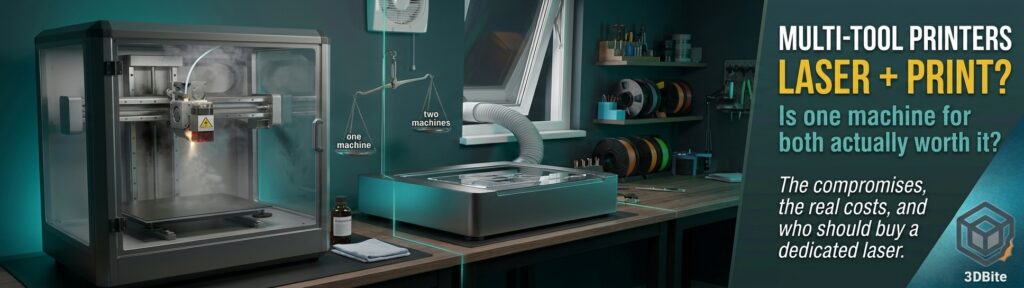
For a while the question of whether to put a laser on a 3D printer was a niche debate, argued mostly between people who owned one of the few machines that offered it. Then two things changed. Bambu Lab, the company that did the most to make printer-mounted lasers mainstream, launched a standalone laser of its own, the R1, and the argument flipped from “can one machine do both?” to “should it?”. This post steps back from individual products to look at the category: what the one-machine approach genuinely offers, where it physically compromises, who should buy it and who should not. The product detail lives elsewhere, in the H2D laser module post and the R1 teaser post and its full launch review, and I will not repeat it. I should also say plainly that I have not used either machine, so everything here comes from manufacturer documentation, published reviews and owners’ accounts, labelled where it matters.
The pitch for one machine
The case for a combined machine is easy to state and, in the right circumstances, genuinely strong. Most makers who want a printer, an engraver and a cutter end up with three machines, three software tools and three bench footprints. A combined machine collapses that into one enclosure and one workflow. The better implementations add real engineering on top: an integrated camera that registers a laser job to the physical position of a part on the bed, a protective enclosure that makes the whole machine Class 1 for laser safety, and automatic height measurement for uneven surfaces. One forum owner of an H2D described the appeal bluntly: it gives someone without space for a dedicated unit an avenue to dabble in laser work without setting up a separate area. For someone short of space who wants to try engraving occasionally, that is a legitimate value proposition rather than marketing.
The machines in the category
The category is smaller than it looks, because the term covers quite different approaches.
| Approach | Example | How it works | Laser | Rough price (reported) |
|---|---|---|---|---|
| Printer-first with a laser option | Bambu H2D, H2C, H2S laser editions | A toolhead module swaps onto a high-speed enclosed printer | 10W or 40W blue diode (the H2S takes 10W only) | H2D laser combo about $2,149 (10W) and $2,699 (40W) at the R1 launch, per one retailer blog |
| True 3-in-1 | Snapmaker Artisan, and the older modular Snapmaker 2.0 | Swappable print, laser and CNC heads on one frame, with a large enclosure | 10W standard, 40W on higher bundles | About $2,500 to $3,000 depending on bundle, per one roundup |
| Add-on module for a printer you own | Low-power diode modules | Bolt a small laser to an existing toolhead | Low-power diode | Budget, with slower and less precise results according to the same roundup |
| Dedicated laser, for comparison | Bambu R1 | A separate enclosed machine | 55W CO2 glass tube | $2,499, or £2,249 in the UK at launch |
Prices in this category move fast. The H2D laser combos in particular were reported at $2,799 and $3,499 at their 2025 launch and are now cheaper, and the figures above come from retailer and blog sources rather than a single official price list, so check current pricing before deciding.
Where combining physically compromises the machine
This is the heart of the question, and the reasons are mostly physical rather than a matter of taste. Putting a laser and a printer in one box creates problems that two separate machines simply do not have.
1. Laser work is dirty, and the chamber is shared
Cutting and engraving produce smoke, fine particulates and sticky residue, and a combined machine does this in the same enclosed space that houses the printer’s rails, belts, cameras and heated bed. Bambu’s own H2 wiki is unusually candid about it. It explains that the laser’s air pump blows smoke away from the cut, that the exhaust system carries most of it out through a pipe, and then states that some smoke will still remain inside the printer, so contamination is more severe than with printing alone and the machine needs more frequent maintenance. That is the manufacturer saying it, not a critic. Reviewers and owners fill in the detail. One tabletop gaming reviewer noticed the interior smelled smoky even with the smoke vented out of a window, only dispelled after cleaning the platform and interior to the manufacturer’s instructions, and said converting back to printing took longer because they clean thoroughly after every laser session. An owner on the Bambu forum, with experience of a large CO2 laser, warned that residue from acrylic work can be damaging if not cleaned from the grids, and another forum poster put the cleaning burden in terms of cleaning an oven. A third-party troubleshooting write-up suggests a deep-clean schedule every 20 to 30 hours of laser use, which I treat as one source’s rule of thumb rather than Bambu guidance.
It is worth being fair to the other side. Several owners say the extraction works well, with one 40W owner reporting that the machine clears smoke and smell extremely well, and Bambu also says that with regular cleaning the effect on performance and precision is negligible. Engraving metal is described as relatively clean, while cutting wood is where the residue builds up. The honest summary is that the mess is manageable but real, and it is a cost that a separate laser, kept away from your printer, never imposes.
2. One machine cannot do two jobs at once
An obvious point that tends to get lost in the consolidation pitch: while the machine is engraving, it is not printing. One forum commenter, speculating before launch, estimated that engraving a full-surface design on wood with a 10W diode could take at least an hour with the printer unusable throughout. For an occasional user that hardly matters. For anyone running a queue of prints, or wanting laser work to proceed alongside printing, two machines give you a throughput that one cannot. The same logic is why a commenter predicted that a business would almost certainly buy two dedicated machines rather than one combined unit.
3. The laser type and size are constrained by the host machine
A laser that has to ride on a printer toolhead has to be small and light, which in practice means a blue diode. That choice has consequences. The H2 laser modules cannot cut clear acrylic, because the 455nm blue light passes straight through it, and they cannot cut metal, as one review of the H2D noted. Their work areas are also modest, roughly 310 by 250mm for the 40W module, because they are limited by the printer’s build volume. Bambu itself rates the 40W module at cutting 15mm of basswood in a single pass. Compare that with what a dedicated machine in the same family does.
| H2D with 40W diode | H2D with 10W diode | Bambu R1 (dedicated) | |
|---|---|---|---|
| Laser | 40W blue diode, 455nm | 10W blue diode, 455nm | 55W CO2, about 10,600nm |
| Work area | 310 x 250mm | 310 x 270mm | 600 x 300mm |
| Clear acrylic and glass | Cannot cut clear acrylic | Cannot cut clear acrylic | CO2 is absorbed by acrylic and glass |
| Thick material | 15mm basswood per Bambu | 5mm per Bambu | Reviews report thicker cuts, including 18mm walnut and 20mm acrylic |
| Shares a chamber with a printer | Yes | Yes | No |
That table is the single most important piece of evidence in the category debate. Reviewers of the R1 explicitly framed it as taking what worked about the H2D’s diode system and giving it a standalone case with a much bigger CO2 laser. The combined machine is a good laser for engraving and light cutting, and it is structurally limited as a cutter.
4. Ventilation is not removed, only moved
A combined machine does not escape the ventilation problem, it concentrates it. The H2D’s laser must be vented outdoors or through a compatible purifier, as the same reviewer stressed, and the purifier is a significant extra cost: Bambu’s Smoke Purifier lists at $599.99, covered in the H2D post, and the R1’s equivalent E1 Pro purifier is reported at $899. A dedicated laser needs ventilation too, so this is a cost of laser work itself, but it matters in the combo case because the printer shares the air with whatever the laser produces. The fumes and ventilation post covers the underlying safety picture.
5. Printing performance can suffer in the true 3-in-1s
The Bambu approach keeps the printer excellent and adds a laser. The Snapmaker approach goes further, adding a CNC spindle, and the reviews are more mixed about the price paid. One review notes the Artisan’s print speed reflects the design compromises of a platform that also does CNC and laser work at a serious level, and a roundup site reported its own comparison in which a dedicated budget printer finished the same job about 40% faster. That is one reviewer’s claim from a roundup with affiliate interests, and the Artisan is a 2022 design, so treat it as indicative rather than definitive. The general consensus in those roundups, though, is consistent: these machines trade some performance in each discipline for convenience and space.
6. A single point of failure
If your printer and your laser are one machine, a fault in either can take both out of action. One H2D owner on the forum reported a laser calibration failure that Bambu resolved by sending a replacement module, which is a single anecdote and not evidence of a general problem. The structural point stands regardless: with two machines, a breakdown costs you one capability, with one machine it can cost you both.
Where the combined machine genuinely wins
- Space. If you have no room for a second machine and a vent route, one enclosure is a real advantage.
- Occasional use. Forum owners who bought a printer first with occasional laser use report being well served, and say Bambu’s software walks you carefully through the first-time safety process.
- Engraving and marking. Reviewers consistently rate engraving on wood, anodised metal and leather as the module’s strength, with camera registration giving precise placement on a physical part.
- Hybrid jobs. Because the camera knows where things are on one bed, combining a printed part with an engraved or cut element is simpler than moving work between two machines.
- The cutting and plotting module. The H2 series extras, covered in the H2D post, add vinyl and paper cutting that few dedicated lasers offer.
- Price against buying everything separately, but only if you actually need the printer part, which leads to the next point.
The cost question: it depends on what you already own
The consolidation argument only works if you are buying both a printer and a laser from scratch. Here is how the routes compare for different starting points, using the reported prices above, which are US dollars from the sources noted and should be treated as approximate.
| Your situation | Combo route | Dedicated route | Which is cheaper, roughly |
|---|---|---|---|
| Buying a printer and a laser from scratch | H2D 40W laser combo, about $2,699 | A printer such as an A2L (about $469) or P2S (about $569) plus an R1 ($2,499) | The combo is cheaper by a few hundred dollars, but the printers are not equivalent and the laser is far weaker than the R1’s |
| Already own a good printer, want a laser | Buy a whole new H2D just for the laser | Add an R1 at $2,499, plus ventilation | Dedicated, clearly, because you are not paying for a second printer |
| Already own an H2D, want a laser | Add the laser upgrade kit and module | Add an R1 and keep the printer untouched | Depends on use: the module is cheaper, the R1 is more capable and keeps your printer clean |
| Want CNC as well | Snapmaker Artisan at roughly $2,500 to $3,000 | Three separate machines | The Artisan, if you genuinely use all three |
That second row is the one that matters to me personally. I already own an A1 and an A2L, and the printing side of this site is fully covered. The consolidation argument therefore does nothing for me, because I would not be saving a printer’s worth of money or space. For someone in my position the question is not “combo or dedicated”, it is simply “do I want a laser at all”, and if the answer is yes, a dedicated machine is both the cheaper and the more capable route. It is also why the H2D post’s verdict, that the module is for people who already know they want laser work, applies to the whole category and not just that product.
What the R1 tells us about the category
The R1 matters beyond its own merits, because of what it says about the combo idea. The company that popularised the printer laser built a separate machine for serious laser work, and independent reviewers received it well. TechRadar’s reviewer called it an exceptional 55W CO2 machine and praised its automatic alignment, How-To Geek called it the easiest CO2 laser they had used while criticising a cumbersome multistage software workflow, and Tom’s Hardware credited it with taking the best of the H2D’s diode system and putting it in a standalone case with a CO2 laser. FauxHammer’s reviewer, who had wanted Bambu to make a proper standalone laser, noted software growing pains and later confirmed LightBurn support. A buying guide from Makers101 summarises the choice neatly: buy the H2D combo if you want 3D printing and diode laser work in one machine, and buy the R1 if you want a dedicated CO2 laser that cuts thicker stock and clear acrylic without tying up your printer.
I read that as the market sorting itself. The combined machine is not going away, but it is settling into a clear role as the sensible choice for printer-first buyers who want occasional laser capability, while serious laser users are being served by dedicated hardware that is now priced in a range many hobbyists can consider. The R1 does not make the H2D laser a mistake. It makes the boundary between the two much easier to see.
Questions to ask before buying either
- How many hours of laser work will I really do each month? Occasional use favours the combo, while regular use favours a dedicated machine.
- Do I need to cut clear acrylic, glass or thick stock? If so, diode is the wrong tool and the combo cannot help.
- Do I have an outdoor vent route, or budget for a purifier? Every laser needs one, and a combo needs it more.
- Am I willing to clean a printer chamber after laser work? If not, keep the laser away from the printer.
- Do I need to print and cut at the same time? One machine cannot.
- Do I already own printers? If so, the consolidation argument largely disappears.
- Do I want CNC too? That is where the Snapmaker approach stands alone.
Who should buy what
| You are… | Best fit | Why |
|---|---|---|
| Buying your first serious printer, short of space, curious about engraving | An H2S or H2D with the laser option | One footprint, capable engraving, and you can ignore the laser until you want it |
| An existing printer owner wanting a laser | A dedicated laser such as the R1 | You skip a second printer, avoid contaminating your printer, and get more capability |
| Someone wanting laser, CNC and printing together | Snapmaker Artisan | The only real 3-in-1 with a CNC spindle, at the cost of some print speed |
| Running a small business with laser volume | A dedicated CO2 laser and a separate printer | Simultaneous throughput and no shared chamber |
| Running a print farm or heavy production | Separate machines, not combos | Downtime and cleaning on a combo cost real throughput |
| A school or makerspace wanting breadth | A combo, with caution on cleaning routines | One machine covers several methods, as long as someone owns the maintenance |
Where I land
My view, with the caveat that I have not tested either machine, is that the combined laser and printer is a good idea with a narrower audience than its marketing suggests. It earns its place for printer-first buyers who are short of space and want occasional engraving, and the engineering in the best versions is genuinely thoughtful. It does not earn it as a way of getting a serious laser, because the physics of putting a laser on a printer toolhead caps the power, the work area and the material range, and because sharing a chamber means sharing the mess. The R1 has made that trade-off visible by offering a much more capable laser in its own box at a price that undercuts comparable dedicated machines.
For me, owning two printers already, the decision is simple and it does not involve a combo. If I decide I want laser capability, it will be a dedicated machine kept well away from my printers. For someone starting from nothing, the answer is a little more nuanced, and the honest test is how much laser work you expect to do. Buy a combo because you want a great printer with a laser as an occasional extra, not because you hope one machine will be a great printer and a great laser at once. Right now, the evidence says that is asking one box to do two jobs that physically prefer to be apart.
Sources and further reading
- Bambu Lab wiki: H2 periodic maintenance (laser contamination guidance)
- Bambu Lab wiki: H2D FAQ (laser module specifications)
- Tabletop Battles: Bambu Lab H2D review, part two, the laser show
- Tom’s Hardware: Bambu Lab R1 review
- TechRadar: Bambu Lab R1 review
- How-To Geek: Bambu Lab R1 review
- FauxHammer: Bambu R1 CO2 laser review
- Makers101: Bambu Lab R1 price, specs and early reviews
- TechRadar: Snapmaker Artisan review
- 3DEngr: Best 3D printers with a laser engraver
- Bambu Lab forum: Anybody here who actually owns the laser?