The beginner printers post touched on this from one specific angle — the A1 Mini’s build volume limitation is a big part of why eBay is quietly full of them. That observation opens up a much bigger question worth answering properly: is buying second-hand a genuinely good way into this hobby, or a false economy waiting to reveal itself six weeks in? The honest answer is that it depends entirely on what you check before handing over money, and the checks that actually matter are more specific than “make sure it turns on.”
Why people sell perfectly good printers
Understanding the reasons a used printer ends up for sale helps calibrate how much scepticism to bring to a specific listing. The A1 Mini situation is the clearest example: people buy it as an accessible first machine, run into its 180mm build volume within weeks or months, and upgrade to a full-size plate rather than persisting with a limitation they did not fully appreciate at purchase. That is not a printer with a problem. It is a printer that did exactly what it was built to do and got outgrown by its owner’s ambitions. The same pattern shows up as people upgrade from the P1S to an H-series machine, or move from an entry-level Creality or Anycubic model toward a Bambu machine once they have decided they are staying in the hobby. None of these sellers are offloading something broken. They are offloading something they have moved past.
The other category of seller is the person who tried 3D printing, found it more frustrating than expected, and is cutting their losses. This is where genuine bargains exist alongside genuine risk — a barely-used machine sold cheap because someone gave up on the hobby after a difficult first month is either a great deal or evidence that the machine itself was part of why they gave up, and distinguishing between those two explanations is exactly what the inspection process below is for.
The case for buying used
The financial case is straightforward and real. A machine bought at 40-60% of its original retail price, still functioning properly, is meaningfully better value than the equivalent new-machine spend on a lower tier of hardware. A used P1S at £400-450 is a considerably more capable machine than a new entry-level printer at the same price point, assuming the P1S is genuinely in good condition. For anyone confident enough in what they are looking at to inspect properly, or buying from a source with return protection, the maths clearly favours used hardware over new budget hardware at the same price.
The case for caution, and when new is the safer choice
The honest counterpoint, and the one that should shape a first-time buyer’s decision more than any bargain-hunting instinct: if you are an absolute beginner with no printer experience at all, buying new is very often the better first step regardless of price. A used machine is an unknown quantity that requires some troubleshooting literacy to properly evaluate and maintain, and a beginner encountering their first mechanical fault on a used machine with no baseline experience has no way to tell whether the fault is normal, serious, or a symptom of how the previous owner treated the machine. New machines come with warranty support, current firmware, and — for Bambu specifically — the kind of guided setup process that removes the steepest part of the learning curve. If patience for troubleshooting an unfamiliar machine is not something you have much of, new is the lower-stress choice even at a higher price.
The lack of auto-calibration on older machines: the biggest hidden cost
This is the single most important structural consideration when looking at older second-hand machines specifically, as opposed to a recently-superseded model. A used original Creality Ender 3, an early Prusa i3 clone, or any machine from the generation before automated bed levelling and flow calibration became standard, is a genuinely different proposition from a used A1 or P1S. These older machines are absolutely capable of producing good functional prints — the RepRap-era origins of this hobby prove that decisively — but they demand manual bed levelling, manual first-layer calibration, and ongoing tuning attention that modern machines have automated away entirely. Buying one of these as a first printer means signing up for a genuine mechanical learning curve rather than just a hobby.
This is not a reason to avoid older used machines outright — plenty of experienced hobbyists deliberately seek them out for the tinkering and upgrade culture that surrounds the Ender 3 specifically, which has one of the deepest mod and tutorial communities of any printer ever made. It is a reason to be honest with yourself about whether you are buying a project or an appliance. A used Bambu A1, by contrast, retains its automated levelling and calibration regardless of age, which meaningfully narrows the gap between buying new and buying used for anyone who wants the “it just works” experience rather than the tinkering one.
The physical inspection: what to actually check, in order
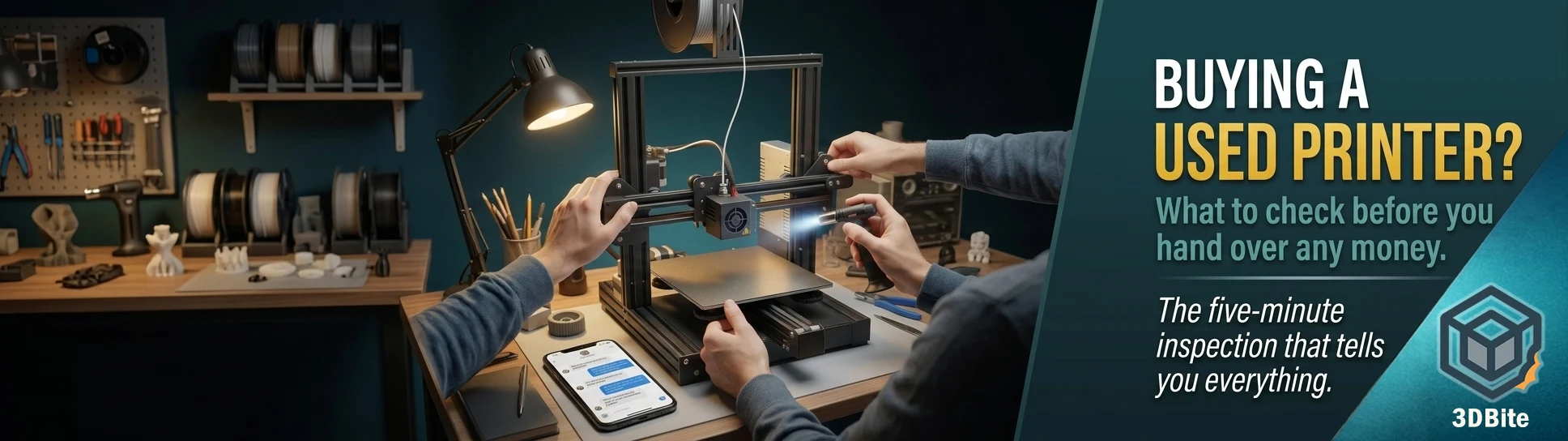
This is the checklist worth running through at a marketplace pickup, where time is limited and you need an efficient sequence rather than a leisurely diagnostic session.
Move every axis through its full travel by hand, with the printer powered off. You are feeling specifically for tight spots, grinding sensations, notchiness, wobble, and slop. This is the single most revealing check available to you in a five-minute window, and the principle behind it is simple and reliable: if an axis does not move smoothly by hand, powering it up will not fix that — it will just make the same roughness happen faster and under load. A gantry that feels tight or notchy anywhere along its travel is either poorly maintained or has a mechanical problem, and either way it is not something to assume will resolve itself.
Inspect the belts closely. Look for fraying, visible dust and debris buildup, and uneven wear patterns along the belt’s length. A belt that looks clean, evenly worn, and properly tensioned suggests a machine that has been looked after. Visible fraying or a belt that looks like it has been running loose for a while is a maintenance cost you should factor into your offer.
Check for loose fasteners and a “rattly” feel to the gantry overall. Grip the toolhead gently and try to rock it — a small amount of play is normal on some designs, but an obviously loose, rattling assembly suggests fasteners have worked loose over time without being checked, which is exactly the kind of low-effort maintenance a careful owner would have caught.
Ask the seller to heat the hotend and extrude some filament in front of you. This single test tells you whether the extrusion path is basically functional — clean, consistent extrusion with no grinding, clicking, or inconsistent flow is a good sign. Refusal to demonstrate this, or an excuse about why it cannot be done right now, is worth treating as a red flag rather than an inconvenience.
Ask what materials the machine has printed and how heavily it has been used. A machine’s wear is not just a function of age — print duration, total volume, and specifically whether abrasive filaments (carbon fibre, glass fibre, metal-fill, glow-in-the-dark) have been run through it accelerate component wear meaningfully faster than light PLA-only hobby use. As covered in the abrasive filaments guide, a machine that has been running CF composites regularly needs a different price expectation than one that has only ever seen standard PLA — the nozzle and potentially the extruder gears carry more wear than the printed hours alone would suggest. A seller who can answer this question specifically and honestly is a good sign in itself.
Questions worth asking before you even see the machine
How many hours or how much filament has it printed? Total print time is a more honest wear indicator than age in months, and a seller who tracks this (Bambu’s own app shows lifetime print statistics directly) demonstrates a level of engagement that correlates with good maintenance generally.
What is included? Spare nozzles, a spare build plate, unopened filament, the original box and accessories all add real value beyond the bare machine price, and their presence or absence should factor into your offer.
Why are you selling it? The answer tells you which category of seller you are dealing with — upgrading within the hobby, giving up on the hobby entirely, or something else. Any hesitation or vagueness here is worth probing rather than accepting at face value.
Has it had any repairs or replacement parts? A machine with a documented repair history (a replaced hotend, an upgraded extruder gear set) is not automatically worse than one with no history — it may simply mean the previous owner maintained it properly rather than letting problems accumulate. What matters is whether the seller can account for the machine’s condition honestly rather than the mere existence of a repair.
Buying from a certified refurbisher versus a private seller
Prusa, and some regional Bambu resellers, offer certified refurbished units that have been serviced and tested before resale, typically with some warranty coverage attached. This is the lowest-risk route into a used machine and is worth checking for specifically before assuming private marketplace listings are the only used option. The trade-off is price — a certified refurbished unit sits closer to new pricing than a private sale, but the risk reduction is real and quantifiable in a way that a stranger’s eBay listing is not. For a first-time buyer specifically drawn to the used-machine price point but nervous about the inspection process described above, a certified refurbisher is the way to get most of the savings with meaningfully less risk.
The specific Bambu situation worth knowing
For anyone specifically looking at a used A1, worth being aware of the AC power board thermal issue covered in detail in the unattended printing safety post — Bambu’s own guidance points to a redesigned board from Q3 2025 onward, and checking whether a specific used unit predates or postdates that redesign is a reasonable and specific question to ask a seller. It is not a reason to avoid a used A1 outright, but it is exactly the kind of model-specific knowledge that turns a generic “check it works” inspection into a genuinely informed purchase decision.
What to do the moment you get it home, before trusting it with anything important
Treat every used machine as an unknown quantity until you have proven otherwise, regardless of how good the seller’s word or the pre-purchase inspection was. Clean and inspect thoroughly first — remove accumulated dust, check the wiring routes for anything pinched or chafed, and tighten any fasteners that feel even slightly loose. Establish a clean baseline on the extrusion path — fit a new nozzle if there is any doubt about the condition of the old one, and confirm filament feeds smoothly and consistently before assuming the hotend is fine. Re-level and re-mesh the bed from scratch regardless of what the seller told you about its condition — treat the bed as an unknown until your own testing proves otherwise, since bed level can drift or be knocked out of alignment during transport even on a machine that was perfectly calibrated when it left the seller’s hands. Run a standard set of test prints — a calibration cube, a Benchy, an overhang test — to validate motion, cooling, and extrusion together before committing the machine to anything you actually care about, like the seasonal builds and functional parts that make up most of what actually gets printed once a machine is trusted.
Do not skip this validation step because the seller seemed trustworthy or the inspection at pickup went well. A machine that travelled in a car boot, sat in someone’s garage, or was packed by someone who has moved on from the hobby entirely deserves the same clean-slate validation as a machine bought from a complete stranger, because in practice that is exactly what it is.