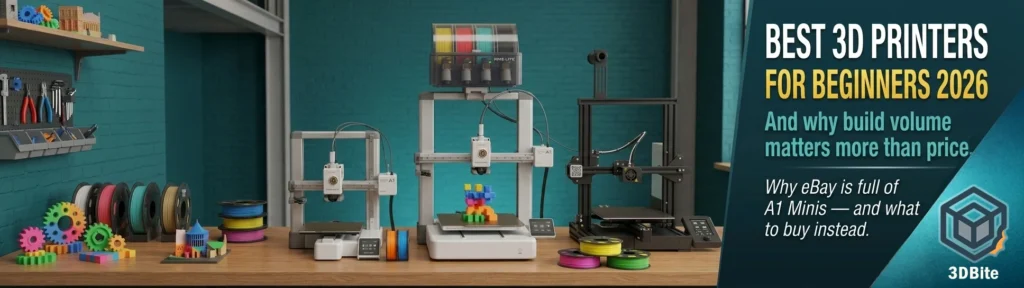
Choosing a first 3D printer in 2026 is significantly easier than it was even two years ago. The calibration rituals, manual bed levelling, firmware tweaking, and hours of community forum reading that used to be the entry tax to this hobby have been largely automated away. A modern beginner machine sets itself up, guides you through filament loading, and produces a usable print within thirty minutes of opening the box. The hard part is no longer using the machine. The hard part is choosing which one, and the answer depends on understanding a single question that most beginner guides do not ask clearly enough: how much build volume do you actually need?
Before the recommendations, a note from my own experience: I own a Bambu Lab A1, and I have watched eBay and Facebook Marketplace over two years of active involvement in this hobby. The A1 Mini appears there with remarkable regularity. It is an excellent machine — well built, fast, reliable, and genuinely capable. But the 180mm build volume catches people out, often within weeks or months of buying it. They find the model they want to print is just slightly too large. They start splitting models and gluing them because the plate is not big enough. They realise that the model they specifically wanted to make was designed for a full-size plate. The Mini then ends up second-hand because the upgrade to a larger machine felt necessary. If there is one piece of advice worth taking from this guide it is this: unless you are absolutely certain that 180mm on every axis covers everything you will ever want to print, spend the extra on a machine with a full-size build plate. You will not regret the additional headroom. You probably will regret the limitation.
What beginners actually need: the non-negotiable list
Before the specific picks, here is what genuinely matters for a first machine — features that shorten the learning curve rather than features that look impressive in a spec comparison.
Automatic bed levelling that works reliably. This is the single feature that most reduces frustration in the first month of printing. A printer that levels itself — really levels itself, not a compensation routine that papers over a fundamentally warped bed — means your first layer is right without the multi-step manual levelling ritual that defined earlier FDM machines. Every printer in the recommendations below has this.
A good stock slicer or ecosystem. The slicer is the software that converts your model file into printer instructions, and the quality of the beginner slicer experience varies enormously between ecosystems. Bambu Studio is the gold standard here — well-designed profiles for common filaments, one-tap printing from MakerWorld, and Bambu Handy for remote monitoring. OrcaSlicer, which covers most other major brands, is capable and actively developed but has a steeper learning curve for a true beginner. The slicer deserves as much consideration as the hardware.
An active community. When something goes wrong — and at some point something will go wrong — the community that surrounds a machine is the resource you will reach for. Bambu Lab’s community is enormous. Prusa’s community is decades deep. Creality has a massive Ender-family knowledge base. A machine with a thin or fragmented community means every problem is a longer troubleshooting process.
PLA compatibility as a given. PLA is the beginner filament. It is forgiving of temperature variation, does not warp aggressively, prints on most surfaces, and costs around £12–15 per kilogram. Every machine in this guide prints PLA well. PETG compatibility is the useful secondary consideration, since it is the natural next step for slightly stronger functional parts and is covered by every machine here too.
The recommendations
Best overall for most beginners: Bambu Lab A1 Combo — ~£350
The A1 is the machine that the A1 Mini should be compared to before purchase, not after. The build volume is 256 × 256 × 256mm — a full-size plate that covers the overwhelming majority of models on MakerWorld and Printables without modification or splitting. The AMS Lite in the Combo version adds four-colour printing from day one, which is the feature that makes 3D printing feel genuinely creative rather than functional. Community recommendations converge on this consistently: for most beginners the Bambu Lab A1 Combo is the printer recommended most — it comes with the AMS Lite, lets you print with up to four different filament colours in a single print, is 95% preassembled, and has a build area that does not frustrate you as soon as you have settled into the hobby.
The setup process is measured in minutes rather than hours. Bambu Studio’s beginner-friendly interface, the MakerWorld model library with pre-configured print-ready profiles, and the Bambu Handy app for remote monitoring add up to the most complete ecosystem available at this price. The A1 is the machine that makes printing feel like printing rather than engineering, and that feeling sustains the hobby through the early weeks when enthusiasm is the fuel.
The only limitations worth naming honestly: it does not have an enclosure, which means ABS and ASA print less reliably than on an enclosed machine. Engineering material printing — anything beyond PLA, PETG, and TPU — is not where the A1 excels. For a beginner, this is not a practical constraint. Engineering filaments are not where most people start, and by the time the desire to print them materialises, an A1 owner will have enough experience to understand what an enclosure adds and whether a second machine is worth it. The ecosystem friction that comes with Bambu’s increasingly closed platform — covered in depth in the ecosystem post — is a consideration worth being aware of but does not meaningfully affect the beginner experience, which is built around Bambu’s own tools throughout.
Who it is for: most beginners who want the best out-of-box experience and do not have specific engineering material requirements. If in doubt about any other machine on this list, buy the A1 Combo.
The honest A1 Mini caveat — ~£220–£280
The A1 Mini deserves its own section rather than a ranked position because the recommendation is conditional in a way that the A1 is not. The A1 Mini is genuinely excellent hardware — all the same Bambu ecosystem benefits, the same software, the same AMS Lite compatibility, at a lower price and in a more compact footprint. If your available desk space is genuinely too small for the A1, or if the printer is going in a classroom or a child’s room where the compact size is a specific benefit, or if you are buying it as a gift and have thought carefully about what the recipient actually intends to print, the A1 Mini is the right choice.
The problem is the 180mm build volume on every axis. For a beginner who has never used a 3D printer before, 180mm sounds like plenty because no frame of reference exists yet. Once you have been printing for a few months and start browsing MakerWorld for models you actually want to make — larger seasonal pieces, character figures at their designed scale, functional parts for the workshop — the 180mm ceiling begins to close in. The 180mm footprint means it lives on a desk or a shelf rather than a workshop bench, which is exactly the appeal for buyers who do not yet know how much they will print. That same appeal — small and convenient — becomes a limitation once the printing habit is established and model ambitions grow. The second-hand market for A1 Minis tells this story consistently. Buy the A1 Mini if the size constraint is a feature you specifically need. Otherwise spend the extra on the A1.
Who it is for: buyers with genuinely constrained desk space who have understood the build volume limitation and accepted it. Gift buyers for children. Anyone certain they will primarily print small objects.
Best for the budget-conscious beginner: Creality Ender 3 V3 SE — ~£170
The Ender 3 V3 SE is the machine that breaks the £200 price floor without sacrificing the features that actually matter for a beginner. Fifteen minutes to assemble, self-levelling, an LED interface with on-screen guides for filament changes, and a 220 × 220 × 250mm build volume that is functional without being enormous. It is the cheapest credible path into 3D printing in 2026 — credible being the operative word. There are cheaper machines, but they lack automatic levelling or reliable enough performance to give a beginner a good first experience.
The Ender 3’s trade-off versus Bambu is in the ecosystem. Creality’s slicer, Creality Print, is less polished than Bambu Studio and the default profiles require more manual tuning to produce results comparable to Bambu’s out-of-box experience. OrcaSlicer is a fully capable alternative — and with the Ender 3 V3 SE being a well-supported machine in the OrcaSlicer profile library, it is a viable route to good results. But the beginner’s first hours will involve more settings investigation and less one-tap printing than the Bambu experience provides. For a buyer who enjoys learning the machine’s internals — who finds the process of tuning settings interesting rather than frustrating — the Ender 3 V3 SE is an excellent and affordable starting point. For a buyer who wants to press print and walk away, the Bambu is the better match.
The Creality K1 — around £249–£299 — is worth mentioning as the natural step up from the Ender 3 V3 SE within the Creality range. It is a CoreXY machine rather than a bed slinger, enclosed for better material compatibility, and running the Klipper-derivative firmware that the K-series has adopted across its lineup. For a beginner who specifically wants an enclosed machine for ABS and ASA printing at an accessible price, the K1 is a more serious option than the Ender 3 SE, though it involves more initial setup complexity.
Who it is for: budget-conscious beginners who enjoy learning their machines, or those on a limited budget who want to test whether 3D printing suits them before a larger investment.
Best for growing into engineering materials: Bambu Lab P1S Combo — ~£699
This is the machine for a beginner who already knows they will not stay a beginner for long and who specifically wants a path into engineering materials — ABS, ASA, Nylon, carbon fibre composites — without buying twice. The P1S is a fully enclosed CoreXY printer with a heated chamber, hardened steel nozzle, and the complete Bambu ecosystem integration that makes the A1 so beginner-friendly, applied to a more capable hardware platform. If you know you want to print technical parts for the workshop, automotive components, or anything that needs to survive heat, UV, or mechanical stress, the P1S is the machine that covers you for all of it.
The cost premium over the A1 is real and substantial. At nearly double the A1’s price, it requires genuine justification. For a beginner who is not certain about engineering material printing — or who is primarily interested in decorative and functional household printing — the A1 is the better value by a significant margin. For a beginner who is entering the hobby with a specific technical project in mind, or who works in a field where functional parts in engineering materials are a foreseeable requirement, the P1S removes the need to reconsider the purchase later. Buy once, print everything is the P1S’s actual value proposition, and for the right buyer it is accurate.
Who it is for: beginners with engineering material requirements or strong ambitions in that direction, or anyone who knows they will not be satisfied with PLA-and-PETG-only printing after six months.
Honourable mention: Elegoo Centauri Carbon — ~£279
The Elegoo Centauri Carbon was one of the machines to pay attention to in 2025 and deserves a mention in any honest beginner guide in 2026 because it does something impressive: it brings an enclosed CoreXY machine with Klipper-based firmware and a high-flow hotend to a sub-£300 price point. Tom’s Hardware printed a perfect PLA Benchy in under nineteen minutes on it — comparable to Bambu speeds — and it handles PLA, PETG, TPU, ABS, and ASA without issue. As covered in the Elegoo CANVAS post, the optional CANVAS multi-colour add-on is available for the Centauri Carbon 2 at a remarkably accessible price that represents strong value even after the ecosystem immaturity caveats.
The reason it is an honourable mention rather than a primary recommendation: the Elegoo ecosystem is newer and thinner than Bambu’s or Creality’s, the slicer experience is less polished than Bambu Studio for beginners, and the community knowledge base is narrower. These are not permanent disadvantages — they reflect where Elegoo is in its market development trajectory. For a technically inclined beginner willing to invest slightly more setup effort in exchange for an enclosed CoreXY at this price, the Centauri Carbon is excellent value. For a beginner who wants to press go and print, the Bambu ecosystem’s maturity remains the decisive advantage.
Who it is for: budget-conscious buyers who specifically want an enclosed machine for ABS/ASA capability and are comfortable with a slightly thinner community and less polished slicer experience.
What to avoid
Two categories are worth naming explicitly because they appear in beginner searches and are consistently the wrong choice for people new to the hobby.
Sub-£150 kits without reliable automatic levelling. The entry-level Chinese market is full of machines that arrive in many pieces, require manual bed levelling, have thin community support, and variable quality control. The £80–£120 price point sounds appealing but the effective cost in time, frustration, and failed prints almost always exceeds the saving over a proper beginner machine. The £170 Ender 3 V3 SE is the floor for machines worth buying, and it is there for a reason.
Resin printers as a first machine. Resin printers produce extraordinary detail — significantly finer than FDM on miniatures and jewellery masters — and they deserve their place in the wider printing conversation. But as a first machine for a beginner they add significant friction: UV resin requires nitrile gloves and proper ventilation, isopropyl alcohol for washing, a separate cure station, careful waste disposal, and a workspace that can handle occasional spills. The failure modes are messier and harder to diagnose than FDM. For a beginner whose primary interest is miniatures or fine-detail models, the case for starting with resin is stronger. For everyone else, start with FDM and consider resin later if specific applications demand it.
The filament point nobody mentions
The printer choice receives all the attention but the filament choice matters more for first-print success than most beginner guides acknowledge. A well-calibrated printer loaded with out-of-tolerance, moisture-damaged, or simply poor-quality filament will produce bad prints regardless of how good the hardware is. The inverse is also true: a properly set-up beginner machine with good filament will produce results that exceed what the spec sheet implies.
For a beginner: start with eSun PLA+, Sunlu PLA+, or Bambu Lab’s own PLA Basic if you are on a Bambu machine. These are the filaments with the best-documented profiles, the most reliable dimensional consistency, and the widest community knowledge base for troubleshooting. Do not start with the cheapest no-brand spool on Amazon. The few pounds saved are not worth the diagnostic headache when the print fails and you cannot tell if the problem is the printer, the settings, or the filament. As covered in the PLA pricing post, quality eSun PLA+ on a sale is around £12–15 per kilogram — not a meaningful budget constraint.
Quick comparison table
| Printer | Price (approx UK) | Build volume | Enclosure | Multi-colour | Best for |
|---|---|---|---|---|---|
| Bambu Lab A1 Combo | ~£350 | 256 × 256 × 256mm | No | Yes — AMS Lite 4 colours | Most beginners — the default recommendation |
| Bambu Lab A1 Mini Combo | ~£280 | 180 × 180 × 180mm | No | Yes — AMS Lite 4 colours | Specific compact use cases only |
| Creality Ender 3 V3 SE | ~£170 | 220 × 220 × 250mm | No | No | Budget beginners comfortable with more setup |
| Elegoo Centauri Carbon | ~£279 | 256 × 256 × 256mm | Yes | No (CANVAS add-on available) | Budget-conscious buyers wanting enclosure |
| Bambu Lab P1S Combo | ~£699 | 256 × 256 × 256mm | Yes | Yes — AMS 2 Pro 4 colours | Beginners planning to print engineering materials |
The summary
For most beginners in 2026, the Bambu Lab A1 Combo is the correct machine. The ecosystem is the most mature and beginner-friendly available, the build volume is adequate for the overwhelming majority of projects, and the AMS Lite multi-colour capability opens the creative possibilities that sustain the hobby beyond the first few weeks. The A1 Mini is the machine to buy only when the compact size is specifically what you need — not when you are unsure. The Ender 3 V3 SE is the right entry point for budget-constrained buyers who enjoy the process of learning a machine. The P1S Combo is for anyone who already knows they will go beyond PLA.
And whatever you buy: spend the extra on the full-size plate if you are choosing between a mini and a standard version. The headroom is worth more than the saving, and the second-hand market tells that story better than any review.