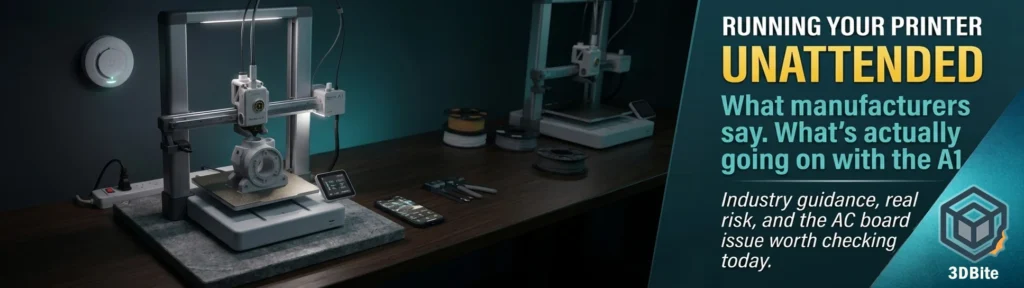
I have been running the A1 unattended for years, day and night, without a second thought, and the A2L has now joined it on the same schedule. The honest worry I have when I leave a print running is purely practical — a filament run-out partway through a long job, or a tangle that stops the print rather than ruins anything. Fire has not been part of that calculation. Researching this post properly has changed that calculation somewhat, and the reason is specific rather than general: there is a real, documented, currently unresolved safety issue affecting the exact printer I have been running unattended for two years, and it surfaced in the months immediately before I sat down to write this. This post covers what the wider industry and manufacturers say about unattended printing generally, and then gets specific about what is actually going on with the A1.
What manufacturers actually say
The industry-standard guidance, repeated by essentially every manufacturer and safety resource, is unambiguous: do not leave a 3D printer running unattended, particularly overnight. It’s rare but does happen, which is why every single 3D printer manufacturer gives explicit instructions to never leave a 3D printer working unattended. This is the official line from Bambu, Prusa, Creality, and effectively every credible manufacturer in the space, and it sits alongside a genuine tension that almost nobody in the hobby actually follows it. Long prints regularly run six, eight, twelve hours or more. Few hobbyists are awake and present for the entirety of every print they run, and remote monitoring apps exist specifically because the industry has tacitly accepted that unattended printing is the norm rather than the exception, even while the official guidance says otherwise.
Bambu’s own classroom safety guidance is a useful, more nuanced articulation of this than the blanket warning suggests. Fire risk is very low. Modern firmware includes thermal runaway protection. That said, never leave printers running in an empty locked room. The framing is risk-reduction rather than absolute prohibition — the expectation is that someone should be reasonably able to respond if something goes wrong, not that a human must be physically present staring at the nozzle for the entire print duration. For a home environment, this typically translates to: printer accessible to a smoke detector, ideally with remote camera monitoring, in a room that is not sealed off from the rest of the house, with someone contactable if an alert fires.
What the real risk profile looks like
There isn’t a readily available database specifically tracking 3D printer fire incidents on a global scale, which makes any hard statistical claim about overall risk difficult to substantiate either way. What does exist is a reasonable comparison point and a sensible breakdown of the actual failure mechanisms.
The comparison that several safety writers reach for is a domestic oven: also gets scorching hot, sits in nearly every home, is occasionally left running, and very rarely but not never causes a fire. Most of the time the printer is perfectly safe. It is not unheard of for one to fail catastrophically, especially under specific failure conditions. The mechanisms that actually cause printer fires are well understood and consistent across the safety literature: electrical issues from poor-quality components, soldering, or undersized wiring; heated bed or hotend failures where a thermistor fails and firmware does not catch the runaway condition in time; and flammable material too close to the printer — cardboard, paper, loosely stacked filament spools — acting as fuel if something does go wrong at the heat source.
Thermal runaway protection is the firmware-level defence against the second mechanism and it is genuinely effective when implemented correctly. Modern printer firmware monitors the hot end and heated bed temperatures continuously. If a thermistor fails and the temperature keeps rising unchecked, the printer will automatically shut down. Bambu’s own technical explanation of this is detailed and credible: the easiest case is when the thermistor is unplugged from the connection board — the MCU notices within five seconds and cuts power to the heater. The harder case, where a thermistor gives a reading that does not reflect actual hotend temperature, is handled by the toolhead’s MCU comparing the heating power and temperature reading against a thermal model prediction, catching discrepancies that a simple threshold check would miss. This is a genuinely sophisticated protection layer and it is one of the reasons Bambu hardware has a reasonable safety reputation generally.
The specific issue currently affecting the A1
This is the part of the research that genuinely changed my own confidence level, and it needs to be stated plainly rather than buried. Since late 2025, there has been an ongoing, documented hardware defect specifically affecting the A1’s AC power distribution board — separate from and unrelated to the 2024 heatbed cable recall that the A1 has already been through once.
The component at the centre of it is an NTC thermistor on the AC power board, used to limit inrush current as the printer powers up. YouTuber Grant Posner, who runs the Print Fix Friday repair channel and a Tampa-based 3D printing repair business, documented an unusual pattern of A1 printers arriving with charred or melted cases around the AC board area. Using a thermal camera, he measured the NTC thermistor at 140°C on an affected unit — a temperature he and other commentators describe as unacceptable for the component, even though it remained technically within the part’s 200°C rating. Bambu Lab’s own subsequent statement acknowledged that a damaged NTC can reach approximately 160°C and soften or melt adjacent plastic.
Bambu’s official position, issued in a January 2026 statement, attributes the failures to external power-grid surges rather than a fundamental design flaw, states the confirmed incidence rate was well below 50% of one batch range, and maintains that the issue does not lead to ignition or sustained combustion, with the risk of fire considered extremely low. The company says affected units have been repaired or replaced, and that the AC board was redesigned in Q3 2025 to remove the NTC component entirely. That last detail is worth sitting with for a moment: the fix Bambu shipped was to remove the part rather than upgrade it to a higher-rated component, which several forum engineers have pointed out as a less satisfying resolution than a proper component upgrade would have been.
What makes this more than a contained, historical concern is the timeline since that January statement. In February 2026, a consumer reported a stock A1 Mini catching fire mid-print. On May 4th, video was posted publicly showing what appears to be an A1 that burned down, with the owner present at the time. As recently as May 22nd, Grant Posner’s channel posted further detail on a fire directly attributed to this issue. This is not a settled, fully-resolved matter from several years ago. It has been actively developing within the last few months, on hardware that is functionally identical to the printer I have been running unattended throughout that entire period.
What this means practically, for me and for anyone reading this with an A1
The honest position, given everything above, is not panic and it is not dismissal. It is a specific, actionable checklist, and I am applying it to my own printer as a direct result of researching this post.
- Check whether your A1 has the redesigned AC board. Units manufactured from Q3 2025 onward should have the NTC removed as part of the redesign. The Bambu Lab Wiki has instructions for inspecting and, if necessary, replacing the AC board — it is listed as a user-serviceable part, and Bambu has stated affected pre-redesign units can be repaired or replaced through support
- Use a proper surge protector. Bambu’s own stated mitigation is that all 3D printers, like any valuable household electronic device, should be used with a surge protector to reduce damage from power spikes, given their own analysis correlated a number of failures with periods of severe grid disturbance
- Place the printer on a genuinely heat-resistant, non-flammable surface, not directly on a wooden desk or anything that could itself become fuel if the case beneath the AC board does overheat. A fireproof mat or paving stone under the unit, as Posner has recommended, is a low-cost precaution regardless of which board revision you have
- Keep a smoke detector genuinely close to the printer, not just present somewhere in the same room. A smart smoke detector that pushes an alert to your phone is the meaningful upgrade over a standard mains unit for anyone printing unattended, since it closes the gap between “something is wrong” and “I find out about it”
- Use remote camera monitoring properly, not nominally. The external webcam setup covered in the long-term ownership post exists for print quality monitoring, but it is also a genuine safety tool if you are actually checking it periodically during long unattended runs rather than just having it running in the background unwatched
- Do not stack the printer’s environment against it. Keep flammable material — paper, cardboard, loose filament spools, fabric — clear of the immediate area around the printer, particularly near the AC board location on the underside of the A1’s chassis
The A2L and whether the same concern applies
The A2L is a newer design released after the AC board redesign that addressed the A1’s NTC issue, and there is no equivalent documented defect currently associated with it in the research available at the time of writing. That is reassuring but not the same as a guarantee — the A2L is new enough that its own long-term failure patterns, if any exist, have not had the same length of time in the field to surface. The sensible position is the same general precaution checklist above applied to any printer running unattended, rather than treating the A2L as definitively cleared simply because it has not (yet) generated the same headlines the A1 has.
Updating my own position
I went into this post expecting to write a fairly confident, slightly dismissive piece about overblown fire anxiety in the 3D printing community — the kind of online discourse where a handful of dramatic photos and a vocal critic generate disproportionate concern relative to genuine statistical risk. The research mostly supports that framing for 3D printers generally and for well-designed, properly maintained machines specifically. Thermal runaway protection works. Bambu’s engineering on the temperature monitoring side is genuinely sophisticated. The base rate of printer fires relative to the enormous number of machines in active daily use is low.
What I did not expect to find was an actively unresolved, currently developing safety story specifically tied to the exact printer model I have been running unattended for two years, with documented incidents as recent as last month. That changes the calculation from “general low background risk that applies to all 3D printers” to “a specific, named, partially mitigated issue on my specific hardware that I should actually check rather than assume does not apply to me.” I am checking my AC board this week. I would suggest any A1 owner reading this do the same, regardless of how long the printer has been running without incident — the failures reported so far have not obviously correlated with print hours or age, which is precisely what makes “it has been fine for two years” a less reassuring data point than it initially feels.
None of this means I am switching to babysitting every print. The practical reality of this hobby, and of most hobbyists’ lives, makes constant supervision unrealistic and the official “never leave unattended” guidance is honestly observed by almost nobody. What I am taking from this research is a more deliberate set of mitigations rather than an absence of thought about the question at all — the surge protector, the board check, the smoke detector positioning, the heat-resistant surface — applied properly rather than assumed to be unnecessary because nothing has gone wrong yet.
If you have an A1 and have not looked into the AC board situation, it is worth ten minutes on the Bambu Lab Wiki and the community forum thread linked throughout the coverage above. If you have already checked yours and it has the redesigned board, that is genuinely good information worth having confirmed rather than assumed.