
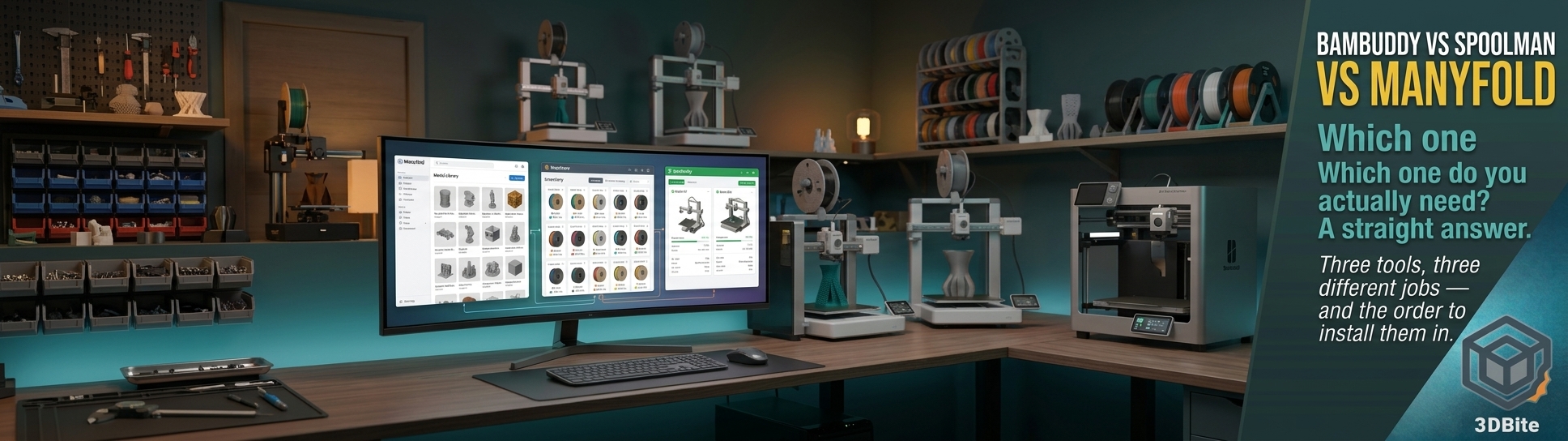
Between the self-hosted tools post and the later dedicated Bambuddy deep dive, this site has now covered three separate self-hosted tools that all promise to organise some part of a growing 3D printing setup. The trouble is, read those two posts back to back and it becomes genuinely unclear whether you need one of these tools, all three, or whether they overlap so much that installing all three is redundant effort. They do not overlap as much as they first appear to, but the boundaries between them are worth drawing clearly rather than leaving each tool’s feature list to speak for itself. This post is that direct comparison — three tools, three genuinely different core jobs, and a straight answer on which one to install first.
The one-sentence version of each
Manyfold organises the model files sitting on your hard drive. Spoolman tracks the physical filament in your workshop. Bambuddy is the command centre for the printers themselves — monitoring, control, print history, and a surprisingly deep set of automation and integration features layered on top. None of the three is a slicer, none replaces Bambu Studio or OrcaSlicer, and none of them requires giving up the others — but they solve different problems, and knowing which problem you actually have is the whole decision.
Manyfold: the fix for a chaotic Downloads folder
The honest admission in the original self-hosted tools post was that the model library on this desk is, in practice, one unsorted Downloads folder — hundreds of prints accumulated over two years, findable only by remembering the exact filename or scrolling through in date order. Manyfold’s entire purpose is fixing exactly that. Point it at your file collection and it gives you browsable categories, tagging, full-text search, and interactive 3D previews of every model in your library without needing to open a slicer just to remember what a file actually looks like. It can flag mesh problems during indexing and link related files together, which matters specifically for multi-part models where the individual colour components live in the same folder but have no obvious connection to each other beyond proximity.
What Manyfold does not do is anything related to the printer itself, or to filament. It has no concept of what is currently printing, no spool inventory, no print history. It is purely a library management layer sitting between your file storage and the moment you decide what to slice next. If your actual pain point is “I cannot find the model I want among the hundreds I have downloaded,” Manyfold is the direct answer and nothing else on this list touches that specific problem.
Spoolman: the fix for “how much filament do I actually have left”
Spoolman’s job is filament inventory, full stop — logging what you own, tracking consumption across prints, flagging what is running low, and letting you check before starting a long job whether the loaded spool genuinely has enough material to finish it. At a collection north of 40 spools, tracked mostly by memory and occasional guesswork, this is precisely the gap Spoolman closes. It supports multiple printers and works across brands rather than being tied to Bambu specifically, which matters for anyone with a mixed filament collection — the majority of what actually gets printed here is third-party eSun and Sunlu rather than Bambu-branded RFID spools, and Spoolman does not care which brand it is tracking.
Spoolman on its own has no automatic way to know how much filament a print actually consumed — that data has to come from somewhere. This is the detail that connects it directly to Bambuddy rather than leaving it as a fully standalone tool: Spoolman integrates with Bambuddy specifically for automatic usage tracking, meaning consumption gets recorded as prints run rather than requiring manual entry after every job. Used alone, Spoolman is a genuinely useful manual inventory system. Paired with Bambuddy, it becomes considerably closer to automatic.
Bambuddy: the command centre, and the one that does the most
The dedicated Bambuddy post covers this properly, and the honest summary is that Bambuddy is considerably more than a Bambu Handy replacement. It is real-time monitoring and multi-printer management, a full searchable print archive with duplicate detection and side-by-side comparison, direct slicing inside its own Docker container without needing a desktop slicer open at all, remote printing through a Virtual Printer and Proxy Mode without router configuration, Home Assistant and MQTT and Tasmota integration for genuine home automation, notifications across WhatsApp, Telegram, Discord, and several other channels, its own filament inventory that syncs with Spoolman, AMS humidity monitoring, and per-printer maintenance interval tracking.
This is where the overlap with Spoolman specifically needs untangling, because Bambuddy does have its own built-in filament tracking — remaining weight, AMS slot mapping, physical storage location. The relationship is additive rather than either/or: Bambuddy’s own inventory covers the basics adequately on its own, and syncing with Spoolman on top gives more detailed inventory management for anyone who wants the deeper filament-specific feature set Spoolman offers as a dedicated tool. Running Bambuddy alone gives you working filament tracking. Running Bambuddy plus Spoolman gives you a considerably more capable version of the same thing.
Where the three genuinely do not overlap
Manyfold’s model library has no equivalent anywhere in Bambuddy or Spoolman — neither tool has any concept of organising and searching a collection of downloaded STL and 3MF files, and nothing in either replaces that specific job. Bambuddy’s print archive is related but distinct: it archives your own completed print jobs with their 3MF, photos, and settings, which is a record of what you have already printed rather than a library of everything you might want to print. Manyfold organises the “what could I print” side; Bambuddy’s archive organises the “what have I already printed and how did it go” side. Both are genuinely useful, and neither substitutes for the other.
Bambuddy’s printer control, remote access, automation, and notification features have no equivalent in either Manyfold or Spoolman at all — those two tools have nothing to say about the printer’s live status, queue management, or home automation integration. This is the area where Bambuddy is doing work that genuinely cannot be replicated by the other two combined.
The decision framework
If you can only install one tool right now, the answer depends entirely on which specific problem is actually costing you time or causing frustration, and it is worth being honest about which one that actually is rather than installing whichever sounds most impressive.
If the frustration is “I cannot find the model I downloaded three months ago” — Manyfold first. This is a genuinely standalone problem with a genuinely standalone fix, and it does not require Docker experience beyond the basics or any printer integration to be immediately useful.
If the frustration is “I keep starting long prints and running out of filament partway through, or I have no idea what’s actually left on that spool” — Spoolman, either standalone or paired with Bambuddy from the start if you are setting both up at once anyway.
If the frustration is “I want to reduce cloud dependency, run more than one printer from a single dashboard, get proper notifications, or tie printer status into a Home Assistant setup that already exists” — Bambuddy, and it is worth installing even before either of the other two, because it does the most work per hour of setup effort and its own filament tracking covers the basics of the Spoolman use case adequately on its own until you decide you want more.
If none of those framings feel urgent and the current workflow is genuinely fine — Bambu Handy, a Downloads folder, and mental filament tracking — none of these tools are solving a problem that exists yet, and installing them speculatively rather than in response to an actual pain point is exactly the trap the original self-hosted tools post admitted to falling into for months before actually getting around to any of them.
Running all three together
For anyone already running Home Assistant, as covered in the CYD desk buddy post, the natural end state is genuinely all three running alongside each other rather than choosing between them. Bambuddy sits at the centre, talking to the printers, syncing filament data with Spoolman for the deeper inventory features, and feeding status into Home Assistant for the wall display and any automations built around it. Manyfold runs independently as the model library, feeding whichever file gets chosen next into Bambu Studio or straight into Bambuddy’s own slicing pipeline. None of the three fights with any of the others for the same job — they sit at different points in the pipeline from “which model do I want” through “do I have the filament for it” to “how is the print actually going right now.”
The practical order to actually install them in, given everything above: Bambuddy first, since it does the most work and its own filament tracking is adequate on its own without Spoolman initially. Spoolman second, specifically once the filament collection has grown large or varied enough that Bambuddy’s built-in tracking feels limiting. Manyfold third, whenever the model library chaos finally becomes annoying enough to fix — which, going by how long it took to actually install any of these on this desk, may be longer than it should be.

Really useful side-by-side — I kept Spoolman for multi-brand weight tracking and tried Manyfold as the model library, and the handoff between them was always the awkward part. Bambuddy feels like the cleaner path if you are mostly on Bambu gear, while Spoolman still wins when the shelf is mixed brands and dryers. One gap I still hit is keeping Manyfold tags honest once a spool leaves the dryer and residual weight drifts. After the inventory layer is settled, the next bottleneck for us is just getting clean printable STLs out the door, which is what we work on at luphra.com.