1. Overview
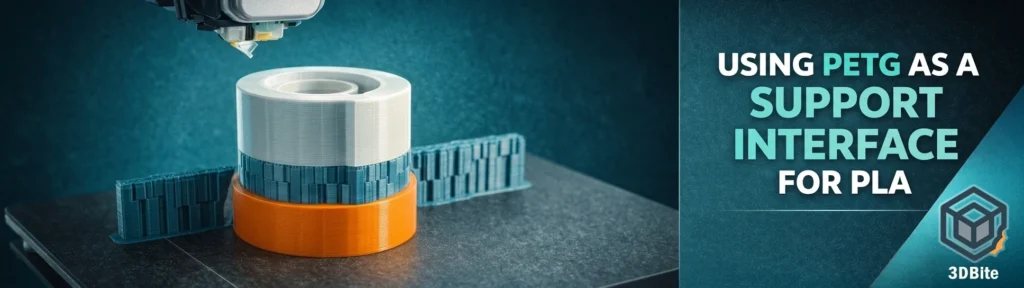
Using PETG as a support interface for PLA is one of the most powerful tricks in the Bambu ecosystem. The reverse — PLA as an interface for PETG — works just as well.
This technique avoids the need for dedicated “support material” filament, reduces cost, and produces cleaner breakaway surfaces than single-material supports.
This guide combines:
- Practical workflow
- Insights from the Bambu Lab community
- Lessons from slicer experiments
- Technical explanations
- Troubleshooting
- Settings summary tables
- Warnings & expert notes
2. Why PETG works as a support interface for PLA
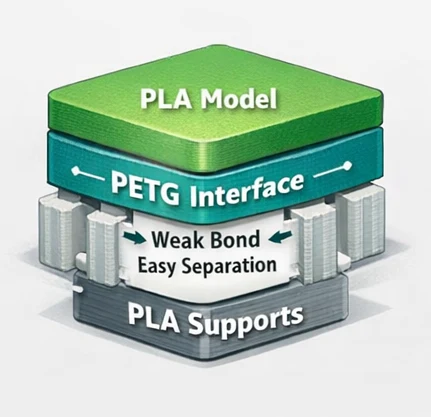
PLA and PETG print at similar range temperatures, but they do not chemically bond. The surface tension and polymer behaviour cause them to adhere lightly, but without fusion.
That gives you:
- Clean separation
- Minimal scarring
- Stronger top surfaces compared to PLA-on-PLA supports
- Better overhang results
And the reverse — PLA as interface for PETG — works because:
- PLA is stiffer and less sticky at PETG temperatures
- PETG shrinks more, reducing mechanical interlock
- The interface weakens naturally as layers cool
3. Quick Workflow (Practical “Do-This” Version)
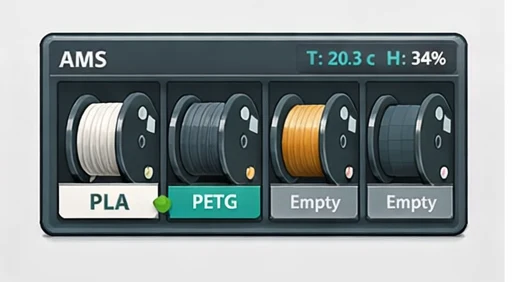
Step 1: Load two filaments in AMS
- Slot 1: Main filament (PLA or PETG)
- Slot 2: Support filament (PETG for PLA • PLA for PETG)
Important
Both materials must be added under Filament → Define so the AMS knows wipe volume and temperature behaviours.
Step 2: Slice your model
Use Bambu Studio:
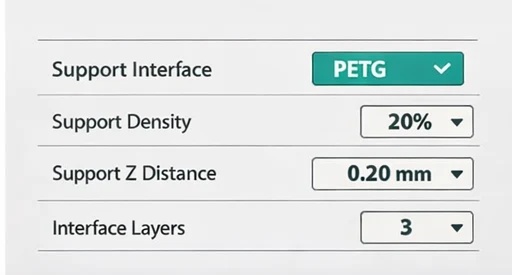
- Support Filament: PETG (if model is PLA)
- Support Interface: PETG
- Support Density: 15–25 %
- Support Z-Distance: 0.20–0.25 mm
- Roof Layers: 2–3
Step 3: Increase flush volumes
PETG → PLA transitions require more flushing due to viscosity differences.
PLA → PETG: 14–20 mm³
PETG → PLA: 20–30 mm³
(Exact values depend on filament brands)
Step 4: Print and remove supports
Once printed:
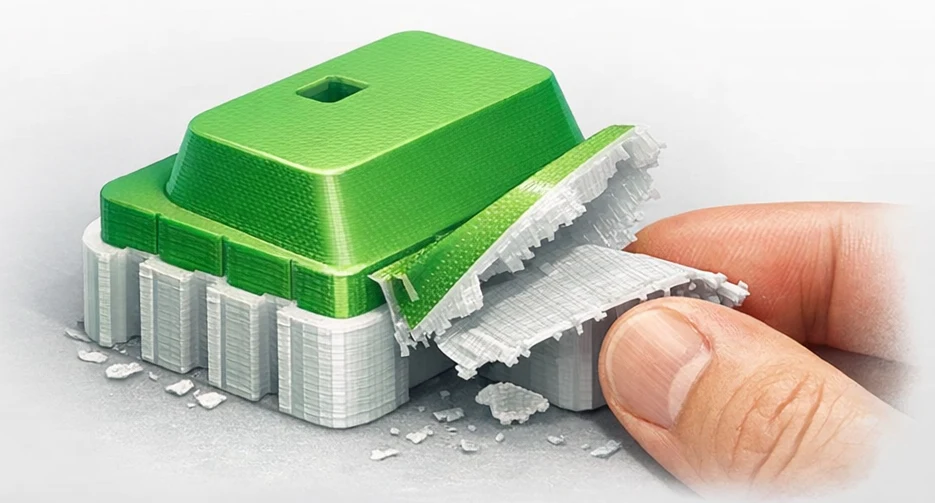
Supports peel away extremely cleanly
No risk of welding like PLA-on-PLA
Very little scarring on the model underside
4. Deep Technical Breakdown
Why PLA/PETG don’t fuse:
- PLA has a lower glass transition temperature (~55–60°C).
- PETG softens at ~80°C but does not chemically bond with PLA.
- PETG has higher viscosity and surface tension.
- PLA shrinks slightly more when cooling, breaking the mechanical interlock.
- The combination produces a “weak but reliable” mechanical grip perfect for supports.
5. PETG as Support for PLA — Best Use Cases
- Models with deep internal cavities
- Large cosplay helmets
- Miniature figures with overhangs
- Architectural detail
- Lithophanes
- Decorative work where underside finish matters
- Parts printed in vase mode needing support at the top
PETG interface gives extremely clean results compared to PLA-only.
6. PLA as Support for PETG — Best Use Cases
Functional PETG components where underside finish matters
- PETG brackets with overhangs
- High-strength objects requiring PETG body but clean-supported features
- PETG objects printed thin
(PLA removes more easily than PETG-on-PETG.)
7. Detailed Settings
Support Interface Settings
- Support Interface Material: PETG (for PLA) / PLA (for PETG)
- Interface Layers: 2–3
- Interface Density: 60–80 %
- Interface Pattern: Zig-Zag or Lines
- Support Z-Distance: 0.0–0.2 mm
- Roof Density: 100 % (optional)
Support Settings
- Support Density: 15–25 %
- Support Pattern: Grid / Zig-Zag
- Support Min Area: 3–6 mm² Support Wall Loops: 1–2
Temperatures
- Material Nozzle Temp
- PLA 205–215°C
- PETG 235–245°C
(This temp gap increases the interface behaviour — PETG stays “glassy” over PLA.)
Flush / Purge Volumes (Critically important)
- PLA → PETG 14–20 mm³
- PETG → PLA 20–30 mm³
PETG contaminates PLA more easily, so the PETG → PLA flush must be higher.
8. Warnings (from the BL Community + lab testing)
1. Strength Loss
Cross-contamination can reduce the mechanical strength of load-bearing PLA parts if PETG remains inside the nozzle.
If printing structural items:
Add an extra purge block
Increase flush volumes
2. Failure to detach
If flush volumes are TOO low, PETG may partially weld to PLA from residue.
3. PLA overheating
When PETG is printing supports:
PLA can soften from radiant heat
Tall models may deform
4. PETG stringing
PETG strings more than PLA; supports may look messy but still work well.
9. Troubleshooting Matrix
| Symptom | Likely Cause | Fix |
|---|---|---|
| Supports bonded too tightly | Low flush volume | Increase PETG → PLA flush |
| Scarring on underside | Support interface too dense or ho | Reduce interface density; lower PETG temp |
| Support roof rough | Too few roof layers | Add 1–2 layers |
| PLA part sagging | PLA overheated during PETG stage | Reduce PETG temp by 5–10°C |
| PETG blobs | Retraction mismatch | Increase PETG retraction by 0.2–0.4 mm |
10. Extended Technical Notes
- PETG stays tacky longer → improves support but increases risk of stringing
- PLA cools faster → ideal as upper support layer
- PETG has a lower modulus → supports peel smoothly
- PLA is more brittle → makes removal easier for PETG structures
- AMS requires distinct material profiles for accurate wipe volumes