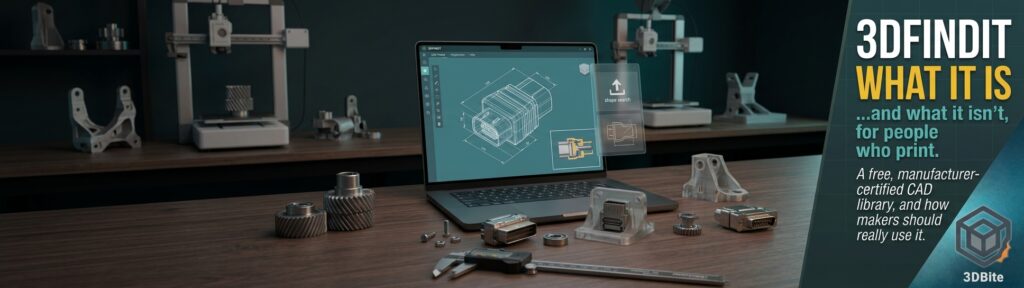
I recently added 3Dfindit to the free STL sites post, and it deserves more than a paragraph. It is free, it asks you to register, and its library is enormous, which on paper sounds like the best free model source there is. In practice it is a different animal from Printables or MakerWorld, and going in with the wrong expectations will leave you either disappointed or, worse, in breach of its terms. This post covers what 3Dfindit actually is, how it works, what it is genuinely good for if you print, and what it is not. I have also gone looking for what other people say about it, with one honest caveat up front: independent, hands-on commentary on 3Dfindit from a desktop 3D printing angle is thin. Most of what is written about it comes from the company behind it, its partners, or directory listings, and I have labelled each accordingly.
What 3Dfindit actually is
3Dfindit is a portal and visual search engine for 3D CAD and BIM models, run by the German engineering software company CADENAS. The key phrase is manufacturer catalogues. The models in it are not designs uploaded by hobbyists. They are the CAD data that component manufacturers publish so engineers can drop their products into designs: fasteners, bearings, connectors, motors, switches, fittings, enclosures, and, on the architecture side, fixtures and building products. CADENAS describes the data as provided by the manufacturers, and the platform’s pitch to users is that you can download accurate, manufacturer-certified models free of charge, in a huge range of CAD formats.
It helps to understand why it is free, because it explains the whole character of the site. CADENAS markets the platform to component manufacturers as a way of getting their products designed into engineers’ work. Its pitch is that a manufacturer registers its catalogue for free, the manufacturer’s website is crawled for available CAD data, and the products are indexed with backlinks to the manufacturer’s site. CADENAS quotes a survey figure that 87% of downloaded CAD parts lead to a product sale, which is a marketing claim from the company rather than independent evidence, but it tells you the business logic. The manufacturers want you to use their part in your design, so the model is the free sample. That makes 3Dfindit closer to a very large, very well-organised parts catalogue than to a model-sharing community.
How big is it, really?
Everyone calls it huge, and it is, but the numbers quoted vary a lot depending on the source and the date, which is worth knowing before you repeat any of them.
| Source | Figure quoted | Notes |
|---|---|---|
| CADENAS FreeCAD integration announcement (version 0.19 era) | Over 2,500 manufacturer catalogues | An early snapshot from when the FreeCAD add-on launched |
| CADENAS FreeCAD integration page (after the 2022 redesign) | Almost 5,000 catalogues and 121 CAD formats | Vendor statement |
| All3DP free CAD libraries guide | Over 5,700 supplier catalogues and 134 formats | An independent directory listing |
| Autodesk plugin listing and the site’s search description | More than 6,000 manufacturer-certified catalogues | Vendor and partner statement |
| 3Dfindit’s current English landing page | Over 8,000 manufacturers | Counts manufacturers rather than catalogues, so not directly comparable |
| CADENAS marketing pages | Billions of models, 150 or more formats | Likely counts every configurable variant of each part, which is my inference, not their statement |
The direction of travel is clear and the exact number is not worth arguing about. A fair reading is that it is one of the largest collections of manufacturer CAD data available anywhere, and that “billions” almost certainly reflects configurable catalogue items that generate many variants rather than billions of distinct designs. The important point for a maker is that the library is huge in breadth of real-world components, not in the kind of content Printables and MakerWorld hold.
How it works in practice
Signing up. You need to register before you can download, and registration is free. The detail worth noticing is the wording on the site’s own FAQ: it states that all 3D models are free of charge, that you just need to sign up, and that manufacturers need exact information about you and your company so they can contact you in case of technical difficulties. It also says the platform itself is intended for business purposes. That is a polite signal that this is a professional tool rather than a hobby site, and it matters for the licensing discussion below.
Searching. This is where 3Dfindit does things the hobby repositories do not. Beyond ordinary text search and filters, it offers several visual and geometric search modes.
| Search mode | What it does | When it helps a maker |
|---|---|---|
| Text and filters | Keyword search narrowed by catalogue, manufacturer and attributes | You know the part number or what it is called |
| 3D shape search | Upload an existing 3D model and find geometrically similar standard or purchased parts | You have a mesh or scan of a part and want to know whether it is a standard component |
| Sketch search | Draw a simple sketch, or upload an image such as a PNG or JPG, to find similar parts | You know what it looks like but not what it is called |
| Colour search | Search by colour | Occasionally useful for housings and caps |
| Topology search | Search by the structure of the geometry | Mostly an engineering feature |
The viewer. The 3D preview is more than a thumbnail. Per CADENAS’s own description, you can change the dimensions of a component directly in the viewer, create sections to see inside it, and use a measurement function to find additional values. For configurable parts, such as a screw available in many lengths, you set the parameters and download exactly that variant. Depending on the catalogue, models also carry metadata such as mass centres, materials, environmental standards and part numbers.
Formats. The headline is a very long list of native and neutral CAD formats, including the major commercial CAD packages, STEP and IGES. All3DP’s directory entry notes that the library includes STL, the format a slicer wants. Format availability is not uniform, though. CADENAS’s own pages explain that some catalogues are built with its technology and available in all formats, while others only link out to the manufacturer, who handles the download. A good example is the Printables catalogue that 3Dfindit lists under Hobby and Makers: it contains only links and sends you to Printables for the real file, so it adds a search route rather than extra models.
Integrations. CADENAS offers free add-ons that bring 3Dfindit inside other software. There is a FreeCAD add-on, available through the AddOn Manager since FreeCAD 0.19, an Autodesk plugin for AutoCAD, Revit and Inventor, and listings for other CAD and simulation tools. For anyone designing in FreeCAD, being able to pull a manufacturer’s model straight into the design without leaving the program is a genuinely practical convenience.
What 3Dfindit is not
- It is not a printable-model library. You will not find figurines, cosplay props, decor, or ready-to-print designs with print profiles and community photos. It holds engineering reference geometry.
- It is not a community. There are no print comments, no “I made one” photos and no test-print guarantee like the one covered in the free STL sites post for MyMiniFactory. Nobody is telling you how a part printed.
- It is not tuned for printing. A model of a real part is shaped for engineers, so it may be detailed, assembled from multiple bodies, or heavy. Manufacturers commonly simplify the internals of public models, which is a general point rather than something I verified on 3Dfindit, so check dimensions against the real component.
- It is not a licence to do anything you like. Free to download is not the same as free to use however you want, as discussed below.
- It is not guaranteed to have STL for everything. Format availability depends on the catalogue, and link-only catalogues send you elsewhere.
The terms: read them before you rely on it
This is the part I would not skip. Three things are visible. First, the platform says it is intended for business purposes and asks for company details when you register, so a hobbyist signing up is using a professional tool in a way the company may not have primarily designed for. Second, it states that when using CADENAS services, its terms of use and general terms and conditions apply, and that the property rights of third parties must be observed. In other words, the models are other companies’ data, and their rights come with them. Third, a licence-tracking summary of the terms for CADENAS’s sister portal, PARTcommunity, describes a fair-use policy of 50 download tickets per day and a ban on using the data for machine learning or AI training, or copying the database. That summary is secondary and concerns the sister portal, so treat it as an indication of the kind of terms involved and read 3Dfindit’s own terms for the real wording.
For a maker the practical advice is straightforward. Using a catalogue model as a reference to design a housing around a connector is exactly what the data is for. Printing and selling the manufacturer’s part itself, or redistributing the files, is a different matter, and the legal guide to selling prints is the right starting point for thinking about that.
What other people say
Since the question was what the wider commentary says, here it is, with the sources and their limits.
| Source | What it says | Worth noting |
|---|---|---|
| All3DP free CAD libraries guide | Presents 3Dfindit as a platform bridging design and engineering, with manufacturer-approved models, free access and mandatory registration | An independent directory, but a listing rather than a hands-on test |
| SelfCAD blog | Describes an extensive database of models you can download, modify and even 3D print | Cheerful and general, with no testing detail |
| CADENAS and partner pages (Autodesk, FreeCAD, Siemens Solid Edge) | Emphasise manufacturer-certified data, metadata and free integration | Vendor and partner statements, so promotional by nature |
| App Store reviews of CADENAS’s mobile CAD app | Users praise free native CAD models and the ability to search mobile; one calls it the best free CAD app for design engineers | A couple of user comments about a related app, not about printing |
| G2 listing for the enterprise product | Only two reviews, too few for G2 to give a verdict | Concerns the paid enterprise side, not the free portal |
| 3D printing service guides (for example JLC3DP) | Say STEP files from professional platforms are more reliable than random STL downloads for engineering use | General advice, not specifically about 3Dfindit |
The honest summary is that the commentary is positive but shallow. People agree that it is free, large, registration-gated and manufacturer-backed, and nobody I found had written a serious account of using it to design and print a part on a desktop machine. That absence is informative. It tells you that most of its users are engineers rather than hobbyists, and that you will be working without a body of community experience to lean on.
How a maker would actually use it
The most sensible use is designing around real components. Say you are designing a printed bracket or enclosure for an electronics project, in the spirit of the ESP32 radar project. Before drawing the cut-outs, you find the manufacturer’s model of the actual connector, switch or fastener, check its true dimensions and mounting points in the viewer, and import it into your CAD as a reference body to subtract from your design. That removes a whole category of “it was two millimetres off” reprints.
- Register and search for the component by name, part number or shape.
- Check the dimensions in the viewer, using the measurement and section tools.
- Download STEP if you will edit or use it in CAD, or STL if you only need a mesh to check fit or print.
- Import it into your CAD or slicer and confirm the scale and units, since an STL carries no unit information.
- Use it as a reference body, or boolean it out of your design to leave an accurate cavity.
- Print a small test piece to check the fit before committing to the full part.
A second use is identification. If you have a broken bracket or an unknown part, and a mesh or scan of it, the shape search can sometimes tell you what standard component it is, which is useful when you want a replacement rather than a reprint. The phone-scanning workflow in the STL Buddy post and the scanners in the 3D scanners post pair naturally with this. A third use is as a source of mating geometry, for example the thread profile of a standard bolt when designing a printed nut or insert, alongside the guidance in the heat-set inserts post.
Whatever you download, run it through a mesh check before slicing. Bambu Studio’s mesh diagnostics, mentioned in the 2.8.3 and 2.8.4 post, are a convenient place to do it.
How it compares with the other sources
| 3Dfindit | GrabCAD | Printables / MakerWorld | |
|---|---|---|---|
| Main content | Manufacturer catalogue parts | Engineer-shared CAD designs | Hobby and maker designs |
| Who makes the models | The component manufacturers | Community engineers and students | Community designers |
| Price | Free, registration required | Free, with an account | Free, with some paid content |
| Print-ready? | Not by design | Not always | Often, with profiles |
| Community feedback | None | Some | Strong |
| Best for | Designing around real parts | Engineering projects and CAD files | Things to print today |
It is also not the only place to find component models. A university maker page from 2019 praised McMaster-Carr as excellent for downloadable STL files of industrial parts, and DesignSpark Mechanical, the free CAD program, has historically offered models of around 75,000 products from the RS catalogue inside the software. Both are worth a look, but check their current status, since one source is several years old and the other is a description of a program rather than a current listing.
Pros and cons at a glance
| In its favour | Against it |
|---|---|
| Free to download, once registered | Registration asks for company-style details, and the platform says it is for business |
| Manufacturer-supplied, so dimensions should match the real part | Public models may be simplified, so verify against the physical part |
| Very large range of standard components | No hobby designs, no print feedback, no community |
| Powerful shape, sketch and topology search | STL is not guaranteed in every catalogue |
| Measurement, sections and configurators in the viewer | Terms apply, and third-party rights come with the data |
| Free FreeCAD and Autodesk integrations | Very little independent commentary from a 3D printing perspective |
Who should use it, and who should skip it
- Use it if you design your own housings, brackets and mounts around standard components, and you want accurate reference geometry instead of guessing from a datasheet.
- Use it if you work in FreeCAD or another supported CAD program and want parts one click away.
- Use it if you need to work out what a standard part is, using shape or sketch search.
- Skip it if you want something to print this afternoon. Printables and MakerWorld are the right places for that.
- Skip it if you plan to sell prints of the downloaded parts or redistribute the files, until you have read the terms carefully.
- Be cautious if you are uncomfortable giving company-style details to register.
The verdict
3Dfindit is a genuinely valuable free resource, but it is a parts catalogue for engineers, not a model library for makers, and the right way to think about it is as a reference tool you use to design better prints rather than a place you go to find them. Its great strengths are accurate manufacturer data, powerful search and a viewer that lets you check dimensions before you commit plate time. Its limits are equally clear: no printing community, uneven format availability, a business-oriented sign-up, and terms you should read rather than assume. If you design your own parts, bookmark it. If you just want models to print, stay with the sources in the free STL sites post and treat 3Dfindit as a specialist tool for the day you need to know exactly what a real connector looks like.