
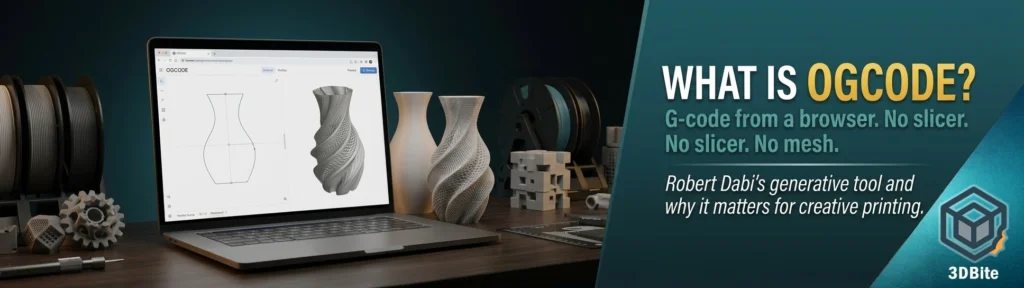
Every print you have ever made followed the same four steps. You found or made a 3D model. You exported it as an STL. You opened a slicer, configured it, and generated G-code. Then you sent that G-code to the printer. That pipeline is so ingrained in the hobby that it is easy to mistake it for the only possible way to do things. OGcode, a browser-based tool built by German designer Robert Dabi, collapses those four steps into two — draw a profile, download G-code — and does not require you to install anything at all.
That is the short version. The longer version is more interesting, because understanding what OGcode actually does and how it does it reveals something real about where creative 3D printing is heading. This is not just a niche tool for making unusual vases. It is an early signal of a broader shift in how we think about the relationship between design intent and printer motion.
The pipeline problem OGcode is solving
G-code is the language printers actually speak. Every Bambu Studio profile you have ever tweaked, every OrcaSlicer calibration you have run — the output of all of that is a sequence of G0 and G1 movement commands that tell the nozzle exactly where to go and how much filament to push. G-code is the thing. The STL, the slicer, the import step: those are all intermediate processes between your idea and the G-code the printer needs.
For most prints, that intermediary pipeline is worth having. You need a slicer to figure out infill patterns, support geometry, wall counts, and a hundred other decisions that make a functional part printable. But for a specific and genuinely popular category of prints — spiral vase mode objects — the slicer is doing a relatively simple job. It is revolving a profile around a central axis and generating a continuous spiral toolpath from the bottom to the top of the object. One continuous perimeter, no infill, no top layer, the Z axis rising gradually and without interruption. You could, in principle, define that toolpath mathematically and write the G-code directly, without ever touching a mesh or a slicer.
That is exactly what OGcode does.
Who built it and why
Robert Dabi is a designer based near Nuremberg, Bavaria. He lectures at TH Nürnberg and has spent the past decade and a half co-founding watch brands — ZIIIRO, which sold through the MoMA Design Store, and Cronometrics — as well as designing lighting licensed to the Italian firm KDLN. His online handle is @dabi.me on Instagram and Threads, and his TikTok channel @slicercuts is where most of his 3D printing content lives. He won a Platinum A’Design Award in 2020 for a lamp called Poise.
He built OGcode because he wanted to make generative 3D printing forms and found the available tools either too technical or too far removed from the actual print output. So he spent his evenings writing a JavaScript web app that generates G-code from a drawn profile in the browser, packaged it with a landing page and a YouTube video titled “I built a Web App that 3D-prints the Impossible,” and put it online with a pay-what-you-want entry price starting at €9. The launch post on Threads described it as “still very experimental” and invited people to play with it while he kept developing it. That transparency about the maturity level is one of the more appealing things about the project.
How it actually works
The workflow is genuinely as simple as it sounds. You open ogcode.dabi.me in a browser — no download, no account for basic access — and draw or adjust a 2D profile curve. That curve is the silhouette of the object you want to print. OGcode revolves it around a central vertical axis and generates a spiral toolpath, adding surface parameters and modulation as you tweak the controls. When you are happy with what you see, you export a G-code file that is ready to send to your printer.
There is no STL in this process. There is no mesh to repair, no import step, no slicing computation. The geometry is defined parametrically rather than as a polygon mesh, which means you can generate surfaces that would be tedious or impossible to produce cleanly in a CAD tool then slice conventionally. Continuously varying wall profiles, graduated surface texture, complex curvature — all of it is described mathematically and translated directly into nozzle coordinates. The slicer, with all its assumptions and approximations of what a printed object should look like, is not involved at any point.
Since the initial launch, Dabi has added STL import — so you can bring an existing model into OGcode as a starting profile rather than drawing from scratch. That expands the use case considerably, letting you take a mesh you already have and apply OGcode’s parametric surface tools to it rather than treating the tool as exclusively a from-scratch environment.
What the G-code it generates actually is
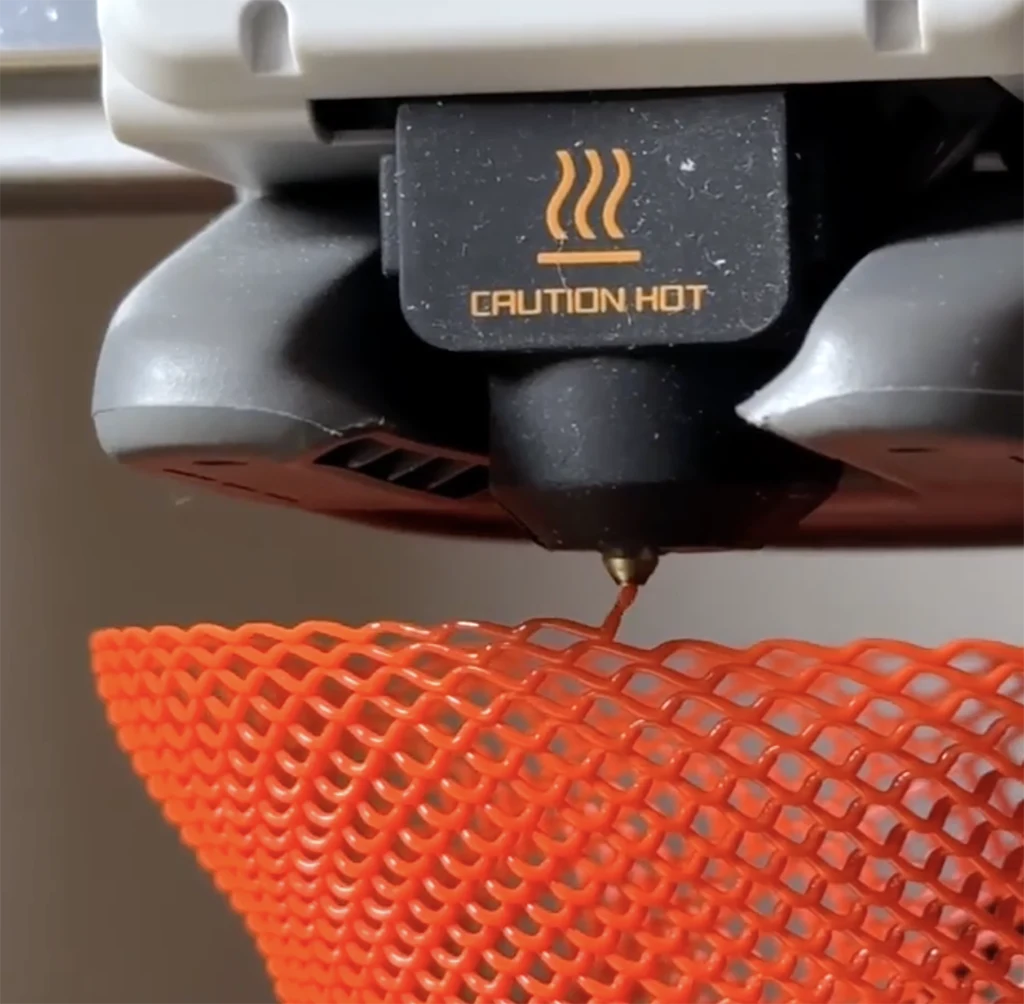
A quick note on what spiral vase G-code looks like, because it clarifies both OGcode’s strength and its current limits. Vase mode G-code is a single unbroken spiral of G1 (extruding move) commands. The Z coordinate increases in tiny increments with every move, so the nozzle climbs continuously rather than jumping layer by layer. There are no travel moves, no retraction events, no layer changes — just one long continuous extrusion from the first layer to the last. It produces the cleanest possible surface because there is no Z seam, no retraction blob, no layer transition artifact. Vase mode already exists in Bambu Studio, OrcaSlicer, and every other slicer, as covered in the Z seam guide. OGcode generates the same class of output — but derives it from parametric curves rather than from slicing a mesh, which is what allows the surface complexity that would be hard to achieve through normal vase mode.
One thing to check before printing any direct G-code from a tool like this: the start and end sequences. Printers need machine-specific homing commands, bed heating instructions, and other setup code at the beginning of every print file. A generic G28 home command works fine on a basic Cartesian printer but will behave unexpectedly on a Bambu machine or a Prusa with a specific mesh-levelling sequence. Open the exported file in a G-code viewer (gcode.ws is free and straightforward) before you print, check the start block, and make sure it matches what your machine expects. This is not a problem unique to OGcode — it applies to every direct G-code tool — but it is worth stating plainly rather than discovering at the cost of a scratched plate.
Where it sits relative to other tools doing the same thing
OGcode is not alone in this space. Two other tools are worth knowing about as context, because they show that direct-to-G-code generation for decorative printing is a real and growing category rather than a one-person experiment.
3Dsynth at 3dsynth.app is the closest direct comparison — a browser-based vase G-code generator with a long list of preset shapes (bowl, funnel, hourglass, wineglass) and a stackable effects system covering bend, twist, taper, noise, harmonics, and bump map textures. It has tested printer profiles including the Bambu X1 Carbon and P1S. Fabbaloo reviewed it in December 2025, and it costs €39 (about £34) for lifetime access with a free tier for limited use. More mature than OGcode, more documented, and more expensive. The two tools are aimed at the same use case but with different design philosophies: 3Dsynth gives you a library of parametric effects to stack; OGcode puts the drawn profile at the centre of the workflow.
Further back and more academic is FullControl, developed by Dr Andrew Gleadall at Loughborough University’s engineering department and documented in a 2021 Additive Manufacturing journal paper. FullControl lets technically inclined users define every segment of a print path parametrically and generate G-code with no CAD and no slicer at all. It is powerful, open-source, and has a steeper learning curve than either OGcode or 3Dsynth. The online version is at fullcontrol.xyz. It is the intellectual ancestor of the whole category — Gleadall showed that printer toolpaths could be generated mathematically rather than sliced from meshes, and the tools that followed, OGcode included, are building on that proof of concept.
Why this matters beyond vase printing
The immediate application of OGcode is decorative single-wall vessel printing. Vases, lampshades, pots, light diffusers. Prints that use very little material, come off the plate quickly, and look striking when backlit or placed near a window. Transparent PETG in vase mode, at the settings covered in the transparent printing guide, is one of the best-looking things a desktop FDM printer can produce — and OGcode can drive that workflow with surface complexity that a normal slicer-based vase mode cannot easily achieve.
But the reason I think the tool is worth more attention than its current community footprint suggests — it has essentially no maker press coverage yet, no Reddit threads, a small social following — is what it represents about the direction of creative 3D printing. The more you think about G-code as something that can be generated from a mathematical description of motion rather than sliced from a mesh, the more the slicer starts to look like an optional middle layer rather than a necessary one. For printing that involves unusual toolpath geometries — non-planar printing, continuous extrusion surfaces, algorithmically generated forms — the mesh-to-slicer-to-G-code pipeline is not well suited. The geometry you want to produce is often easier to describe as a mathematical function than as a polygon mesh. OGcode is one of the first consumer-accessible tools to take that observation seriously and turn it into a browser tab you can open and use without any technical background.
The connection to the AI tools discussion in the AI tools post is worth drawing explicitly. Tools like Meshy generate geometry that then needs slicing. OGcode generates toolpaths directly. These are two different models of what the creative step in 3D printing looks like, and there is no reason the two approaches cannot eventually converge — an AI system that generates G-code directly from a prompt or image, rather than going via mesh and slicer, is a logical development of both trends simultaneously. That is some distance away. But the intellectual groundwork for it is being laid by projects exactly like OGcode and FullControl.
What it currently cannot do
OGcode is a vase mode tool. It prints single-wall continuous spiral objects. It does not print functional parts with infill. It does not print overhangs that need support. It does not produce solid tops or bottoms. Any geometry that requires the slicer to make decisions about infill density, wall count, or support placement is outside what OGcode addresses. This is not a criticism of the project — it is a clear-eyed description of the scope Dabi has chosen, and that scope matches the most interesting creative application of vase mode printing well. But anyone approaching OGcode expecting a general-purpose slicer replacement will misunderstand what it is.
The printer compatibility list is not publicly documented. Dabi’s own content references Bambu machines, which is the right signal for this audience, but verifying that the exported G-code start sequences work correctly for a specific Bambu printer requires checking the file before printing. The product is self-described as experimental, which is the honest framing at this stage of development. It will improve. The STL import was a post-launch addition, and Dabi has indicated continued development. But anyone who needs a tool that is production-stable today should look at 3Dsynth, which has documented printer profiles and independent testing behind it, rather than OGcode which is still in active early development.
The pricing model and how to get it
OGcode is at ogcode.dabi.me. Access is pay-what-you-want starting at €9 — which at current rates is around £7.50. That price gives unlimited use of the tool. The launch-week offer that Dabi referenced has presumably ended, but the pay-what-you-want model appears to be the ongoing structure rather than a temporary promotion. At under £10 for unlimited browser-based vase G-code generation from a designer who is actively developing the tool, the price is not the reason to hesitate. The reason to hesitate is maturity, and at €9 the risk of finding out how mature it is with your own eyes is low enough to be worth taking.
Robert Dabi’s work beyond OGcode is at dabi.me, and his 3D printing content is at @slicercuts on TikTok and @dabi.me on Instagram. The YouTube video that launched OGcode is titled “I built a Web App that 3D-prints the Impossible” — worth watching for the context of how and why he built it, which is a more interesting story than the tool’s current community footprint might suggest.
If you try it, check the G-code before printing. Start with PETG or PLA on a printer you know well. And if you produce something worth sharing, the OGcode community is small enough that posting it actually moves the needle on the tool’s visibility — which benefits everyone who wants to see this kind of generative, slicer-free creative printing develop further.


Skipping the mesh-to-slicer hop is the interesting claim. For non-planar paths and continuously varying walls, describing motion mathematically is cleaner than tessellating a surface and hoping the slicer reconstructs the intent. Most of the parts people still bring us start as a mesh, though, and that path does not go away: the file still has to be makeable. At luphra.com that check is the last mile after a generator or CAD export — wall thickness, first layer, whether the geometry survives the printer — not a replacement for a toolpath-first tool like this.