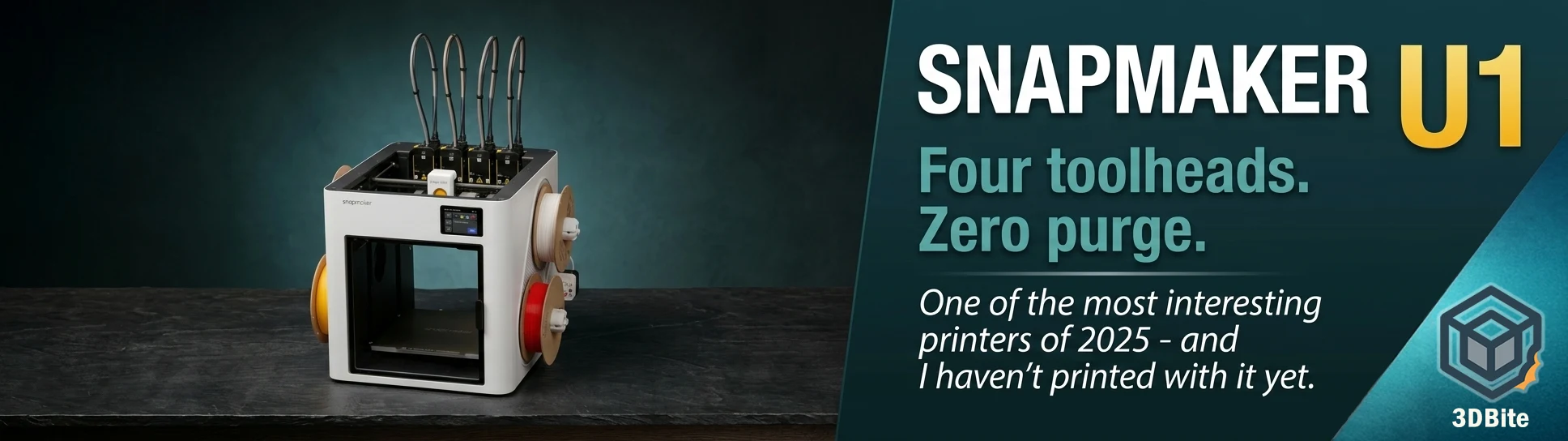
The Snapmaker U1 is not a machine I have printed on. I want to be clear about that from the start. This is not a hands-on review — it is an informed editorial, built from a close reading of multiple independent reviews, the manufacturer’s own specifications, and community reporting. The reason I am writing about it at all is that the U1 is genuinely interesting to me, and if you print multi-colour models on a Bambu machine and have not been paying attention to what Snapmaker has done here, you should be.
This post covers what the U1 is, how its tool-changing approach differs fundamentally from the AMS system I use every day, where the independent reviewers land on its strengths and limitations, and — honestly — why I am drawn to it and what is keeping me in the Bambu ecosystem for now.
What Snapmaker has built
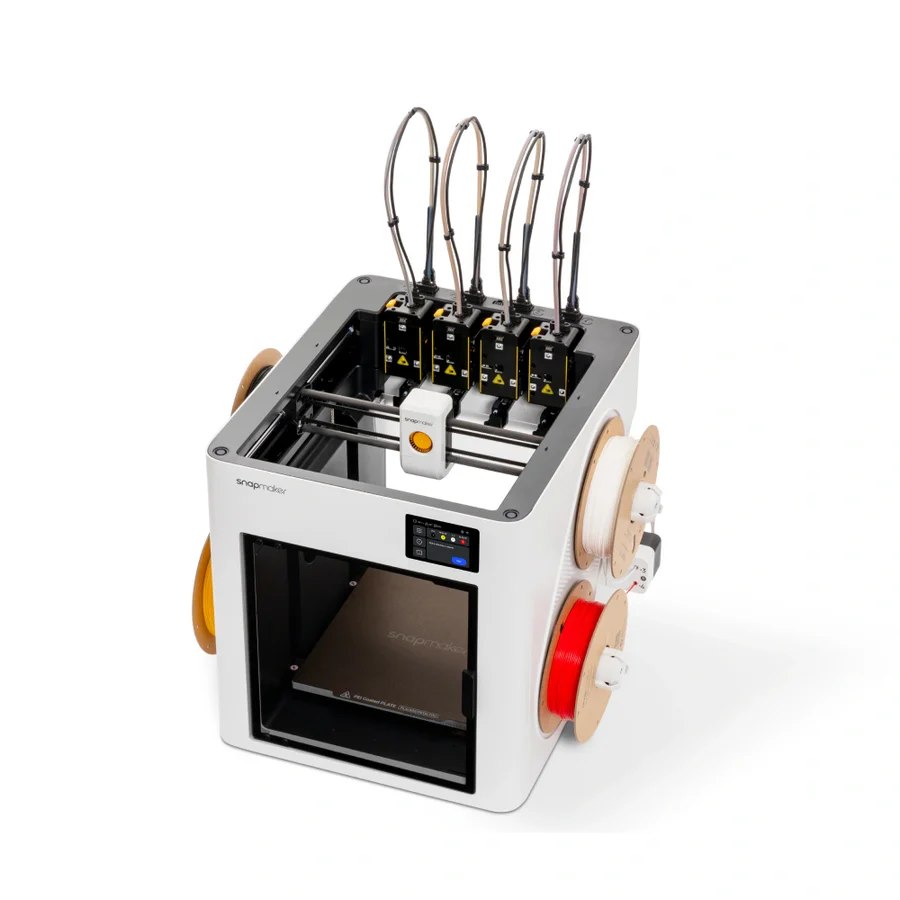
Snapmaker is a Chinese manufacturer that built its reputation on all-in-one machines — devices that combined 3D printing, CNC machining, and laser engraving in a single frame. The 2.0 and Artisan series were popular with makers who wanted one machine that could do many things. The U1 is a deliberate departure from that positioning. It does one thing: multi-material 3D printing. And it does it through a fundamentally different mechanism to anything else available at its price point.
The U1 launched on Kickstarter in mid-2025 and raised over $20.6 million from more than 20,000 backers — making it the most funded 3D printer project in Kickstarter’s history. It began shipping to backers in late 2025 and has been in general retail since early 2026 at $899 / £849 / €899. For context: the Prusa XL, which uses a comparable tool-changing architecture, costs over $2,299. The U1 brought the same core concept to under $1,000.
The SnapSwap system: how it actually works
To understand why the U1 is interesting, you need to understand the difference between a tool changer and a filament changer.
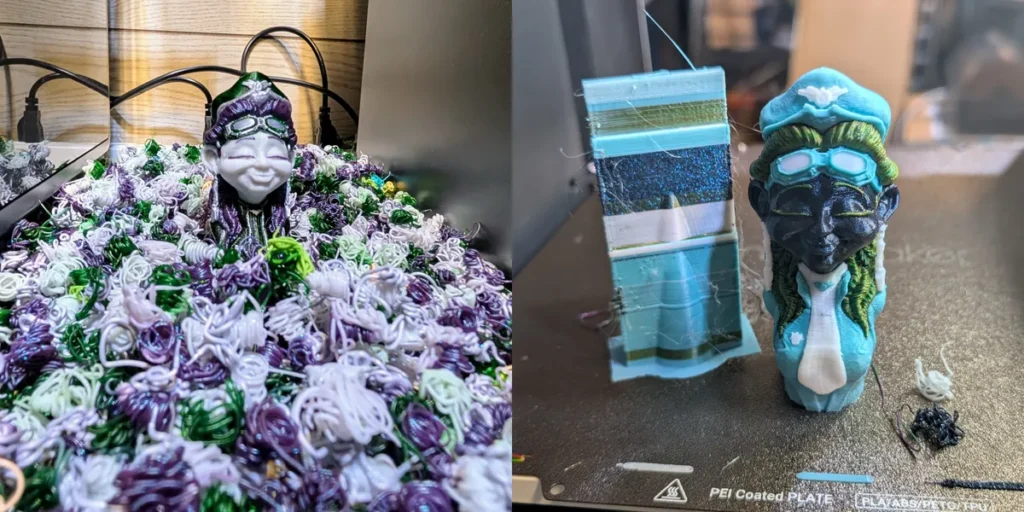
The Bambu AMS — the system I use on the A1 — is a filament changer. One nozzle, one hotend, one heat path. When the colour changes, the current filament is retracted all the way out of the nozzle, the new filament is fed in, and whatever contamination remains from the previous colour is purged out — either into a prime tower that gets printed alongside the model, or into a purge bucket. That purge material is waste. On a complex four-colour print with many colour transitions, the waste can be significant. Tom’s Hardware documented a three-colour figure print on a Bambu machine that generated a substantial purge tower alongside the model. The same print on the U1 produced almost nothing.
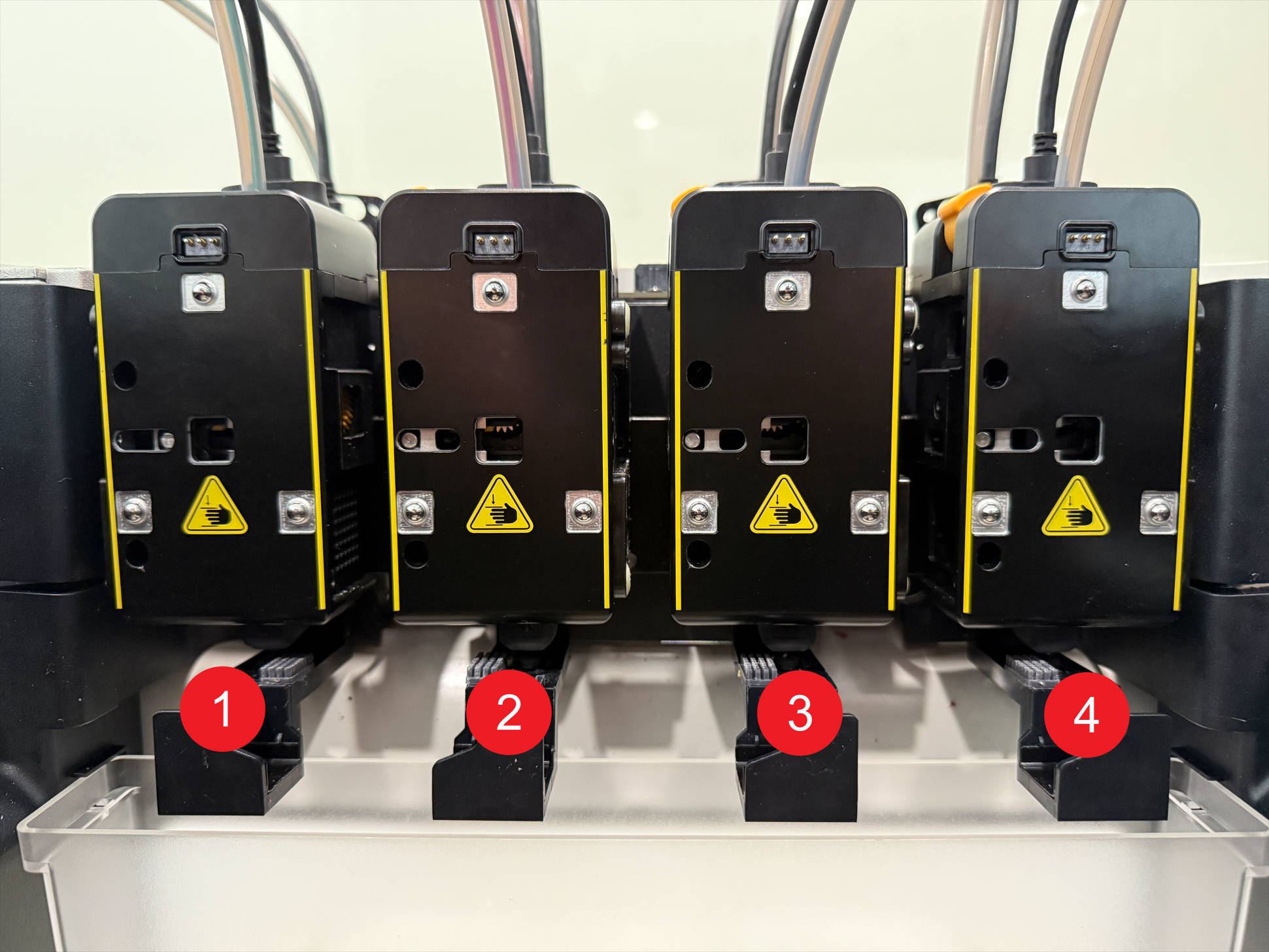
The U1 works differently. It has four completely separate toolheads, each with its own direct-drive extruder, hotend, and filament spool. The SnapSwap system uses steel-ball kinematic couplings to dock and lock each toolhead. When the printer needs to switch colour, the carriage drops the current toolhead onto its dock and picks up the next one. The whole swap takes about five seconds. Because each toolhead carries its own dedicated filament, there is no cross-contamination — no filament from one nozzle entering another. The U1 generates only a small prime tower to clear any filament that may have degraded during standby, not to purge contamination.
The speed difference this creates in practice is dramatic. On a plate of three-colour figures with 90 colour swaps, the U1 was three hours faster than a Bambu Lab P1P, with no filament “poop” and only a 4-gram prime tower. A single-nozzle Bambu machine can take 40 to 90 seconds per colour change — retract, load, purge. Single-nozzle systems like the Bambu AMS spend 40–90 seconds per color change. The U1 does it in 10–12 seconds. On a print with dozens of colour transitions, those seconds add up to hours.
Full specifications
| Specification | Snapmaker U1 |
|---|---|
| Build volume | 270 × 270 × 270 mm |
| Motion system | CoreXY |
| Toolheads | 4 independent — each with direct-drive extruder and dedicated hotend |
| Tool swap time | ~5 seconds (official) / 10–12 seconds (independent review measurement) |
| Max nozzle temperature | 300°C |
| Max bed temperature | 100°C |
| Max print speed | 500 mm/s |
| Max acceleration | 20,000 mm/s² |
| Volumetric flow rate | 32 mm³/min per toolhead |
| Toolhead alignment accuracy | Within 0.04 mm |
| Firmware | Klipper (modified) + Moonraker — open-sourced March 2026 |
| Slicer | Snapmaker Orca (OrcaSlicer fork) — standard OrcaSlicer also compatible |
| Camera | Built-in 1080p / 2MP chamber camera — timelapse, live monitoring, AI spaghetti detection |
| Enclosure | Partial — side panels + front glass door. Top cover optional ($149, shipping late 2026) |
| Supported materials (base) | PLA, PETG, TPU, PVA, PET, PCTG |
| Supported materials (with top cover) | ABS, ASA, PA, PC, CF and GF composites |
| RFID filament detection | Yes — Snapmaker official filaments only |
| Connectivity | Wi-Fi, USB, Fluidd web client (local network) |
| Dimensions | 580 × 540 × 500 mm |
| Weight | 26 kg |
| Price | $899 / £849 / €899 (retail) |
| Top cover (optional) | $149 — pre-order, shipping late 2026 |
What the reviewers actually found
The U1 has now been reviewed by Tom’s Hardware, 3Dnatives, VoxelMatters, 3DPrint.com, and Creative Bloq, among others. The consensus is unusually consistent for a machine at this price point and maturity level. Here is what the independent press is saying.
Print quality
The U1 has a top speed of 500mm/s with 20,000mm/s² acceleration. At those speeds, print quality on a new machine can be inconsistent — fast printers often trade surface finish for speed. The U1 appears to handle this well. 3DPrint.com measured dimensional accuracy at 99.95mm in X, 99.87mm in Y, and 99.99mm in Z from a 100mm calibration block — nearly as good as the Prusa XL and Core One at first print, and considerably faster. Creative Bloq’s reviewer, who tested the U1 head-to-head against the Bambu Lab H2C, often found the print quality from both machines so similar it was difficult to tell them apart.
Multi-colour performance
This is where the U1 genuinely separates from the competition at its price. The waste reduction is real and documented. VoxelMatters noted the entire waste material from a multi-colour demonstration print was four tiny strips — produced from a print with dozens of colour transitions. Tom’s Hardware confirmed the same story in numbers: a three-colour figure print with 90 colour swaps was completed three hours faster than on a Bambu P1P, with only a 4-gram prime tower.
Build quality
The picture here is slightly more nuanced. Filament spools mount on holders on both sides of the printer, keeping everything tidy. The frame is sturdy and does not flex during high-speed moves. However, 3DPrint.com noted the outer shell is clearly where Snapmaker chose to cut costs — fairly flexible and thin, and definitely not an aluminium or steel panel like the Bambu and Prusa machines. The internal structure and motion system are solid. The exterior panels are not. At $899, this is a reasonable trade-off, but it is worth knowing.
Setup and calibration
The setup procedure is fully automated and takes about one hour to complete all initial checks and calibrations. The system probes each of the four toolheads for alignment, runs automatic mesh bed levelling, and performs an accelerometer-based frequency sweep to set input shaping. You do not have to manually tune anything to get started. For a four-toolhead machine running Klipper, that level of automated setup is impressive.
The hotend: the one long-term question
One design choice that comes up in multiple reviews is worth flagging. The heat sink, heat break, heater block, and nozzle are integrated into a single unit assembled via interference fit — the subcomponents cannot be replaced individually. This is different from Bambu’s field-replaceable nozzle system, where you swap just the nozzle when it wears. On the U1, a worn or damaged nozzle means replacing the entire hotend assembly. This is a long-term maintenance question that Bambu’s field-replaceable nozzles do not create. The hotend assemblies will be available as spare parts — the question is cost and availability over time as the machine ages.
The software and ecosystem: the honest picture
This is the area I was most curious about before writing this post, because it is the area where my own Bambu experience sets a high bar. The short answer is: Snapmaker’s hardware has outpaced their software, and the reviewers are consistent on this point.
The slicer is Snapmaker Orca — a fork of OrcaSlicer with manufacturer-tuned profiles added for the U1 and Snapmaker’s official filament range. Anyone familiar with OrcaSlicer will feel right at home — the interface, menus, and configuration logic are identical. Standard OrcaSlicer also works and is fully compatible. This is actually a meaningful advantage for anyone already using OrcaSlicer: there is no new software to learn.
The firmware is Klipper — modified by Snapmaker, but open-sourced in March 2026 as promised. Klipper is the gold standard for configurable, high-performance FDM firmware. Users can access the Fluidd interface directly via the machine’s IP address on the local network, view logs, modify Klipper settings, and deploy custom macros — a level of freedom neither Bambu Lab nor Creality offers by default. For technically minded users who want to tune deeply, this is a genuine advantage.
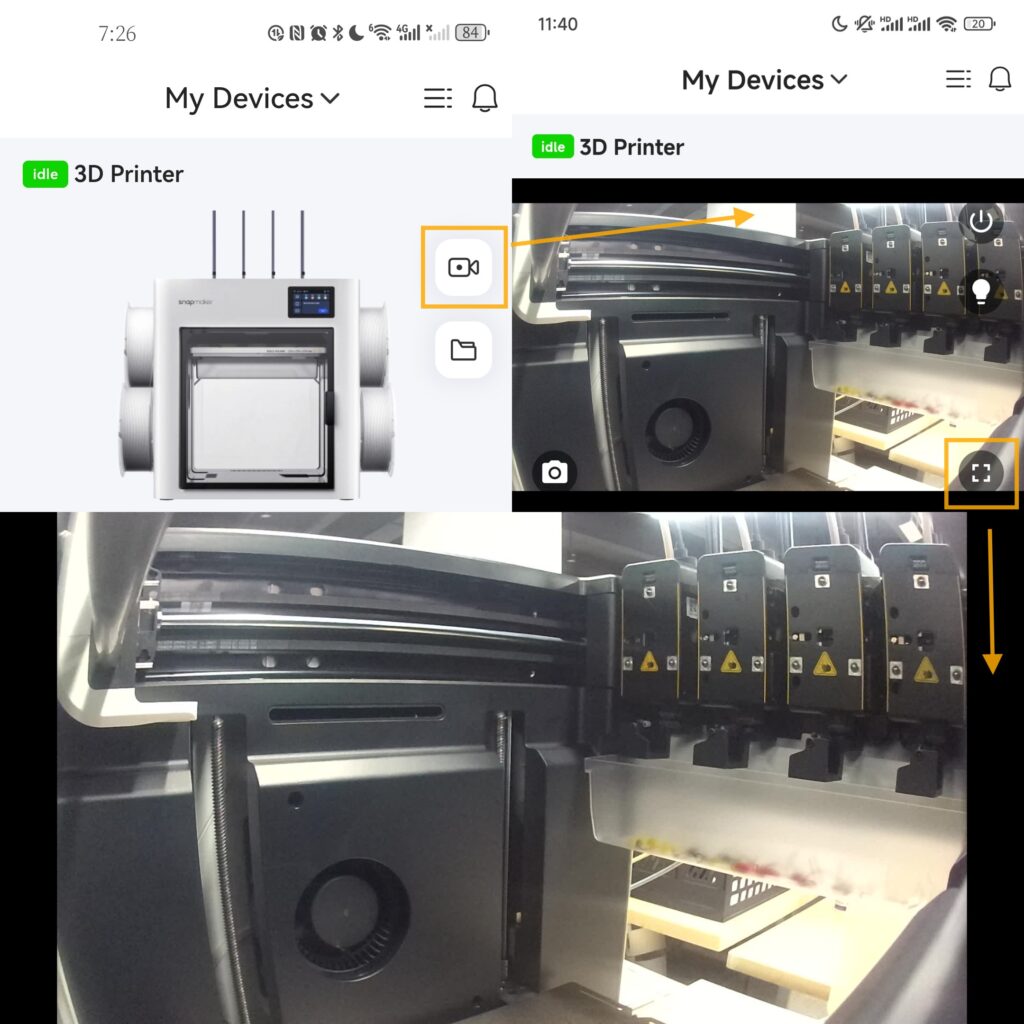
The mobile app is where the gap is most apparent. The mobile app lags significantly behind the Bambu Lab ecosystem. It allows users to monitor ongoing prints, check the machine’s status, and view the camera feed, but it does not offer the ability to start a print directly from a model library on a smartphone. The app only contains basic functions such as printing from files, controlling the printer, checking status, and managing files. The app has no online models at all.
Compare this to Bambu Handy, which lets you browse MakerWorld, send models directly to the printer, monitor live from anywhere, and manage the full print queue remotely. The Bambu ecosystem is mature, deeply integrated, and genuinely useful as a daily workflow tool. The Snapmaker software and online environment are perhaps the only shortcomings compared to more established players like Prusa, Bambu Lab, and Creality. The model library is more of a placeholder with a very limited number of printable models available.
Snapmaker does have RFID filament detection on their official spools — the U1 uses RFID to detect specs like colour, type, and more for Snapmaker official filaments, with no need to type anything in. This mirrors Bambu’s approach, though it is limited to official Snapmaker filaments. Third-party spools require manual profile selection.
Remote monitoring is available via the Snapmaker App and the camera feed, and Klipper’s open nature means third-party tools like Obico can be added for more capable AI monitoring. The U1 integrates with standard Klipper ecosystem tools — including Obico for remote monitoring and AI failure detection — without needing Snapmaker’s own cloud services. So the capability is there; it just requires more configuration than Bambu’s out-of-the-box solution.
How it compares to Bambu machines
The direct Bambu comparison depends on which machine you are putting it against. The U1 is not a direct competitor to every machine in the Bambu lineup — its four-toolhead architecture puts it in a specific category.
| Feature | Snapmaker U1 | Bambu A1 Combo | Bambu X2D Combo | Bambu H2C |
|---|---|---|---|---|
| Multi-colour system | 4 toolheads — tool changer | AMS Lite — filament changer (4 colours) | Dual nozzle + AMS 2 Pro (up to 25 colours) | Vortek nozzle swap (up to 21 colours) |
| Colour change time | ~5–12 seconds | 40–90 seconds | Lower than single nozzle — not tool-changer speed | Faster than AMS — Vortek system |
| Purge waste | Minimal — 4g prime tower only | Significant — purge tower or waste chute | Reduced vs single nozzle | Reduced vs AMS — Vortek minimises purge |
| Max colours | 4 | 4 | Up to 25 with AMS chaining | Up to 21 |
| Build volume | 270 × 270 × 270 mm | 256 × 256 × 256 mm | 256 × 256 × 260 mm | 330 × 320 × 325 mm |
| Enclosure | Partial base — full with optional top cover ($149) | Open frame | Fully enclosed, active chamber heating | Fully enclosed, active chamber heating |
| Firmware / Slicer | Klipper + Snapmaker Orca (OrcaSlicer fork) — open source | Proprietary + Bambu Studio | Proprietary + Bambu Studio | Proprietary + Bambu Studio |
| Ecosystem / App | Basic app + Fluidd web client. Limited model library | Bambu Handy + MakerWorld — mature, full-featured | Bambu Handy + MakerWorld — mature, full-featured | Bambu Handy + MakerWorld — mature, full-featured |
| Price (approx UK) | £849 | ~£350 | £769 Combo | ~£1,699 Combo |
The clearest direct comparison is with the Bambu A1 Combo, which is how most hobbyists in the Bambu ecosystem access four-colour printing. The A1 costs significantly less. The AMS Lite is mature, reliable, and deeply integrated. But the purge waste is real — every colour change on the A1 generates material that goes into a waste chute. On prints with many colour transitions, that adds up to filament cost and print time that the U1 simply does not generate.
At the higher end, Creative Bloq’s review pitted the U1 directly against the Bambu H2C — a machine at more than double the U1’s price. Both machines are phenomenal in speed, quality, and material usage. The H2C is the best choice for makers already in the Bambu ecosystem, especially those who already own AMS units. The U1 is the right answer for anyone wanting a more affordable machine that still delivers superb quality.
The enclosure situation
One thing to be clear about: the base U1 that ships today is semi-enclosed — side panels, a front glass door, and an open top. It is rated for PLA, PETG, TPU, PVA, and PCTG in this configuration. ABS, ASA, PA, and PC require the optional top cover. The Top Cover adds passive heating to 50°C, HEPA and activated carbon filtration, and ships from November 2026 at $149.
For a primarily PLA and PETG user, the base machine is fine. For anyone who wants to print engineering materials, the top cover is essentially a required add-on — and at the time of writing it has not yet shipped, putting the fully enclosed version of the machine some months away. Tom’s Hardware’s reviewer noted they ran ASA on a beta unit without the top cover, but was explicit that the machine is not officially rated for high-temperature materials without it.
Compare this to the Bambu X2D, which ships fully enclosed with active chamber heating as standard. For engineering material users, that difference matters. For hobbyists printing PLA and PETG, it does not.
My honest take
I am drawn to the U1. The tool-changer architecture is the right solution to the multi-colour waste problem — there is no engineering argument against it at a conceptual level. Every colour change that does not require purging is a direct saving in filament, time, and the faintly tedious experience of watching a prime tower grow alongside your actual model. The speed numbers are real. The print quality, from multiple independent reviewers, is genuinely competitive with machines at significantly higher price points.
But I keep coming back to the ecosystem question. The Bambu setup I have is deeply comfortable. The app works well. MakerWorld is vast and integrated. Remote monitoring is seamless. Sending a model to the printer from my phone while I am not in the room is something I do regularly, and it works without friction. The U1’s app, as of the current reviews, is basic. The model library is limited. Fluidd access via a local network browser is capable but requires more setup than I want to do as part of a normal printing session. These are not dealbreakers in isolation — they are solvable with configuration — but they represent a meaningful step down in day-to-day convenience from what I currently use.
While the hardware is truly impressive, the software and online environment are perhaps the only shortcomings compared to more established players like Prusa, Bambu Lab, and Creality. That is a fair summary and a gap that Snapmaker will likely close over time. The hardware is clearly good enough. The software question is a matter of development cadence and priorities.
The other consideration is that the U1 maxes out at four colours. With AMS chaining on the Bambu X2D, you can reach 25. For the kind of multi-colour work I do — figurines, seasonal builds, display pieces — four colours covers most of it. But it is a ceiling, and knowing it is there matters for planning ambitious prints.
If I were building a new setup from scratch with multi-colour printing as the primary goal and Bambu’s ecosystem was not already a factor — I would take the U1 seriously. The waste reduction and speed advantage in multi-colour printing are real and documented. The Klipper foundation gives long-term configurability. The price is competitive. And the print quality, from every reviewer who has tested it, is genuinely excellent.
As an addition to the Bambu setup I already have, I am not convinced yet. The ecosystem friction is real, the app needs work, and I do not want to maintain two separate slicer workflows. But I am watching Snapmaker’s software development closely. If the app matures to something approaching Bambu Handy’s capability over the next year, the U1 moves from interesting to compelling.
Should you buy one?
If you are a heavy multi-colour printer and filament waste and print time are genuine frustrations, yes — the U1 addresses both problems directly. Even at the retail price of $999, the Snapmaker U1 is an excellent value, and power users will save significant amounts of time and filament. Tom’s Hardware called it one of the best 3D printers of the year. That is a considered verdict from a publication that tests a lot of machines.
If you are already deep in the Bambu ecosystem — AMS units, MakerWorld library, Bambu Handy as a daily tool — the switch cost is higher than the spec sheet suggests. The hardware gap is smaller than the ecosystem gap, and the ecosystem gap is real.
If you are buying your first serious multi-colour printer and do not have an existing ecosystem to protect, the U1 at £849 / $899 is a strong choice. It is faster for multi-colour work than anything at its price, the print quality is competitive with machines costing twice as much, and its Klipper foundation means it will not be abandoned by the broader firmware community even if Snapmaker’s own development slows.
The U1 is available now from snapmaker.com and authorised resellers. The optional top cover for full enclosure is on pre-order, shipping from November 2026.