Published 6 November 2026. My own printers are open-frame (an A1 and an A2L), and this guide is built from Bambu’s documentation and published tests rather than my own heated-chamber testing. I say where a claim comes from, and where something is my own reasoning.
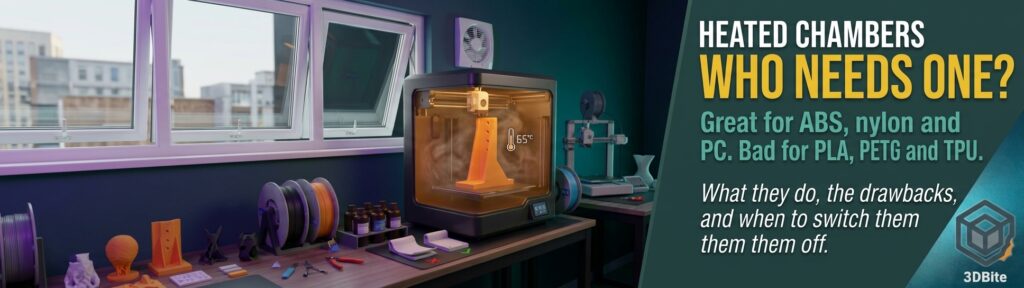
Walk through Bambu’s current range and a pattern appears: the cheaper enclosed printers have a box, and the dearer ones have a box with a heater in it. The H3C, X2D, H2S and H2D all list an actively heated chamber of up to 65 °C. That raises fair questions. What is the heater for? Which materials need it? And is a hotter chamber ever a bad thing? I have written before about whether enclosed printers are becoming the default, and this is the follow-up on the heating part.
The short answer
| Question | Answer |
|---|---|
| What does a heated chamber do? | It keeps the air around the print warm, so the plastic cools more slowly and evenly while it is being built |
| Why does that help? | Less warping, less shrinkage stress, and stronger bonds between layers |
| Which materials benefit? | High-temperature, shrink-prone ones: ABS, ASA, polycarbonate, nylon and its carbon-fibre blends, PPS and similar |
| Which materials are harmed? | PLA, PETG, TPU and PVA. A warm chamber can soften them above the nozzle and cause jams |
| Other drawbacks? | Longer warm-up, more power, reduced air filtration, extra cost and complexity |
| Do you need one? | Only if you regularly print big or demanding technical materials. For PLA and PETG, no |
Open, enclosed and heated: three different things
These terms get mixed up, so here is the distinction. An open printer, like my A1 and A2L, has no walls, and the plastic cools in room air. An enclosed printer has walls and a door, and the box traps heat from the heated bed, which warms the air passively. An actively heated chamber adds a dedicated heater and a sensor, so it can reach and hold a set temperature.
CNC Kitchen measured all three on one printer, a QIDI X-Max 3. With the door and lid off, the chamber never got past 26 °C in a 20 °C room. Passively heated by the bed it settled just under 50 °C, and he notes the equilibrium depends on bed size, bed temperature and insulation. With the heater on it held 65 °C. The point is that passive heat is a by-product, not a control, and it varies with your room.
| Bambu printer | Chamber | Source |
|---|---|---|
| X1 Carbon, P1S | Enclosed, passive (bed-heated) | Bambu’s wiki says the X1E adds heating control, which implies the X1C does not have it |
| P2S | Enclosed, passive, roughly 40 to 50 °C | Makers101 |
| X1E | Active, up to 60 °C | Bambu wiki |
| X2D | Active, up to 65 °C | All3DP, Makers101 |
| H2S | Active, 65 °C | Bambu store |
| H2D | Active, up to 65 °C | Retailer guides |
| H3C | Active, 65 °C, described as dual-zone | Bambu H3C page and forum reveal |
That puts the heated chamber at roughly the $100 gap between the P2S and X2D, as Makers101 frames it, though the X2D also adds a second nozzle, so the heater is not the only thing you are paying for.
Why a warm chamber helps
CNC Kitchen’s explanation is the clearest I have read, and it comes down to three effects.
- Less contraction. Part of warping is simple thermal shrinkage as plastic printed at 250 °C cools to ambient. If the surroundings are warmer, there is less temperature difference to contract through, and the part stays softer and so warps less.
- Stress relaxation. Fast extrusion leaves “melt swell”, a pre-stretched strand that wants to shrink back and pulls on the layer below. A warm chamber gives the material time to relax, effectively annealing the part as it prints.
- A better weld between layers. To bond properly the previous layer needs to be partly reheated past its melting point. In a cold chamber the new layer cools too fast, so it sticks but does not truly bond, which he compares to a cold solder joint.
Bambu says much the same in its own documentation: for high-temperature filaments a 60 °C chamber can improve dimensional accuracy and visual quality of some prints, reduce warping on larger or denser models, and raise interlayer strength.
What the strength test showed
CNC Kitchen printed standing tensile samples, which test layer adhesion, in the three conditions above, and compared them with samples printed flat as a reference. Here are his numbers, with my own percentage arithmetic added.
| Material and condition | Layer strength | Share of the flat reference (my arithmetic for ABS) |
|---|---|---|
| eSUN ABS, flat reference | 39 MPa | 100% |
| ABS, chamber open (26 °C) | 21 MPa | About 54% |
| ABS, passively heated (just under 50 °C) | 23 MPa, with a lot of scatter | About 59% |
| ABS, actively heated to 65 °C | 29 MPa | About 74% |
| Prusament PC Blend, chamber open | Not given in MPa | 65% |
| PC Blend, passively heated | Not given in MPa | 72% |
| PC Blend, actively heated to 65 °C | Not given in MPa | 77% |
Two cautions. First, CNC Kitchen’s text calls the 65 °C ABS result “almost 50%” stronger, but from his own figures I get about 38% over the open chamber and 26% over the passive one, so the exact percentage may rest on unrounded values. Second, this was one machine, one ABS brand and one PC blend, the test dates from 2023, and it was sponsored by QIDI, which he discloses. Read it as strong evidence of direction, not a universal number. The most useful finding may be that for ABS the passive enclosure added little, while the actively held 65 °C added a lot. For the engineered PC blend, even the passive enclosure helped, and 65 °C helped a bit more.
Which materials need it
| Material | Chamber heat? | Notes |
|---|---|---|
| PLA | No. Keep it cool | Bambu’s PLA profiles set the chamber to off. Softening starts around 45 °C. See the next section |
| PETG | No | Softening around 70 °C per Bambu. No benefit from a hot chamber and a risk of jams |
| TPU, PVA | No | Bambu lists them with PLA and PETG as low-temperature filaments to keep out of a hot chamber |
| ABS, ASA | Helpful, mainly for big or dense parts | Bambu’s default is off. It suggests 60 °C for prone-to-warp prints: large, high infill or high strength requirements |
| Polycarbonate (PC) | Yes | Bambu’s default is on at 60 °C |
| Nylon (PA) and PA-CF, PAHT-CF, PET-CF, PPA-CF | Yes, helpful | Bambu’s default is on at 60 °C. CNC Kitchen says carbon-fibre nylon prints flawlessly on open machines, though a heated chamber helps a bit more |
| PPS, PPS-CF | Yes | Bambu’s default is on at 60 °C |
One nuance deserves attention: some materials are engineered to avoid needing a chamber. CNC Kitchen notes that Prusament PC Blend is designed for open printers, and the ABS he tested was plain ABS, not eSUN’s ABS+, which is formulated for open printing. So “ABS needs a heated chamber” is less absolute than it sounds. It depends on the grade, the part size and how much you care about strength.
When a heated chamber is the wrong choice
1. Low-temperature filaments: heat creep
This is the big one. Bambu’s wiki warns strongly against high chamber temperatures for PLA, PETG, TPU, PVA and other low-temperature filaments, because they can soften and lodge in the extruder, causing clogs. Its guidance for those materials is chamber off, and when the bed temperature is at or above the filament’s softening point, open the front door and remove the top cover. Bambu quotes softening temperatures of about 45 °C for most PLA and 70 °C for most PETG. CNC Kitchen adds that heat in the chamber can also cause curling layers on PLA, and that this is why enclosed printers carry exhaust fans to keep PLA and PETG prints from heat-soaking.
Bambu’s X1E guide also builds in guard rails: if a low-temperature filament is in the hotend, the target chamber temperature is limited to 40 to under 45 °C, and loading a low-temperature filament is not allowed when the chamber is above 45 °C. Those are the X1E’s numbers, but they show how seriously Bambu treats the problem.
2. Mixed-material prints
Bambu’s wiki says that in a multi-colour print the actual chamber temperature is the highest one set among the filaments used, so you must check that it is safe for all of them. This catches people out on multi-material machines. CNC Kitchen hit it on the H3C: he wanted an ASA hub with a 75A TPU tyre, but the TPU jammed in the heated chamber, and he suspects the print would have worked with the chamber cold. A PETG hub with the same TPU was fine.
3. Warm-up time
Bambu notes that enabling chamber heating makes preparation before printing longer. On the H3C CNC Kitchen found the chamber reached a real 65 °C in around ten minutes, which is quick, but it is still ten minutes you do not spend with an open printer.
4. Power
CNC Kitchen logged the H3C with a smart plug. It drew around 175 W on PLA and 190 to 200 W on PETG. With ABS or ASA it used around 350 W because of the heated chamber, with a brief spike to 1,600 W when heating started. TPU with the bed at 35 °C drew only around 100 W, and idle was about 20 W. By my arithmetic a ten-hour ABS job at 350 W is about 3.5 kWh against about 1.75 kWh for ten hours of PLA at 175 W, so roughly double. That is not dramatic for an occasional print, but it adds up on a print farm.
5. Air filtration
Bambu states that when chamber heating is enabled for ABS and ASA, air filtration gets worse, and that this is why it ships with the heating off by default for those materials. Its X1E guide adds that a hotter filter has a reduced capacity to adsorb VOCs and particles. If you print ABS or ASA indoors, that trade-off is worth knowing about, and it argues for heating only when the part needs it.
6. Cost and complexity
An active heater costs money, uses power and is another part that can fail. That last point is my own reasoning, not a reported failure rate. If you never print anything that needs it, you are paying for a feature you will switch off.
What a heated chamber does not fix
- Wet filament. CNC Kitchen found that carbon-fibre PA6 lost nearly half its strength once it had absorbed moisture, dropping to 56% of the dry sample. A warm chamber does nothing about that. Keep nylon dry.
- The wrong nozzle. Fibre-filled filaments need a hardened nozzle whatever the chamber is doing. My abrasive filament guide covers this.
- Poor bed adhesion and surface prep. Even vendors of chamber heaters say ABS still needs a clean surface and sensible cooling.
- Every problem with every material. If a print warps, a chamber may be the missing piece, but it is rarely the only variable.
Passive or active: when is a simple enclosure enough?
For smaller ABS parts a passive enclosure may be fine. Makers101 says the P2S’s passive warming of roughly 40 to 50 °C is adequate for many ABS prints. Bambu’s own advice is that heating pays off for large, dense or high-strength parts, and is optional for normal prints. One caveat comes from a Bambu-focused site (BambuHub), which points out that passive heat depends on the room: in a cold room or an air-conditioned space the chamber can fall below the level that keeps parts from delaminating, whereas an active heater removes that variable. That fits the CNC Kitchen measurements, where the same printer in a 20 °C room held just under 50 °C passively.
Do you need one? A quick decision table
| You mostly print… | My read |
|---|---|
| PLA, PETG, TPU | You do not need a heated chamber. An open-frame printer, like my A1 and A2L, is a perfectly good choice, and an enclosed one should be used with the chamber off and the door or lid open when the bed is hot |
| Occasional small ABS or ASA parts | A passive enclosure is probably enough, particularly with open-friendly grades |
| Large or dense ABS or ASA, or parts that need strength | Active heating is worth having. This is Bambu’s own stated use case |
| PC, nylon, PA-CF, PPS and similar | Active heating is the better choice, and Bambu turns it on by default for these |
| Multi-material prints mixing soft and hot materials | Plan the chamber temperature carefully, because the highest setting wins |
| A mix of everything | An active chamber you can switch off gives you both options |
Rules of thumb
- Chamber off (0 °C) for PLA, PETG, TPU and PVA, and open the door or lid if the bed is hot.
- Switch heating on for PC, nylon and fibre-filled engineering materials, and for large, dense or strong ABS and ASA parts.
- Check every filament in a multi-material job against the highest chamber setting.
- Do not load PLA or PETG straight after a hot-chamber print. Let the chamber cool first.
- Keep hygroscopic filament dry, because a chamber cannot do that for you.
My take
I think the heated chamber is one of the more honest premium features in 3D printing, because it does a specific job that is easy to measure: it makes layer welds stronger and warping smaller on materials that are hard to print any other way. But it is a feature for a particular set of materials, and for the PLA and PETG that most of us print most of the time, it is at best irrelevant and at worst the cause of a jam. That is why the best implementations let you turn it off, and why Bambu defaults it off for ABS and ASA. If you print technical materials, buy the heater. If you do not, an open frame like mine, or a plain enclosure, does the job for less money and less electricity. As ever, check what your own print needs before assuming more heat is better.
Sources and further reading
- Bambu Lab wiki: chamber temperature (X1E)
- Bambu Lab wiki: X1E chamber temperature guide
- CNC Kitchen: does a heated chamber make your 3D prints stronger?
- CNC Kitchen: Bambu Lab H3C review (power draw, chamber warm-up, TPU jam)
- CNC Kitchen: carbon fibre nylon, PA6 versus PA12 tested
- Makers101: Bambu Lab P2S vs X2D
- All3DP: Bambu Lab X2D brings dual extrusion and a heated chamber
- BambuHub: Bambu Lab X2D launch
- Bambu Lab US store: H2S
- Bambu Lab: H3C overview
- Bambu Lab community forum: H3C full reveal
- All3DP: 3D printer heat creep
- Call3D: 3D printer chamber heater and ABS/ASA warping (vendor article)