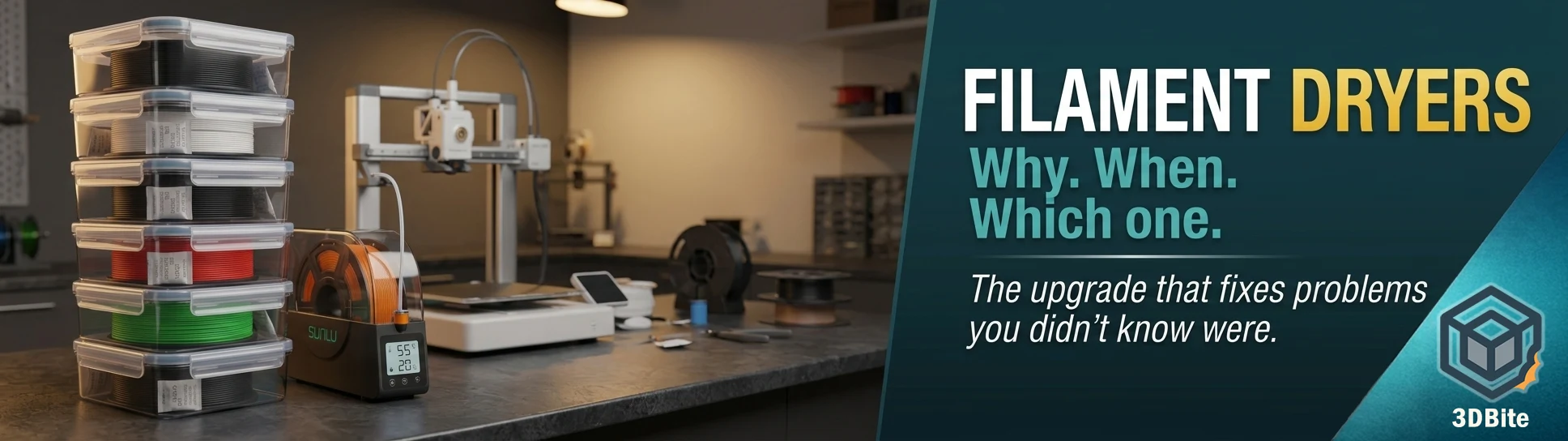
Moisture is the most underdiagnosed problem in hobbyist 3D printing. Stringing that appears from nowhere on a spool you have used for months. A crackling, popping noise from the hotend that sounds like something is about to fail. Layer delamination on a material that printed perfectly three weeks ago. Surface bubbles on PETG that no amount of temperature adjustment resolves. All of these are classic wet filament symptoms, and they frequently get blamed on settings, profiles, or the printer itself when the actual cause is sitting on the spool holder absorbing atmospheric moisture.
I store most of my filament in airtight boxes with silica gel and have been reasonably lucky with moisture problems across the majority of my collection. For PLA and PETG in a UK climate with sensible storage habits, the dry box approach works well and I have not had significant issues. But there is one material where that approach consistently fell short: TPU. TPU is far more sensitive to moisture absorption and retention than almost any other filament I use, and a single-spool dryer has become an essential part of my workflow for any TPU job. The difference between printing TPU from a dry box after several days and printing it from an active dryer is not subtle — it is the difference between clean flexible prints and a stringy, popping mess.
Why filament absorbs moisture
Most 3D printing filaments are hygroscopic — they actively attract and absorb water molecules from the surrounding air. The moisture doesn’t soak into the filament the way water soaks into a sponge. Instead, it bonds at the molecular level. That matters because once it’s in there, simply leaving the filament out to “air dry” won’t remove it — you need heat to drive the moisture out.
This is also why desiccant alone is not a complete solution for already-wet filament. Desiccant packs help more to prevent water content in a filament from going up rather than reducing it. On the other hand, if exposed, the desiccant itself will become saturated with moisture and lose its much-needed moisture-absorbing capacity. Desiccant packs cannot reduce the water content inside filaments. What’s required for drying 3D printing filaments is a dryer that heats up a filament completely, breaks the moisture/polymer bonds, and moves the moisture to the filament surface where it can be carried away.
Silica gel — the desiccant most people use in storage boxes — is excellent at maintaining a dry environment around already-dry filament. It is not capable of reversing significant moisture absorption in filament that has already gone wet. For prevention, it is the right tool. For recovery, heat is required.
What wet filament actually does to your prints
When moisture-laden filament reaches the hotend, the water trapped in the polymer matrix superheats and turns to steam. The symptoms this produces are recognisable once you know what to look for:
- Popping and crackling sounds from the hotend during printing — the most immediate indicator. The sound is water turning to steam as filament enters the melt zone
- Stringing between features that should not be there — moisture reduces viscosity and makes filament behave more like liquid, trailing between moves
- Surface bubbling — steam escaping through the surface of deposited material before it solidifies
- Rough, inconsistent surface texture on what should be smooth top layers
- Weak layer adhesion — moisture between layers compromises the bond as material is deposited
- Under-extrusion — steam pressure in the melt zone interrupts the flow of material through the nozzle
- Brittle finished parts — prints that should flex or hold a load fail because the layer bonds are mechanically compromised by moisture contamination
The severity of these symptoms varies by material. Polyamide, PVA, and TPU (Flex) are filaments more often in need of drying than more popular filaments like PLA. Some filaments are more hygroscopic than others. PLA is relatively forgiving — it absorbs moisture slowly and the symptoms in moderate humidity are mild. Silk and matte PLA are meaningfully more sensitive than standard PLA, as the additive packages used to achieve those surface effects absorb moisture faster. PETG is more hygroscopic than standard PLA. TPU and TPE are significantly more so. Nylon is extremely hygroscopic — it can begin to show degraded print quality within 30 minutes of exposure to ambient air after being dried.
How hygroscopic is each material?
| Material | Moisture sensitivity | Time to problem (humid environment) | Drying temp | Drying time |
|---|---|---|---|---|
| PLA (standard) | Low | Weeks to months | 45–55°C | 4–6 hours |
| PLA Silk / Matte | Moderate | Days to weeks | 45–55°C | 4–6 hours |
| PETG / PETG+ | Moderate | Days | 55–65°C | 6–8 hours |
| ABS / ASA | Moderate | Days | 70–80°C | 4–6 hours |
| TPU / TPE | High | Hours to days | 55–65°C | 8–12 hours |
| PVA | Very high | Hours | 45°C | 6–8 hours |
| Nylon (PA6/PA12) | Extreme | 30 minutes after drying | 70–80°C | 8–12 hours |
| PA-CF / PA-GF | Extreme | 30–60 minutes after drying | 80–85°C | 8–12 hours |
| PC | High | Hours | 75–85°C | 8–12 hours |
Storage vs active drying: what actually works
Airtight storage with desiccant
For most filaments in most environments, airtight storage with silica gel is the right primary strategy and it works. Sealed boxes — the clip-lid variety from IKEA, REALLY Useful Boxes, or purpose-made filament storage containers — create a low-humidity environment that slows moisture absorption significantly. Fresh silica gel in these containers can maintain humidity below 20% RH, which is low enough to prevent meaningful moisture absorption in PLA, PETG, and ABS over normal storage periods.
The limitations: the desiccant needs to be regenerated or replaced periodically as it becomes saturated. Silica gel indicating beads change colour from blue or orange to pink or white when saturated and can be regenerated in an oven at 120°C for a couple of hours. Sealed storage does not dry filament that is already wet — it only prevents further absorption. And for highly hygroscopic materials like TPU, nylon, and PVA, even a brief period of open exposure between jobs can introduce enough moisture to affect print quality.
DIY alternatives: ovens and food dehydrators
An oven set to its lowest temperature and a food dehydrator can both dry filament effectively in a pinch. The oven approach works but requires caution — domestic ovens at their lowest setting are often hotter than they claim, and PLA begins to deform around 60°C. Ovens risk overheating — PLA melts at 60°C+. If you use an oven, verify the actual temperature with a thermometer before loading filament and check frequently. A food dehydrator without spool holders requires an improvised rack to hold the filament — and many compact models do not fit standard 200mm spools easily.
Both approaches dry filament before the print rather than during it. The problem — particularly for nylon and TPU — is that filament begins reabsorbing moisture immediately after drying. Hygroscopic materials like Nylon and TPU can start picking up moisture again within 30 minutes of being exposed to air — so being able to print directly from a sealed, actively-heated enclosure makes a real, measurable difference in print quality. Pre-drying and then printing from an open spool rack loses much of the benefit for the most sensitive materials.
Dedicated filament dryers
A dedicated dryer with a filament feed port is the complete solution: it dries the spool and you print directly from the dryer, maintaining a dry environment around the filament throughout the entire job. For standard PLA printing in a moderate-humidity environment, this is overkill. For TPU, nylon, and any long print in a humid climate, it is the only approach that reliably solves the problem.
Do you actually need a dryer?
Honestly, it depends on what you print and where you live. Here is the practical framework:
If you print primarily PLA and PETG, live in a moderate-humidity environment (typical UK indoor climate is 40–60% RH), open spools within a few days of use, and store in sealed containers between sessions — you probably do not need a dryer for your standard workflow. Good storage habits manage moisture adequately for these materials under normal conditions. This is my situation for the majority of my filament collection, and a dry box approach has served well.
If you print TPU, nylon, PVA, or PA-CF regularly — buy a dryer. Not because airtight storage is useless for these materials, but because the reabsorption problem during printing makes the print-from-dryer workflow the only reliable path to consistent results on long jobs. TPU dries well at 55–65°C and the S2 handles this reliably while allowing direct printing from the dryer — which is particularly valuable for TPU since moisture reabsorption during long prints is a real concern. This is exactly my experience — TPU is the material that made a single-spool dryer worth buying, and I have not looked back since.
If you live in a high-humidity environment (coastal, basement workshop, tropical climate) — a dryer is worth having for all materials, not just the sensitive ones. Humidity above 70% RH shortens the timeline to wet-filament symptoms dramatically for every material in the list.
If you use a Bambu AMS regularly — note that the AMS stores filament in a lower-humidity environment and switches between spools, but it doesn’t actively dry filament. A quick rule of thumb: if a spool has been loaded in the AMS for more than 5 days and you’re in a humid environment (over 50% relative humidity), give it a dry before any long print job. The 30 minutes of setup time is always cheaper than a failed 8-hour print.
How to tell if your filament is wet
Before spending money on a dryer, it is worth diagnosing whether moisture is actually your problem. The clearest indicators:
- Audible popping or crackling from the hotend during printing — this is the most reliable indicator and almost never has another cause
- Stringing that appears on a material that previously printed clean with the same settings and profile
- Surface bubbling or rough texture on top layers that does not respond to temperature or speed adjustment
- A fresh spool of the same material printing noticeably better than the open spool you have been using
- Visible steam or wisps of vapour from the nozzle during printing — rare but unambiguous
A practical diagnostic: weigh the spool before and after an overnight drying session. If the post-drying weight is measurably lower, moisture was present. A difference of more than 1–2 grams on a 1kg spool of PLA indicates meaningful moisture absorption. On nylon, the difference can be considerably higher.
Which dryers are worth buying in 2026
The filament dryer market has matured significantly in the last two years. The differentiation between products is real and the community testing is thorough enough to give clear guidance. Here is the current landscape by use case.
Single spool — budget entry: Sunlu FilaDryer S1 Plus (~£25–£30)
The S1 Plus is the starting point for anyone who wants a dryer without significant outlay. It holds one standard spool, heats to 55°C maximum, has a basic timer and temperature display, and feeds filament directly to the printer through a PTFE port. It does not have a humidity sensor — you set temperature by material type rather than monitoring RH in real time. For PLA and PETG drying, it does the job. For TPU and materials that need above 55°C, it runs out of headroom.
Single spool — the recommended choice: Sunlu FilaDryer S2 (~£40–£50)
The S2 is where the community consensus sits for single-spool drying at a sensible price. It stands out with its large touchscreen display and presents many metrics including temperature, moisture, target temperature, timer, and material type. With a maximum temperature that can be increased up to 70°C, the S2 can now dry a wider range of materials such as PLA, ABS, Nylon, and more. The 70°C ceiling covers every standard filament type. The real-time humidity display is a genuine upgrade over the S1 Plus — you can see moisture levels dropping during the drying cycle rather than guessing based on time. The S2 is the dryer I would recommend for anyone who primarily prints from a single machine and needs reliable coverage across PLA, PETG, and TPU.
Single spool — compact and capable: Creality Space Pi (~£55–£70)
The Creality Space Pi is the most capable direct competitor to the Sunlu S2. It runs at the same temperature range, holds 1 spool the same way, and uses the same print-from-dryer PTFE setup. Where it differs: slightly more even heat distribution — Creality designed the airflow to circulate around the spool rather than heating from one side. A bigger LCD screen with a cleaner UI. The Creality Space Pi actually reaches and holds its stated temperature, which makes it genuinely useful rather than just decorative — a criticism that applies to cheap dryers that claim 60°C but hover around 45°C. The Space Pi Plus model adds a second spool slot and a higher maximum temperature ceiling, making it a more versatile investment if budget stretches.
Four spools — best for AMS users: Sunlu FilaDryer S4 (~£80–£100)
The Sunlu S4 is the community consensus pick for Bambu Lab AMS setups. Its four-spool capacity matches the AMS four-filament system exactly, and there is a popular community mod that integrates it directly into the AMS workflow. If you run an AMS regularly and want to pre-dry all four loaded spools before a long multi-colour job, the S4 is the right tool. The Sunlu S4 fixes the single-spool rotation problem by holding four spools in a single chamber with shared heating and four independent PTFE feed channels. The shared chamber limitation means all four spools must dry at the same temperature — if you need to simultaneously dry PLA at 45°C and nylon at 80°C, you need an independent-chamber dryer instead.
Four spools, independent chambers: Creality Space Pi X4 / Sovol SH03 (~£120–£160)
For anyone who regularly mixes materials with significantly different drying requirements, independent-chamber dryers are the correct solution. In a shared-chamber dryer, every spool must be dried at the same temperature, which is fine when you always dry the same material but becomes a limitation when you want to dry PLA and Nylon at the same time. Independent-chamber dryers cost more but give you genuine flexibility across mixed-material workflows. The Sovol SH03 offers 85°C maximum with dual independent chambers. The Creality Space Pi X4 is the cleaner integration for Bambu workflows. If your material range regularly spans both standard and engineering filaments and you want to pre-dry everything simultaneously, the premium is justified.
High-temperature engineering materials: PrintDry Pro 3 (~£100–£130)
Nylon needs 80–90°C sustained for 8–12 hours, and the PrintDry Pro3 is the only dryer in this guide that reliably delivers that. If PA6, PA-CF, or PC are regular materials in your workflow, the PrintDry Pro 3’s closed-loop temperature control and multiple internal temperature sensors are the engineering-grade solution. It is not cheap and not necessary for hobbyist PLA and PETG work — but for serious engineering material printing, it is the right tool.
Comparison table
| Dryer | Capacity | Max temp | Humidity sensor | Print-while-drying | Best for | Approx price |
|---|---|---|---|---|---|---|
| Sunlu S1 Plus | 1 spool | 55°C | No | Yes | PLA / PETG budget entry | ~£25 |
| Sunlu S2 | 1 spool | 70°C | Yes | Yes | PLA, PETG, TPU, ABS — daily use | ~£45 |
| Creality Space Pi | 1 spool | 65–75°C | Yes | Yes | PLA, PETG, TPU — Creality users | ~£60 |
| Sunlu S4 | 4 spools (shared) | 70°C | Yes | Yes (×4) | Bambu AMS users, multi-material pre-drying | ~£90 |
| Sovol SH03 | 4 spools (independent) | 85°C | Yes | Yes (×4) | Mixed engineering / standard material workflows | ~£140 |
| PrintDry Pro 3 | 1–2 spools | 90°C+ | Yes (multiple sensors) | Yes | PA6, PA-CF, PC — serious engineering use | ~£120 |
What I use and why
My daily storage approach is airtight boxes with silica gel — clip-lid storage containers, desiccant packs checked and regenerated regularly, and spools going back in the box promptly after each session. For the majority of my PLA+ and PETG work, this has been adequate and I have not had chronic moisture problems with the main collection.
The exception is TPU. Every time I have attempted TPU without active drying — even from a sealed box, even on a relatively fresh spool — I have seen the symptoms. The stringing is more pronounced, the surface is inconsistent, and the print does not behave the way the same profile produces on a freshly dried spool. TPU is simply far more sensitive to moisture than PLA or PETG, and the difference in print quality between print-from-dryer and print-from-box is significant enough to make active drying essential for this material.
My single-spool dryer — a compact, inexpensive unit that sits beside the printer and feeds TPU directly to the A1 throughout the job — has been one of the most cost-effective additions to the setup. At well under £30, it has paid for itself several times over in avoided failed TPU prints alone. For anyone who prints TPU regularly and is not yet using a dryer, it is the one piece of peripheral equipment I would recommend above almost anything else at that price point.
Summary
Moisture is a real and common cause of 3D printing problems that gets misattributed to settings, profiles, and hardware constantly. Understanding which materials are sensitive to it, how to identify wet filament symptoms, and what the right solution is for your specific workflow removes a whole category of print quality frustration from your setup.
For most hobbyists printing PLA and PETG in a temperate climate with good storage habits: sealed containers with silica gel are sufficient. Buy a dryer when you start experiencing unexplained symptoms or when you expand into TPU, nylon, or engineering composites. For TPU specifically: skip the dry box approach and use an active dryer from the start. The print quality difference is immediate and obvious, and the cost of entry is low enough to make it an easy decision.