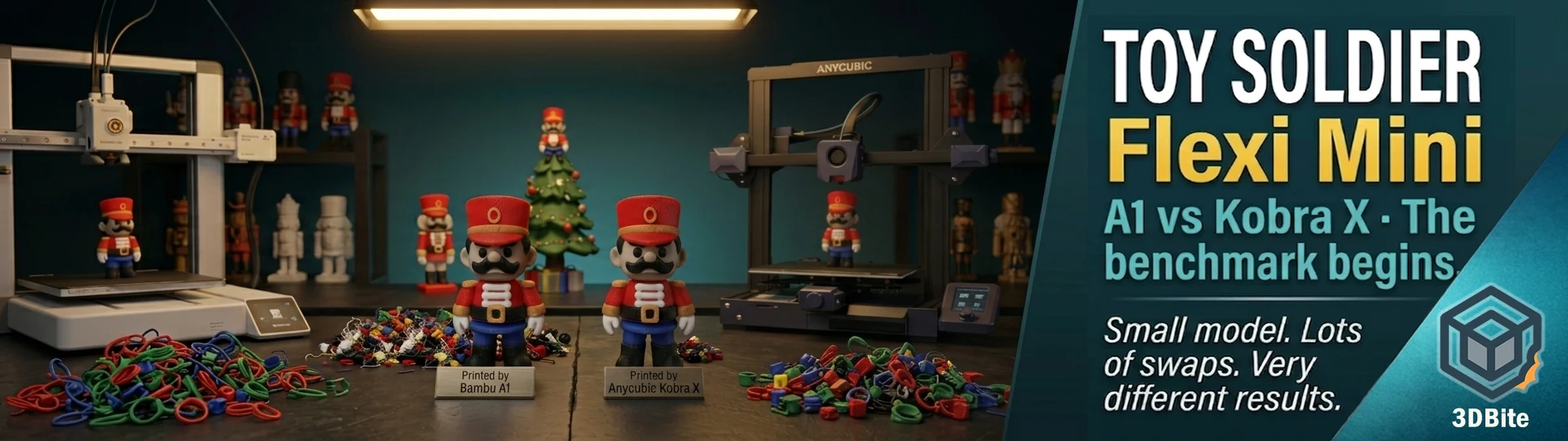
Sometimes a print chooses itself. With two printers now running side by side — the Bambu A1 and the Anycubic Kobra X — the obvious next project was to find a model that would let me put both through their paces on the same job and get meaningful comparative data. The Christmas Toy Soldier Flexi Mini is exactly that model: compact enough to be a quick print in theory, but packed with enough colour changes to make it a genuinely demanding multi-material job in practice. Small model, large number of swaps, lots of purge material, and a compelling reason to run both machines simultaneously and compare what comes out.
The full comparison — timings, waste measurements, side-by-side print quality — is coming in a dedicated post. Spoiler: the Kobra X is considerably quicker on this type of print. But this post is about the model itself, why it is a great seasonal print, and what the printing experience has been like on both machines.
The model
The Christmas Toy Soldier Flexi Mini is free on MakerWorld. It is a small-format articulated figure — the “mini flexi” category on MakerWorld covers a well-established family of compact, print-in-place articulated models designed to be expressive, colourful, and printable on standard build plates without scaling. The toy soldier sits at around 10–12 cm tall depending on profile, which makes it a genuinely compact print — not a multi-day seasonal build like the Grinch or Rudolph, but a focused job that can be completed in a single session per copy.
What makes it unusual for its size is the colour count. The toy soldier’s classic aesthetic — red jacket, black trousers, white belts and trim, gold accents, the distinctive bearskin hat in black — requires multiple distinct colour zones across a compact geometry. Each zone involves a colour change. Those colour changes stack up across the layers. For a model this size, the swap count is disproportionately high relative to the print time, which is precisely what makes it an interesting benchmark for comparing AMS systems rather than just a seasonal decoration.
The flexi element — articulated joints that allow the figure to be posed — adds another consideration. As covered in the print-in-place guide, articulated models require specific attention to cooling and minimum layer time to ensure joints do not fuse during printing. A multi-colour articulated model combines both demands: the cooling discipline of a print-in-place joint and the colour change overhead of a multi-colour AMS job, in a single small print.
Give the designer a boost on MakerWorld if you print this — the seasonal flexi mini category is consistently well-executed and the community around it is active and helpful on print settings.
Filament colours
- Red — jacket, main body. eSun PLA+
- Black — bearskin hat, trousers, boots. eSun PLA+
- White — belt, cross-strap, trim details. eSun PLA+
- Gold / yellow — buttons, buckles, hat band. eSun PLA+
Four colours, all within the AMS Lite’s native capacity — no chaining required. All eSun PLA+ for consistency across both machines. The gold is the colour that requires most attention to source correctly — a bright yellow reads as toy-like, while a warm gold reads as the classic military brass effect the model is designed around. eSun’s gold-adjacent PLA+ works well here; a silk gold would enhance the effect further if you have one loaded.
Print settings
| Setting | Value used | Notes |
|---|---|---|
| Filament | eSun PLA+ across all four colours | Same brand and material on both machines for a fair comparison |
| Layer height | 0.2 mm | Standard for this scale of model |
| Infill | 15% | Display piece with articulated joints — structural infill not the priority |
| Cooling | 100% from layer 3 | Critical for the articulated joints — maximum cooling prevents joint fusion |
| Minimum layer time | 8 seconds | Enforced to prevent nozzle returning to joints before they have solidified |
| Supports | Per designer profile | Follow the provided Bambu Studio profile — the joint geometry is self-supporting where designed |
| Nozzle temp | 220°C | Standard eSun PLA+ |
| Bed temp | 55°C | Textured PEI on both machines |
| AMS / multi-colour | Yes — four slots loaded | Designed specifically as an AMS print. The colour change count is the point of this model |
Why this model is a good AMS stress test
The toy soldier is not a technically demanding print in terms of geometry — the flexi joint design is well within what the A1 handles comfortably with standard settings, and the articulation tolerances are generous enough not to require the tight calibration of more complex print-in-place models. The complexity comes from the colour change density relative to model size.
On a large model with many colour changes, the swap overhead is diluted across a long print. The ratio of print time to swap time stays manageable. On a small model with many colour changes — like this one — the swap overhead becomes a proportionally large fraction of the total job. Every colour change takes the same 40–90 seconds on the A1 regardless of whether it is happening on a 10-hour H2D print or a 45-minute toy soldier. On the soldier, those swaps represent a significant fraction of the total time. On the Kobra X, where each swap takes closer to 35 seconds and the purge volume is smaller, the saving compounds much faster because the model’s total print time is short.
This is exactly the scenario where the ACE Gen 2 architecture’s advantage over the AMS’s longer filament path is most visible — not on the epic eight-hour prints, but on the compact, high-swap-density jobs that are a large proportion of everyday seasonal and decorative printing. Full data and measurements in the dedicated comparison post.
Printing multiple copies
One technique worth noting for anyone printing this model specifically: the purge waste efficiency improves significantly when multiple copies are printed on the same plate. On a single soldier, every colour change purges for that one model. On a plate with three or four soldiers, the same colour change serves all of them simultaneously — the purge volume is shared across the colour transitions for all copies at once rather than multiplied per copy. The community wisdom on multi-colour flexi minis is consistent on this point: it’s recommended to print a batch of figures at once so the purge waste is shared across the group instead of each model individually.
For the comparison runs I have been printing single copies on each machine to keep the conditions matched. For production printing — making several of these as Christmas gifts or decorations — a plate of four on the A1 will be meaningfully more efficient per soldier than four individual prints. The Kobra X’s advantage is most dramatic on single copies where the swap overhead is concentrated; on a full plate the per-soldier improvement narrows as the purge is amortised across more models.
The result as a seasonal print
Setting the benchmark exercise aside for a moment: the finished toy soldier is a great seasonal print. The colour separation is sharp, the articulated joints give it immediate playability, and the classic toy soldier aesthetic reads clearly even at this compact scale. The bearskin hat in matte black alongside the red jacket is the detail that makes it recognisable from across the room rather than requiring close inspection. At 10–12cm it is small enough to display on a shelf, hang from a tree, or sit on a desk without dominating the space.
The flexi element adds something that a static figure does not have — you can pose it, hand it to a child without worrying about breakage, and it holds whatever position you put it in with enough joint resistance to stay there. For the Christmas-obsessed household this printer serves, that combination of characterful aesthetics and durable interactivity is exactly the brief.
What comes next
The comparison post — with actual timings, measured purge waste, and side-by-side quality assessment from the A1 and Kobra X runs — will follow once I have enough consistent data across multiple matched prints on both machines. The spoiler is already out there, but the detail behind it is worth doing properly rather than rushing. Watch this space.
Model file
Free to download. Give the designer a boost on MakerWorld — the flexi mini category is one of the better-curated seasonal print categories on the platform and the designers in it deserve the recognition.