Published 4 November 2026. I have not used either scanner. This post draws on Elegoo’s own pages, All3DP’s report, the one independent review I could find, and other coverage, and labels which is which.
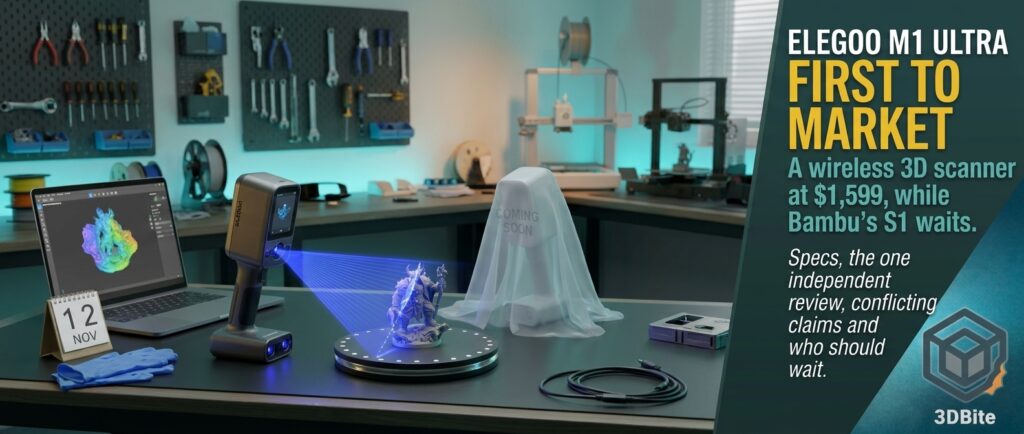
Three weeks ago I wrote about Bambu Lab’s first 3D scanner, the S1, which Bambu teased for November 2026 and nothing else. On 29 October another company walked in and did the thing Bambu has not yet done: Elegoo opened pre-orders for its first 3D scanner, the M1 Ultra, with a price, a full specification sheet and a shipping window. All3DP’s headline put it bluntly, saying Elegoo had beaten Bambu to the punch. That is fair as far as it goes, but the more useful question is what you actually get for the money, how much of it is proven, and whether it makes sense to wait for Bambu. This post covers all three.
The headline facts
| Item | Detail |
|---|---|
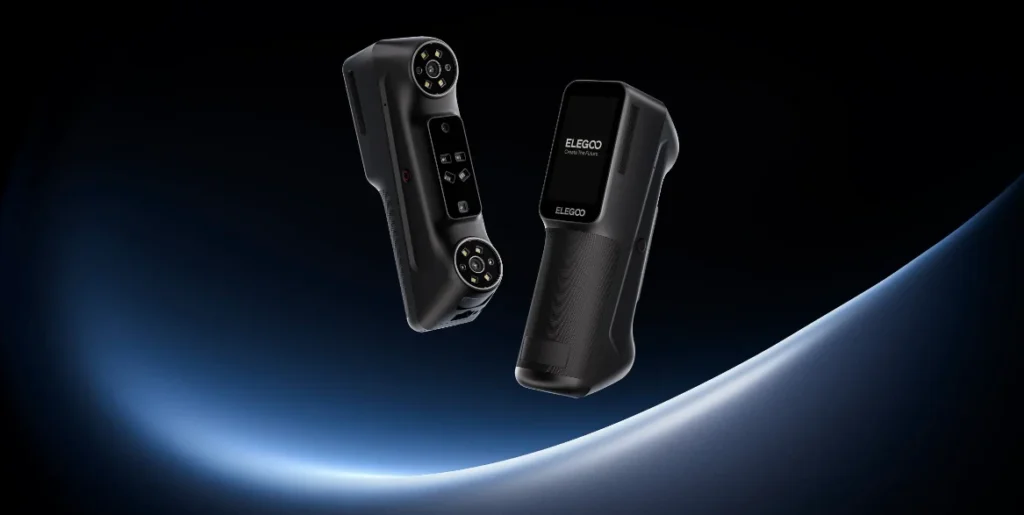
| Product | Elegoo M1 Ultra, the company’s first 3D scanner, a handheld wand with a 3-inch touchscreen |
| Pre-orders opened | 29 October 2026 in the US, EU and UK, among other regions |
| Early-bird price | $1,599, £1,319, €1,599, C$2,299, until 12 November |
| Regular price | $1,699, £1,399, €1,699, C$2,399, ¥299,999 |
| Shipping | Elegoo’s US page says the scanner ships before 25 November, and other options are ready to ship. Subscribers’ free scan markers ship before 20 November |
| Bundles (US) | $1,918 with the Centauri Carbon 2 Combo, $1,948 with the Saturn 4 Ultra 16K resin printer, and two larger bundles with filament or resin |
| Warranty | 12 months on the scanner. The battery, USB cable and calibration board get 6 months. Markers, NIR filters and other consumables are not covered |
What the scanner is
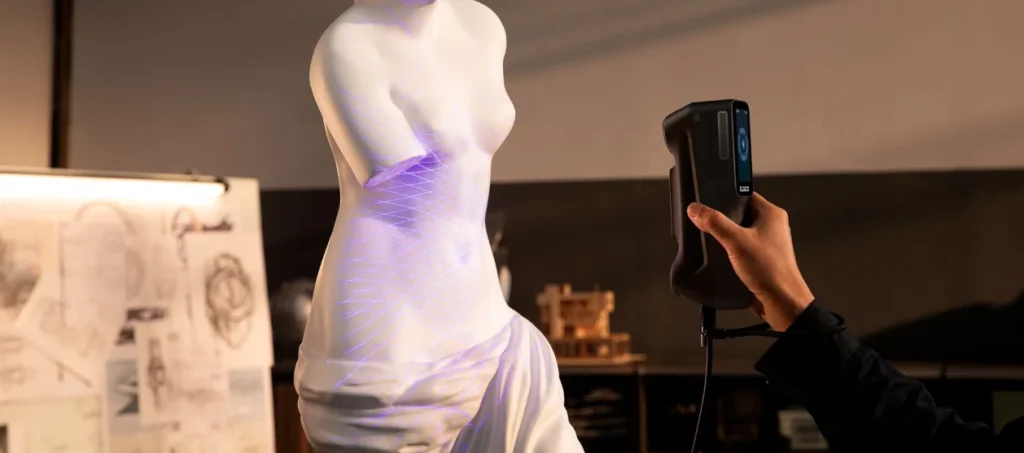
The M1 Ultra is a hybrid handheld scanner. It combines three blue laser patterns, a 34-line cross pattern, a 7-line parallel pattern and a single line, with a near-infrared structured light mode. Elegoo describes five scanning configurations in total, and the logic of each is in the table below.
| Mode | What it is for, per Elegoo |
|---|---|
| 34-line cross blue laser | Fast capture of medium to large objects |
| 7-line parallel blue laser | Small to medium parts and finer detail |
| Single-line blue laser | Deep holes, recesses and narrow gaps |
| Infrared structured light (NIR) | Faces, bodies and larger objects, and outdoor work with the included filter. It uses feature-based tracking only |
| Marker-free blue laser | Surfaces where you cannot apply reflective markers |
| Specification | Elegoo’s figure |
|---|---|
| Accuracy | Up to 0.02 mm (blue laser). Volumetric accuracy 0.02 mm + 0.06 mm/m. Infrared up to 0.05 mm |
| Resolution | 0.05 to 2 mm (laser), 0.1 to 2 mm (NIR) |
| Capture rate | Up to 2,040,000 points per second, up to 100 fps |
| Object size | 5 mm to 4,000 mm (5 x 5 x 5 mm up to 4,000 x 4,000 x 4,000 mm) |
| Colour | 24-bit colour texture mapping |
| Weight and size | 511 g with battery, 191 x 50 x 76 mm |
| Display | 3-inch touchscreen with live preview |
| Battery | Removable 4,800 mAh, two in the box. 1.5 hours to charge to 80% |
| Connectivity | USB-C and Wi-Fi 6, with a switch to change between wired and wireless |
| Optics | All-glass optical system with temperature compensation and camera calibration |
| In the box | Two batteries, a tripod, a calibration board, a USB cable, reflective markers and NIR filters, in a hard case |
| Software | ELEGOO SCAN |
The accuracy and speed numbers are Elegoo’s, and every outlet I read says so. Makers101 states plainly that it has not measured them, and I have not either. Hold them as claims until someone with a reference artefact tests them.
Cutting the cord, but not the computer
All3DP’s framing is that the scanner “cuts the cord”, streaming data to your computer over fast Wi-Fi or a cable. That is accurate but easy to misread. The M1 Ultra is not a standalone scanner. Elegoo describes a load-sharing arrangement in which the scanner processes and compresses data and streams it to a computer that does the heavy work. All3DP reports Elegoo’s recommended computer as a Windows PC with an Nvidia RTX 4060 (8 GB) and 32 GB of RAM, or an Apple M4 Mac with 32 GB. Makers101 lists a lower minimum, a Windows PC with an Nvidia GPU and 6 GB of VRAM with 16 GB of RAM, or an M2 Mac with 16 GB. Budget accordingly: if your printing laptop has integrated graphics, the scanner is only part of the cost.
TechRadar adds a practical catch. In wireless mode the scanner creates its own Wi-Fi hotspot, and the computer must join it directly, which means disconnecting from your normal network. That is fine while scanning, since the software works offline, but it becomes a nuisance when you need to be online at the same time.
Where the sources disagree
Launch coverage always contains a few contradictions, and this one does too. I have listed them rather than pick winners.
| Question | What the sources say |
|---|---|
| Frame rate | All3DP and TechRadar say up to 100 fps over USB and 60 fps over Wi-Fi in laser mode, with NIR capped at 30 fps. Elegoo’s store specification lists a single figure of up to 30 fps for both wired and wireless, which may be the NIR figure |
| Outdoor light tolerance | All3DP quotes up to 80,000 lux for NIR mode with the included filter. Elegoo’s page headline says outdoor laser scans up to 110,000 lux. They may describe different modes |
| Export formats | Makers101 lists STL, OBJ, PLY and ASC. TechRadar says 3MF and STL are available alongside OBJ |
| Shipping date | Makers101 reported US shipping before 10 November and EU on 15 November. Elegoo’s own page now says before 25 November, which I would trust as the more current source |
| Battery life | Elegoo claims up to 1.5 hours. TechRadar measured about 60 minutes |
| Computer requirements | A recommended spec of RTX 4060 and 32 GB (All3DP) versus a lower minimum of 6 GB VRAM and 16 GB (Makers101) |
What the one independent review found
TechRadar’s Alastair Jennings published the first full review on 31 October, scoring it 4.5 out of 5 overall (value 4.5, design 4, features 4.5, performance 4) and giving it its Recommended badge. He tested it for several weeks, so his findings are the best evidence we have. A second site’s “review” carries almost identical wording, so I count it as the same source rather than a second opinion.
| Area | Finding |
|---|---|
| Build and design | Premium feel, well balanced, partly rubberised grip. He would have liked it slightly longer. It arrives in a hard case identical to one used by Creality’s scanners |
| Setup | Install the software, update firmware, run a guided calibration with the board. He found the calibration quick compared with older scanners |
| Scan quality | Fine surface features and dimensions reproduced very well on household ornaments, mechanical parts and structural pieces. A scanned EV charger was imported into CAD to design a wall holder, and the finished holder fitted |
| Speed | Capture is fast. The raw preview looks rough, then the detail “snaps into place” after the first processing stage. Mesh processing took a couple of minutes per scan |
| Software | ELEGOO SCAN is early but crash-free in testing, with a workflow similar to other scanners. The interface looks dated and more hobbyist than professional |
| Wireless | Worked well and made large objects easier to scan thanks to the live touchscreen preview, with the Wi-Fi hotspot catch above |
| Battery | About 60 minutes in testing against the claimed 90. The second battery can be swapped in, and he reports hot-swapping while connected over USB appeared to work, though it is not covered by Elegoo’s material |
| Weak spots | Glossy black plastic and reflective surfaces still need scanning spray. Marker-free scanning was less reliable than markers, even in the marker-free mode |
The reviewer’s most useful advice is the same as every scanning veteran’s: preparation decides the result. His routine takes about five minutes, using a turntable, 3D-printed marker blocks, adhesive reflective markers and acrylic risers to lift the object off the surface, keeping at least five markers visible at once. Most objects then took five to ten minutes to scan from each orientation, and he aimed for two orientations to make alignment easier. His verdict is that the scanner delivers excellent value for enthusiasts, small businesses and entry-level professionals, but not instant results.
Where it sits in the market
| Scanner | Approach | Price | Notes |
|---|---|---|---|
| Elegoo M1 Ultra | 34/7/1 blue lasers plus NIR, wireless, 3-inch screen | $1,699 list, $1,599 early bird | Needs a capable computer |
| Creality Sermoon P1S | The same 34/7/1 laser layout plus NIR, with a 6-inch display | $2,299 | Makers101 says Elegoo is aiming at this class, $600 cheaper at list |
| Creality Pika | 7-line laser plus infrared | $699 | A pocket scanner in a lower class |
| Revopoint RANGE 3 | Entry scanner | From $369 | Less than half the price of its predecessor at launch |
| Revopoint POP 4 | Pocket scanner | About $839 | From earlier coverage |
| EINSTAR Rockit | Prosumer scanner | $1,899 | From earlier coverage |
| 3DeVOK MT Gen2 (Scantech) | Blue laser plus infrared, wired | $8,299 | Same 60 W rating as the S1’s label |
| Bambu Lab S1 | Handheld, details unannounced | Not announced | See below |
Matching laser counts tell you very little about quality. As Makers101 notes, the hardware layout does not reveal anything about the software, which matters as much, and nobody has compared the M1 Ultra and Sermoon P1S on the same parts. The price gap is real, though, and the M1 Ultra also costs more than twice as much as the Pika, so it is a different budget class.
And the Bambu Lab S1?
Here is where things stand. Bambu officially teased the S1 on 12 October with the tagline “Easy in Hand. Pro in Every Scan.” and a “November 2026, Coming soon” label. As of the most recent Bambu product tracker I found, checked on 3 November, the S1 page still showed no day, no price and no specification. All3DP’s piece on the M1 Ultra describes the same status: sign up for email updates and expect a November launch.
| What we know about the S1 | Source and status |
|---|---|
| Name, tagline and November window | Official, from Bambu’s teaser |
| FCC ID 2A6J8-DS001, 60 W (20 V at 3 A), 5 GHz Wi-Fi, no battery listed | Documented. A label drawing and test report, from 22 September |
| Partnership with Scantech | Documented. A framework agreement in January 2026 |
| Already a prize in a MakerWorld contest, with a review period running to mid-December | Reported, suggesting units are expected before the end of the year |
| Price | Unannounced. One commentator’s bet is $999, and forum speculation ranges from $1,000 to $2,000 |
| Technology, accuracy, colour, software, Bambu Studio integration | Unannounced |
I would not infer much from Elegoo’s pricing about what Bambu will charge. Bambu has historically priced at what it thinks its ecosystem can bear, and a scanner that plugs into Bambu Studio and MakerWorld has something Elegoo cannot easily match. But the M1 Ultra does give buyers an anchor: a wireless, colour, multi-mode scanner with a screen and a full specification now exists at $1,599 to $1,699, so a Bambu entry has to be better, cheaper or better integrated to look compelling. That is my reading, not a fact.
Is being first an advantage?
Sometimes. Elegoo gets reviews, early-bird orders and a head start on software feedback, and the TechRadar review suggests it did not rush out something half-finished. It is also a smart extension of its business: it already sells FDM and resin printers, and the bundles pair the scanner with a Centauri Carbon 2 Combo or a Saturn 4 Ultra 16K. Makers101 did the sums and found that the printer bundles save less than the headline suggested: about $230 to $400 against list prices, and only about $80 compared with buying the Centauri Carbon 2 Combo and the scanner separately at early-bird prices.
Bambu’s potential edge is the one thing that first-mover timing cannot buy: tight integration with a slicer, a model library of roughly ten million monthly users and a printer fleet that is already on the desk, as I covered in the Formlabs versus Bambu post. If the S1 turns a scan into a printable project with the same ease as MakerWorld does for downloads, being a few weeks late may not matter.
Should you buy now or wait?
| You are… | My read |
|---|---|
| Needing a scanner now for work or a product | The M1 Ultra has the only independent review I found, and it is positive. Note the early-bird deadline of 12 November and the late-November shipping |
| A Bambu printer owner curious about scanning | Waiting a few weeks to see the S1’s price and integration is reasonable, because Bambu says November |
| Buying under about $700 | This is the wrong price tier. Look at the Pika or the Revopoint RANGE 3 instead |
| Looking at the Sermoon P1S | The M1 Ultra offers the same laser layout for less, but the P1S is already on sale and reviewed. Wait for head-to-head tests |
| Thinking of the printer bundles | Do the arithmetic. The savings are smaller than the headline suggests |
| Someone who prints a lot of replacement and bracket parts | This is the use case TechRadar’s review supports best, with the EV charger holder as the example |
| Without a capable computer | Budget for one, since the scanner does not work alone |
If you do buy one, plan for the consumables the reviewer recommends: reflective markers, a turntable, marker blocks, acrylic supports and scanning spray. Elegoo also sells extra marker packs separately, and the warranty does not cover markers, filters or other consumables. The Black Friday printer deals are also running, so budgets can stretch in several directions this month.
What I would want tested
- The 0.02 mm claim against a certified reference part, in each mode, and the real volumetric error across a large object.
- Marker-free reliability, which the one reviewer found weaker than marker-based scanning.
- Elegoo Scan against Creality’s software on identical parts, plus real export formats.
- Battery life and wireless limits, including the lost normal Wi-Fi connection.
- The NIR outdoor claims in real sunlight, and the real figure behind the two lux numbers.
- Glossy and dark surfaces without spray, since all scanners struggle here and the claims are bold.
- The S1 itself, once Bambu publishes a price, a specification and a date.
My take
The headline is true: Elegoo got there first, and it did so with a product that, on the evidence of the only careful review so far, looks solid. A premium build, a quick calibration, fast capture, crash-free software and a price well under the Sermoon P1S add up to a credible challenger. The caveats are the usual ones for scanners: the accuracy figures are unverified claims, the real work is in preparing the object, and you need a decent computer. For anyone watching Bambu, the more interesting question is not who was first but what the S1 offers that this does not. We should find out this month, and I will write it up as soon as Bambu does.
Sources and further reading
- All3DP: Elegoo beats Bambu to the punch, M1 Ultra 3D scanner available to preorder
- Elegoo US: M1 Ultra product page
- TechRadar: Elegoo M1 Ultra review
- Makers101: Elegoo M1 Ultra price, specs and comparison with the Sermoon P1S
- 3D Printing Industry: Elegoo moves into 3D scanning with the M1 Ultra
- Notebookcheck: Elegoo M1 Ultra launched
- 3DWithUs: Elegoo M1 Ultra first look and specifications
- Tom’s Hardware: Bambu Lab officially teases its first 3D scanner
- Planet3DP: Bambu Lab product tracker, S1 status as of 3 November
- Domechy: Bambu Lab S1 teased and already in a MakerWorld prize pool