
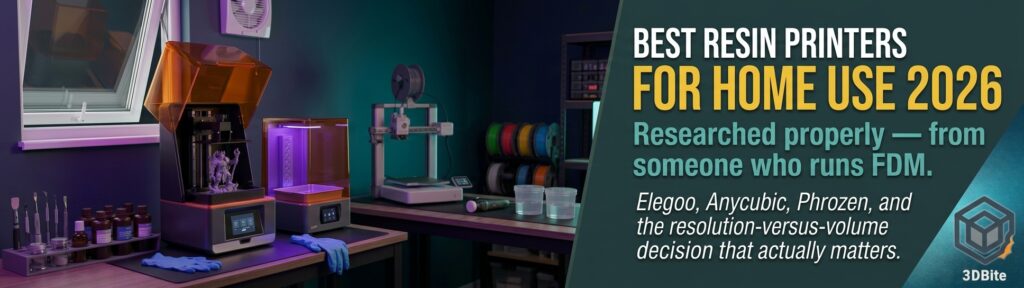
Everything on this site so far has been FDM — the A1, the A2L, filament, extrusion, all of it. Resin printing is a genuinely different technology with its own strengths, its own workflow, and its own risks, and I do not run one myself. That is worth saying plainly rather than pretending otherwise. What follows is a properly researched roundup rather than a hands-on review, pulling together the current consensus across several detailed 2026 buying guides, because the question comes up often enough — usually from people wanting fine detail on miniatures or jewellery that FDM simply cannot match — that it deserves a proper answer even from someone whose own workshop is entirely FDM.
Why resin and FDM are not competing for the same job
Resin printing uses a UV light source — an LCD screen shining through a specific wavelength — to cure liquid photopolymer resin layer by layer, rather than melting and extruding solid filament the way the A1 or A2L does. The practical consequence is resolution. Where FDM’s finest detail is fundamentally limited by nozzle diameter — even a 0.2mm nozzle, as covered in the nozzle size guide, has a physical limit to how fine a feature it can resolve — resin printers work at the pixel resolution of an LCD screen, now commonly described in “K” terms (8K, 12K, 16K) referring to horizontal pixel count. This translates into genuinely finer detail than FDM can achieve at any nozzle size: crisp miniature faces, fine jewellery prototypes, dental models with no visible layer lines. If the print in question needs that level of surface fidelity, resin is doing a job FDM was never going to do as well, regardless of how carefully an A1 is calibrated.
The trade-offs are real and worth stating plainly rather than glossing over. Resin parts are generally more brittle than FDM parts in most common resins, the build volume on most consumer resin printers is considerably smaller than a 256mm-plus FDM plate, and the workflow genuinely requires gloves, proper ventilation, and a wash-and-cure process that FDM does not. This connects directly to the safety points in the fumes and ventilation post — resin’s chemistry is a different and, in several respects, more serious category than FDM’s emissions profile, and anyone moving into resin for the first time should treat the safety side as seriously as the print quality side.
The consensus pick: Elegoo Saturn 4 Ultra
Every guide surveyed for this post converges on the same machine as the overall best pick for 2026, which is a genuinely unusual level of agreement across independent sources. The Elegoo Saturn 4 Ultra — available in 12K and 16K resolution variants — combines a large 10-inch LCD, a tilt-release vat mechanism, print speeds around 150mm/h, and an AI camera system that monitors the print in progress and flags failures before they waste an entire job’s worth of resin. One guide’s specific framing is worth repeating: Elegoo has steadily improved over recent years, with the Saturn 4 Ultra representing a real maturity peak, with slicer support and customer service both now genuinely solid rather than the weaker points they were in earlier Elegoo generations.
The tilt-vat mechanism specifically is flagged across multiple sources as the single biggest reliability improvement in recent resin printer generations. Standard resin printing peels each cured layer directly off the bottom of the vat film, which creates real peel force and is the single most common source of failed prints, particularly on larger flat layers. A tilt-vat design releases the layer at an angle rather than pulling it straight up, dramatically reducing that peel force and, by extension, the failure rate. If considering any resin printer in 2026, checking whether it has a tilt-vat mechanism is worth prioritising over resolution alone — a 16K printer that fails frequently due to peel-force issues is a worse daily-use machine than a 12K printer that reliably completes its prints.
The best budget entry point: Anycubic Photon Mono 4
For anyone wanting to try resin printing without committing to the Saturn 4 Ultra’s price, the Anycubic Photon Mono 4 is the consistent recommendation across every guide surveyed — available under $210, with 10K resolution and Anycubic’s LighTurbo light source technology producing genuinely smooth surfaces even at this price point. One detailed comparison specifically frames it as letting you experience resin printing without a major financial commitment, which is the right framing for anyone testing whether resin suits their actual printing interests before investing in a higher tier machine.
For those wanting a step up in speed and smart features without paying the full 16K premium, the Anycubic Photon Mono M7 adds 14K detail and multiple smart inspection systems at a genuinely competitive price relative to what it offers. The M7 Pro pushes further into production territory specifically — 170mm/h print speed and a resin auto-fill system aimed at users running the machine regularly rather than occasionally.
The safest true budget floor: Creality Halot R6
This is worth flagging specifically because of the warning that comes with it. Multiple guides identify the Creality Halot R6 as the genuine price floor worth buying — fully assembled out of the box, includes a beginner guide, and uses a 2K 6.08-inch LCD with above 90% light uniformity. The explicit warning attached to this recommendation across sources: avoid machines priced below this tier, because they are frequently unreliable and lack basic safety sensors. This is directly analogous to the warning in the beginner FDM printers post about sub-£150 machines without automatic bed levelling — every category of 3D printer has a price floor below which the savings are false economy, and resin printing has its own version of that floor.
Best for miniatures specifically: Phrozen Sonic Mini 8K S
Phrozen’s reputation is built specifically on miniatures-grade detail, and the Sonic Mini 8K S — offering 22 micron XY resolution and broad slicer compatibility — is the name that comes up repeatedly for tabletop gaming and figurine work specifically. One important caveat from the broader research worth being aware of: community feedback has flagged quality-control drift on certain newer Phrozen products, with one guide’s framing being that Phrozen “rewards research” — meaning it is worth checking recent, specific model reviews rather than assuming brand reputation alone guarantees consistency, given the QC variability reported on some recent releases.
The other names worth knowing
Creality’s resin lineup — the Halot Mage S 14K and the Halot-X1 — is described consistently as rewarding community engagement specifically: Creality has the largest community knowledge base in 3D printing generally, but customer service and replacement parts can be uneven, so budgeting on community troubleshooting help rather than expecting smooth official RMA support is the sensible expectation going in. The Halot Mage S 14K specifically gets credit for being enclosed and filtering odours well — a genuinely relevant point given the resin fume concerns covered above, and worth prioritising if the printer will live somewhere ventilation is a genuine constraint rather than an afterthought.
Formlabs sits at the far end of the spectrum from everything else in this roundup — genuinely the professional benchmark, with audit-trail support and enterprise service plans that matter for regulated or commercial contexts specifically. For home hobbyist use, the closed ecosystem and high-margin proprietary resin pricing mean total ownership cost is considerably higher than any of the machines above for a home user who does not need the enterprise support tier that justifies the premium.
Resolution versus build volume: the actual decision to make
One piece of guidance repeated across the research is worth extracting as a standalone principle, because it is the single most useful mental model for choosing between resin printers rather than getting lost comparing K numbers. Higher resolution gives finer detail, but the practical benefit largely plateaus above roughly 14K for most home applications — the jump from 8K to 14K is meaningfully visible; the jump from 14K to 16K is much more marginal for anything but the most demanding jewellery or dental work. If the actual printing plan is terrain, props, or larger display pieces rather than fine miniatures, a lower-resolution printer with a genuinely larger build plate is very likely the better choice than a smaller-plate machine chasing maximum resolution. Matching the machine to what you actually intend to print, rather than defaulting to the highest resolution number available, is the same principle that runs through the beginner FDM guide’s build-volume advice, applied to a different technology.
What buying resin actually adds to a workshop
This is worth being honest about before anyone reading this decides to add a resin printer to an existing FDM setup. Resin printing is not simply “another printer” in the way a second FDM machine like the A2L extends an existing A1 workflow. It genuinely needs its own dedicated space — ideally ventilated, away from children and pets given the concerns raised in the fumes post — its own wash and cure station, nitrile gloves used consistently rather than occasionally, and a genuinely different level of care around handling uncured resin than FDM filament ever requires. For anyone specifically drawn to resin for the detail level it offers on miniatures or jewellery, that overhead is worth it. For anyone considering it more casually because a 16K number sounds impressive, the honest advice from every source surveyed here is the same: understand the workflow commitment before buying, because resin rewards deliberate use in a way that FDM, forgiving and increasingly automated as covered throughout this site, generally does not demand to the same degree.
The summary
| Need | Pick |
|---|---|
| Best overall | Elegoo Saturn 4 Ultra (12K or 16K) |
| Best budget entry point | Anycubic Photon Mono 4 |
| Best true price floor / safest cheap option | Creality Halot R6 |
| Best for miniatures and tabletop detail specifically | Phrozen Sonic Mini 8K S |
| Best for odour control / enclosed workspace | Creality Halot Mage S 14K |
| Best for production speed | Anycubic Photon Mono M7 Pro |
| Professional / commercial and regulated use | Formlabs range |
The tilt-vat call is the one I wish more roundups led with. I have seen 16K jobs fail on a big flat first layer while a 12K Saturn with the tilt release just finishes — peel force is the reliability number, not the K count. The 14K plateau is also right for home work: jewellery and dental notice 16K, tabletop faces mostly do not. The Halot R6 floor warning matches the cheap-FDM lesson; skip the no-sensor machines. One practical add for anyone generating STLs (luphra.com) then deciding FDM vs resin: if the model has faces, filigree, or sub-0.4mm features, send it to resin and budget gloves/vent/wash-cure as a real extra station, not a second FDM.