A few days ago I posted about OGcode — Robert Dabi’s browser-based tool that generates G-code directly from a drawn profile, bypassing the slicer entirely. If you missed it, the short version is here. But after writing it I found myself sitting with a question that I had not properly answered, even for myself. I use G-code every day. Every print I send from Bambu Studio or OrcaSlicer produces a G-code file. The slicer’s entire job is to convert a 3D mesh into a G-code file. And yet if someone asked me to explain exactly what G-code is, where it came from, and why it works the way it does, I would have given a pretty thin answer. So this post is me actually working that out. The history is better than I expected. The technical logic makes more sense once you understand it properly. And where it is heading is genuinely interesting.
What G-code actually is
G-code is a plain-text programming language for controlling machines that move in precise coordinates. The name is short for geometric code, though you will also see it referred to as RS-274 or ISO 6983, which are the formal standards that define it. Each line of G-code is a command block. Each command pairs an address letter with a number. G0 and G1 are movement commands — rapid positioning and controlled linear motion respectively. X, Y, and Z specify where the machine should move. F specifies how fast. That is the basic grammar, and it has barely changed in sixty-eight years.
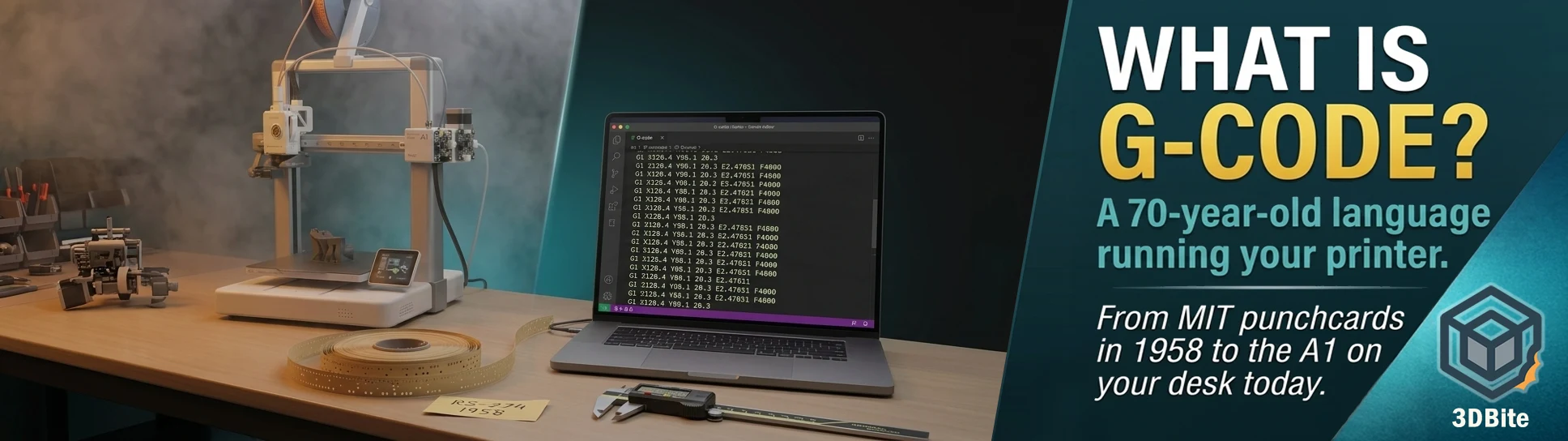
For a 3D printer specifically, G-code adds one critical axis that CNC machines do not have: E, which controls the extruder. A line like G1 X120.4 Y88.1 Z0.3 E2.47851 F4800 tells the printer to move in a straight line to a specific XYZ coordinate while pushing a specific amount of filament through the nozzle at a specific speed. That is a complete print move. The entire physical act of FDM printing is a sequence of lines that look roughly like that, with some M-codes (miscellaneous commands) interspersed to handle temperature, fans, and machine state. The finished G-code file for a complex print might contain hundreds of thousands of these lines. The slicer generates all of them. You never see them unless you go looking.
The history: older than you probably think
G-code originated at the MIT Servomechanisms Laboratory in the early 1950s. The US Air Force had approached MIT with a specific problem: manufacturing complex aircraft components required machining operations too precise and too intricate for a human operator to perform consistently from drawings. What was needed was a machine that could follow programmed instructions rather than a machinist’s judgement. By 1952, MIT had built a working prototype — a Cincinnati Hydro-Tel milling machine retrofitted with servomotors and driven by punched paper tape. The first NC (numerically controlled) milling machine. The instructions on that tape were the earliest ancestor of the commands running the A1 today.
G-code as a formalised language first appeared in 1958, developed at the same MIT laboratory as a standardised way to write those instructions. In 1963, the Electronic Industries Alliance published it as RS-274 — the first official standard. This places G-code in interesting company. COBOL was published in 1959. FORTRAN had its first commercial compiler in 1957. G-code is contemporary with the earliest high-level programming languages. It is older than C, older than Pascal, older than the internet, older than the microprocessor. It is one of the oldest programming languages still in active daily use anywhere in the world.
The 1963 standard was revised to RS-274D in 1979 and 1980, and the international equivalent, ISO 6983, followed in 1982. Neither the 1980 nor the 1982 standard is a particularly good document — they describe a minimal core that real-world machines have always extended with proprietary additions, and the gap between what the standard specifies and what any given machine actually implements has been a constant tension since the beginning. The standard exists, technically speaking. In practice, every firmware and every manufacturer does their own thing with it.
The first commercial NC machines went to aerospace and automotive manufacturers in the late 1950s. Companies including Kearney and Trecker and General Electric produced hardware; General Electric also developed compatible digital control systems. By the 1960s the technology was spreading through industrial manufacturing, and paper tape was gradually replaced by magnetic tape, then floppy disk, then hard disk, then direct network transmission. The physical medium changed. The language on it did not.
How a G-code file is actually structured
Open any G-code file in a text editor and you will see three distinct sections. The start block at the top runs before any print moves — heating the bed and nozzle, homing the axes, running any pre-print calibration. The main body is the print itself: millions of G1 moves interleaved with M-codes that change fan speed, adjust temperature, trigger colour changes. The end block cools down the machine, retracts filament, moves the printhead out of the way, and turns everything off. Bambu Studio and OrcaSlicer generate all three sections automatically from the printer profile, which is one reason getting the printer profile right matters — the start and end blocks are generated from that profile, and a mismatch between what the file expects and what the printer does is how you get the homing problems and calibration issues that direct G-code tools can cause if the start sequence is wrong.
The address letters you will encounter most often in a 3D printing G-code file are these. G0 is rapid positioning — move as fast as possible to a coordinate without extruding. G1 is linear interpolation — move to a coordinate at a specified feed rate, extruding if E is included. G28 homes the axes. G29 runs automatic bed levelling. G90 sets absolute positioning mode, where X, Y, Z coordinates are relative to the machine’s home position. G91 sets relative mode, where coordinates are relative to the current position. G92 sets the current position to a specified value without moving — used to reset the extruder count to zero before a new print segment. M104 sets the extruder temperature without waiting. M109 sets it and waits for it to be reached before proceeding. M140 sets the bed temperature. M190 waits for it. M106 turns the part cooling fan on at a specified speed. M107 turns it off. That is the vocabulary that covers the vast majority of what a standard FDM print contains.
Modal commands: the logic that makes G-code efficient
One of G-code’s structural features that is worth understanding properly is modal commands. A modal command stays active until it is explicitly replaced or cancelled. Set G90 at the start of a file and the machine operates in absolute positioning mode for every subsequent command until G91 appears. Set the fan to M106 S128 (half speed) and it runs at half speed for every subsequent layer until another M106 changes it or M107 stops it. This is why G-code files do not need to specify the positioning mode on every line, or the fan speed at every layer — they set a state, and that state persists. The file only writes what changes. A long print where fan speed does not change might have one M106 command in the entire start block and nothing more about the fan until a colour change or the end block.
This design decision was made in the 1950s when punched paper tape was the physical medium and every character cost physical tape length. Economy was a hard constraint. The modal structure that solved the tape economy problem seventy years ago is still in every G-code file produced today, including every file Bambu Studio has ever generated. The constraint that produced it is gone. The solution remains.
How G-code got into 3D printing
The connection between CNC machining and FDM 3D printing is not abstract — it is direct. The RepRap project, covered in the first printer post, chose G-code as its control language deliberately. Adrian Bowyer and the RepRap community needed a machine control language that was well understood, widely documented, and had existing software infrastructure. G-code had all of these because the CNC industry had been building tools around it for forty years. Marlin firmware — which powered the RepRap and its descendants, and which many Klipper-based printers remain compatible with — implemented G-code with FDM-specific extensions: the E axis for extrusion, and M-code extensions for the specific hardware a 3D printer needs (heated beds, extruder fans, filament runout sensors) that a milling machine does not.
This inheritance explains both the strength of G-code in 3D printing and its occasional oddness. The strength: a huge body of existing tools, viewers, generators, and knowledge. Open gcode.ws in a browser, drop in any G-code file, and see a full 3D visualisation of the toolpath. That tool exists because G-code is standard enough that a browser-based parser can handle it. The oddness: some G-code conventions that make sense in a subtractive machining context are awkward in additive manufacturing. The E axis was grafted onto a language that assumed only X, Y, and Z. Temperature management uses M-codes because G-code had no concept of a heated nozzle — those M-codes are a patchwork extension added by the RepRap community rather than a considered design from the original standard.
The fragmentation problem
Despite G-code being an international standard, the reality is that every firmware and every manufacturer implements it differently. Marlin, Klipper, RepRapFirmware, Smoothieware — each has its own extensions, its own M-code conventions, and its own behaviour for edge cases the standard does not specify. The CNCZONE forum described this accurately in an early discussion of the standard: few machine tool controllers adhere strictly to RS-274. Extensions and variations have been added independently by manufacturers.
Bambu Lab’s G-code is the most distinctive example in the current hobbyist market. Bambu printers do not use standard G-code for their cloud printing path at all — they use a proprietary binary protocol over their cloud connection, and G-code is only exposed when printing via LAN mode or through tools like Bambuddy. Even in LAN mode, the start and end sequences need to match what the Bambu firmware expects rather than what generic Marlin conventions assume. This is one reason OrcaSlicer needs a specific Bambu printer profile rather than a generic one — the G-code dialect the printer expects is different enough from standard Marlin that a generic profile produces a file that may behave incorrectly on homing and calibration.
This fragmentation is the reason the self-hosted tools discussed in the self-hosted tools post need to be printer-aware. Bambuddy, Spoolman, OctoPrint — all of them have to account for the specific G-code dialect of the printers they are managing, because “standard” G-code is less standard in practice than the existence of a formal ISO specification implies.
Reading an actual G-code file
If you have Bambu Studio installed, slice any model and look at the Export menu. You can export the G-code file and open it in any text editor. The first thing you will notice is how readable it is. Unlike compiled software, G-code is human-legible plain text. The coordinates, the temperatures, the speeds — all of it is there in ASCII, annotated with semicolons that mark comments the machine ignores but a human can read. Bambu Studio’s exported G-code includes the print settings as a JSON block in the header comments, which is how the printer knows what filament profiles and temperatures were used to generate the file. Scroll down from the header and you reach the start sequence, then the first layer, then thousands of lines of print moves, then the end sequence. It is not mysterious once you know what the letters mean. Every 3D print you have ever made is, underneath the interface and the slicer, a very long text file of movement instructions.
Where it is going
G-code has outlasted every prediction of its obsolescence. It survived the transition from paper tape to digital. It survived the transition from CNC to 3D printing. It is now being extended for 5-axis printing, where the nozzle angle and the bed tilt have to be encoded alongside the XY coordinates — a challenge that the Unlayered 3D slicer, covered in the Unlayered 3D post, is addressing through an OrcaSlicer fork that generates 5-axis G-code paths the standard never anticipated.
The OGcode post raised the possibility of direct-to-G-code generation — bypassing the model and slicer entirely and writing the toolpath mathematically. FullControl, 3Dsynth, and OGcode itself all do this for vase-mode geometry. As AI toolpath generation matures, the pipeline from “image or prompt” to “G-code file” without a traditional mesh or slicer in the middle becomes more plausible. Carnegie Mellon researchers have already published work on AI systems that translate 2D images into print-ready G-code directly. Whether G-code itself survives as the output format — or whether something better eventually replaces it for the additive-specific use case — is a harder question. The CNC industry has tried to replace it multiple times and failed each time. G-code is still here partly because it is good and partly because the toolchain infrastructure built around it over seven decades is too large and too embedded to walk away from quickly.
In the meantime: every time you hit slice in Bambu Studio, you are generating a document in a language that originated in the same year the first commercial jet aircraft entered service. The language has grown, adapted, and fragmented. The core grammar has not changed. There is something almost perversely satisfying about a text file format older than the microprocessor still running on a machine that can print eight colours simultaneously and notify your phone when it finishes.