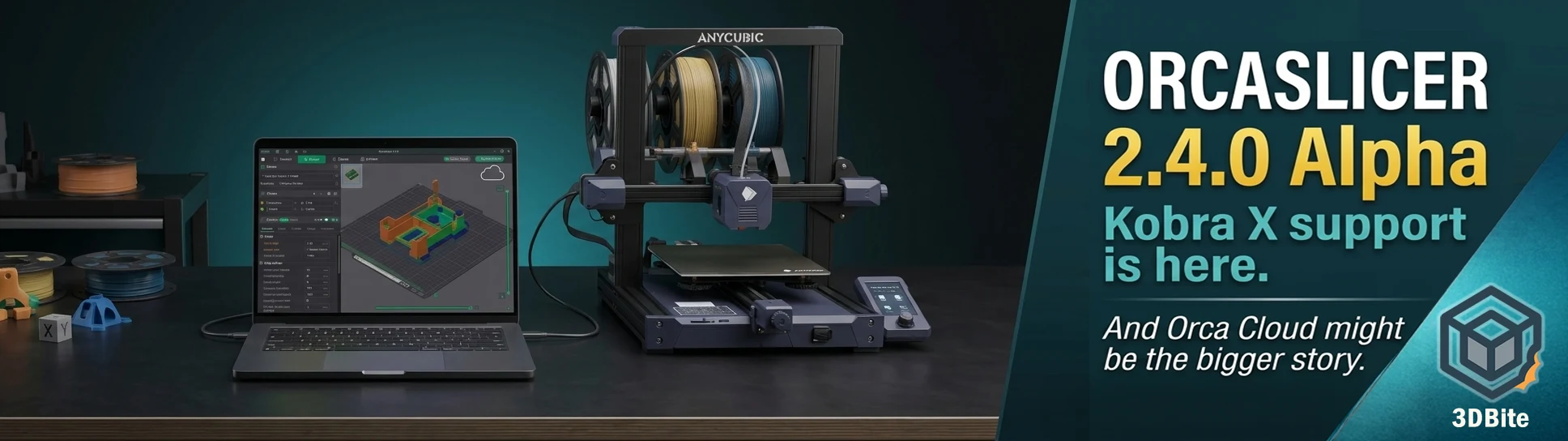
OrcaSlicer dropped its 2.4.0 Alpha build on 25 May 2026 and the release notes make for genuinely interesting reading. The Anycubic Kobra X is now supported — which is the piece of news most relevant to my current setup and the reason I went looking at the release in the first place — but pulling on that thread reveals a much larger release than the Kobra X headline suggests. Orca Cloud, Z Anti-Aliasing, Machine Input Shaping, a new Expert mode, and a redesigned printer selection interface are all in here. This post covers what the update actually contains, what Kobra X support in OrcaSlicer means in practice, and why I am genuinely keen to move my Kobra X workflow off AnycubicSlicerNext and onto OrcaSlicer as soon as possible.
The Kobra X support: what it means and why it matters to me
In the week one Kobra X review I was direct about AnycubicSlicerNext’s problems: approximately twelve crashes in the first week during model slicing, a lack of third-party filament profiles including nothing for eSun, and an interface that is close enough to Bambu Studio to be recognisable but different enough to be occasionally wrong. None of these are problems with the Kobra X hardware. They are problems with the software that ships with it, and software can be replaced.
OrcaSlicer is the natural alternative. It is what AnycubicSlicerNext is forked from. It is what I would reach for on any machine that supports it. The Kobra X’s connection to AnycubicSlicerNext is convenience rather than necessity — the printer speaks standard G-code and connects over Wi-Fi or LAN — so the only barrier to using OrcaSlicer with it has been the absence of a native Kobra X printer profile in OrcaSlicer’s printer database. That barrier has now been removed in the 2.4.0 Alpha.
It is worth being clear about what “supported in Alpha” means in practice. Alpha releases are pre-release builds that are feature-complete enough to test but not yet stable enough for production recommendation. The Kobra X profile in OrcaSlicer 2.4.0 Alpha will work — the machine is not structurally different from other Anycubic machines that OrcaSlicer already supports — but the profile may need community refinement, some settings may not be fully optimised for the ACE Gen 2 multi-colour system, and the Alpha-stage stability of the broader release means this is a try-it-and-report-issues build rather than an install-and-forget one. That is a reasonable place to be at Alpha. I am going to install it and give it a full test this week.
The reason I am keen to do this rather than waiting for a stable release: the AnycubicSlicerNext situation has been uncomfortable enough in week one that almost any functional alternative is worth trying. A slicer that crashes during slicing is a slicer that interrupts the workflow at the worst possible moment. If OrcaSlicer 2.4.0 Alpha on the Kobra X is less stable overall but does not crash on slicing the models I am working with, it is still a net improvement over the current situation. I will report back with real results.
The real headline: Orca Cloud
The Kobra X support entry in the release notes is one line among many. The headline feature of 2.4.0 is Orca Cloud — and it is the kind of addition that changes what OrcaSlicer is as a product, not just what it supports.
Orca Cloud is a new centralised platform at cloud.orcaslicer.com that synchronises printer, filament, and process profiles across every machine you use. It allows users to share finely tuned preset bundles with the community and discover configurations created by other makers. Think of it as MakerWorld for slicer profiles — a community repository for the calibration work that currently lives in individual config folders and gets shared via forum posts, Reddit threads, and Discord servers.
The practical implication for multi-machine users is immediate. I currently have Bambu Studio configured on two computers, with eSun PLA+ profiles that have been tuned over two years and exist in slightly different states on each machine. Syncing them requires manual export and import. OrcaSlicer’s Orca Cloud would maintain these profiles in sync automatically — log in on any machine and your configurations are there. For anyone using OrcaSlicer across desktop and laptop, or across multiple printers on different workstations, this is a meaningful workflow improvement.
The community discovery element is the longer-term value proposition. If well-tuned Kobra X profiles for eSun PLA+ appear in Orca Cloud within weeks of the Alpha release — which is exactly how these things develop in active communities — the profile depth gap between OrcaSlicer and AnycubicSlicerNext closes almost immediately. The community that has been calibrating Kobra X profiles since the machine launched now has a centralised place to share that work, and new users benefit from day one rather than having to build profiles from scratch.
Crucially, Orca Cloud is entirely optional. Local profiles and the existing OrcaSlicer workflow continue to work exactly as before without logging in. The cloud platform is additive rather than mandatory — there is no ecosystem lock-in being introduced here, and the open-source nature of OrcaSlicer means the code backing Orca Cloud is visible and auditable. This is the opposite of Bambu’s direction with the OrcaSlicer controversy — building community infrastructure that increases value rather than restricting access.
Z Anti-Aliasing: smoother top surfaces without slower prints
Z Anti-Aliasing — ZAA — is a contouring technique that addresses the staircase effect on gently sloped surfaces without the print time penalty of reducing layer height across the entire model. Variable Layer Height on a Bambu machine does something similar, but ZAA is a different approach: rather than varying the layer height, it adjusts the extrusion width along the contour to smooth the visual transition between layer steps.
The result on organic curved surfaces — the kind of geometry that the Benchy’s bow and domed figurine heads present — should be a reduction in visible staircase stepping without the 0.08mm layer height that Variable Layer Height requires for maximum smoothness. Whether ZAA delivers this in practice to the same degree as genuine layer height reduction is something the community will test over the coming weeks as Alpha builds circulate. The technique is theoretically sound — it is used in professional slicers for the same reason — and its inclusion in OrcaSlicer’s feature set is the right direction for surface quality improvement without time cost.
Machine Input Shaping
Input Shaping — the firmware technique that compensates for printer resonance to enable higher-speed printing without ringing artefacts — has been a firmware-level feature on Bambu machines and Klipper-based printers for years. OrcaSlicer 2.4.0 adds Machine Input Shaping at the slicer level, which allows the slicer to directly influence the input shaping parameters rather than relying entirely on firmware-level compensation.
For Kobra X users specifically, this is interesting because the Kobra X runs on Anycubic’s own firmware variant with input shaping enabled by default through the LeviQ calibration system. Whether OrcaSlicer’s Machine Input Shaping integration works with Anycubic’s firmware or requires Klipper-based firmware to be meaningful is something the community will need to establish. For Bambu users running OrcaSlicer with Bambu Connect or through community tools, this feature adds another layer of resonance control beyond what Bambu Studio exposes.
Expert mode and other quality-of-life additions
The new Expert user mode sits above Advanced mode in OrcaSlicer’s interface complexity ladder, exposing settings that were previously accessible only through manual config file editing. For users who want access to every parameter in the slicing pipeline without leaving the UI, this is the right addition — it surfaces power-user controls that have always been technically available but practically hidden.
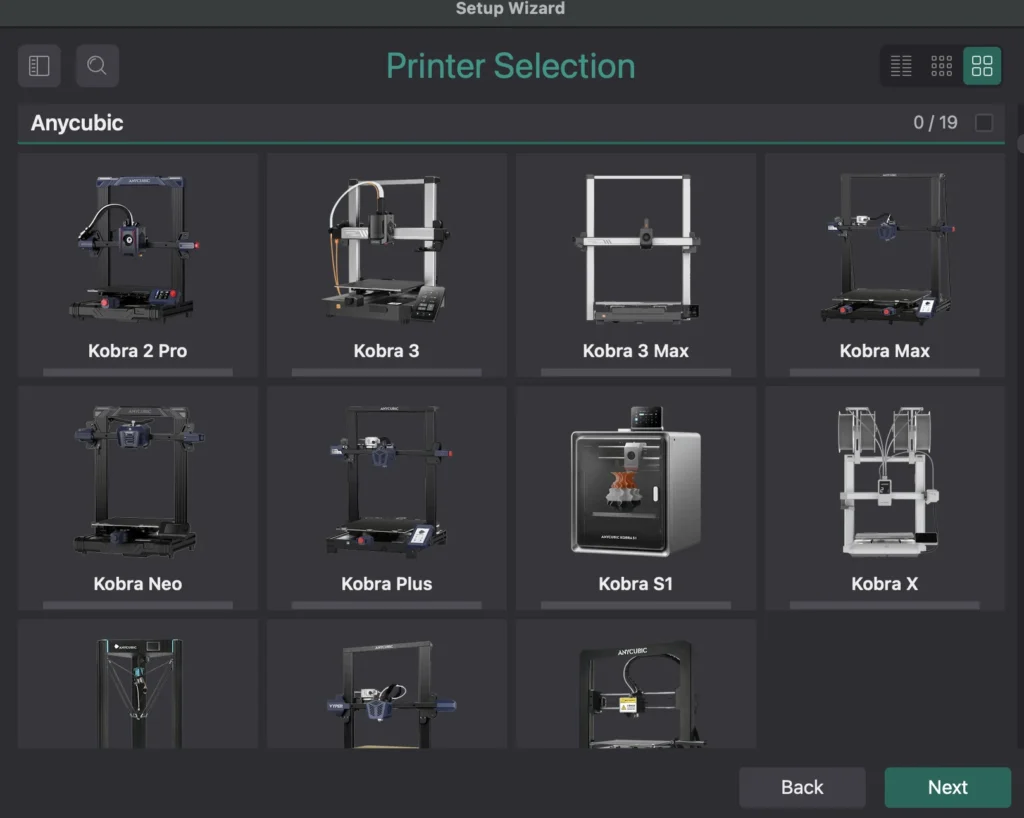
The redesigned printer selection dialog addresses a genuine usability issue — as OrcaSlicer’s supported printer list has expanded to cover Bambu, Prusa, Voron, VzBot, RatRig, Creality, Anycubic and more, navigating the printer selection screen had become unwieldy. The redesign makes the growing printer library navigable.
Optimised Gyroid infill is a welcome improvement for anyone who uses Gyroid regularly — it is the aesthetically pleasing infill pattern that also happens to produce strong isotropic mechanical properties, and it has historically been one of the slower infills to generate in the slicer and to print. Any speed improvement in Gyroid generation is appreciated on complex models where the slicing time is noticeable.
Prusa-style combined brims offer a brim variant that combines the model brim with the support brim into a single continuous structure — avoiding the gaps and separation that occur when model and support brim areas overlap and can lift independently. For models with complex geometry and extensive support requirements, this is a practical first-layer reliability improvement.
The broader context: OrcaSlicer is pulling ahead
It is worth stepping back from the specific features to note the trajectory OrcaSlicer is on relative to the proprietary slicers competing with it. Bambu Studio has been the benchmark for feature quality and stability in the AMS ecosystem. AnycubicSlicerNext is a fork of OrcaSlicer that is demonstrably less mature. The gap between OrcaSlicer and Bambu Studio has been narrowing consistently with each OrcaSlicer release.
The 2.4.0 feature set — Orca Cloud’s profile sync infrastructure, ZAA, Machine Input Shaping, Expert mode — is not a minor update. It is a release that adds capabilities Bambu Studio does not have. Orca Cloud, specifically, is the kind of community infrastructure play that Bambu has done well with MakerWorld for models but has never built for profiles. If Orca Cloud develops a healthy community profile library, it gives OrcaSlicer a network effect advantage that is difficult for proprietary slicers to replicate.
The context of the OrcaSlicer controversy with Bambu Lab — covered in the follow-up post and the original coverage — gives this trajectory an additional dimension. OrcaSlicer is developing a cloud infrastructure, community profile sharing, and expanded printer support at the same time that Bambu is attempting to restrict third-party slicer access to their printers. The community is watching both developments simultaneously. For anyone who values open tooling over ecosystem lock-in, the direction of travel matters as much as the current feature state.
Download and caveats
OrcaSlicer 2.4.0 Alpha is available at github.com/OrcaSlicer/OrcaSlicer/releases/tag/v2.4.0-alpha. It installs independently of the stable OrcaSlicer release and can sit alongside it. The Alpha designation is serious — do not replace your stable installation with this for production printing without testing it on your specific workflow first.
For Kobra X users specifically: the printer profile is there and the machine will connect. The profile may need tweaking — particularly for ACE Gen 2 multi-colour settings, purge volumes, and filament-specific temperatures. The community will document the required adjustments quickly as Alpha testers report their findings. Check the OrcaSlicer GitHub issues and the Anycubic subreddit for community-sourced Kobra X profile settings as they emerge.
I will be testing OrcaSlicer 2.4.0 Alpha on the Kobra X this week and will follow up with real findings — stability compared to AnycubicSlicerNext, profile quality on eSun PLA+, and whether the multi-colour ACE Gen 2 workflow works correctly through OrcaSlicer rather than AnycubicSlicerNext. Watch for that update.