Published 9 November 2026. I have not used a SparkX i7. I own an A1 and an A2L, so the A1 side of this comparison is familiar territory, and the i7 side is built from Creality’s own pages and the independent reviews and owner reports I could find. I say which is which, and where sources disagree.
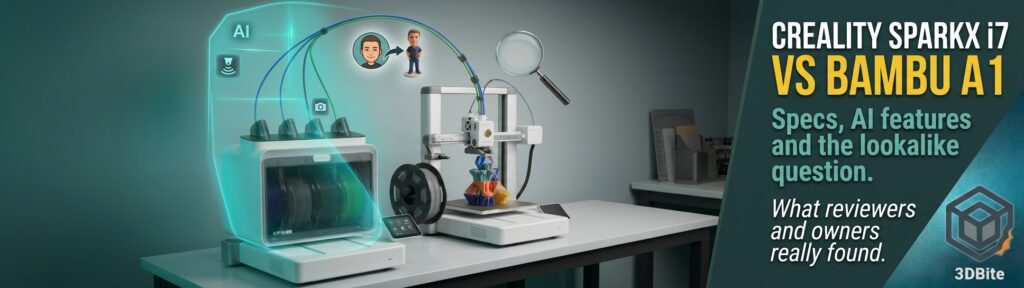
Put a photo of the Creality SparkX i7 next to a Bambu Lab A1 and you will look twice. Tom’s Hardware’s reviewer opens by saying it looks way too much like an A1 with the X axis mirror-imaged, and later calls it an A1 clone decked out with RGB lights. I think that is a fair first reaction. What interests me more is what is underneath: the specs, the AI features Creality is shouting about, and whether the resemblance is only skin deep. Here is what I found.
The i7 at a glance
| Item | Detail |
|---|---|
| What it is | An open-frame, direct-drive bed-slinger from Creality’s new SparkX sub-brand, “powered by Creality”. The first SparkX printer |
| Launch | Shown at CES in January 2026, with pre-orders from 6 January |
| Target buyer | Beginners. Creality’s pitch is easy setup, quiet running and AI help |
| Versions | Single printer, Autofill Combo (CFS Mini, two spools, not multicolour), Nano Combo (CFS Nano, four open slots) and Color Combo (CFS Lite, four enclosed slots) |
| US prices (Creality store, late October) | $279 single, $229 Autofill, $299 Nano, $349 Color Combo (list $399, launch early-bird $339) |
| UK price | Color Combo £339 on Creality’s UK store (was £399). TechRadar reported £319 on 22 October, and a price tracker shows £319 at Amazon UK and others on 8 November |
| Successor | The SparkX i8, with four colours built into the toolhead, is already on Indiegogo, per Makers101 |
Specifications
These are Creality’s figures from its store page. Speed, acceleration and noise numbers are claims, not measurements.
| Specification | SparkX i7 |
|---|---|
| Build volume | 260 × 260 × 255 mm |
| Printer size and weight | 470 × 423 × 456 mm, 9.12 kg. With the CFS Lite, about 876 mm wide, and the bed needs room front and back |
| Speed and acceleration | Up to 500 mm/s and 10,000 mm/s². FauxHammer’s spec table also lists a 300 mm/s optimised profile |
| Hotend and bed | Up to 300 °C and 100 °C. Quick-swap hotend, no tools. 0.4 mm nozzle fitted, compatible with 0.2, 0.6 and 0.8 mm |
| Extruder | Direct drive, 1.75 mm filament |
| Build plate | Dual-sided textured PEI. Full-auto levelling |
| Motion features | Pressure advance, input shaping, power-loss recovery and filament run-out resume |
| Layer height | 0.05 to 0.3 mm |
| Materials | PLA, PLA-Silk, PETG, TPU and PLA-CF listed. TPU is limited to 64D or harder through the CFS units, with softer TPU from the printer’s own spool holder |
| Not suited to | ABS, ASA or nylon: it is open-frame and those are not on the list |
| Screen and lighting | 2.85-inch colour touchscreen. Programmable RGB status light bar |
| Connectivity | 2.4 GHz Wi-Fi, USB drive, 8 GB onboard storage. Files as G-code or 3MF |
| Software | Creality Print 6.3 or later, Creality Cloud app, firmware called Creality OS (Klipper-based, per several reviewers) |
| Camera and detection | 720p camera with lighting and privacy cover. Spaghetti, air printing, filament tangle and build plate detection, plus cutter wear monitoring |
The filament units
| Unit | Slots | Multicolour? | Notes |
|---|---|---|---|
| CFS Lite | 4, enclosed | Yes | Desiccant, not heated. Reads RFID on Creality spools, auto refill, tangle detection. One unit only, no daisy-chaining. Passive rollers, so spools do not retract |
| CFS Nano | 4, open rack | Yes | Added by firmware in July 2026. No enclosure, desiccant or tangle detection |
| CFS Mini | 2, open rack | No | Automatic refill only, so it swaps to the second spool when the first runs out |
Tom’s Hardware found the CFS Lite looked and felt like a toy, but praised how forgiving it is. Cardboard spools, slightly oversized spools and small samples all fit, and a 2 kg spool works if you give it the two middle slots. Over a long run of multicolour prints he had nothing tangle, though the spools free-wheel and the lack of retraction makes a mess. Creality’s own spec lists 1 kg spools of 195 to 202 mm diameter, which is narrower than what Tom’s Hardware actually managed.
Does it really look like an A1?
Yes, and nobody I read denies it. Domechy, after months with the i7, says the resemblance is real: the layout, the quick-release hotend concept, and the “buy the combo, get an AMS-style unit” formula are clearly the same playbook. Domechy’s theory, which it labels a theory, is that Creality had two years to watch how people used the A1 and spent that time sharpening specific things rather than just copying the shape. Two details support that view:
- The hotend latch. Tom’s Hardware says the quick-release hotend is very similar to the A1’s, with an easier clasp mounted on the side. Domechy can swap the nozzle one-handed, and relays another reviewer saying the latch feels more secure than the A1’s smaller one, and that clearing a clog means pulling one latch to expose both gears. The same reviewer did not like the 4-in-1 PTFE adapter being built into the extruder assembly, so a failure there means replacing the whole assembly.
- The bed cable. Domechy credits a YGK3D teardown for pointing out that the i7’s bed cable has proper strain relief, and links it to the A1’s earlier recall over a poorly strain-relieved bed cable. I have not verified either part, so treat it as one reviewer’s observation.
FauxHammer takes a harsher line, calling the i7 “another Creality product wearing a different badge”, and a commenter’s summary under that video is that it is part Kobra X and part A1. The i7 does differ in obvious ways: white plastic base with an aluminium gantry, a flip-out screen, an RGB status strip, and a CFS Lite that sits to the left of the printer where the A1’s AMS Lite sits on top. Whether the resemblance is homage, convergence or copying is a matter of opinion, and I am more interested in whether the thing works.
Head to head with the A1
| Area | Creality SparkX i7 | Bambu Lab A1 |
|---|---|---|
| Build volume | 260 × 260 × 255 mm | 256 × 256 × 256 mm |
| Claimed speed, acceleration | 500 mm/s, 10,000 mm/s² | Both listed at roughly the same (Makers101) |
| Hotend, bed | 300 °C, 100 °C | Both listed at roughly the same (Makers101) |
| Multicolour unit | CFS Lite: four slots, enclosed, desiccant, RFID on Creality spools, passive rollers | AMS Lite: four slots, open |
| Camera | 720p with lighting, privacy cover, AI detection | A low-frame-rate camera included (Bambu’s UK store), for remote viewing and timelapse |
| Failure detection | Spaghetti, air printing, tangle, build plate, cutter wear | Per Bambu’s A1 manual: filament tangle monitoring, nozzle clumping detection, build plate detection, air printing detection. Camera-based spaghetti detection is not listed there |
| Calibration | Auto levelling and Z offset, pressure advance, input shaping | Auto Z offset, bed level, vibration calibration and active flow compensation using a nozzle pressure sensor |
| Screen | 2.85 inch | 2.4 inch (3ding) |
| Noise | Creality markets a 45 dB night mode. Dream Shapes 3D says about 30 dB | Bambu says below 48 dB with silent mode |
| Size and weight | 470 × 423 × 456 mm, 9.12 kg | 465 × 410 × 430 mm, 8.3 kg net (Bambu UK) |
| Software | Creality Print (Orca-based), Creality Cloud, Klipper-based Creality OS with a Fluidd interface | Bambu Studio, Bambu Handy, MakerWorld |
| Price, US | $279 single, $349 Color Combo (late October) | $259 single, $359 Combo (Black Friday sale) |
| Price, UK | Color Combo £339 on Creality’s store, about £319 elsewhere | £189 single, £289 Combo (Black Friday sale to 1 December) |
Both printers are in the same class on paper. As Makers101 puts it, the numbers that usually decide a purchase, size and headline speed, are a tie, so the difference is in how they feel and what surrounds them.
The AI features, in depth
Creality leans hard on “AI” in the i7’s marketing, and Tom’s Hardware says the marketing team may have gone a bit overboard. There are really two features, one for making models and one for watching prints, so I will take them separately.
1. The AI camera and failure detection
| Feature | What it is meant to do |
|---|---|
| Spaghetti detection | Spots a detached print being dragged around, using the camera |
| Air printing detection | Catches the filament stopping while the toolhead keeps moving |
| Filament tangle detection | Notices a tangle in the feed (CFS Lite and CFS Mini) |
| Build plate detection | Checks the plate is present and clear before printing |
| Cutter wear monitoring | Tracks wear on the filament cutter |
That list comes from Creality. Here is what reviewers and owners found:
- It did not reliably catch a deliberate failure. German reviewer Basic Tutorials detached a part from the bed on purpose and the detection did not react reliably. Their conclusion is that it is more of a bonus than a safety net, and you should not assume it will intercept every error. Dialing In 3D reports a similar miss in a test it cites.
- It can cry wolf. A third-party known-issues page for the i7 describes false positives on a clean bed (error E3108), and suggests lowering the AI sensitivity, cleaning the camera lens and privacy shutter, or disabling spaghetti detection for prints with large complex supports. That is one site’s guide, not Creality’s, so treat it as anecdotal. Makers101 says how often false alarms happen is mostly anecdotal too. For fairness, Bambu’s own X1C users report the same pattern of occasional false detections.
- The camera itself is fine. Tom’s Hardware calls it a good 720p camera, with lighting and a privacy shield you can swing closed, and says you can check on prints from the slicer or the Creality Cloud app. Basic Tutorials adds that it has no zoom, and the cover must be removed before first use or the image looks blurred.
- Where detection runs. Dialing In 3D says it runs locally on an onboard processor, so it works without internet. I could not verify that from Creality’s documentation, so I would not rely on it.
What the A1 has instead
Some comparison pieces say the A1 has no AI at all, and that is not accurate. Bambu’s A1 manual lists four protective features: filament tangle monitoring, nozzle clumping detection (done by probing, using the extrusion force sensor), build plate detection and air printing detection. What it does not list, and what several sources say it lacks, is camera-based spaghetti detection like the X1 series has. One source claims the A1 needs a separately bought camera for live view, but Bambu’s own UK store says a low-frame-rate camera is included and the accessory is a replacement part. If you want spaghetti detection on an A1 anyway, community guides use Obico with OctoPrint, though that is a workaround and sends images to a service.
So the real difference is narrower than the marketing suggests. Both printers have sensor-based checks for the common failures. The i7 adds a camera-based spaghetti check that appears to be hit and miss, and an A1 owner would not be missing a reliable safety net.
2. CubeMe, the photo-to-figure tool
CubeMe turns a portrait into a printable, cartoon-style figure. According to 3Druck’s report, it makes a stylised 2D image first, then a 3D version, then a printable model, and it is cloud-based with no local software. All3DP tested it against Bambu’s equivalent, PrintU, and found them fundamentally the same idea. The main differences: with CubeMe you cannot see or influence the 2D middle step, and it offers eight default styles (all exaggerated, cute caricatures with poses baked in), a “no style” option that All3DP liked best, and an “other” option.
| Question | What the sources say |
|---|---|
| Is it exclusive to the i7? | No. Tom’s Hardware says it is available to anyone with a Creality account and Creality Cloud access. FauxHammer makes the same point |
| Does it work well? | Domechy found it fun but not yet useful: some areas did not print smoothly, and some thin parts broke easily. Another reviewer reached the same verdict, per Domechy, who also relays that it is reportedly built on Meshy. I could not verify that |
| Did it work at launch? | Tom’s Hardware could not connect the printer to the app or find CubeMe on his phone during review, expecting it to appear when shipping started |
| What does it cost? | FauxHammer says AI features are subscription-based and tied to credits, with a year included, and that the advertised value did not match the pricing at sign-up. I could not confirm the details |
| Privacy | Creality says images are processed in a private cloud and deleted once the model is generated, and never stored. That is Creality’s claim, and I have not seen it independently audited |
Tom’s Hardware also lists a 16-page privacy policy that must be accepted at setup as a drawback of the printer itself. You can run the i7 offline from a USB stick or in LAN mode, according to the same review, which is worth knowing if the cloud side bothers you.
My read on the AI
CubeMe is a gimmick that works, which is what reviewers keep concluding, and it lives in Creality’s cloud rather than in the printer. The AI camera is a worthwhile extra layer that you should not trust blindly. Neither is a reason to buy the i7 on its own. The features that will matter day to day, the one-handed nozzle swap, the quiet running, the status light and the spool-agnostic CFS Lite, are not AI at all.
Multicolour and waste
Creality says the i7 cuts purge waste by about 50%, through a shorter hotend path and a “pull then cut” change in which it retracts about 28 mm and cuts the filament. Its own comparison shows about 320 g of purge for a four-colour print against 648 g on an unnamed machine. Independent tests are less flattering:
- Tom’s Hardware’s calibration castle used 31.59 g of filament in the model, but at default settings produced a 49.38 g purge tower and 488.85 g of waste. That is over half a spool for one small model. The defaults lean wasteful and need tuning.
- FauxHammer found the opposite on its early unit: some of the speed seemed to come from default purge volumes that were too low, so dark colours bled into light ones. Raising the flush multiplier fixes it.
- In a four-printer video summarised by Makers101, the Anycubic Kobra X wasted 22 to 32% less than the i7 on two complex multicolour models.
All of these are single-nozzle machines pushing four colours through one hotend, the same class as the A1 with its AMS Lite, so none of this is unique to Creality. It does mean the “50% less waste” headline should be taken with a pinch of salt, and that anyone moving from an AMS Lite should not expect miracles.
What reviewers and owners found
| Source | Verdict |
|---|---|
| Tom’s Hardware (January 2026, pre-release unit) | Editor’s Choice. Easiest setup of anything he has reviewed, flawless prints on Hyper PLA, reliable levelling, quiet, and TPU down to 85A handled without trouble. Dislikes the 16-page privacy policy and that the CFS Lite does not retract spools |
| FauxHammer (May 2026, pre-release unit, rated 2 out of 5) | Easy setup and smart toolhead access, but inconsistent multicolour prints, jams with a pink filament, and a runout swap that laid a full layer in the wrong colour. A later firmware update fixed that behaviour. Calls the branding confusing and would pick a Kobra X or a more reliable A1 |
| Domechy (August 2026, months of use, unit supplied by Creality) | Setup under five minutes, good first-layer and detail, overhangs clean to about 60 degrees, bridging mediocre at default. Very quiet. Print time ran longer than the slicer estimate, with a Pikachu estimated at 17 to 18 hours taking almost 20. Leaves the buying choice to your priorities |
| Makers101 (updated October 2026) | Setup and maintenance hold up. Multicolour waste and unit-to-unit consistency need asterisks. Pick the A1 for the most proven ecosystem |
| Owners (Reddit and Creality forum, via Makers101) | A split. One passed 1,000 print hours with no trouble. Others report dead mainboard fans, noisy bed bearings or a run of hardware faults, plus slow support |
That unit-to-unit variation is the part I would think hardest about. Domechy notes two other reviewers hit real hardware or firmware problems on their first units, one with a toolhead wire catching on the frame and causing layer shifts, the other with dead RFID readers and dropped connections to the CFS Lite. Both got working units after contacting Creality. Makers101’s firmware log shows regular updates since January, the latest (1.1.5.10 on 18 September) targeting first-layer squish and stringing.
Where the sources disagree
| Question | What is said |
|---|---|
| Does the A1 need a paid camera for live view? | One comparison says so. Bambu’s UK store says the Live View camera is included in the A1, and the accessory is a replacement part |
| Does the A1 have “AI”? | Some comparisons say no. Bambu’s manual lists four detection features, but not camera-based spaghetti detection |
| How quiet is the i7? | Creality’s store listings quote 45 dB night mode, another review says about 30 dB, and Makers101 has seen no independent decibel test. Domechy found it subjectively quieter than an A1 in a different room, and relays a reviewer who owns both saying the same, but that is not a side-by-side test |
| Is the i7 dearer or cheaper than the A1 Combo? | It depends on the day. At current UK Black Friday prices the A1 Combo is £289 against £319 to £339 for the i7 Color Combo, so the A1 is cheaper. In the US, Makers101 had the i7 $50 under the A1 Combo at pre-sale prices, but Bambu’s sale narrowed it to $349 against $359 |
| Does the CFS Lite handle TPU? | Creality says only 64D and harder. Tom’s Hardware printed 85A and 95A TPU, but from the printer’s own feed, not through the CFS Lite |
Software and ecosystem
This is where the A1 still has the edge, according to nearly everyone. Domechy says Bambu has the most mature ecosystem at this price and that Creality Cloud’s model library is much thinner than MakerWorld. The i7’s app also drops its connection now and then, showing the printer as offline mid-print, though prints are unaffected. FauxHammer’s complaint about Creality Print is that it rearranges Orca Slicer’s layout, so community tuning guides do not map across. On the plus side, the i7’s Klipper-based firmware exposes a Fluidd web interface that you can reach at the printer’s IP address on port 4408, per Tom’s Hardware (getting the camera into it was hard), and reviewers value the openness. Creality’s mobile app also now has a lite on-phone slicer in beta, which Domechy says exposes real settings.
Who should care
| You are… | My read |
|---|---|
| An A1 owner, like me | There is nothing here that justifies switching. The shared hardware class, the thinner software ecosystem and the unit-to-unit reports all point to staying put |
| A first-time buyer who wants the safest choice | The A1, as Makers101 and Domechy both conclude, with the proven ecosystem and fewer surprises. It is also cheaper than the i7 Color Combo at current UK sale prices |
| A buyer who values a quiet room, a spool-agnostic filament unit and an easy nozzle swap | The i7 has real strengths here, and its enclosed CFS Lite takes nearly any spool |
| Someone who tinkers or likes open firmware | The Klipper-based i7 has a door the A1 does not |
| Someone who wants reliable AI failure detection | Neither printer gives you that. Treat the i7’s camera as a bonus |
| Wanting to print ABS, ASA or nylon | Neither: both are open-frame. Look at an enclosed printer, and see my heated chamber guide |
If you are weighing it up for a purchase this month, remember Bambu’s sale runs until 1 December and the A1 prices are in my Black Friday roundup. I also covered the other entry-level multicolour idea in my post on multi-tool printers.
My take
I think the i7 is a good printer wearing a familiar face. The hardware formula is the A1’s, the refinements, a better latch, a calmer noise profile, a status light and a forgiving spool unit, look like genuine thought, and the best independent reviews are warm. But the pre-release reviews were mixed, owner reports split between flawless and faulty, and the headline AI features turn out to be a cloud toy and a camera that sometimes helps. The A1’s advantage is not any single spec, it is a longer track record, a deeper model library and a community that has already solved most problems. If the i7’s quiet and open firmware appeal to you, and you buy somewhere with an easy return window, it deserves a place on your shortlist. If you already own an A1, I would keep it, and I would keep an eye on the i8 and on firmware updates instead. I will update this post if I get hands-on time.
Sources and further reading
- Creality US store: SPARKX i7 specifications and bundles
- Creality UK store: SPARKX i7
- Creality: SPARKX i7 product page (CubeMe, privacy claims)
- Tom’s Hardware: Creality SPARKX i7 review
- FauxHammer: SparkX i7 review
- Domechy: SPARKX i7, should you buy this instead of the Bambu Lab A1?
- Makers101: SparkX i7 guide and update log
- Makers101: SparkX i7 vs Bambu A1
- Basic Tutorials: Creality SPARKX i7 in test
- All3DP: Creality’s SparkX i7 is an entry-level lifestyle printer
- All3DP: testing photo-to-3D tools (PrintU and CubeMe)
- 3Druck: Creality CubeMe
- TechRadar: SparkX i7 Color Combo price drop
- Bambu Lab wiki: A1 manual (detection features)
- Bambu Lab UK store: A1
- Bambu Lab UK store: Live View Camera for A1
- Bambu Lab UK store: Black Friday sale terms
- Printer Hub: SparkX i7 known issues (third-party)