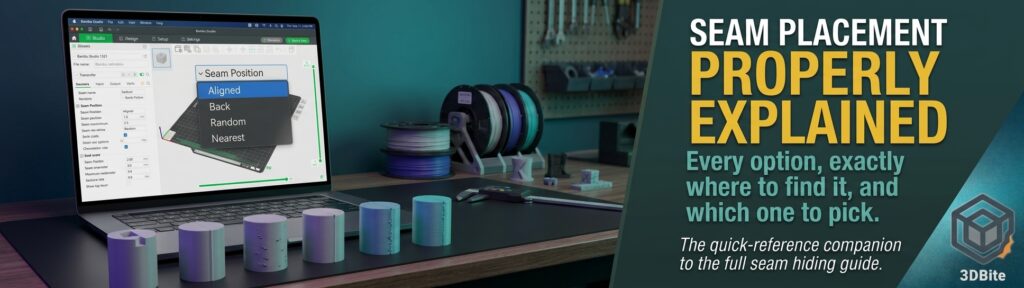
Seam Position is one of those settings sitting in a dropdown that most people leave on whatever the slicer defaults to, without ever working through what each of the other options actually does or why a specific model might benefit from a different one. This post is the settings-reference companion to the fuller seam hiding guide already on this site — that post covers the physics of why seams happen and walks through every fix in depth, including Scarf Seam, Seam Painting, and post-processing. This one is the quick-reference version: every placement option, exactly what it does, exactly where to find it, and which one to pick for a given model.
What Seam Position actually controls
Every printed wall is a loop with a start and an end point, and Seam Position decides where on that loop each layer’s start-and-stop happens to land. Because every layer’s seam typically stacks at a similar location, the choice of position determines whether that vertical seam line ends up somewhere visually forgiving — a sharp corner, the back of a figure — or somewhere exposed on a flat, prominent surface. Nothing about this setting changes how much material is deposited or how the seam is physically formed; that is the job of Seam Gap and the Scarf Seam settings covered in the fuller guide. Seam Position purely decides where the geometry puts it.
The options, and when each one wins
| Option | What it does | Best for | Watch out for |
|---|---|---|---|
| Aligned | Stacks every layer’s seam at the same position, chosen automatically based on the model’s geometry — usually the sharpest available corner | Functional prints, models with clear geometric corners, general-purpose default | Still a visible vertical line, just a neat one |
| Back | Places the seam at the rearmost point relative to the build plate | Figurines and display pieces with a clear front-facing side | Becomes erratic on models with no obvious front/back distinction |
| Aligned Back (OrcaSlicer) | Combines Aligned’s corner-finding logic with Back’s face-avoidance — intelligently avoids the front while still finding hidden corners elsewhere | Character figures and sculptures with a defined front view | Not available in Bambu Studio — OrcaSlicer-specific |
| Random | Changes seam position on every layer, scattering the line into distributed points rather than one continuous vertical seam | Heavily textured models where scattered marks blend into existing surface detail | Produces small blobs/zits at each scatter point — can look worse than Aligned on smooth surfaces |
| Nearest / Sharpest Corner | Places the seam at whichever corner is nearest the nozzle’s position when each layer ends, favouring sharp corners | Complex geometric models with many available corners | Behaves like Random on models with few or no sharp corners |