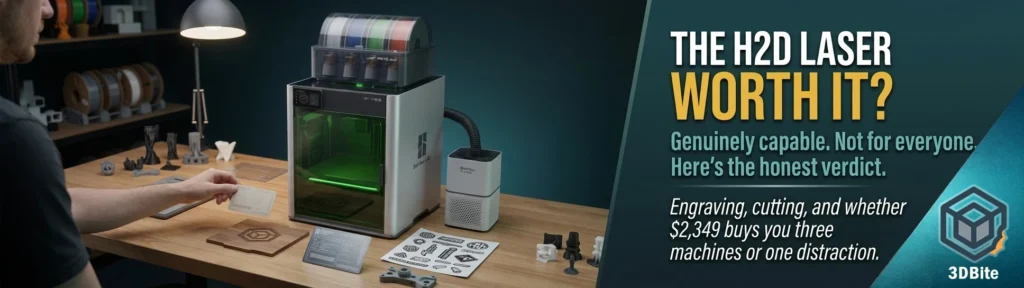
The H2D was always the machine sitting at the top of the Bambu range that I had no immediate use case for — a large-format dual-nozzle printer already covers most of what I need beyond the A1 and A2L, and the idea of bolting a laser onto a 3D printer sounded, on first hearing, like exactly the kind of feature-creep that turns a good tool into an unfocused one. Having gone through the reviews properly, that initial scepticism has softened considerably, and the honest answer to whether the laser module is worth it turns out to depend entirely on whether you actually have a use for laser engraving and light cutting in the first place — which is a less interesting answer than a clean yes or no, but it is the correct one.
What you are actually buying
The laser is not a separate machine bolted onto the H2D as an afterthought — it is a toolhead module that swaps onto the same chassis, using the same AMS-fed dual-nozzle architecture’s toolhead mount, driven through the same Bambu Studio interface for 3D printing and a companion application called Bambu Suite specifically for laser, cutting, and pen-plotting jobs. Two power options exist: a 10W diode laser at $299, and a more capable 40W module. Pricing across the combo bundles varies by source and region, but the H2D Laser Full Combo lands around £2,349-2,649 depending on configuration, against a base H2D price of roughly £1,599-1,749. The laser module itself, bought separately for an existing H2D owner, runs from $299 for the 10W unit up toward considerably more for the 40W option and the associated combo hardware — one Bambu forum thread notes 40W module bundles selling out fast at the $1,558 price point during initial availability waves.
The physical installation is refreshingly uncomplicated by the standards of aftermarket laser conversions on other printers: the module bolts onto the front of the H2D’s toolhead assembly, plugs in, and an air tube attaches that blows air directly at the laser’s work area — clearing smoke quickly and preventing heat buildup during longer engraving jobs. No firmware flashing, no separate control board, no sketchy third-party integration. It is designed into the machine from the ground up rather than retrofitted, which is a meaningfully different proposition from the DIY laser modules the maker community has been bolting onto Ender 3s and similar machines for years.
What it actually does well
Engraving is where the reviews are consistently positive without much qualification. The 10W module at 60% power engraving a logo and phone number onto a black anodized business card produced a result with no heat bleed, clearly readable from a distance — the kind of result that matches what a dedicated engraving service would produce. Wood engraving on pine, basswood, and bamboo comes through crisp and well-defined across multiple independent reviews. For anyone whose interest is personalising items, marking tools, producing signage, or engraving decorative detail onto flat or gently curved surfaces, this is genuinely capable hardware rather than a token gesture toward the feature.
The camera-assisted positioning system is the detail that multiple reviewers flag as underappreciated relative to how useful it actually is. A 4K BirdsEye camera combined with AI-driven spatial alignment maintains claimed positioning accuracy of 0.3mm across tool changes, which matters enormously for laser work specifically — being able to position an engraving precisely relative to a part’s existing geometry, or align a cut path against a physical object already on the bed, removes a genuine friction point that standalone laser engravers without integrated cameras handle far more manually.
The cutting module — a separate bolt-on kit using a drag knife rather than the laser — is the feature that Hackster.io’s reviewer specifically called out as the H2D’s most overlooked capability, and their framing is worth repeating: it basically turns the H2D into a Cricut-style vinyl and material plotter, and thanks to the same camera-based positioning system, it has more precision potential than most people realise. One review measured a sheet of 24 printable vinyl stickers cut in roughly four minutes with consistent depth across the cuts — a genuinely useful capability for anyone doing small-batch signage, decals, or vinyl work, layered onto a machine that also happens to 3D print.
Where the honest limitations sit
This is the part worth reading carefully before assuming the H2D laser replaces a dedicated machine for serious use. The 40W module is fast — engraving at up to 1,000mm/s according to one review — but loud enough that reviewers specifically recommend a garage workspace or ear protection, describing the noise as comparable to a shop-vac running continuously. That is a genuinely different acoustic environment from a quiet 3D print running in the next room, and it is worth planning for if the machine lives somewhere noise matters.
The 10W module, while excellent for engraving, is slower than a dedicated standalone diode laser when it comes to actually cutting thicker material. One reviewer’s specific guidance: if the plan is cutting 6mm plywood as a regular workflow, a standalone diode laser remains the better tool for that job. The H2D handles engraving beautifully and light cutting adequately — thin plywood up to around 5mm on basswood is achievable — but it is not positioned to replace a dedicated cutting laser for anyone doing that as a primary, high-volume activity.
The cutting module specifically is described as light-duty — fine for vinyl stickers, paper, and PU leatherette, but not a substitute for a proper Cricut or Silhouette if textile or cardboard production is a genuine, regular part of your workflow. The consistent message across every review found for this post is the same: the H2D does all of this well enough to be genuinely useful, not well enough to fully replace dedicated single-purpose machines for anyone whose volume or precision needs in any one discipline are serious.
The ventilation and safety picture
This connects directly to the concerns raised in the fumes and ventilation post, and it applies with extra weight here because laser cutting and engraving produce their own distinct fume profile on top of whatever the printer side of the machine is generating. One reviewer’s blunt summary is worth repeating exactly: even PLA fumes plus laser fumes combined are not a great mix. Good ventilation is not optional for regular laser use, and Bambu’s own Smoke Purifier — a $599.99 MSRP accessory specifically paired with the laser modes — is a substantial additional cost on top of the machine and module themselves. One reviewer noted it is well-made but expensive enough that a more affordable third-party purifier is worth considering if budget is a constraint, since the purifier does not need to be Bambu-branded to do the filtration job properly.
The safety engineering itself is genuinely reassuring on paper: the system is rated Class 1 laser safety when the protective enclosure is engaged, which is the meaningful consumer safety classification for a laser operating inside a sealed chamber rather than exposed. This is one of the clear advantages of the integrated approach over a DIY laser bolted onto an open-frame printer — the enclosure and interlock system are designed around the laser from the start rather than retrofitted.
The H2S alternative: the laser without the dual-nozzle premium
This is the detail that changes the calculation most for anyone specifically drawn to the laser feature rather than the H2D’s dual-nozzle printing capability. The H2S — a single-nozzle machine at around $1,249, roughly $650 less than the H2D — takes the same optional 10W laser and cutting module. If simultaneous dual-material printing, soluble supports, or genuinely independent dual-toolhead operation are not things you specifically need, the H2S delivers the same engineering-grade printing and the same laser and cutting capability for meaningfully less money. The H2D’s premium over the H2S is entirely justified by the dual-nozzle architecture, LiDAR, and the higher-power 40W laser option — none of which the laser feature itself requires.
Who this is actually for
The consistent framing across every review is the same, and it is the right framing: this is not the first 3D printer anyone should buy, and it is not a machine to buy speculatively on the theory that the laser might come in handy someday. It is the machine for someone who already knows they want laser engraving or light cutting as a genuine, regular part of their output — small business owners producing personalised items, product designers prototyping across materials, educators wanting one machine that covers multiple fabrication methods in a classroom, or a hobbyist whose interests already span 3D printing, engraving, and craft cutting rather than just printing alone.
The genuinely compelling case for the combined approach, beyond the raw feature list, is the one Hackster’s reviewer makes implicitly: most makers who want all three capabilities end up buying three separate machines — a 3D printer, a laser engraver, a vinyl cutter — which means three times the bench space, three separate software ecosystems, and three sets of maintenance and calibration to keep track of. The H2D genuinely consolidates that into one footprint with one software workflow. For anyone with the space constraint or the desire to avoid managing multiple separate machines, that consolidation has real value beyond the sum of the individual capabilities.
Where I land on it
Having gone through this properly, my initial scepticism about laser-on-a-printer as feature creep has genuinely softened — the engineering integration is real, the camera-assisted positioning is a genuine capability rather than a marketing bullet point, and the safety design is more considered than a bolt-on laser conversion would ever achieve. But my own use case still does not call for it. I have no regular need for engraving or light material cutting, the A1 and A2L cover the printing side of the workflow this site is built around, and the price premium for the laser combo — on top of an already substantial H2D investment — is money spent on a capability I would use rarely rather than regularly.
The honest verdict, and the one worth taking away from this: is the laser module worth it? If you would genuinely use it, yes — the hardware is capable, well-integrated, and safety-engineered properly. If it would sit unused after the novelty wears off, the base H2D or an H2S without the laser gets you the printing capability for meaningfully less money, and a dedicated standalone laser engraver, bought separately if the need turns out to be real, will outperform the module for serious volume regardless. Buy the laser because you have a specific use for it, not because the combined machine sounds appealing in the abstract.