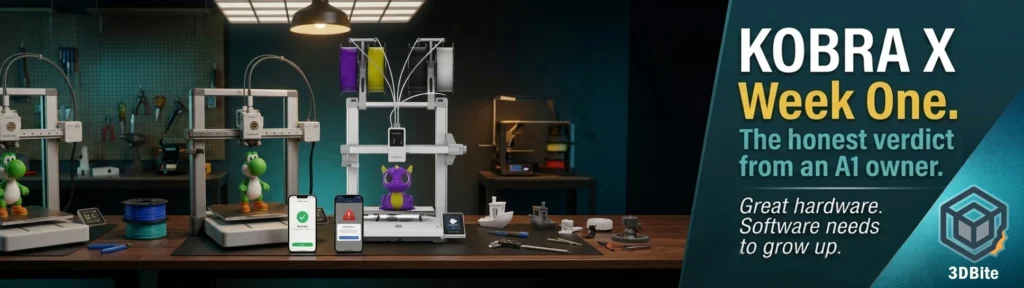
One week in. The Kobra X has been on the desk beside the A1 since it arrived, and I have been printing on both machines simultaneously — using the Yoshi figure as the first dual-machine project and running various other jobs to get a feel for how the Kobra X behaves in a real workflow rather than a controlled test scenario. This is not yet a comprehensive review. That comes after a month. But a week with a new machine is long enough to have clear first impressions, and in this case some of those impressions are different from what I expected — in both directions.
The full context for how the Kobra X arrived and how the unboxing and setup went is in the unboxing post. This post is specifically about what a week of actual use has revealed — not the out-of-box experience, but the day-to-day reality of living with this machine alongside two years of Bambu A1 experience.
The learning curve is real
This surprised me. Two years on the A1 gives you a thorough understanding of how Bambu’s workflow operates, but I assumed that the Kobra X — being broadly similar in architecture and using an OrcaSlicer-derived slicer that shares much of Bambu Studio’s interface — would feel familiar quickly. It does and it does not. The surface looks the same. The behaviour underneath is different enough to catch you out.
The Kobra X has its own quirks that take time to discover because they are not documented anywhere prominent. Filament loading is occasionally fussy — the ACE Gen 2 system works well when it works, but it has been temperamental about detecting certain filaments during loading, requiring multiple feeding attempts before the sensor registers correctly. This is a known behaviour in the community — the only problems I’ve had were old filament breaking in the tube causing a pause to pull it out and refeed. As long as you’re using fresh or dry filament it’s pretty solid. The filament loading issue may be moisture-related rather than a hardware quirk, and it has not been consistent across all spools. But on the A1, I do not think twice about loading filament. On the Kobra X in week one, I have thought about it several times.
Error recovery: this needs work
This is the most significant practical frustration of week one. On the A1, when a filament issue occurs mid-print — a feed error, an AMS jam, a filament runout — the machine pauses, alerts, and gives you the opportunity to resolve the issue and resume the print. It does not always recover perfectly, but the recovery pathway exists and it works often enough to be the expected behaviour.
On the Kobra X, a feed error with one filament colour during a multi-colour print terminated the job entirely rather than pausing for recovery. The print was lost. On the A1 the same scenario would typically have been recoverable. This is the kind of firmware behaviour that distinguishes a mature platform from one that is still developing, and it is a meaningful practical difference for long, complex multi-colour prints where a mid-job error is not uncommon.
I’ve also had a couple of occasions where the printer has just locked up all together mid-print. The touchscreen had frozen and the print simply halted. On both occasions there was absolutely no indication as to what had gone wrong. All I could do is cycle the power and start again!
This is also consistent with what the broader Anycubic community has found across the Kobra range. I spent so much time babysitting it and had a high failure rate — prints not adhering, and so on. There’s a reason people say: buy Anycubic if you want to spend all of your time with the 3D printer, buy Bambu if you want to spend all your time with the 3D prints. That is an Anycubic Kobra 3 user, not specifically a Kobra X user, but the pattern of firmware maturity being behind Bambu’s is a consistent theme across the brand’s recent history. The Kobra X is the newest and most capable machine in the range, but it is still early in its firmware development cycle.
AnycubicSlicerNext: promising but unstable
This is the area that has caused the most friction in week one. AnycubicSlicerNext is an OrcaSlicer fork — visually and structurally familiar to anyone coming from Bambu Studio, and that familiarity is genuine and useful. The interface layout, the settings structure, and the workflow logic are close enough that transitioning between the two slicers requires minimal orientation time. In that respect, Anycubic has done the right thing by building on the OrcaSlicer foundation rather than developing a proprietary interface from scratch.
The stability problem is significant. In one week, AnycubicSlicerNext has crashed approximately a dozen times during model slicing. Not on particularly complex models — some of the crashes have been on files that Bambu Studio handles without any issue on the same computer. Crash-on-slice is the worst possible failure mode for a slicer because it interrupts the workflow at exactly the point where you are committing preparation time. A slicer that crashes is a slicer you stop trusting, and trust in your toolchain is a requirement rather than a preference when you are managing prints across two machines simultaneously.
For reference, I have had Bambu Studio crash perhaps twice in two years of daily use. The difference in stability between the two products is stark and the disparity is almost certainly a resource and maturity question rather than a fundamental technical one — OrcaSlicer itself is stable, and AnycubicSlicerNext’s instability is in the Anycubic-specific layers on top of the OrcaSlicer base. The crashes will be fixable. The question is how quickly Anycubic prioritises them.
The interface polish gap extends beyond stability. Small details reveal that AnycubicSlicerNext is an earlier-stage product than Bambu Studio. The update prompt that reads “newest version now” when checking for updates is the kind of translation artefact that makes a product feel less finished than it is. These are details that the Bambu team has iterated out of their interface over years of development. Anycubic will get there. In week one, the gap is noticeable.
The practical workaround that the community has found: use standard OrcaSlicer with a community-built Kobra X profile rather than AnycubicSlicerNext. Download the community-built Kobra X OrcaSlicer profile from the Anycubic Reddit community. Set your purge volume to 35mm³ for PLA-to-PLA colour changes, down from the NXT slicer default of 55mm³. On a typical four-colour figurine, this saves roughly 8–10g of purge waste per print with zero visible colour bleeding at the transition. It’s not in the manual. It’s also the single highest-ROI tweak on this machine. I am going to set up the OrcaSlicer profile this week and remove AnycubicSlicerNext from the daily workflow until the stability improves.
The waste and speed savings: more nuanced than the headline numbers
The headline claim for the Kobra X is dramatic: 81.25% purge waste reduction compared to conventional AMS systems, colour swaps in 35 seconds versus 90+ seconds on the Bambu A1. Tom’s Hardware’s benchmark confirmed this in their head-to-head test — a print with 776 colour swaps was ten hours faster on the Kobra X with significantly less purge waste. Those numbers are real under those specific conditions.
In my first week of real-world printing, the savings have been present but below the headline numbers. With the limited models I have printed — multi-colour figurines, the Yoshi project, a few single-colour functional parts — the purge reduction is visible and meaningful but has not hit the dramatic figures from the benchmark test. The most honest framing is that the savings scale with complexity: prints with many colour changes across many layers show the largest differential, while simpler jobs with fewer swaps show a smaller gap.
I am not drawing firm conclusions here because one week is not enough data. The planned approach is a controlled head-to-head comparison — same model, same filament, same slicer settings, one run on the A1 and one on the Kobra X — to get a genuine measured differential rather than impressionistic first-week data. That post will follow once the test runs are complete.
Print quality: close but not identical
Side by side, on the same model with matched settings, the Kobra X’s output is slightly behind the A1. Not dramatically — this is not a night-and-day quality difference — but the surface finish on the A1 has a consistency and cleanliness that the Kobra X has not yet matched in my prints this week. Subtle ringing on the hull sides of a Benchy is marginally more pronounced. The top surface finish on standard profiles is slightly rougher. None of this is obvious at normal display distance, and all of it is likely addressable through profile tuning.
This finding aligns with the community’s experience. For ecosystem depth and slicer maturity, the Bambu A1 is still the safer choice for power users. “Safer” here means predictable and consistent — the A1 produces known results from known settings because those settings have been community-tuned for two years. The Kobra X profile is newer and the community knowledge base around specific tweaks is smaller. That balance will shift with time as the Kobra X community builds its own equivalent of the Bambu profile ecosystem.
Critically: I keep reminding myself what the Kobra X cost. At £234 on the Amazon discount versus the A1 Combo at £350, the price gap is meaningful. If the quality differential is “slightly behind with stock profiles,” the value case for the Kobra X is still strong. Slightly behind at significantly lower cost is a defensible position.
The build quality: still impressed
One week in and the solid, rigid feel of the Kobra X that I noted on assembly has not changed. The frame does not flex. The gantry is stable. There is no increase in ringing or vibration artefacts that would suggest the build quality is degrading with use. The hardware is the part of the Kobra X that most confidently matches or exceeds the A1, and a week of regular printing has not altered that assessment.
Tom’s Hardware’s assessment of the hardware quality holds after a week of personal use: the gantry feels good and solid, and Anycubic has worked on the quality of the cable routing so less of the workings are on show. No loose connections, no mechanical complaints, no unexpected noises that were not there during the first print. If the firmware catches up with the hardware, the Kobra X will be a genuinely strong machine.
The ecosystem gap: wider than expected
This is where living with the Kobra X alongside the A1 has taught me something I knew intellectually but now understand experientially. The Bambu ecosystem — Bambu Studio, Bambu Handy, MakerWorld — is better than I fully appreciated until I had something to compare it against in daily use. The integration between the slicer, the mobile app, and the printer on the Bambu side is seamless. Remote printing from Bambu Handy, checking on jobs from my phone, browsing MakerWorld and sending models directly to the printer without opening a laptop — all of this works without friction and without thinking about it.
The Anycubic app is functional. It monitors prints, shows camera feed, and sends alerts. It does not have a model library with the depth and curation of MakerWorld. The slicer is separate from the app rather than integrated with it. The end-to-end workflow is more fragmented. None of these are dealbreakers individually — but together they represent a meaningful difference in daily convenience that is difficult to quantify and easy to underestimate until you are context-switching between the two setups multiple times a day.
This is the insight that directly feeds into the A1 owner’s wishlist post: the Bambu ecosystem is worth something beyond the hardware, and that value is more apparent when you are using a capable machine that does not have an equivalent. The Kobra X’s ecosystem is not bad. The Bambu ecosystem is just genuinely mature and polished in a way that the Kobra X’s is not yet.
Week one summary: a capable machine with growing pains
The Kobra X is a capable machine let down in week one primarily by its software. The hardware is solid, the ACE Gen 2 multi-colour concept is sound, and the price point is genuinely impressive. The slicer instability, the error recovery gap, and the ecosystem maturity difference are all software and firmware questions — the kind of things that can and should improve with updates rather than being fundamental hardware limitations.
The benchmark of that improvement is Bambu. Not because Bambu is perfect — the OrcaSlicer controversy posts on this site are a reminder that they are not — but because Bambu has set a software and ecosystem standard for accessible desktop FDM printing that is now the baseline expectation for the category. Anycubic has built hardware that can compete on specification. They now need the software to grow up to meet it. If the update cadence on AnycubicSlicerNext addresses the crash stability and the firmware gets better error recovery, the week one frustrations become week one growing pains rather than permanent characteristics.
Back with the month-one review when I have more data, more comparable prints, and a better understanding of whether these are settling-in issues or consistent behaviour.