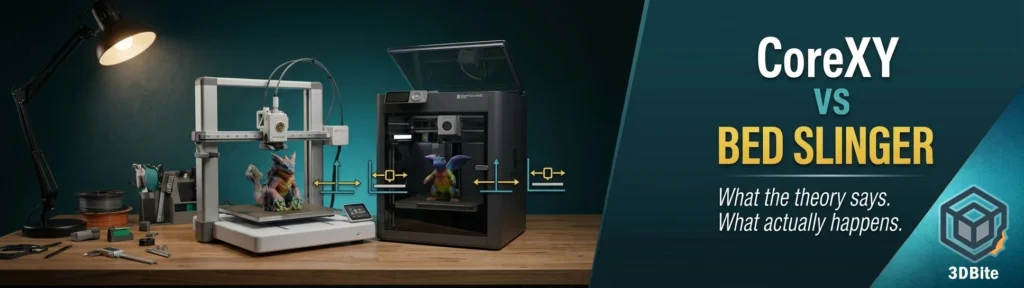
If you have spent any time researching 3D printers, you will have encountered the CoreXY versus bed slinger debate. It surfaces in every comparison post, every buying guide, and every community thread where someone is deciding between a Bambu A1 and a P1S. The theoretical case for CoreXY is clear and well-documented. The practical reality in 2026 is considerably more nuanced — and in some specific scenarios, the bed slinger gives results that are indistinguishable from the more architecturally sophisticated alternative.
This post covers both dimensions. The theory — what each motion system actually does and why it matters mechanically — and the practical reality, grounded in what independent reviewers and the community have actually found when they print the same models on both types of machine. There are cases where CoreXY has a clear advantage. There are cases where the bed slinger matches it completely. And there are material considerations that make one architecture mandatory rather than optional, regardless of how good the firmware on the other one is.
How the two motion systems work
The bed slinger
A bed slinger — also called a Cartesian or i3-style printer — moves the print bed on the Y-axis (forward and backward) while the print head moves on the X-axis (left and right) and the Z-axis (up and down). The Bambu A1, the Anycubic Kobra X, the Prusa MK4, the Ender 3 — all bed slingers. The design’s appeal has always been mechanical simplicity. You need a frame, a bed carriage, an X-axis gantry, and a Z mechanism. The result is a machine that is straightforward to build, straightforward to calibrate, and inexpensive to manufacture at scale.
The inherent limitation is that the print bed carries the mass of the part being printed. As layers accumulate, the object on the bed becomes heavier. As the printer accelerates and decelerates to change direction during fast moves, that mass resists the change — producing vibration and inertia that the motion system has to overcome. At low print speeds, this is imperceptible. At matched speeds, both architectures produce equivalent quality. The difference emerges at higher speeds where the bed slinger’s limitations become visible.
There is also a footprint consequence. Because the bed travels on the Y-axis, the machine takes up nearly double the bed depth in actual desk space. A printer with a 256mm bed needs the bed to travel its full depth forward and backward, which means the machine occupies significantly more bench space than the bed dimension alone suggests. This is a practical consideration that is rarely prominent in the specification comparison.
CoreXY
A CoreXY printer keeps the print bed stationary on the XY plane, moving it only on the Z-axis to step down as each layer is completed. The print head moves in both X and Y simultaneously using two motors connected by a pair of long belts routed through the four corners of the frame. Both motors work together on every diagonal move, and one motor dominates on pure X or Y moves. The bed never moves sideways — only the lightweight print head does.
The mechanical consequence is significant. The only mass being accelerated during a print move is the print head — and modern direct drive toolheads are designed to be as light as possible for exactly this reason. CoreXY keeps the bed stationary in X/Y, which usually means less wobble on tall parts and better quality at higher acceleration. Without the bed’s mass to contend with, the printer can accelerate and decelerate faster, change direction more sharply, and produce cleaner results at high speeds than a bed slinger can manage with the same firmware.
The trade-off is complexity. CoreXY belt routing is more involved than the bed slinger’s simpler mechanical arrangement, requires careful tensioning of both belts simultaneously, and is more sensitive to belt stretch and calibration drift over time. A well-designed CoreXY can be very stable once it is dialled in — but belt routing and tension consistency matter more. The four-corner pillar structure also adds cost compared to the minimal frame of a budget bed slinger, though in the current competitive market this cost difference has narrowed considerably.
The practical quality difference: where it shows and where it does not
Here is where the theory diverges from practice in a way that surprises many people, particularly those who have made the investment in a CoreXY machine expecting a clear quality step up over a well-engineered bed slinger.
The quality advantage of CoreXY is most visible in two specific scenarios: tall thin models printed at high speed, and prints where very high acceleration is used throughout. In everything else — standard height models, moderate speeds, the vast majority of everyday hobbyist printing — the quality difference between a well-tuned bed slinger and a well-tuned CoreXY is negligible to invisible.
Fabbaloo’s practical demonstration of this is worth citing directly. Printing a tall, thin kayak fin on both a CoreXY Creality K1C and a bed slinger Anycubic Kobra 2 Pro produced very different results. The fin was thrust back and forth by the bed’s motion as layers accumulated, producing visible artifacts and spurious material on the bed slinger print. The K1C, which does not move the print surface in XY at all, produced no similar artifacts. Tall, thin geometry is the case where the bed slinger’s mass-on-Y-axis limitation becomes a real print quality problem.
The Bambu A1 vs P1S comparison is the clearest real-world illustration of the quality parity question, because these are two machines from the same manufacturer at adjacent price points — one bed slinger, one CoreXY — with otherwise very similar capability. Both 3D printers are capable of excellent print quality. Although the P1S and A1 have a few differences that should theoretically impact print quality, the reality is that there is very little difference in the print quality you’ll see from either machine. That is the conclusion of reviewers who have tested both hands-on.
Community users on the Bambu forum echo this finding. “Both print awesome — the quality of prints is in my eyes the same.” This from an owner who runs both an A1 Mini and a P1S. The speed at which that parity breaks down depends heavily on what you print. For models under approximately 150mm tall at standard profile speeds, the A1’s input shaping and advanced motor control produce results that are effectively equivalent to the P1S. A difference might only be noticeable in extreme edge cases, such as an exceptionally tall and thin model printed at maximum acceleration, where the P1S’s stationary bed provides a stability advantage.
The input shaping story is important context here. Bed slingers have made a comeback thanks to input shaping, where the acceleration and motion is filtered to remove vibrations and forces that otherwise might reduce the quality of a fast bed slinger. It is a fairly big difference between earlier bed slingers and modern machines like the Bambu A1. The A1 is not a typical bed slinger. Bambu’s firmware applies active vibration compensation — the same technique used in CoreXY machines to manage resonance — to the A1’s motion system. The result is a bed slinger that performs at speeds and quality levels that were not achievable from this architecture before input shaping became standard.
Speed: theory vs practice
Speed is where the theoretical CoreXY advantage is clearest. A CoreXY printer routinely prints at 200–300mm/s with quality matching what a bed slinger produces at 60mm/s. Some can push to 500mm/s for draft prints. The physics are unambiguous: moving a lightweight toolhead is easier than moving a heavy bed, and the CoreXY can therefore achieve higher accelerations without the vibration penalty that limits a bed slinger.
But in practice, how often do you print at maximum speed? If you print primarily at conservative speeds, a bed slinger produces identical quality to a CoreXY. The speed advantage only matters if you actually use it. For most hobbyist printing — standard quality profiles, detailed models, display pieces — the default speed settings on a Bambu A1 and a Bambu P1S produce prints in comparable time with comparable quality. The P1S has a higher maximum acceleration of 20,000 mm/s² compared to the A1’s 10,000 mm/s², but we do not notice any real-world print speed differences between the two machines in normal use.
Where speed genuinely separates the architectures is in high-volume, high-throughput scenarios — printing farms, production runs, situations where you are printing dozens of objects as fast as the machine can go for extended periods. On a print that takes four to five times longer on a bed slinger Ender 3 than a CoreXY Centauri Carbon, the time savings compound fast across a busy production schedule. For occasional hobbyist printing where a two-hour print versus a three-hour print is not a material difference, the speed case for CoreXY is real but practically unimportant.
Head-to-head comparison table
| Factor | CoreXY | Bed Slinger | Practical verdict |
|---|---|---|---|
| Top-end speed | Higher — lighter toolhead allows greater acceleration | Lower — bed mass limits acceleration | CoreXY wins at maximum speed. At standard profiles, gap is small |
| Tall model quality | Strong — stationary bed means no lateral forces on tall parts | Weaker — bed motion creates vibration risk on tall thin geometry | CoreXY wins clearly. Bed slingers struggle with tall thin prints at speed |
| Standard model quality | Excellent | Excellent — especially with input shaping | Effectively equal at standard print speeds and typical geometry |
| Enclosure suitability | Easy to enclose — stationary bed, four-pillar frame | Harder to enclose — bed sweeps through open air | CoreXY wins. Enclosures on bed slingers are possible but more complex |
| Engineering materials (ABS/ASA/PC) | Well suited — enclosure standard on many CoreXY machines | Not recommended without added enclosure — open frame loses heat | CoreXY wins for material versatility without additional hardware |
| Footprint on desk | Compact — machine footprint closely matches build volume | Larger — bed travel requires double the depth | CoreXY wins on desk space efficiency |
| Mechanical complexity | Higher — dual belt routing, four-corner pillars, more tuning points | Lower — simpler mechanics, easier to diagnose | Bed slinger wins on simplicity and ease of maintenance |
| Price for equivalent build volume | Higher — frame complexity adds cost | Lower — simpler construction | Bed slinger wins on cost at comparable specifications |
| Belt maintenance | More involved — dual belts require matched tension | Simpler — typically single X-axis belt | Bed slinger wins on maintenance simplicity |
Bambu A1 vs P1S: the numbers
| Specification | Bambu A1 (bed slinger) | Bambu P1S (CoreXY) |
|---|---|---|
| Motion system | Cartesian bed slinger | CoreXY |
| Build volume | 256 × 256 × 256 mm | 256 × 256 × 256 mm |
| Max print speed | 500 mm/s | 500 mm/s |
| Max acceleration | 10,000 mm/s² | 20,000 mm/s² |
| Max volumetric flow | 28 mm³/s | 32 mm³/s |
| Enclosure | Open frame | Fully enclosed |
| Max bed temperature | 100°C | 110°C |
| Materials (standard) | PLA, PETG, TPU, PVA | PLA, PETG, TPU, ABS, ASA, PA, PC and more |
| Vibration compensation | Input shaping (firmware) | Input shaping + vibration sensor calibration |
| LiDAR | No | No (X1C has LiDAR) |
| Multi-colour system | AMS Lite (max 4 colours) | AMS (stackable up to 16 colours) |
| Price (Combo) | ~£350 | ~£649 |
The material argument: when CoreXY becomes mandatory
This is the factor that moves the CoreXY versus bed slinger question from a preference decision to a practical requirement, and it is the most important thing to establish before choosing which architecture to buy.
ABS, ASA, polycarbonate, nylon, and their carbon fibre and glass fibre reinforced variants all require a warm, stable print environment to produce reliable results. They warp when cooled too quickly. They delaminate when ambient temperature drops mid-print. They need the heated chamber to maintain a consistent temperature around the growing part throughout the entire job. Without that environment, these materials produce inconsistent, often failed prints regardless of how good the nozzle temperature or print settings are.
CoreXY machines with four corner pillars are straightforward to enclose — just slap some panels on the sides. Enclosures capture stray heat, increasing the quality of the print. The Bambu P1S, X2D, and X1C are fully enclosed CoreXY machines with actively heated chambers as standard. If your printing includes engineering materials, these are the correct machines.
Bed slingers can be enclosed — there are community-built DIY enclosure solutions for the A1 — but the bed’s travel on the Y-axis makes clean enclosure design more complex, and active chamber heating is rare on open-frame machines. As covered in the ABS guide and ASA guide, the A1 is not a reliable platform for ABS or ASA on larger parts. This is not a firmware limitation or a quality limitation — it is a hardware architecture limitation. The A1 cannot be firmware-updated to produce reliable large ABS prints because it does not have an enclosure.
The material question should be the first one you answer before deciding on an architecture. If you will ever need ABS, ASA, PC, or engineering composites, you need an enclosed machine. The motion system is secondary to that requirement.
The enclosure and heated chamber: what they do beyond material compatibility
Beyond enabling engineering materials, an enclosure does something subtler that improves results even on PLA and PETG prints in some conditions. It eliminates draughts. A print in an open room with air conditioning, a nearby door, or even a fan will experience temperature variation at the nozzle and around the growing part. Cooling inconsistency at layer boundaries can produce subtle quality variations — slightly different layer adhesion on the windward side versus the sheltered side of a part — that an enclosure eliminates by maintaining consistent ambient conditions throughout the job.
This is a marginal benefit for most printing in normal room conditions, and the A1’s cooling system is well-designed enough to manage most ambient variation effectively. But for very long prints in variable environments, the enclosed machine has a consistency advantage that does not show up in any specification table.
Desk space: the underrated consideration
The footprint difference between CoreXY and bed slinger printers is rarely given the prominence it deserves in comparison discussions. Bed slingers often need extra space in front or behind the printer because the bed travels in Y. CoreXY machines are usually closer to printer footprint equals build volume footprint.
For the Bambu A1 specifically: the bed requires full Y-axis travel to print, which means the machine needs clear space in front of and behind its static footprint. A safe and comfortable working surface would be at least 80 cm deep to allow for full bed travel, and 100 cm wide to house the printer and AMS Lite side-by-side with room for spool changes. That is a substantial desk allocation for a printer with a 256 mm build volume. The P1S, as a CoreXY machine, fits within a footprint much closer to its own physical dimensions because nothing sweeps out beyond the machine’s frame during printing. On a crowded desk, this matters.
Maintenance and tuning considerations
CoreXY machines require more attention to belt tension than bed slingers. With two long belts that must be matched in tension for the motion system to move the toolhead accurately, a well-calibrated CoreXY needs periodic checking of both belts together. Uneven tension produces diagonal artefacts on the print surface. On a bed slinger, belt tension is simpler — typically a single X-axis belt and a Y-axis drive system, each independently adjustable.
This is not a significant maintenance burden on modern machines — Bambu’s CoreXY machines are designed to minimise user intervention and both belt systems are accessible. But it is a consideration for anyone who wants the simplest possible ownership experience. The bed slinger is mechanically transparent and easy to diagnose. The CoreXY is more capable but has more interdependencies in its motion system that require understanding if something needs adjustment.
Which to choose: a practical guide
| Your situation | Recommended architecture | Reason |
|---|---|---|
| Primarily PLA and PETG, standard models, budget priority | Bed slinger (e.g. Bambu A1, Kobra X) | Quality is equivalent at these materials and speeds. No need to pay for CoreXY |
| ABS, ASA, PC, or nylon required | CoreXY with enclosure (e.g. Bambu P1S, X2D) | Enclosure is mandatory for these materials. Bed slinger cannot reliably match |
| Tall, thin, complex geometry at high speed | CoreXY | Stationary bed eliminates the vibration risk on tall geometry |
| High-volume production, maximum throughput | CoreXY | Speed advantage compounds over many prints |
| Limited desk space | CoreXY | Compact footprint — no Y-axis travel space required beyond machine frame |
| Mechanical simplicity, easy maintenance | Bed slinger | Simpler mechanics, easier to diagnose and maintain |
| Multi-colour as primary interest | Bed slinger (A1 or Kobra X) | AMS Lite and ACE Gen 2 are well-matched to open-frame machines at accessible prices |
| Engineering composites (CF, GF) | CoreXY enclosed (P1S, X2D, H2 series) | Abrasion-resistant nozzle plus enclosure required. Open-frame machines can print some CF but not reliably at scale |
The bottom line on A1 vs P1S specifically
The Bambu Lab A1 is a landmark printer. It proves that a well-engineered, software-enhanced bed slinger can absolutely compete with a CoreXY system in the modern era, delivering on speed and quality in a way that creates a genuinely difficult choice for buyers. Ultimately, the choice between the P1S and the A1 comes down to a single pivotal question: do your printing goals require an enclosed environment for high-temperature materials?
If the answer is yes, buy the P1S or the X2D. If the answer is no — and for the majority of hobbyists printing PLA, PETG, and TPU for functional and decorative work, it is no — the A1 delivers equivalent quality at a meaningfully lower price. The motion system architecture is not the deciding factor. The enclosure is.
The one scenario where this stops being true is tall thin models at high speed, where the A1’s moving bed introduces a vibration risk that the P1S does not have. For most of what most people print, that scenario never arrives. For helmets, fins, tall structural columns, and anything with a challenging aspect ratio, it is worth knowing the bed slinger has a specific weakness that input shaping can mitigate but not eliminate.
Summary
CoreXY has genuine structural advantages: faster maximum speed, better tall-model stability, compact footprint, and easier enclosure. Bed slingers have genuine advantages of their own: lower cost, simpler mechanics, and — with modern input shaping — quality that is effectively equivalent to CoreXY for the vast majority of prints at standard speeds. The gap between the two architectures has narrowed dramatically in 2025 and 2026, and the quality parity for standard printing is real and documented across multiple independent reviews.
The factor that makes the architecture decision non-negotiable is material requirements. Engineering materials that need a heated chamber are the one area where no amount of firmware optimisation closes the gap between an open-frame bed slinger and an enclosed CoreXY. If your printing needs those materials now or might in the future, the enclosed CoreXY is the right purchase. If your printing lives in PLA and PETG territory, the bed slinger is a capable, honest machine that will not hold you back.