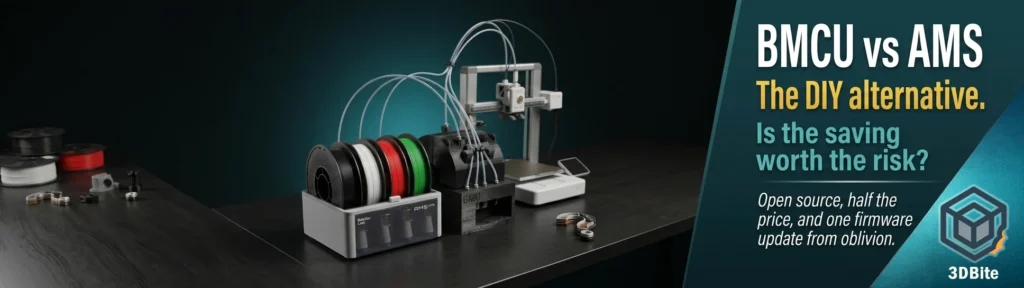
The Bambu AMS Lite that ships with the A1 Combo costs around £100–£120 when purchased separately. The BMCU — the Bambu Multi-Color Unit, an open-source DIY alternative that does much the same job — costs between £30 and £80 depending on how you source it, and you can build the full housing yourself from printed parts. If money were the only consideration, this would be a straightforward decision. Money is not the only consideration, and this post is an honest look at all of them.
The BMCU is a fascinating project: community-developed, open-source, remarkably capable, and sitting in an increasingly uncomfortable relationship with the manufacturer whose protocol it depends on. If you have been following the OrcaSlicer controversy — covered in the Bambu Lab vs OrcaSlicer post — you will already understand why “a DIY device that emulates the AMS and relies on Bambu’s firmware remaining compatible with it” is a sentence that now carries more uncertainty than it did two years ago.
This post covers what the BMCU is, how it works, how it genuinely compares to the official AMS Lite, where the cost advantage sits, and — critically — what the firmware risk actually looks like and whether it should factor into your decision.
What the BMCU is
The BMCU is an open-source, community-developed multi-filament feeding system for Bambu Lab A-series and P-series printers. It was originally designed by a Chinese developer known as 4061N, based on publicly available documentation of Bambu’s communication protocol on GitHub and independent reverse-engineering work by the community. The project has since expanded significantly, with BIQU (the hardware arm of the BigTreeTech ecosystem) producing a commercial version called the BMCU-370, and Paweł Jarczak — the same developer targeted by Bambu’s legal team in the OrcaSlicer controversy — contributing significantly to the firmware and adaptations for P and X series printers.
The BMCU is a four-channel system that uses a CH32 microcontroller as the main control unit, designed based on publicly available online resources and independent testing. It is intended for DIY learning and integrates with A1 and A1 Mini printers, with functions similar to the AMS Lite, primarily enabling multi-material printing and automated feeding.
The key mechanism: BMCU natively supports Bambu A-series printers, recognised as AMS Lite. With extra DIY modifications, it can be adapted to work with the Bambu P series and potentially other brands with community-driven adaptations. When connected to an A-series printer, the BMCU presents itself to the firmware as an AMS Lite. The printer cannot tell the difference. This is the same principle that made OrcaSlicer work — using the documented protocol to communicate correctly with the machine — and it carries the same implications when that protocol is no longer open.
The hardware: versions and what they mean
Two main motor versions exist and the community has a clear position on which is better right now.
The 130 version uses a smaller 130-series motor. Version 130 is structurally complex and requires more hands-on skills. However, as the model improves, the current 130 version is very stable. It is the more mature version, better documented, more stable in community testing, and the one most full DIY builders use. If you are building from scratch using printed parts and sourced electronics, the 130 version is where the community knowledge base is most comprehensive.
The 370 version uses a larger 370-series motor — the variant that BIQU has commercialised as the BMCU-370. BIQU relies on a 370 motor with Hall sensor. According to the manufacturer, this combination feeds the filament more evenly and works more quietly than drives with smaller motors. Version 370 is not yet fully in the official version and is still in the process of iteration. The prevailing view at the moment is that the 130 version is better, but the 370 version is the future. The 370 offers a path to a commercially assembled unit that sidesteps the full DIY build requirement, at the cost of being on the less mature iteration of the hardware.
A notable capability that the BIQU BMCU-370 specifically adds over the base design: advanced photoelectric detection capable of sensing transparent filaments, eliminating the drag and instability commonly associated with microswitch sensors. Transparent filament detection is a known limitation of the standard BMCU design, and this is a meaningful practical improvement for anyone who regularly prints clear or translucent materials.
How to get one: three routes
Unlike the Bambu AMS, which you buy from Bambu and receive fully assembled, the BMCU has multiple acquisition paths at very different price points.
Full DIY from source files
The BMCU is open source. The design files, PCB schematics, firmware, and build documentation are all available on GitHub. You can print the housing on your existing Bambu printer, order the PCB from a service like JLCPCB, source the motors, sensors, and microcontroller components, and build the whole thing yourself. The full DIY setup costs less than ¥300 RMB — approximately £30–£35 — compared to the AMS Pro 2 retailing at nearly ¥2000 RMB. This is the maximum savings route. It requires electronics experience, soldering capability, and patience with community documentation that varies in quality. For the technically confident maker, it is a genuinely rewarding build. For someone who wants a functional multi-colour unit without a significant learning curve, it is probably the wrong route.
PCB kit plus printed parts
A middle path: buy a pre-made PCB kit (available from several community suppliers and on AliExpress for £15–£25), print the housing and mechanical parts yourself, and assemble. This is the most popular community route — it removes the most complex electronics work (PCB design and soldering from bare components) while still requiring you to print and assemble. Assembly time is typically a few hours with the documentation available on the Yuekai BMCU wiki.
Commercially assembled: BIQU BMCU-370
BIQU sells the BMCU-370 as a commercially assembled unit. The price of the assembled Hall version is around $106 / £79, the kit at around $79 / £62. West3D in the US sells the 370C DM version for a similar price point, fully assembled. Shipment was fast, nothing was missing. Assembly was easy with online tutorials. The unit worked on the first try and has been ever since. Full AMS capabilities at a fraction of the price of the official AMS. This is the route for anyone who wants the BMCU’s cost advantage without a full DIY build. At £79 fully assembled versus £100–£120 for the official AMS Lite, the saving is real but narrower than the full DIY route.
Installation: simpler than it looks
For the A1 specifically, the installation is clean and does not require motherboard modification. Mount the BMCU-370 to the top of the Bambu Lab A1 gantry. Connect the BMCU-370 to either of the reserved 4-pin ports on the back of the A1 using the provided 4-pin cable. Power on the printer and navigate to Settings to unload any external filament, then go to AMS Options, set the type to AMS / AMS 2 Pro / AMS HT, and restart the printer to apply the changes.
That is it. No soldering required at the printer end. No firmware flashing of the printer itself. The BMCU uses the same 4-pin port that the AMS Lite uses and the printer treats it identically once the AMS type is set. From the printer’s perspective, it has an AMS Lite attached. Bambu Studio sees it as an AMS Lite. Slicing and multi-colour workflow proceeds identically to using the official hardware.
Head to head: BMCU vs AMS Lite
| Feature | Bambu AMS Lite | BMCU (DIY / BIQU-370) |
|---|---|---|
| Price | ~£100–£120 (official, separate) | £30–£35 (full DIY) / £62–£79 (BIQU assembled) |
| Colour channels | 4 | 4 (expandable with multiple units in community builds) |
| RFID filament recognition | Yes — reads Bambu spools automatically | No — manual filament entry required in Bambu Studio |
| Filament detection | Standard sensor | Microswitch (130 version) or photoelectric (BIQU-370) |
| Transparent filament detection | Yes | Limited on 130 version / Yes on BIQU-370 photoelectric |
| Spool holder integration | Built-in with spring rewind | External — spool rack required, filament hangs loosely on retraction |
| Filament drying integration | No built-in drying | Designed to feed directly from dry boxes — practical advantage |
| Build quality | Polished commercial hardware | Varies — DIY printed parts vs BIQU commercial metal/plastic |
| Bambu Studio compatibility | Full — native integration | Full — presents as AMS Lite. Same slicer workflow |
| Bambu warranty impact | None | Potentially voids warranty — third-party hardware |
| Official support | Full Bambu Lab support | Community support only. No official Bambu support |
| Firmware risk | None — first-party hardware | Real and documented — see below |
| Setup complexity | Plug in and configure. 15 minutes | Build (hours to days) or assemble commercial kit (1–2 hours) |
| Open source | No | Yes — modify, extend, adapt freely |
| Compatible printers | A1, A1 Mini (AMS Lite). AMS 2 Pro for P/X series | A1, A1 Mini natively. P/X series with community modifications |
What the BMCU does differently — and better
The dry box feeding integration is genuinely useful and worth calling out specifically. The side-by-side structure does not include shelves, which means you can put the consumables in a sealed box, which feeds the printer. The BIQU-370 includes a rotary shaft solution that allows direct feeding from a sealed drying container. The AMS Lite has spool holders built in but no active drying and no native integration with external dry boxes. For anyone who takes filament moisture management seriously — and after the Rudolph nose reprint situation, I take it very seriously — the BMCU’s architectural openness to dry box integration is a practical advantage the official AMS Lite does not easily replicate.
The expandability beyond four colours is also worth noting. Community builds like the BMCU-AMS project on MakerWorld combine multiple BMCU units into a modular housing with 16 ball bearing spool holders that supports four BMCU units for an automated multi-colour experience with smooth, low-friction filament feeding. This is the kind of community-driven extension that open hardware enables and closed hardware prevents. There is no Bambu-approved path to 16-colour printing on an A1. There is a community-built BMCU path.
What the BMCU does worse
RFID recognition is the clearest functional gap. The AMS Lite reads the RFID tag on every Bambu Lab spool and populates the filament type, colour, and remaining amount automatically in Bambu Studio. The BMCU does not support RFID. Please note that RFID material identification is not currently supported. Every filament slot has to be configured manually in Bambu Studio. For users who exclusively run Bambu Lab filament this is a meaningful daily friction point. For users who primarily run third-party filament — where RFID tags do not exist anyway — the gap is much narrower, since they are configuring filament profiles manually on the official AMS Lite too.
The spool management situation is less polished than the AMS Lite. It works like the AMS Lite, however the AMS Lite has spool holders with springs to rewind it onto the spool during retraction. The BMCU only performs the retraction so some material hangs loosely on the spool, but it is not a problem — the next time it loads it pulls it taut again. Functionally fine. Aesthetically messier than the contained AMS Lite system.
The community also documents some known quirks. Some gear noise may occur — channel 4 makes more noise than others in some units. Filament still shows up as present when not plugged in, especially for channel 1. Occasionally stuck at 99% after completing a print — BMCU can’t draw back material. These are not dealbreakers, but they are real and worth knowing before committing to the project. These are DIY hardware quirks that the official AMS Lite does not have.
The firmware risk: the most important section of this post
This is where the conversation gets serious and where the BMCU’s otherwise compelling value proposition has to be weighed against a risk that is real, documented, and growing.
The BMCU works because it successfully emulates the AMS Lite communication protocol over the 4-pin bus. Bambu Lab controls that protocol. Bambu Lab also controls every firmware update that goes to every Bambu printer. A firmware update that changes the protocol, adds authentication requirements, or actively checks for non-authorised AMS hardware would break the BMCU immediately and completely.
The BMCU’s own community wiki states this explicitly. It is possible that Bambu Lab may block this component after a firmware update. The BMCU went through two Bambu Lab firmware updates. However, given the current attitude of Bambu Lab towards third-party slicing software, it is impossible to be completely optimistic about the future. No, BMCU is an open-source DIY project developed by a Chinese developer. There is no guarantee, and future compatibility depends on Bambu Lab’s policies and updates.
The wiki adds a chilling practical note: in the worst case, it may be necessary to keep the BMCU available by not upgrading the printer’s firmware. This is the same position that OrcaSlicer users found themselves in after January 2025 — choosing between updating firmware and losing functionality, or staying on old firmware and losing all future updates. For a machine that receives regular and meaningful software improvements through firmware, freezing at a specific version is a genuine sacrifice.
The precedent is already visible. Paweł Jarczak, who maintains firmware for the BMCU, warned there is a growing risk that the BMCU will also be locked out of Bambu Lab’s ecosystem and is pivoting to Klipper-based printers. The developer who knows the BMCU firmware most deeply and watches Bambu’s ecosystem behaviour most closely has already concluded that the risk is significant enough to pivot away from Bambu compatibility as a long-term strategy. That is a meaningful signal.
There is also a concerning early warning sign from the wider ecosystem. Currently a user has accidentally triggered the Unauthorised AMS system error on an H2D + AMS 2 Pro combination, even though they are using official devices. If Bambu’s own hardware is triggering unauthorised AMS errors in some firmware combinations, the authentication and validation logic is already in place. It does not take a significant firmware change to extend that logic to detect non-authorised units more systematically.
The honest risk summary: the BMCU has survived two firmware updates so far. The community is not optimistic about indefinite compatibility. The developer most responsible for BMCU’s Bambu compatibility is already pivoting away from it. And the manufacturer has demonstrated, through the OrcaSlicer situation, that it will take legal action against third-party ecosystem compatibility rather than work with it. This is a risk that must be priced into any BMCU purchase decision.
The mitigation options
If you build or buy a BMCU, there are practical steps that reduce the firmware risk without eliminating it.
Disable automatic firmware updates. On the Bambu A1, automatic firmware updates are enabled by default. Disable this setting before installing the BMCU. Check community threads before applying any firmware update — the BMCU community typically tests new firmware within days of release and reports whether compatibility is maintained. Do not update until the community confirms the new firmware is safe.
Follow Jarczak’s Klipper pivot with interest. The BMCU community is actively developing Klipper-based printer firmware that would make the machine independent of Bambu’s firmware entirely. If that project matures, it represents a path to BMCU compatibility that Bambu cannot close with a firmware update, because you would no longer be running Bambu’s firmware at all. This is not a solution available today, but it is the direction the community is heading.
Accept the hardware as a budget-conscious bet. If you source the full DIY BMCU for £30–£35, the question of firmware risk is different than if you spend £79 on the BIQU assembled version. At £30–£35, if Bambu kills compatibility in six months, you have had multi-colour printing for six months at a cost that still represents significant savings over the official AMS Lite. At £79, the calculus is different — the saving over the official AMS Lite is narrower and the risk-adjusted value is less compelling.
Who should and should not consider the BMCU
The BMCU makes the most sense for a specific type of Bambu user. You have an A1 or A1 Mini without an AMS. You want multi-colour capability. You are comfortable with electronics and a DIY build. You primarily use third-party filament where RFID is irrelevant anyway. You are willing to manage firmware updates manually and accept the compatibility risk as part of the proposition. For that person, the full DIY BMCU at £30–£35 is an excellent solution — genuinely capable, community-supported, and far cheaper than the official alternative.
It makes less sense for someone who wants a plug-and-play experience comparable to the official AMS Lite. Who relies on RFID for filament management, especially with the new Filament Manager in Bambu Studio 2.6.1. Who is not comfortable managing firmware versions manually. Who wants official Bambu Lab support if something goes wrong. Who expects to update firmware without checking community threads first. For that person, the official AMS Lite at a higher price is the right product.
The BIQU BMCU-370 assembled unit at £79 occupies an uncomfortable middle ground. It removes the DIY build requirement but does not remove the firmware risk, and at £79 versus £100–£120 for the official AMS Lite, the price saving is not dramatic enough to make the risk obviously worthwhile. The full DIY BMCU at £30–£35 is a clearer value proposition. The official AMS Lite is the clearly safe choice. The assembled BIQU-370 is the choice for someone who wants the DIY unit’s open hardware benefits without the build, and is willing to accept the risk and manage it actively.
Summary
The BMCU is a genuinely impressive community achievement. It delivers four-colour printing on Bambu A-series machines at a fraction of the official AMS Lite price, integrates cleanly with Bambu Studio, and opens up capabilities — dry box feeding integration, expandability beyond four channels — that the official hardware does not provide. The community around it is active, the documentation is improving, and the hardware is mature enough to be reliable in daily use.
The firmware risk is real and should not be minimised. Bambu Lab has demonstrated through the OrcaSlicer situation that it will move against third-party ecosystem compatibility rather than support it. The BMCU’s own community acknowledges that indefinite compatibility cannot be guaranteed. The developer most responsible for maintaining that compatibility has already begun pivoting away from Bambu’s ecosystem. These are not abstract concerns — they are documented, current, and growing.
For the technically capable maker on a budget who manages their firmware updates manually and accepts the risk as part of a low-cost DIY bet, the BMCU at full DIY price is a compelling option. For everyone else, the official AMS Lite is the reliable choice — more expensive, but guaranteed to work with every firmware update Bambu releases, and supported by the manufacturer whose machines you are already using.
The BMCU situation is, in miniature, the broader Bambu ecosystem story: genuinely excellent hardware, increasingly closed ecosystem management, and a community that is innovative enough to find workarounds but increasingly uncertain about how long those workarounds will last.