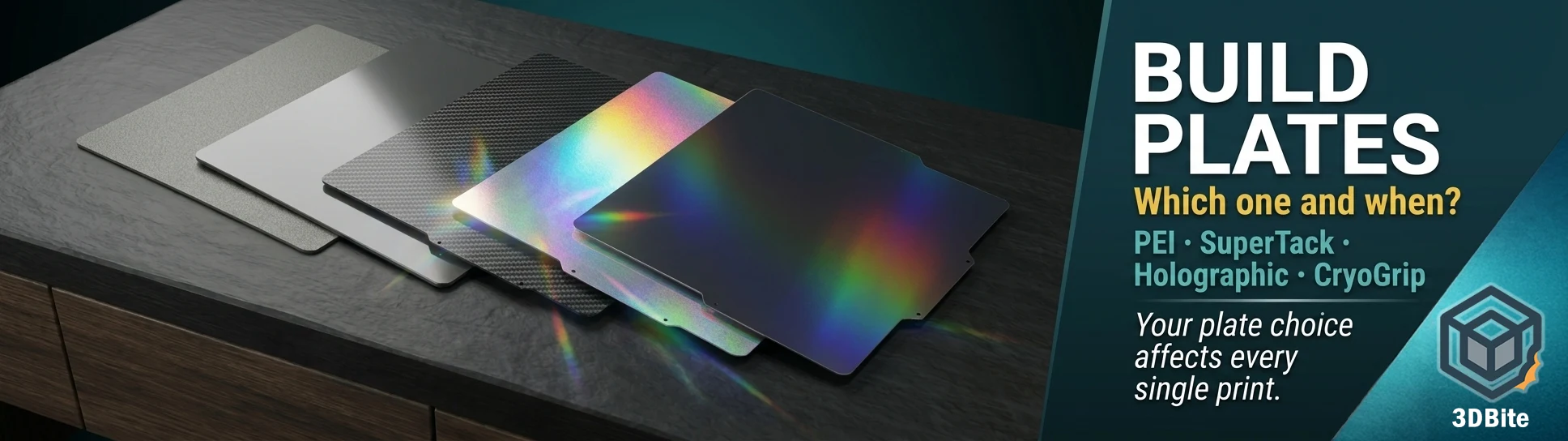
The build plate is one of those variables that gets less attention than it deserves. Most people start with whatever came in the box, get their settings dialled in for that surface, and never revisit the decision. That is a reasonable approach — the stock plates work well — but the build plate choice has a real impact on first-layer adhesion, part release, surface finish, and even what materials you can print reliably. And beyond the functional choices, there is now a genuinely interesting category of aesthetic plates that change the visual character of the bottom surface of every print you make, without any extra work.
This guide covers every significant build plate category, starting with the core Bambu Lab options and working through to the third-party alternatives that are earning strong community attention. The focus is Bambu hardware throughout, but every plate type described here exists across other brands too — the underlying surface technology is the same whether you are on a Bambu A1, a Prusa Core One, or a Creality machine.
How build plates work: the basics
All modern FDM build plates follow the same fundamental structure: a flexible spring steel sheet, a magnetic attachment system that holds it to the heated bed, and a surface coating that determines adhesion behaviour, release behaviour, and the finish transferred to the underside of the print.
The magnetic attachment is what enables the key workflow feature of every modern plate: you flex the sheet slightly when the print has cooled and the part pops free. The spring steel is stiff enough to hold flat during printing and flexible enough to release parts without tools when bent. Clean the surface, return it to the bed, and print again. This replaced the older approach of printing directly onto glass or aluminium beds — functional but requiring scrapers and more force to remove parts without damage.
The surface coating is where all the variation lies. Different coatings provide different adhesion profiles at temperature, different release characteristics when cool, and different surface textures transferred to the print. Understanding what each coating does is the practical knowledge that helps you choose the right plate for the job.
Textured PEI Plate
The textured PEI plate is the workhorse of FDM printing and the plate most Bambu users spend the most time on. It is coated with PEI powder on both sides, creating a rough, slightly gritty surface texture that transfers to the bottom of every print as a consistent matte finish. The roughness provides mechanical grip — the molten first layer flows into the surface irregularities and locks in as it solidifies, creating strong adhesion without glue for most materials.
The release behaviour is thermal: at printing temperature, the plate grips the part firmly. As the plate cools, the PEI contracts slightly and releases. For PLA, full passive release happens reliably once the plate reaches room temperature. For PETG, it is worth noting that the textured PEI plate holds PETG so well that it can bond too aggressively without a glue stick acting as a release agent — apply a thin layer of glue stick before printing PETG on a textured PEI plate, not to improve adhesion, but to prevent the part bonding permanently to the surface and potentially damaging the coating on removal.
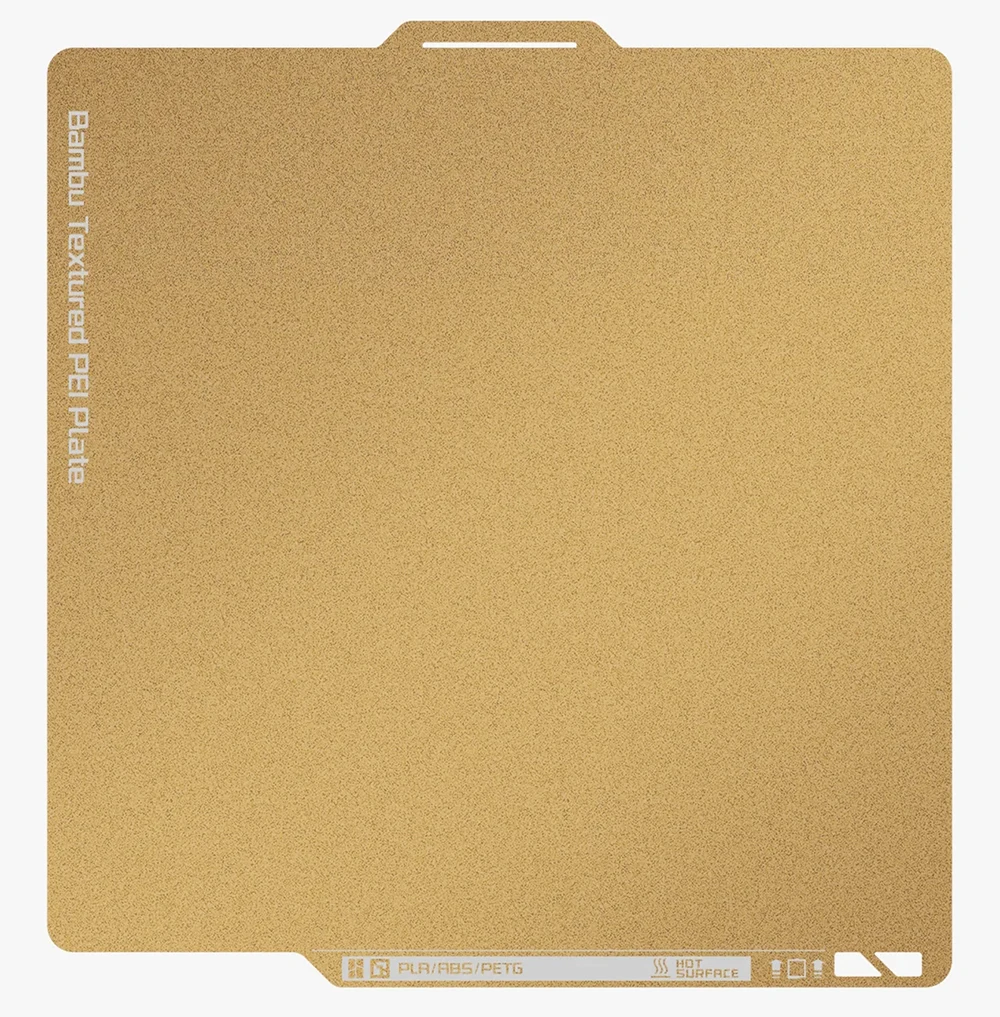
The textured surface handles up to 180°C bed temperature, which covers every standard Bambu-supported filament except those requiring the engineering plate. It is compatible with the Micro LiDAR calibration on X1 and P1 series machines. The matte texture on the bottom of prints works in favour of functional parts — it conceals elephant foot and minor first-layer imperfections, and the consistency of the surface means print-to-print repeatability is high once settings are dialled in.
Maintenance is straightforward: clean with IPA before every session, wash with warm water and dish soap when adhesion starts to degrade. The PEI coating is durable and lasts well through hundreds of prints with proper care. This is the plate to reach for by default for PLA, ABS, ASA, and most functional printing.
| Property | Detail |
|---|---|
| Surface | PEI powder coat, textured both sides |
| Max bed temp | 180°C |
| Best materials | PLA, PLA+, ABS, ASA, TPU, PA |
| PETG | Use glue stick as release agent — adhesion can be too strong without it |
| Glue stick needed | No (except PETG) |
| LiDAR calibration | Fully compatible |
| Bottom surface finish | Matte textured |
Smooth PEI Plate
The smooth PEI plate is the choice when the bottom surface finish of the print matters aesthetically. Where the textured plate leaves a rough matte underside, the smooth PEI plate produces a glossy, almost mirror-like bottom surface — the kind of finish that reads as deliberately designed rather than a byproduct of the printing process. For display pieces, figurines, vases, and anything where the underside will be visible, the smooth plate produces a noticeably more refined result.
The smooth plate uses a matte PEI sheet on a 0.5mm spring steel base. The surface itself is not glass-smooth — it has a very fine, almost imperceptible texture — but it is smooth enough to produce a consistent glossy reflection on the print’s first layer. The thinner spring steel base improves magnetic adhesion and helps resist warping on large prints.
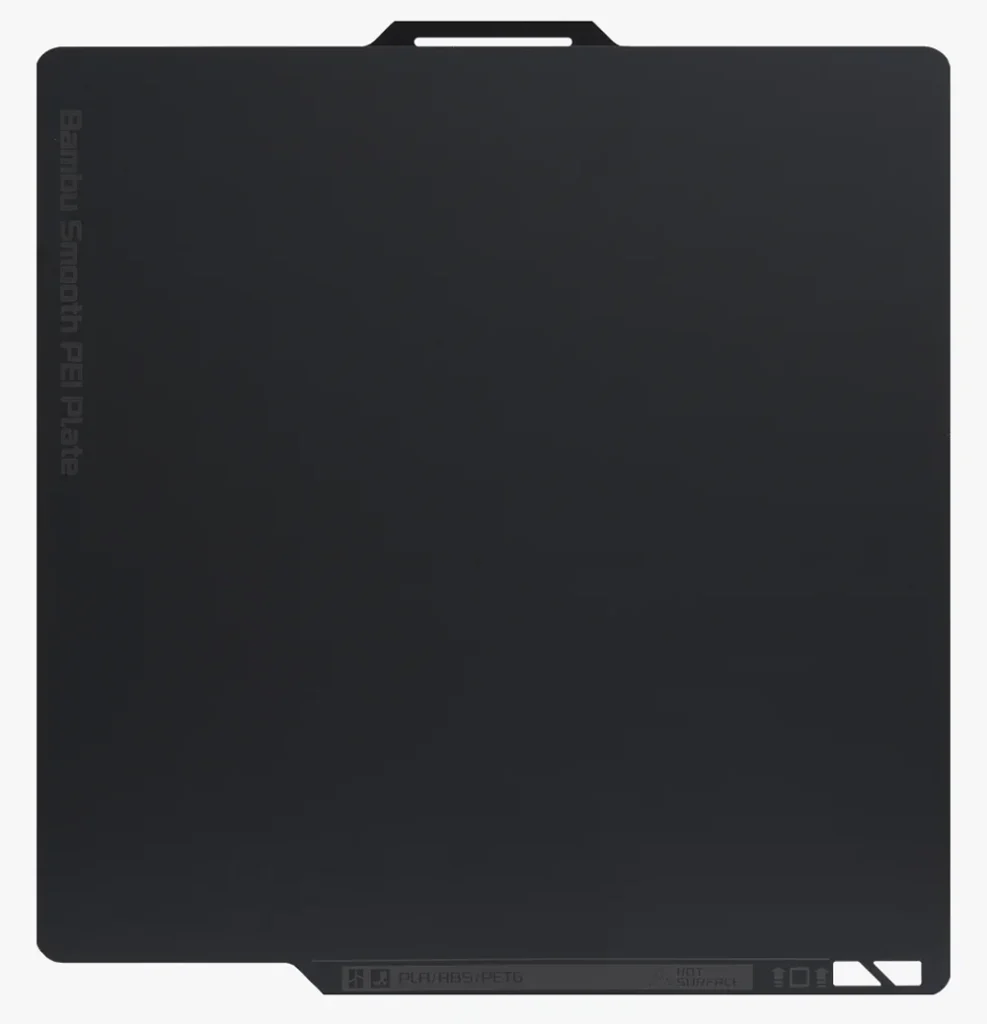
The trade-off is material compatibility. The smooth plate tops out at 120°C bed temperature and is not suitable for high-temperature engineering materials. PETG on smooth PEI is risky — the combination can bond too strongly, and removing a PETG print without glue stick can tear the PEI coating off the sheet. Always use glue stick as a release agent for PETG on smooth PEI. ABS is not recommended at all on the smooth plate. For PLA, it works well with no adhesive required.
If you primarily print display and decorative models in PLA and want a better-looking bottom surface, the smooth plate is worth having as a second plate alongside the textured version for functional work.
| Property | Detail |
|---|---|
| Surface | Smooth PEI sheet on spring steel |
| Max bed temp | 120°C |
| Best materials | PLA, PLA+, PETG (with glue stick) |
| ABS / ASA | Not recommended |
| Glue stick needed | Yes for PETG — essential |
| Bottom surface finish | Glossy, near mirror-like |
Engineering Plate
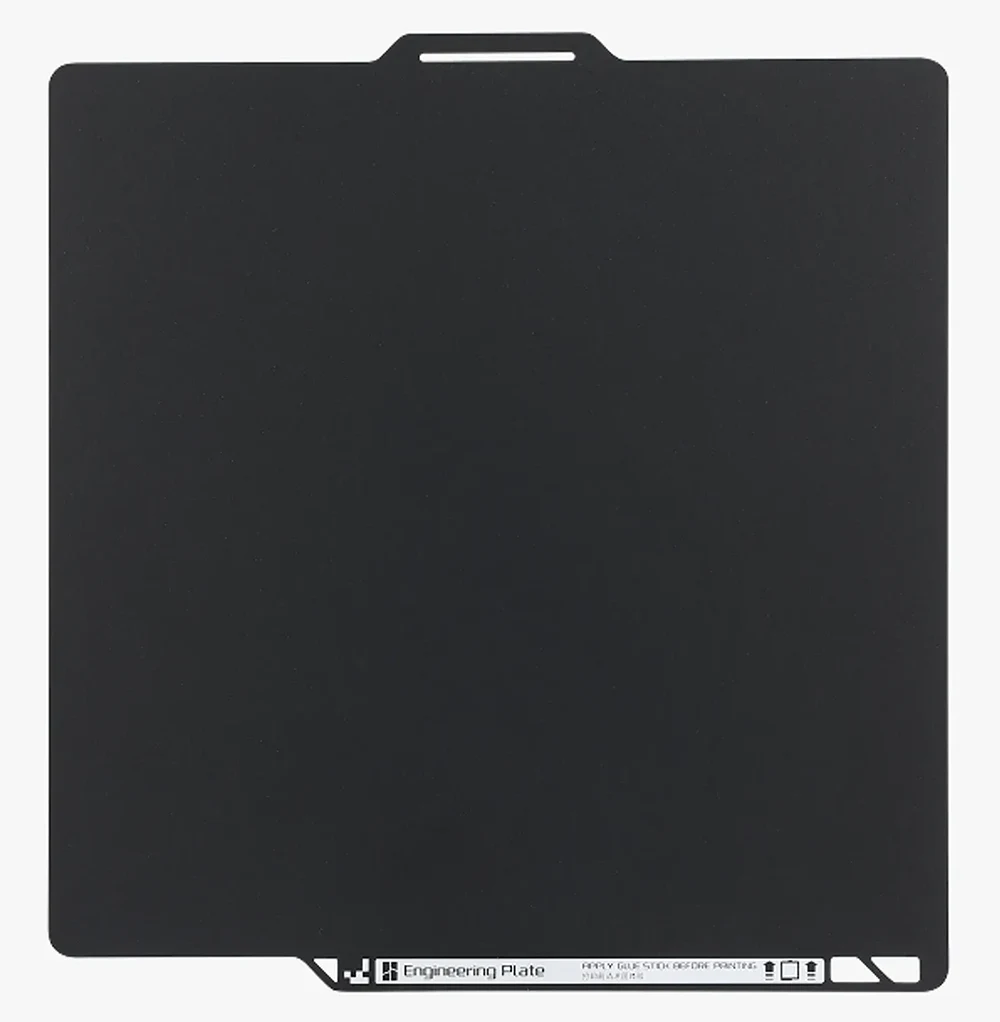
The engineering plate is Bambu’s solution for materials that need high bed temperatures to prevent warping: ABS, ASA, polycarbonate, nylon, and their composite variants. It is structurally similar to the textured PEI plate but uses a high-temperature resistant surface coating — typically an adhesive sticker-style surface that withstands the sustained high bed temperatures required for engineering materials without degrading.
The engineering plate is designed to be used in conjunction with an enclosed heated chamber. At high bed temperatures, the surface holds engineering materials firmly during the print. When cooled, parts release cleanly without the aggressive mechanical adhesion that causes surface damage. The thermal expansion difference between the plate and the printed material is the release mechanism, the same as with PEI plates, but calibrated for the much higher temperature range of ABS and PC.
The engineering plate requires a glue stick for some materials — particularly PC and nylon — to prevent over-bonding. For ABS and ASA, many users find it works well without adhesive in a properly heated chamber. The surface is consumable and more vulnerable to wear than the PEI plates; with heavy engineering material use, it will need replacing more frequently than a standard PEI plate used for PLA.
| Property | Detail |
|---|---|
| Surface | High-temperature resistant coating on spring steel |
| Max bed temp | 120°C+ (designed for sustained high-temp use) |
| Best materials | ABS, ASA, PC, PA, PA-CF, PETG |
| Enclosure | Required for reliable results with warping-prone materials |
| Glue stick needed | Recommended for PC and Nylon |
| Bottom surface finish | Matte, slightly textured |
Cool Plate SuperTack
The Cool Plate SuperTack is Bambu’s most beginner-accessible build surface and the one with the most specific design intent. Where the textured PEI plate is a broad-use workhorse, the SuperTack is engineered specifically for PLA and PETG at low bed temperatures, with a coating that provides strong grip without glue — and releases reliably when the plate is removed and allowed to cool.
The surface features a finely textured finish that approaches a smooth glossy appearance — finer than the textured PEI plate but not as mirror-like as the smooth PEI. The SuperTack coating is slightly softer than PEI, which is what gives it such strong low-temperature adhesion. PLA adheres firmly at just 35–40°C bed temperature — lower than any of the PEI plates. The second-generation SuperTack extends this to PETG at 55–60°C without glue, which is a meaningful improvement over the first generation.
The softer coating is also the reason for the main care note: the SuperTack surface scratches more easily than textured PEI. Use a scraper carefully, moisten the contact area with alcohol before scraping if a part is stuck, and avoid abrasive cleaning. Minor surface scratches do not significantly affect adhesion, but aggressive scraping will degrade the coating faster than it would on PEI.
One important distinction from all the PEI plates: do not use IPA on the SuperTack. The coating does not respond well to isopropyl alcohol. Use warm water and mild detergent for cleaning instead. This catches people out when they apply the same cleaning routine they use on the textured PEI plate.
| Property | Detail |
|---|---|
| Surface | SuperTack polymer coating — fine texture approaching smooth |
| Bed temp (PLA) | 35–40°C — lower than PEI plates |
| Bed temp (PETG) | 55–60°C (2nd gen) — no glue required |
| Best materials | PLA, PLA+, PETG |
| Glue stick needed | No for PLA and PETG |
| Cleaning | Warm water and detergent — NOT IPA |
| LiDAR calibration | Compatible |
| Bottom surface finish | Fine matte-to-satin texture |
3D Effect Plates: carbon fibre, galaxy, and texture variants
Bambu’s own 3D Effect Plate range — and a wide range of third-party equivalents — take the build plate in a different direction entirely. Rather than optimising for adhesion or release, these plates are designed to transfer a decorative texture to the bottom surface of the print. The underlying spring steel and magnetic attachment are the same. The surface coating is the difference.
The Bambu 3D Effect Plate comes in four distinct textures: Galaxy, Carbon Fibre, Starry, and Diamond. Galaxy produces a vibrant rainbow shimmer on the print surface. Carbon Fibre transfers a subtle woven weave pattern that reads as genuine carbon fibre at normal viewing distances. Starry gives a glitter-like scattered light effect. Diamond produces a combination of glossy and matte faceted sections.
Third-party manufacturers have expanded this concept significantly. The market now includes plates with honeycomb patterns, crystal ball textures, mosaic tiles, heart shapes, geometric grids, and a wide range of other designs. Most are available for Bambu A1, P1, and X1 sizes, and the same concept exists across Prusa, Creality, Bambu, and Voron printer sizes from numerous manufacturers on Amazon and AliExpress.
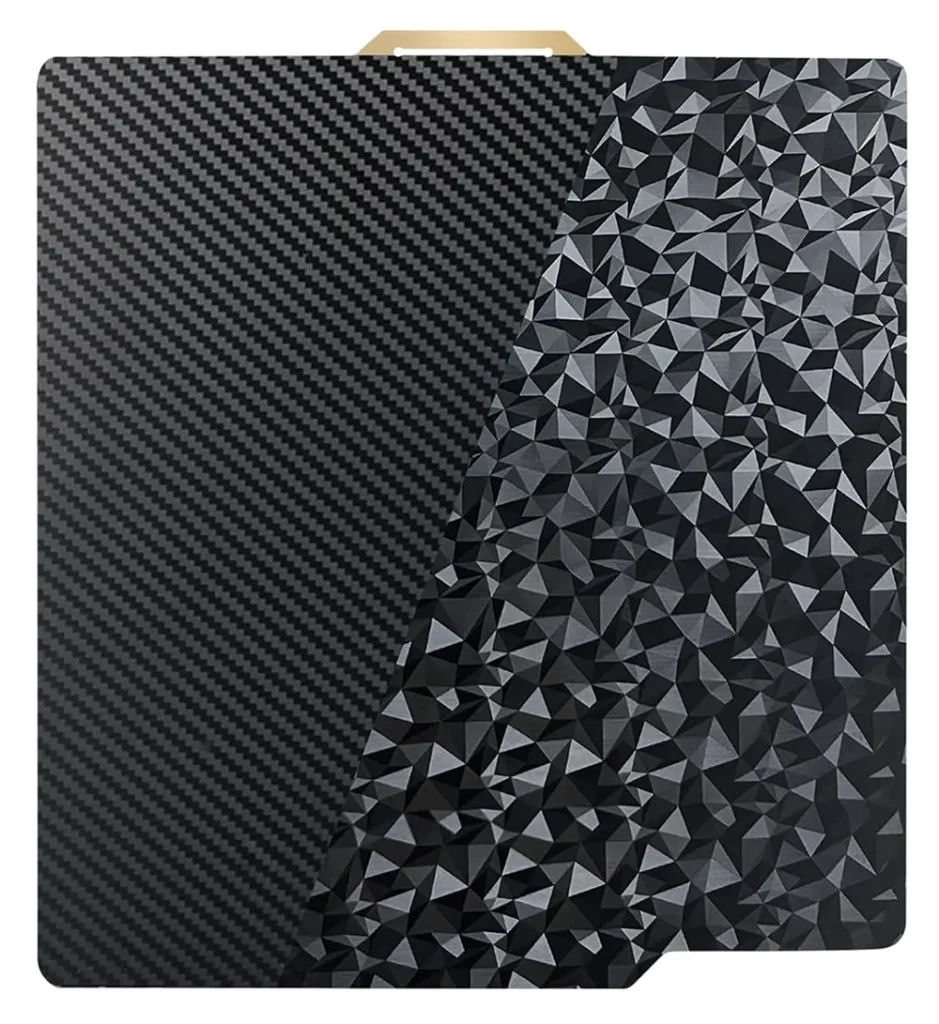
The practical notes for using these plates are important. Most 3D effect plates instruct you to set the plate type to Smooth PEI or High Temperature Plate in Bambu Studio — they do not have their own plate type recognition and do not have a QR code. LiDAR calibration does not work correctly on reflective effect surfaces, so disable plate position detection before printing. Do not apply glue stick to these plates — the adhesive destroys the pattern on the surface. They are recommended for PLA and TPU only; higher-temperature materials risk damaging the pattern coating permanently. Keep them clean with hot water and detergent, and avoid touching the surface with bare hands — grease from fingerprints can cause the pattern to disappear from the affected area.
These plates are consumable at a faster rate than PEI plates. The pattern is a surface treatment and it will degrade over time. Budget to replace them after extended use rather than expecting the same lifespan as a plain PEI plate. For display and decorative printing where the bottom surface is part of the design, they are worth it.
Holographic plates: the science and why they are special
Holographic build plates are one of the genuinely surprising things in desktop 3D printing right now. The effect they produce — a rainbow shimmer that shifts and moves as you tilt the print — is visually striking enough that people who have not seen it before consistently do not believe it came off the printer without any post-processing.
The science behind it is fascinating and worth understanding properly. 3D printing build plates use a diffraction grating surface to create holographic colour effects on the bottom of prints. These optical effects are not caused by pigment or dye but by microscopic grooves or crevices engineered into the plate’s surface. These grooves are spaced at precise intervals that cause incoming light to diffract, bending and scattering based on wavelength, which creates a rainbow-like appearance. When you print on such a surface, the pattern is physically transferred onto the bottom layer of your print, embedding the same light-diffracting structure. This is the same physics behind soap bubbles, CDs, peacock feathers, and butterfly wings. The colour you see is not pigment — it is light interference.
The result on a print is a surface that produces different colours depending on the angle of view. If you’ve ever tilted a 3D print that was made on a holographic build plate, you probably noticed the colours shift and dance across the surface. That’s angular light interference at work. When you change your position relative to the surface, you’re essentially changing the distance light travels as it bounces off those microscopic textures. The result is a rainbow shimmer that morphs and flows as you tilt or turn the model.
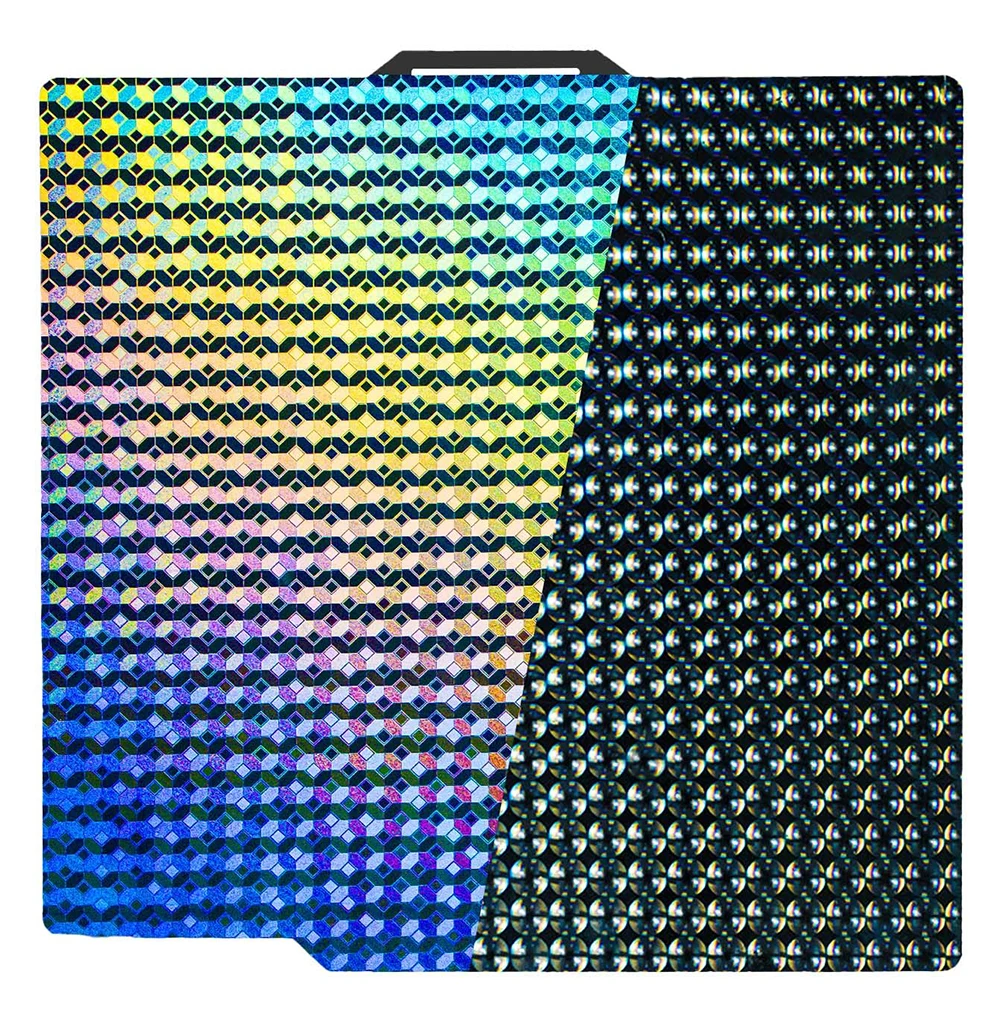
The effect is amplified considerably by filament choice. Silk PLA is the natural pairing — the filament’s own metallic sheen combines with the holographic plate’s diffraction grating to produce a layered shimmer effect that makes prints look almost liquid. Clear or translucent filaments on a holographic plate produce a ghostly, glowing quality that works exceptionally well in display cases or lightboxes. Matte filaments still transfer the pattern, but the flat surface absorbs rather than reflects, so the holographic effect is subtler.
Holographic plates are available on Amazon and AliExpress for Bambu Lab sizes (257 × 257 mm for A1, P1, and X1 series) from numerous third-party manufacturers. They are inexpensive — typically under £15 for a compatible plate — and community reports suggest surprisingly good longevity. One user documented over 180 prints on a holographic plate with the pattern still largely intact. The same care notes apply as for 3D effect plates: no glue stick, no LiDAR calibration, PLA and TPU recommended, disable plate detection in Bambu Studio, and clean with water and detergent rather than IPA.
For anyone who prints decorative pieces, gifts, display models, or anything that goes on a shelf — a holographic plate is a low-cost addition to your plate collection that changes the character of every print you make on it without any design work or post-processing. The prints come off looking like they have been finished, not printed.
BIQU CryoGrip Pro: a new approach to adhesion
The BIQU CryoGrip Pro represents a fundamentally different engineering approach to the adhesion problem, and it is earning serious attention from the community. Where all the plates above rely on temperature-dependent adhesion — the surface grips when hot and releases when cool — the CryoGrip Pro inverts the relationship. It grips hard at low or room temperatures and releases more easily as temperature increases. The name is accurate: this plate behaves like frost, gripping at cold and releasing with warmth.
The Cryogrip Pro is designed for the Bambu X1, P1, and A1 series of printers. The idea of the new material is to reduce the need for high bed temperatures, keeping enclosure temperatures low. As some enclosed printer owners may know, trying to print PLA and even PETG with the door closed can be troublesome due to how slowly these materials cool. Too high an ambient temperature can wreak havoc with this cooling process, even leading to nozzle-clogging. The new build plate purports to enable low, even ambient bed temperatures, still with maximum adhesion. This is a practical benefit for enclosed Bambu machines: lower bed temperatures mean lower ambient chamber temperatures, which means PLA and PETG cool correctly without warping in the enclosure.
The plate uses a seven-layer composite construction — a base coat with ultra-strong bonding agent, corrosion-resistant shock-resistant intermediate layers, and a top surface coating. The high-magnetic spring steel base provides secure attachment to the Bambu printer beds. Two variants are available:
- Glacier — fine, semi-smooth texture. A fantastic plate with a somewhat satin-like texture that offers extremely good adhesion and is great for materials like PLA, PETG, ABS and PA. More versatile across material types. Recommended PLA bed temp around 50°C, PETG around 70°C
- Frostbite — coarse, aggressive texture. Optimised for PLA and PETG specifically. Maximum adhesion. Better for prints with small contact areas or difficult first-layer geometry
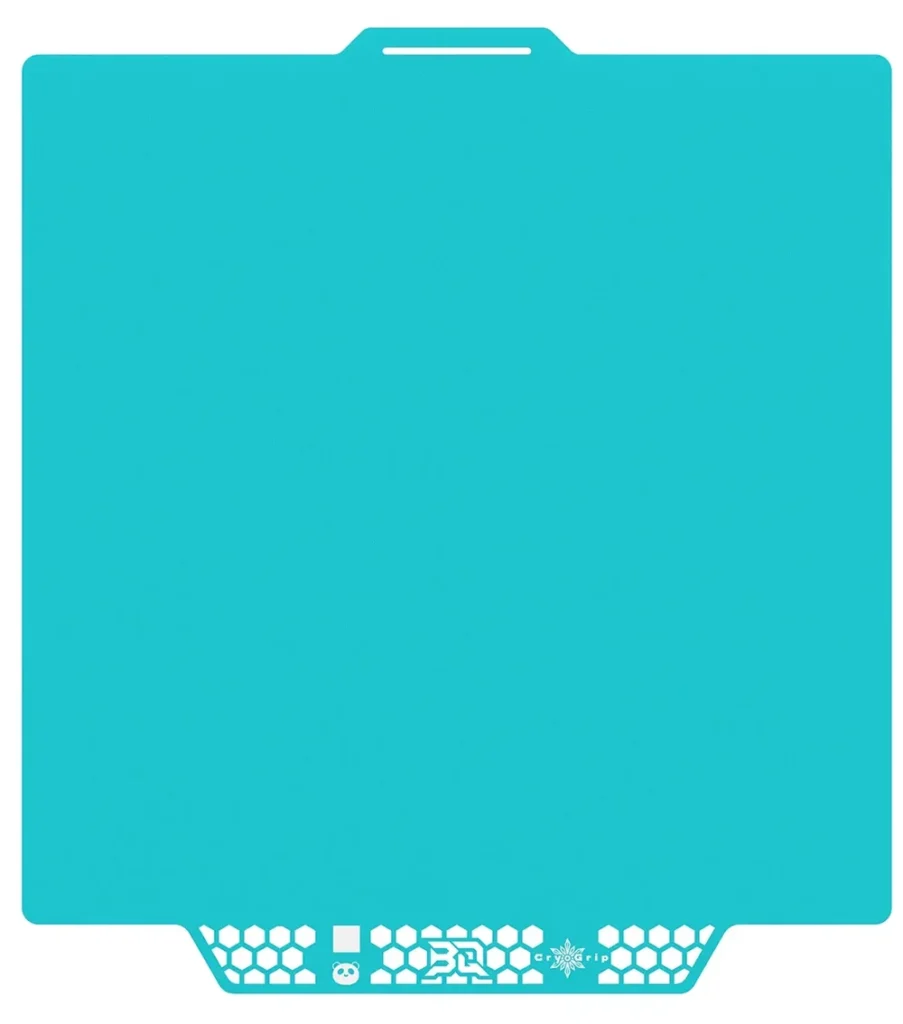
Community feedback is broadly positive with a few consistent caveats. Frostbite adhesion for PLA is off the chain. Glacier adhesion takes it up a notch and works flawlessly for higher-temp filaments like ASA. The Bambu Lab forum has an active thread from a P1S user reporting that with the stock textured PEI plate printing at 60°C with good success, this glacier plate sticks a little better but releases well too. The consensus for Bambu users is to use the Cool Plate SuperTack profile in Bambu Studio as the closest match, starting at 45–50°C for PLA and adjusting from there.
One important note: do not use IPA on the CryoGrip Pro or any cold-grip plate. These surfaces are not PEI and the coating does not respond well to alcohol. Clean with warm water only. This is a common mistake when users apply their standard PEI cleaning routine to a new plate type.
The CryoGrip Pro is compatible with Bambu A1, A1 Mini, X1, P1, X2D, H2C, H2D, and H2S in the appropriate sizes, and also fits Prusa, Creality, Voron, and other magnetic-bed machines in their respective sizes. It is available directly from biqu.equipment and from resellers including Amazon, typically priced between £20–£30 for a Bambu-compatible size.
| Property | CryoGrip Pro Glacier | CryoGrip Pro Frostbite |
|---|---|---|
| Texture | Fine, semi-smooth / satin | Coarse, aggressive |
| Best materials | PLA, PETG, ABS, ASA, PA — broad range | PLA and PETG — maximum grip |
| PLA bed temp | ~50°C | ~35–45°C or even room temp |
| PETG bed temp | ~70°C | ~55–65°C |
| Glue stick | No | No |
| Cleaning | Warm water only — NOT IPA | Warm water only — NOT IPA |
| Bottom surface finish | Satin, fine grain | Coarse matte grain |
| Bambu Studio profile | Cool Plate SuperTack (closest match) | Cool Plate SuperTack (closest match) |
How all the plate types compare at a glance
| Plate | Best for | Glue needed | Max temp | Bottom finish | LiDAR compatible |
|---|---|---|---|---|---|
| Textured PEI | PLA, ABS, ASA, TPU — general use | PETG only (as release agent) | 180°C | Matte textured | Yes |
| Smooth PEI | PLA display prints | Yes for PETG | 120°C | Glossy | Yes |
| Engineering Plate | ABS, ASA, PC, PA | Recommended for PC / PA | 120°C+ | Matte | Yes |
| Cool Plate SuperTack | PLA, PETG beginners | No | Standard | Fine satin-matte | Yes |
| 3D Effect / CF Texture | PLA, TPU display prints | No | PLA only | Pattern transferred to print | No — disable |
| Holographic | PLA, TPU display / decorative | No | PLA only | Diffraction grating — rainbow shift | No — disable |
| BIQU CryoGrip Glacier | PLA, PETG, ABS, ASA, PA | No | Standard | Fine satin grain | Not confirmed — use SuperTack profile |
| BIQU CryoGrip Frostbite | PLA, PETG maximum grip | No | Standard | Coarse matte grain | Not confirmed — use SuperTack profile |
Which plate for which job: practical guidance
If you are printing functional parts day to day in PLA or ABS on a Bambu machine, the textured PEI plate covers everything. Keep it clean with IPA, use a glue stick for PETG, and you will not need to think about it again for most jobs.
If you print a lot of decorative or display pieces in PLA where the bottom surface is visible — vases, figurines, ornaments — the smooth PEI plate or a holographic plate will produce a noticeably better result. Keep the smooth plate for PLA only. Holographic plates pair especially well with silk PLA for display pieces.
If you print engineering materials — ABS, ASA, PC, nylon — and your machine is enclosed, the engineering plate is the correct choice. Pair it with a heated chamber and follow Bambu’s recommended bed temperatures for the specific material.
If you are new to 3D printing or want the lowest-friction PLA workflow, the Cool Plate SuperTack removes the glue stick requirement and works reliably at lower temperatures than PEI plates. Just use water for cleaning rather than IPA.
If you are running an enclosed machine and finding that high bed temperatures are causing PLA and PETG to cool too slowly, the BIQU CryoGrip Pro Glacier is worth trying. The lower operating temperatures reduce ambient chamber heat and the adhesion at those temperatures is genuinely excellent. It also extends to ABS and ASA, making it a more versatile daily plate than the SuperTack.
And if you have never tried a holographic plate — they are inexpensive enough that the only reason not to try one is not knowing they exist. For the cost of a couple of coffee cups’ worth of filament, the bottom surface of every print you make on it becomes something worth looking at.
Maintenance: the universal rules
Build plate maintenance is straightforward but the rules differ by surface type. The consistent principles across all plates are to clean before every session, handle with care to avoid fingerprints and scratches on the active surface, and replace when adhesion degrades beyond recovery. The specific cleaning approach varies:
- Textured PEI: IPA wipe before each print. Warm water and dish soap when adhesion degrades. Occasional light sanding with fine grit if the surface has become glazed
- Smooth PEI: IPA wipe. Light sanding to restore adhesion if needed. Handle by edges — fingerprints on the print surface are transferred to the part’s first layer
- Engineering Plate: IPA wipe. Replace the surface sticker when adhesion fails — the sticker is the functional surface, not the steel sheet
- Cool Plate SuperTack: Warm water and dish soap only — no IPA. Moisten the contact area with alcohol before scraping stuck parts to reduce force required
- 3D Effect and Holographic plates: Hot water and dish soap. No IPA, no glue stick, no abrasive cleaning. Handle by edges only — grease kills the pattern
- BIQU CryoGrip Pro: Warm water only. No IPA, no glue stick. Let it cool before attempting to remove parts
A note on third-party plates and other brands
Every plate type described in this guide exists across the broader market. Prusa’s Satin sheet occupies similar territory to the smooth PEI. The CryoGrip Pro is available for Voron, Creality, Prusa, and Anycubic machines in addition to Bambu. Holographic plates are available for any printer with a magnetic spring steel bed system. The underlying surface technologies are not exclusive to Bambu hardware — the magnetic flex plate format that Bambu popularised at scale is now the standard across virtually all modern FDM printers, and the accessory market reflects that.
For Bambu users, it is worth noting that third-party plates do not carry a QR code for automatic plate recognition. You will need to manually select the closest matching plate type in Bambu Studio — the Cool Plate SuperTack profile is the most commonly recommended setting for the CryoGrip Pro and many third-party cool plates. This is a minor inconvenience, not a barrier, and the profile mismatch has no effect on print quality as long as you set appropriate bed temperatures for your specific filament and plate combination.